
STANDARD OS
Run Fugo on standard operating systems
Install the Fugo Player app directly on your device from an app store or a download file.

Android
Smart TVs, media players & commercial displays

Sony BRAVIA
BRAVIA & BZ professional Android TV displays
Amazon Fire
Fire TV sticks, cubes & Fire TV Edition TVs

ChromeOS
Chromeboxes & managed kiosk devices

Linux
Ubuntu, Debian & Linux-based mini PCs

macOS
Mac Mini, Mac Studio & iMac

Raspberry Pi
Pre-configured image for Pi 4 & Pi 5

Windows
Windows 10 & 11 PCs, NUCs & all-in-ones
SIGNAGE PLATFORMS
Deploy Fugo with dedicated signage platforms
Deploy & manage the Fugo Player app through a dedicated signage platform that supports provisioning, remote management, and fleet control.

Amazon Signage
Amazon Signage Stick & Signage Manager

BrightSign
Series 4, 5 & 6 players via BSN.cloud
IAdea
XMP professional media players

LG webOS Signage
Built-in SoC on LG commercial displays

Philips Wave
PPDS Wave-enabled professional displays

Samsung SSSP
Tizen-based commercial signage displays
BROWSER PLAYER
Run Fugo in a browser
Open the Fugo Player app via a URL to run it without installing anything on the device.
Fugo Browser Player
Run in any browser — no install required

Fugo Chrome Extension
Turn any Chrome browser into a Fugo screen

AirServer
Display Fugo when screen is idle

Google Meet
Screensaver signage for meeting rooms

Microsoft Teams
Digital signage for Teams Rooms displays

Zoom Rooms
Signage URL for Zoom room displays
FUGO PLAYERS
Use a dedicated Fugo player
Run Fugo on dedicated hardware that's battle-tested by our team for consistent performance.
Compare Fugo players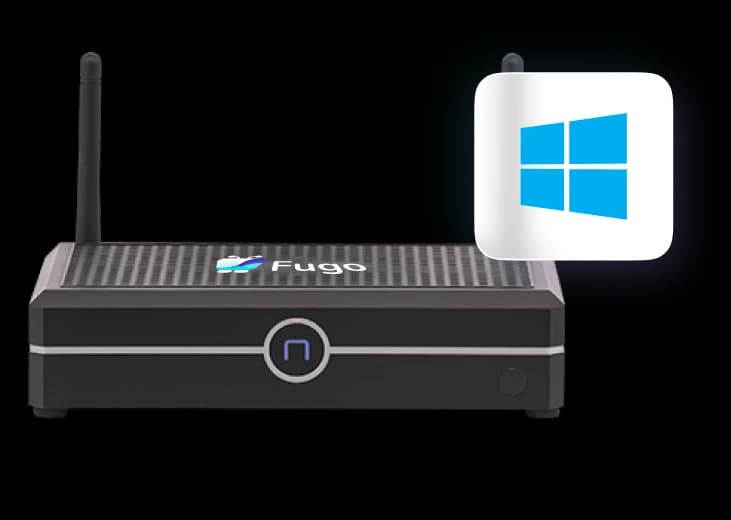
Fugo NUC
Windows-based, supports up to 3 displays
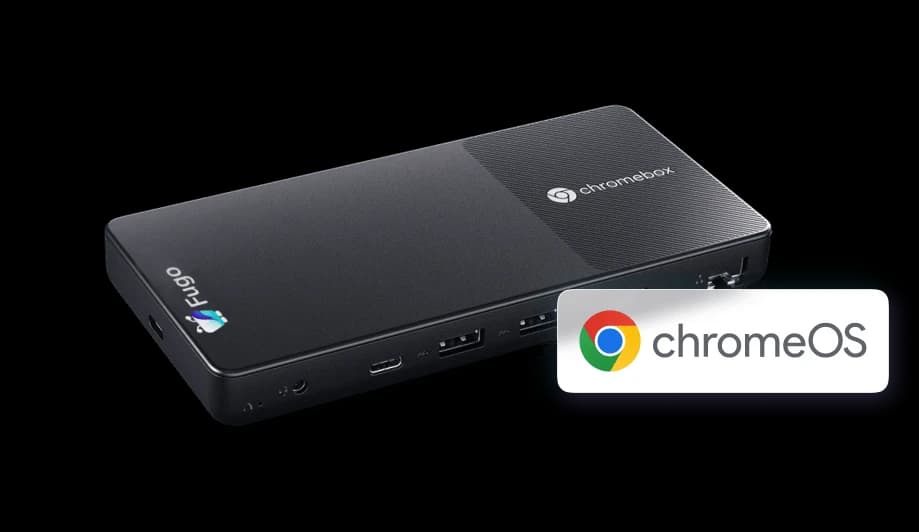
Fugo Chromebox
ChromeOS-based, slim & fanless
Hardware guides
A dedicated guide for every platform Fugo runs on, with setup steps and recommended devices.
Android
Android TVs, tablets, and signage players for flexible digital signage.
Samsung smart TV
Samsung Tizen-powered smart TVs and SSSP commercial displays.
LG webOS
LG webOS smart displays and commercial signage.
Amazon fire TV
Cost-effective Fire TV devices for digital signage.
Sony BRAVIA
Premium Sony BRAVIA and BZ professional Android TV displays.
Windows
Windows PCs, mini-PCs, and all-in-one displays.
Linux
Linux-based systems and single-board computers.
macOS
Mac Mini and iMac for high-performance signage.
ChromeOS
Chromeboxes and Chrome OS devices in kiosk mode.
Raspberry Pi
Affordable Raspberry Pi for digital signage projects.
BrightSign
Professional BrightSign media players via BSN.cloud.
IAdea
Professional grade IAdea media players.
Philips Wave
Philips professional displays with PPDS Wave technology.
Fugo browser player
Run in any browser — no install required.
Fugo Chrome extension
Turn any Chrome browser into a Fugo screen.
AirServer
Display Fugo when the screen is idle.
Google Meet
Screensaver signage for meeting rooms.
Microsoft Teams
Digital signage for Teams Rooms displays.
Zoom Rooms
Signage URL for Zoom room displays.
Fugo NUC
Windows-based, supports up to 3 displays.
Fugo Chromebox
ChromeOS-based, slim & fanless.
Player comparison
Compare features across different hardware options.
Frequently asked questions
Common questions about downloading and setting up Fugo on your devices.
Which device should I choose for digital signage?
Can I try Fugo without buying hardware?
How do I install Fugo on a smart TV?
What is the Fugo browser player?
Do I need a Fugo account to download the player app?
Can I manage multiple devices from one place?
Where to go next
Once your hardware is sorted, see what Fugo can put on those screens.
How Fugo works
See how content, screens, and players fit together end to end.
TV dashboards
Put Power BI, Tableau, Grafana and any web dashboard on your screens.
Digital signage by industry
Retail, corporate, healthcare, manufacturing and more.
Corporate digital signage
Office lobbies, internal comms, and meeting-room screens.
Retail digital signage
In-store promos, menu boards, and window displays.
See pricing
Simple per-screen pricing: start a free trial or book a demo.