

You're likely familiar with legacy digital signage, which typically requires IT-intensive training and a six-figure budget. But there's another, more accessible version these days: smart, connected screens that are easy to set up, simple to manage, and flexible enough to grow with you.
This guide is for the latter.
Whether you're a marketing manager trying to modernize your retail displays, or an IT administrator wanting to upgrade your network, we'll explain everything you should know about smart digital signage. We also offer practical guidance on pricing, features, and how to deploy the right system.
What is smart digital signage?
Smart digital signage is an internet-connected display that updates automatically depending on the criteria you set. It allows you to manage data remotely through a cloud-based software platform. That way, you can ensure your screens behave intelligently, without forcing anyone on your team to physically touch it.
How does this differ from traditional signage? For one thing, it's always aware of its interconnected environment. It can detect when something updates in another of your platforms, change content depending on the time you set, and even automatically trigger certain content screens whenever you reach a specific date or condition.
Here's a quick breakdown of traditional signage versus smart digital signage:
Static Signage | First-Generation Digital Signage | Smart Digital Signage | |
|---|---|---|---|
Examples | Printed posters, foam boards, chalkboards | USB-loop screens, unmanaged media players | Cloud-connected displays with CMS |
Content updates | Physical replacement | Manual USB swap or on-site edit | Pushed remotely from any device instantly |
Update speed | Days to weeks | Hours to days | Seconds |
Multi-screen management | Not possible | Not possible | Yes |
Scheduling | None | Limited or none | Fully automated |
Data integrations | None | None | Yes |
Context awareness | None | None | Yes |
Remote management | None | None | Yes |
Cost to update content | Reprinting and installation fees | On-site labor | Near $0 |
Scalability | Low | Low | High |
Environmental impact | High | Medium | Low |
Best for | Short-term, low-budget, low-change environments | Basic single-screen setups | Any business that needs flexibility, scale, and control |
The many benefits of smart digital signage systems
Here are just a few benefits of smart digital signage solutions:
Connect your digital displays with third-party tools
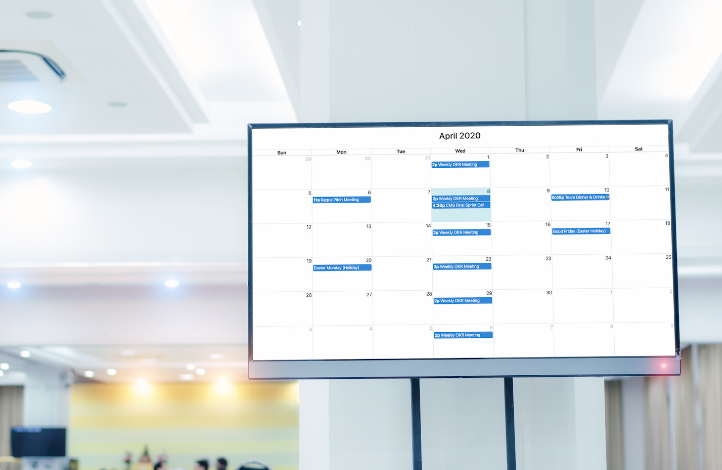
Unlike traditional signage tools, you can use smart digital signage software to connect with the tools you already own. You might want to integrate with Google Calendar to display meetings, or Microsoft Teams to look at schedules. Or, if you feel like displaying business intelligence data, you might connect with Power BI, Salesforce, Slack, or Grafana.
You can use these integrations to set up light automations. That means you can push content updates from one platform to the next. Plus, this can help with content management, since you won't need to upload content at specific dates or times (or make in-person, manual updates to individual screens).
Stronger customer engagement and customer experience
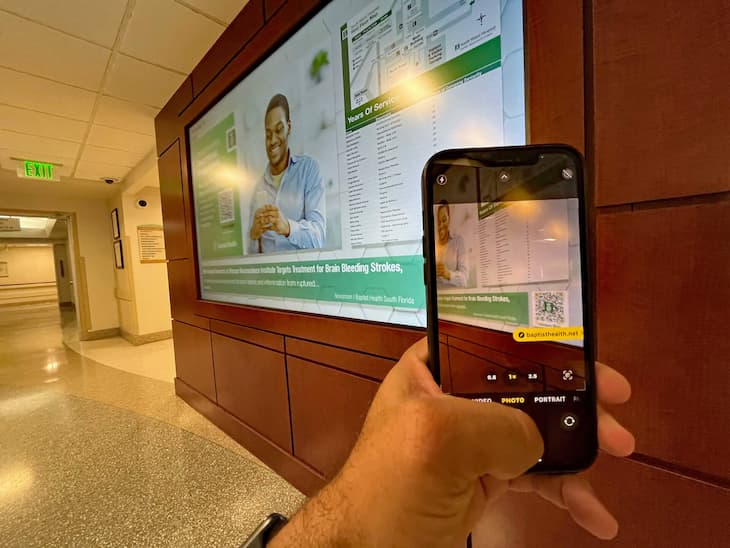
Studies show that dynamic signage displays can lead to much higher recall rates compared to traditional signage. You get this in spades with the right smart digital display; with it, you can create personalized or more contextually relevant content, like pushing social media posts with specific hashtags to the forefront of your store. This can potentially boost conversion rates and improve customer engagement with your content. It's also extremely easy to do.
Remember: it's not always possible (or feasible) to update content on a board each time the weather changes, or you want to display custom content to suit a specific customer's experience. But with smart digital signage platforms, you can use remote management to personalize digital signage displays within seconds.
Interactive experiences for customer engagement
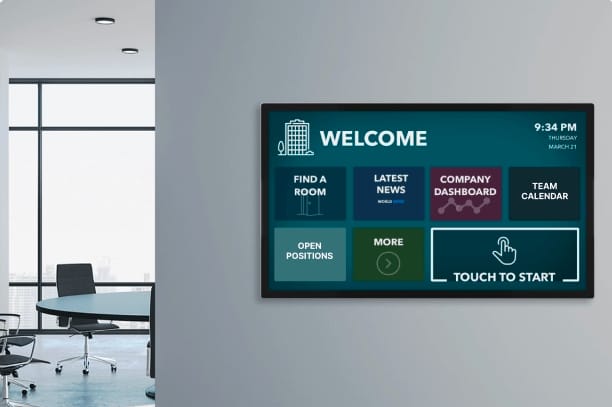
Touch-enabled displays can help customers engage directly with your content rather than simply watch it from afar.
For example, in large facilities like hospitals, airports, and corporate campuses, interactive wayfinding displays can help visitors determine where to go. Or, in retail and hospitality, you might create self-service kiosks that handle anything from loyalty sign-ups to order placement. This lets you use digital screens to generate revenue directly, like helping customers browse a product catalog, check in for an appointment, or locate a specific room or department.
Time savings for you and your team
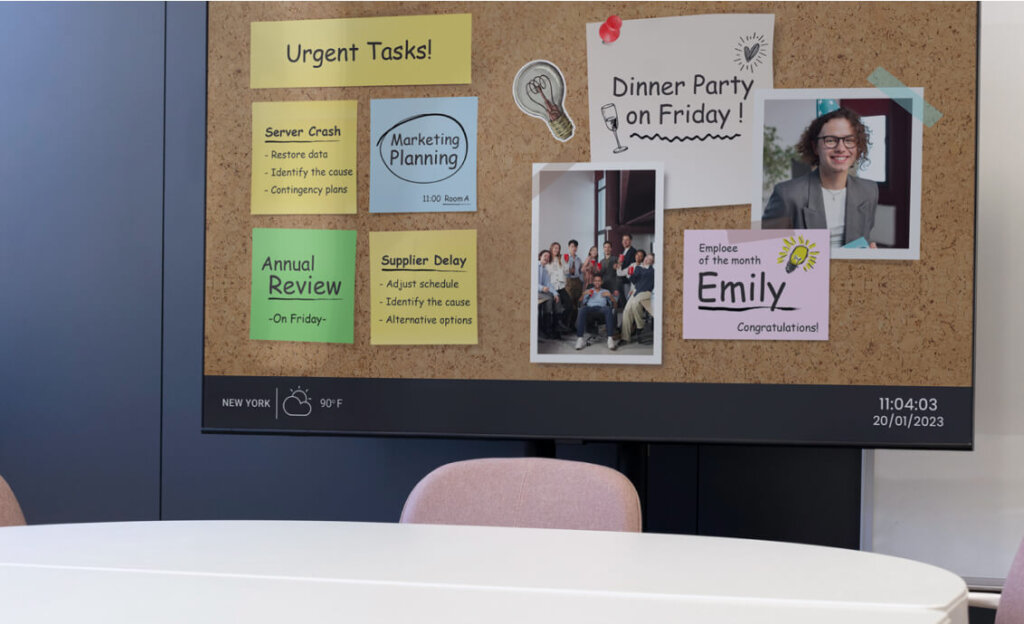
Updating content on traditional signage solutions could mean manually designing, approving, exporting, emailing, and installing updates screen by screen. But with a cloud-based, smart signage platform, all you need is your login and an internet connection.
You can push content to every screen in your network using a single dashboard that updates in seconds. This also frees up your team to focus on higher-leverage tasks. For context, most teams using remote content management tools like Fugo recover anywhere from five to 15 hours per week previously spent on manual, repetitive tasks.
Reduced costs and higher ROI
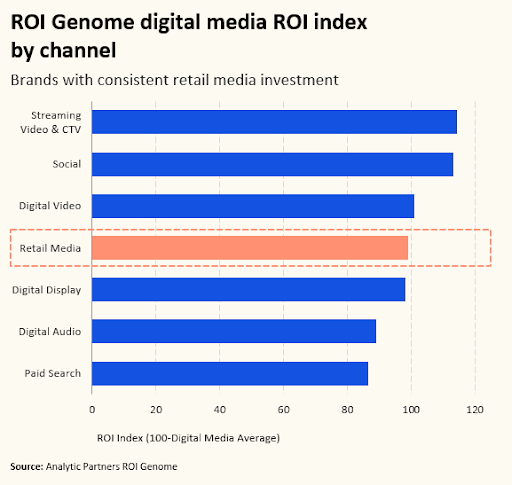
You can use smart signage to save you money from a hardware, productivity, and KPI standpoint. For one thing, it cuts down on print expenses. No need to spend on design fees, production, shipping, and installation. It also lets you deploy signage updates within seconds (think a lunchtime promotion or a limited-stock alert in retail stores). And as we've already learned, this can help drive higher conversion rates.
This means you're spending less time and money on digital signage software that's actively encouraging higher spend from customers.
How smart digital signage works
Smart digital signage works by connecting to the internet, communicating between hardware and software, then displaying the right messaging according to rules you set (aka, the data).
Here's how these three layers work together at the same time:
Hardware layer
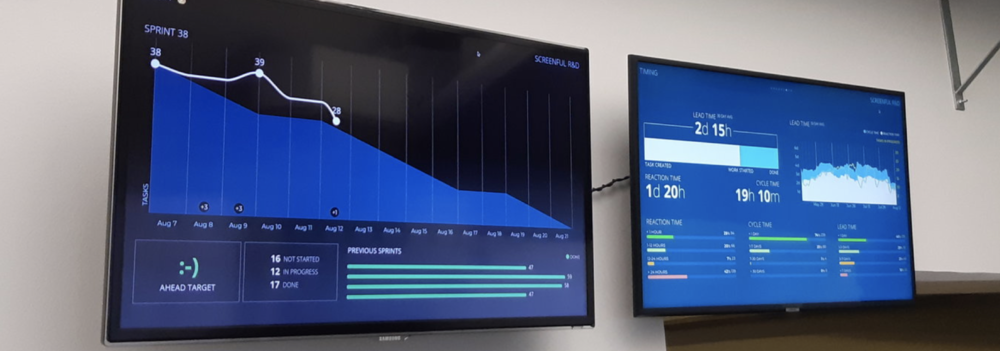
You can think of hardware as the physical foundation of a smart signage network, including screens, players, and any other necessary cabling. They receive instructions from your software layer in order to display the right content on screen.
In terms of specifics, you've got lots of options to choose from:
- Smart Android displays with a built-in system-on-chip processors (also called SoC)
- Dedicated media players like the Fugo NUC or Chromebox
- Or consumer-grade devices like the Google TV Streamer or Raspberry Pi
Software layer
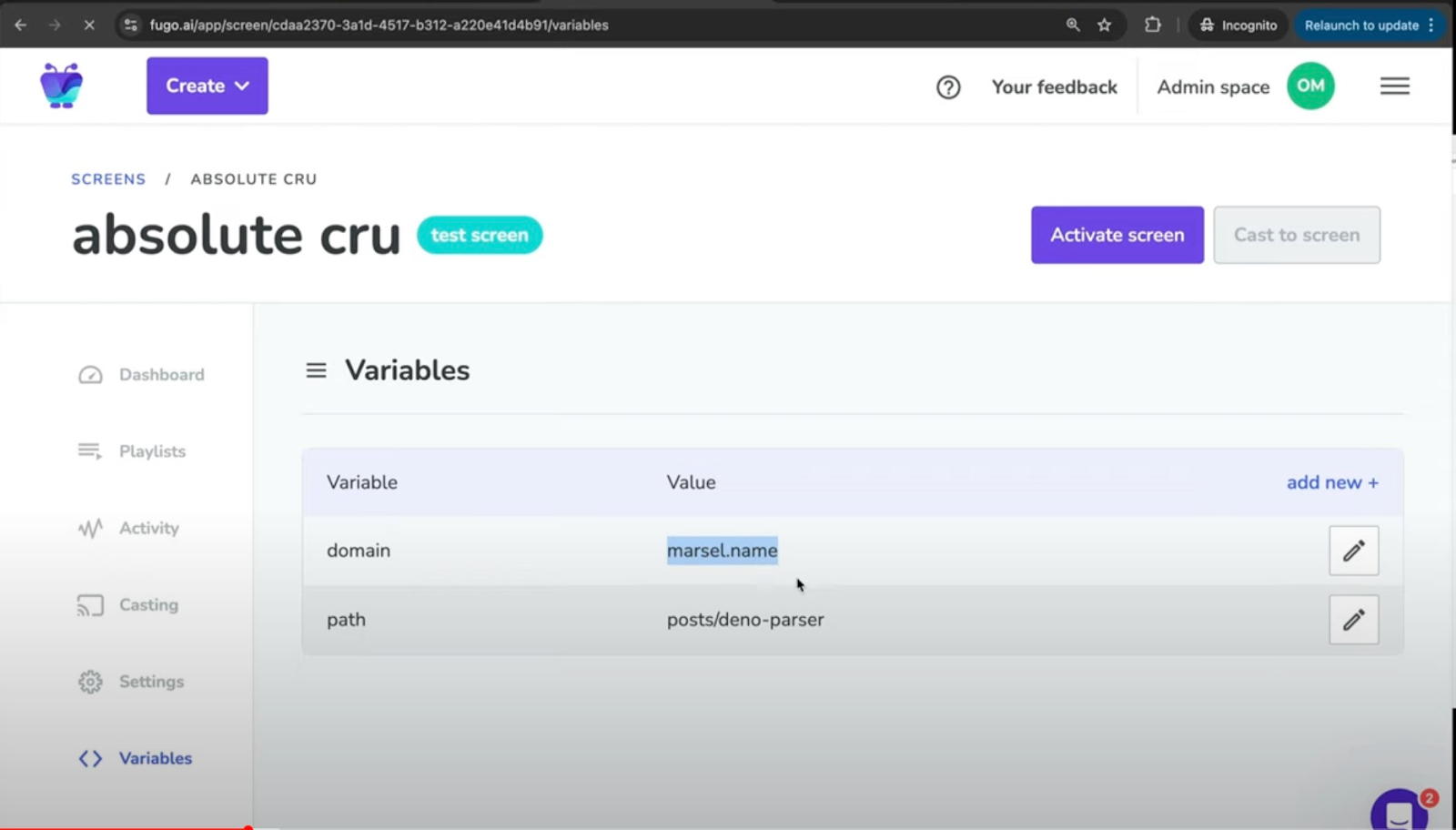
The software layer, at least for smart digital signage, refers to a cloud-based content management system (or CMS). This is where you're able to create your content, organize it, and set up triggers that determine when and where you can put content on a screen.
Cloud-based platforms like Fugo, for example, let you manage multi-screen networks from any device. You don't need specific internet connections or dedicated terminals. Just make an account digital signage software, then configure it for specific content updates; like time-based menu swaps or third-party integrations with BI tools.
Speaking of data integrations...
Data layer
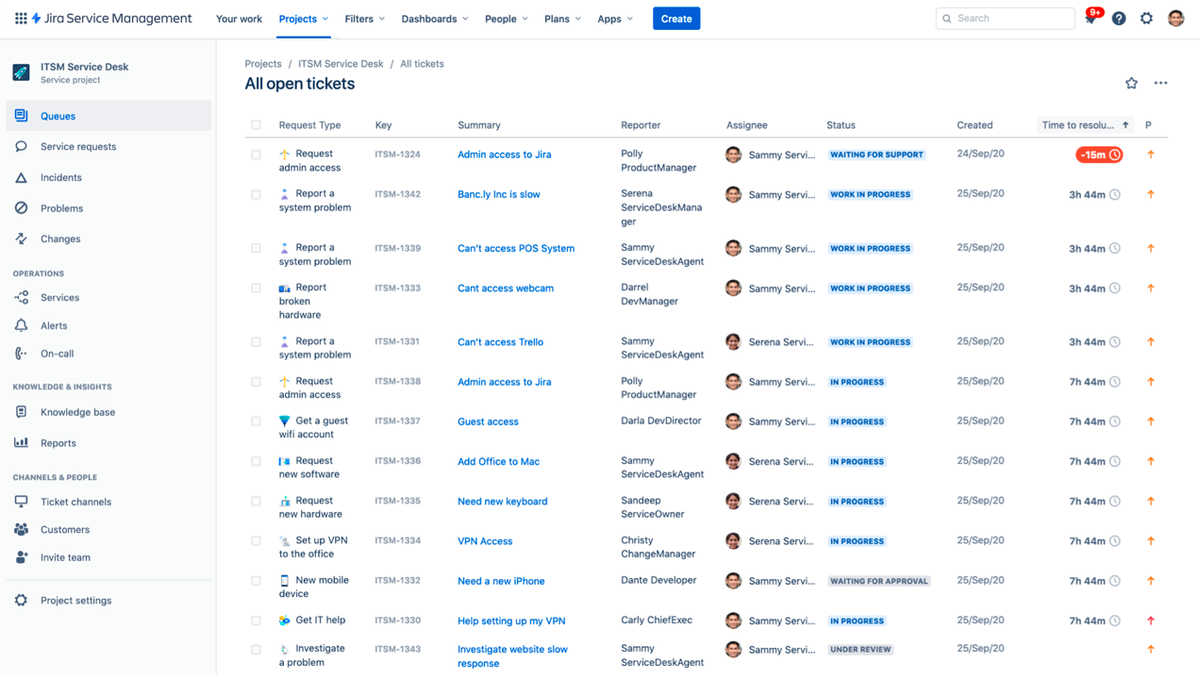
The data layer is the connection between screens, your digital signage platform, and what you want to put on your screen. This refers to integrations, APIs, and webhooks, which let you pull live data from external systems and use it to trigger automatic content changes.
Smart digital signage systems do this in real time so your signage can instantly respond to the settings in your CMS. For example, whenever your weather integration shows that the temperature has dropped, you might automatically feature hot drinks on your menu. Or, you set up a Power BI dashboard that refreshes with your latest sales figures every few minutes.
Regardless, this layer refers to any kind of data that can be connected to your screens and updated continuously. It also ensures you can automate real-time content with real-time updates, without any human intervention required.
Use Cases: Industries and Applications for Smart Digital Signage
You can likely imagine all sorts of possibilities with smart digital signage. The question is, what does it look like in practice?
Here are a few use cases for smart digital signage in the retail, food service, and transportation industries.
Retail
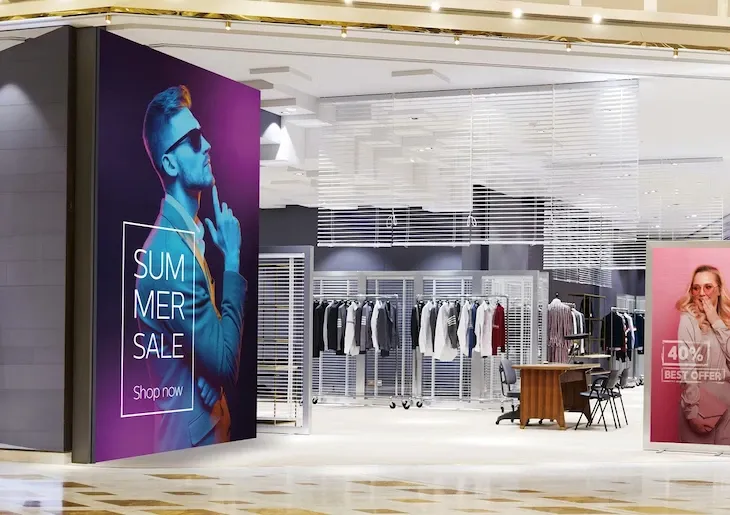
You can use smart digital signage in retail store environments to create dynamic promotions, which help to capture customer engagement. For example, you might connect your smart signage to systems like Shopify or ERP software to display real-time updates like:
- New arrival announcements
- Loyalty program reminders
- Seasonal campaigns
- Retail media campaigns
- Limited-stock alerts
- Daily deals
- Impulse buys
Let's imagine you're a retailer like Clean House, and you have an inventory system connected to your smart signage platform. This allows you to speak to both customers and staff members at the same time.
For example, once a popular item drops below five units in stock, you can alert your backend team with a 'low stock' urgency message. For customers, whenever you receive a new shipment of wooden-wick candles, you update your window-facing LED displays with a 'fresh in stock' product recommendation.
Food Service and QSR
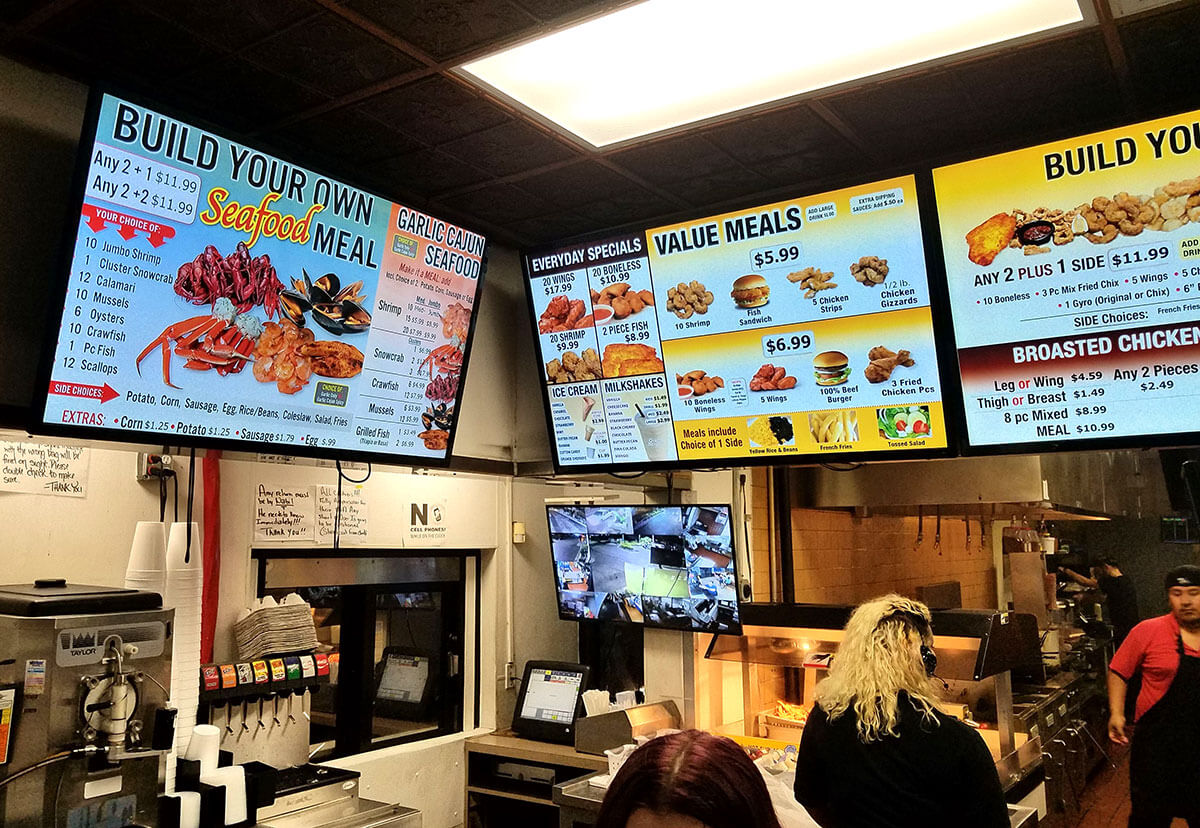
Most quick-service restaurants use smart digital signage to power digital menu boards that update automatically based on specific triggers. This might be time of day, ingredient availability, and even current promotions.
One very popular application is dayparting; meaning your breakfast menu transitions to lunch at 11am without anyone touching a screen. Got a sold-out item you need to remove? Pull it from the display in seconds using the CMS on your computer.
Other restaurants might use smart signage for specialty applications, like drive-through menu boards, loyalty and app promotion displays, nutritional information screens, QR code menus, and upsells near the register.
Transportation
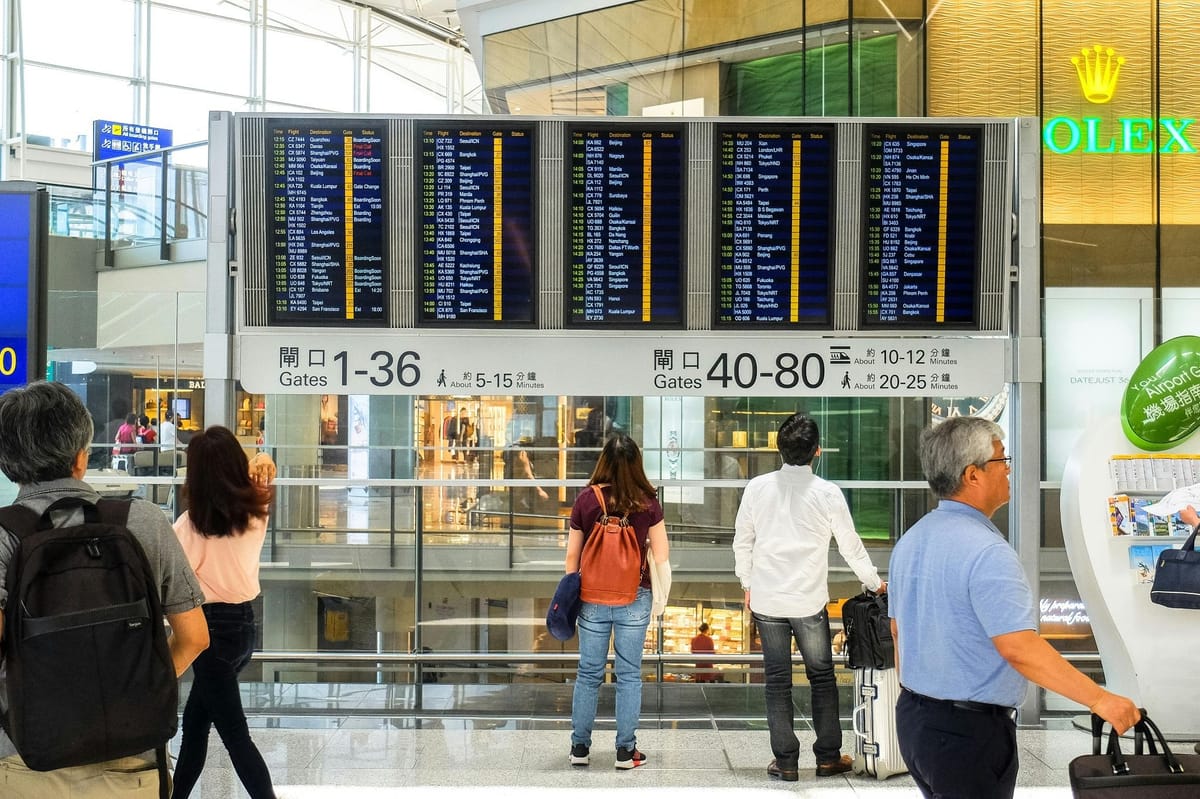
From airports and train stations to bus terminals and taxis, you can use smart digital signage to trigger content like:
- Real-time arrivals and departures
- Gate changes
- Wayfinding maps
- Security wait times
This can be useful for customer-facing content, as well as internal teams. For example, you could create tracking routes or display schedules on a smart signage screen. Whenever a route runs long, or if weather unexpectedly changes timelines, you can send emergency notifications to your team via embeddable company channels.
How to Choose a Smart Digital Signage System
So you've bought into the idea of setting up smart signage. But you're feeling overwhelmed with how to set one up.
As we've already covered, you need solutions for software, hardware, and data layers. And there's a very good chance you already have the data layered covered.
Below are a few options you may wish to consider, as well as what to look for, so you can make an informed decision.
Software options for smart digital signage
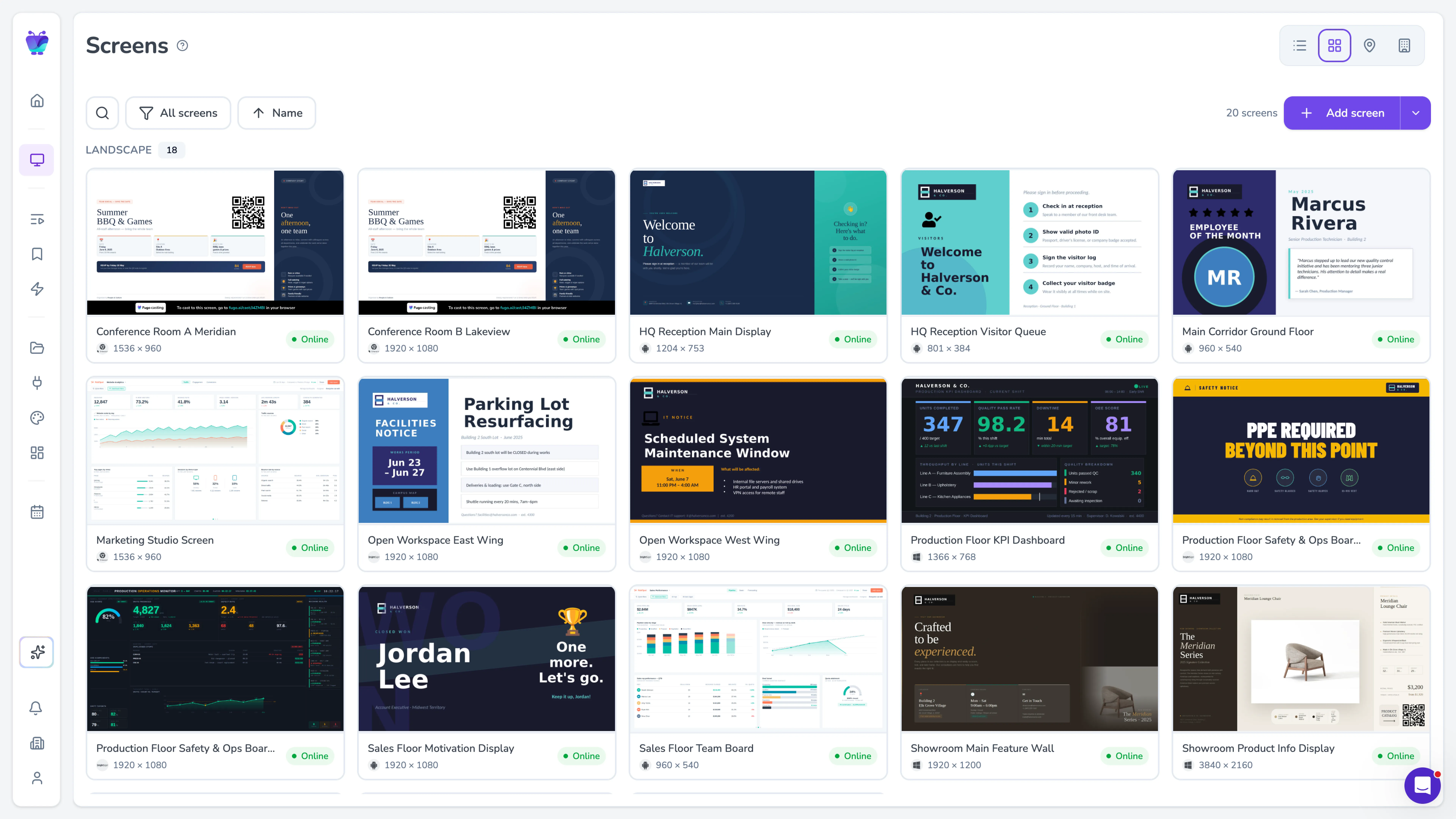
Before we get into specifics here, you need to make a major decision between on-premise and cloud-based smart digital signage.
Cloud-based digital signage software like Fugo is the right choice for most growing small businesses. Not only do they tend to have a lower upfront cost, but you also have far less equipment to maintain (not to mention the ability to manage multiple screens from the same device).
On-premise solutions, on the other hand, give you more control over data and and network security. The tradeoff is that they come with higher IT overhead and less flexibility. They're also more likely to be difficult to integrate with third-party data layers, which could make it more labor-intensive to manage content like social media walls.
You can learn more about cloud-based versus on-premise digital signage here.
No matter which platform makes the most sense for your smart signage setup, be sure to look out for these essential features:
- A content editor and template library
- Playlist and content scheduling tools
- Real-time screen monitoring
- Multi-user access controls
Already have some existing hardware? Make sure your CMS of choice supports the devices you already own.
Speaking of hardware...
Hardware options for smart digital signage
Your hardware choice for smart digital signage boils down to your environment, budget, and familiarity with Here's a quick breakdown of what you can expect:
Hardware type | Best for | Price range | Fugo compatible? |
|---|---|---|---|
Samsung or LG SoC displays | Permanent installations, clean setups with no external player | $500 to $3,000+ | ✔ |
Fugo NUC | Enterprise deployments, Windows-based IT environments, video walls | $500 per device | ✔ |
Fugo Chromebox | Google ecosystem teams, multi-screen management via Google Admin | $400 per device | ✔ |
Fugo Flash | Small businesses, cafes, pop-ups, single-screen setups | Under $100 | ✔ |
Google TV Streamer | Budget-conscious deployments, lightweight content, pilot programs | $99 | ✔ |
Raspberry Pi 5 | DIY setups, classrooms, museums, technically confident teams | $60 to $80 | ✔ |
LED posters | Retail windows, events, trade shows, high-impact brand displays | $800 to $4,000+ | ✔ |
Interactive touch displays | Wayfinding, kiosks, self-service, patient check-in | $1,000 to $10,000+ | Select brands |
For most small to mid-sized businesses, a Fugo Flash or Google TV Streamer is a cheap, simple, and affordable solution. But growing teams managing multiple locations will need a Fugo NUC or Chromebox to manage larger networks and multiple screens at once.
You'll certainly need some type of screen to put your content on, although the technology you use could be a consumer-grade TV. If you want more of an impact, switch to dedicated smart signage solutions like interactive kiosks, LED posters, or SoC displays from LG or Samsung.
How to deploy a smart digital signage system
Getting started with smart digital signage starts by taking inventory of what you already have. How are you managing your existing hardware and content? What screens do you have, and what are they already playing?
From there, you'll want to pilot a cloud-based CMS on a small set of screens so your team can test the content management features and solutions. You can train up any staff who will be managing content day-to-day. Plus, you can assign specific user roles so everyone has the level of access they need.
And once you're ready to go live, you can schedule a post-launch review. This makes it easier to evaluate performance and decide what to change before rolling it out to more screens.
All this can happen in less than two weeks. The good news is, you can begin the process today.
Get started for free (no credit card required) by signing up for Fugo's 14-day free trial.
Frequently asked questions about smart digital signage?
Q: Is smart digital signage secure?
Yes, you can securely implement smart digital signage solutions by using the following process:
- Set up integrations with legacy systems
- Outline security best practices for players
- Plan staffing and content governance needs
- Prepare a scalability and maintenance roadmap
Q: How do you handle content management and creation on a smart digital signage system?
Before launching or updating content on your digital screens, be sure to:
- Answer your top deployment and licensing questions
- Provide a short content creation checklist
- List KPIs to monitor content performance
Q: How will smart digital signage change in the future?
Future trends for smart digital signage may include real-time data transfers, the use of AI, and access to AR tools. Other tools, like forecast AI-driven content personalization, may require additional developments over the next few years. For now, however, developments with faster internet and 5G speeds, as well as voice and interaction trends, will make it easier to create real-time signage content.