The average corporate training session runs 30 to 60 minutes. Plus, the average employee forgets up to 70% of new information within 24 hours of a training session. Couple this with the work requirements of a frontline worker — who likely spends most if not all of their day on their feet — and it's easy to see why traditional e-learning methods are failing the deskless workforce.
Lucky for you, there's a new method in town: microlearning, the easiest way to learn with busy schedules. Microlearning lets you generate bite-sized content from existing materials, which works as an excellent training strategy for frontline teams in healthcare, construction, food service, and beyond.
This article explores some of the best micro learning platforms available for frontline teams. We also break down their key features, pricing, and how to implement them into digital signage screens.
What is micro learning, and why does it work for frontline teams?
Microlearning, sometimes stylized as 'micro learning,' refers to a style of education where learners engage in three to five-minute bursts of coursework on specific subject matter. Most microlearning courses are designed to be consumed quickly, so they can then be retained easily and applied to various situations (think leadership development, corporate training, and other professional skills).
Microlearning is very different from traditional e-learning environments, where you might have classroom sessions that last 30 to 60 minutes each. Learners are expected to absorb large volumes of information in a single sitting. In contrast, microlearning breaks training down into the smallest possible teachable unit, which can be fit into the natural rhythm of the average frontline workday.
It's not hard to see the benefits for yourself:
- Stronger knowledge retention: Studies show that microlearning improves knowledge retention by up to 80% compared to traditional training formats. Additionally, employees are 50% more likely to complete a microlearning module than a conventional eLearning course.
- Better employee engagement rates: Microlearning shows measurable growth in business outcomes compared to traditional LMS platforms. They're not only easier for frontline workers to engage with, but can also support behavior change and new skill development, which many modern workers say they want from their employers.
- Accessibility: You can use micro learning to reach frontline workers who don't sit at a desk or have reliable access to a laptop. The best micro learning platforms also offer collaborative learning environments so users can engage with other learners at the same time.
The best microlearning platforms for frontline workers
First, here's a quick breakdown of how each micro learning platform stacks up:
Axonify | SC Training (EdApp) | Spekit | Whatfix | TalentCards | |
|---|---|---|---|---|---|
Tool type | Frontline LMS and microlearning | Microlearning + compliance training | Sales enablement | Digital adoption | Microlearning flashcards |
Pricing | Not publicly listed | Free to start | Not publicly listed | Not listed; $24,000–$150,000+ per year | Free to start |
Free trial | On request | Yes | Demo required | Demo required | Yes |
Best for | Large frontline teams needing operational consistency | Risk management, compliance, and multilingual teams | Sales reps and knowledge workers | Software adoption and onboarding | Small teams wanting frontline safety and compliance |
Now, let's take a closer look at all five options.
Axonify: Best micro learning platform for operational consistency
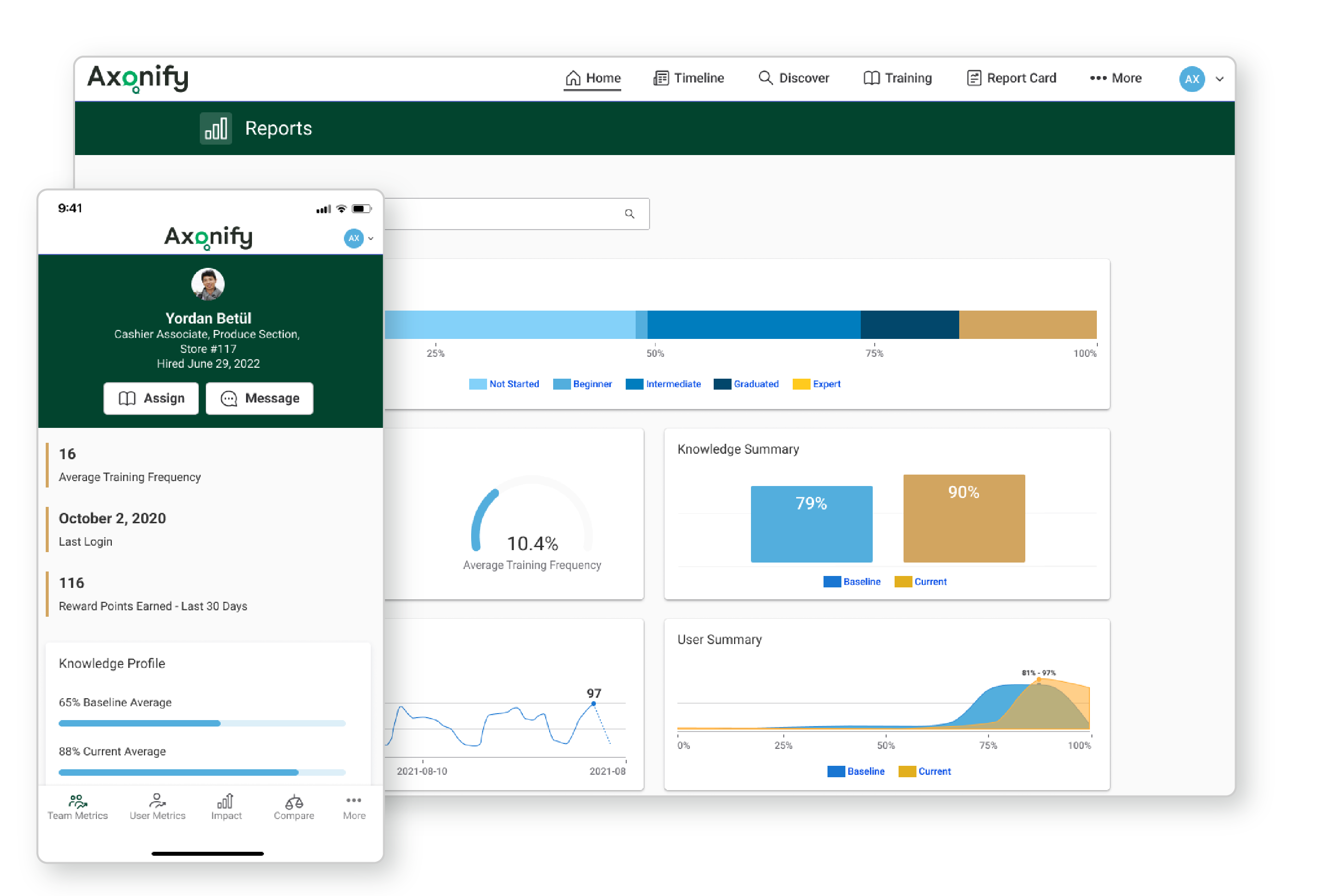
Axonify was intentionally designed for frontline workforce training only, especially for companies with large teams. It offers built-in authoring tools, compliance tracking, and interactive lesson formats like quizzes. This makes it easy to build training programs without purchasing a separate content creation tool. Plus, you can also access features like a robust analytics suite. That way, leadership teams can identify knowledge gaps, single out completion rates, and track training effectiveness.
Just keep in mind Axonify doesn't offer pricing transparency. That means you can't evaluate it against your budget without going through a sales process first. And keep in mind it's also a platform built for scale. It might be more complicated to use (and expensive) than small and growing teams need.
Axonify key features
- Compliance training and tracking
- Hard and soft skills development
- Built-in authoring tools
- Robust analytics
- Interactive lessons, such as quizzes
Pricing for Axonify
Axonify doesn't currently list public pricing. For more information, you'll need to reach out to its sales team.
SC Training: Best micro learning platform for risk management and compliance training
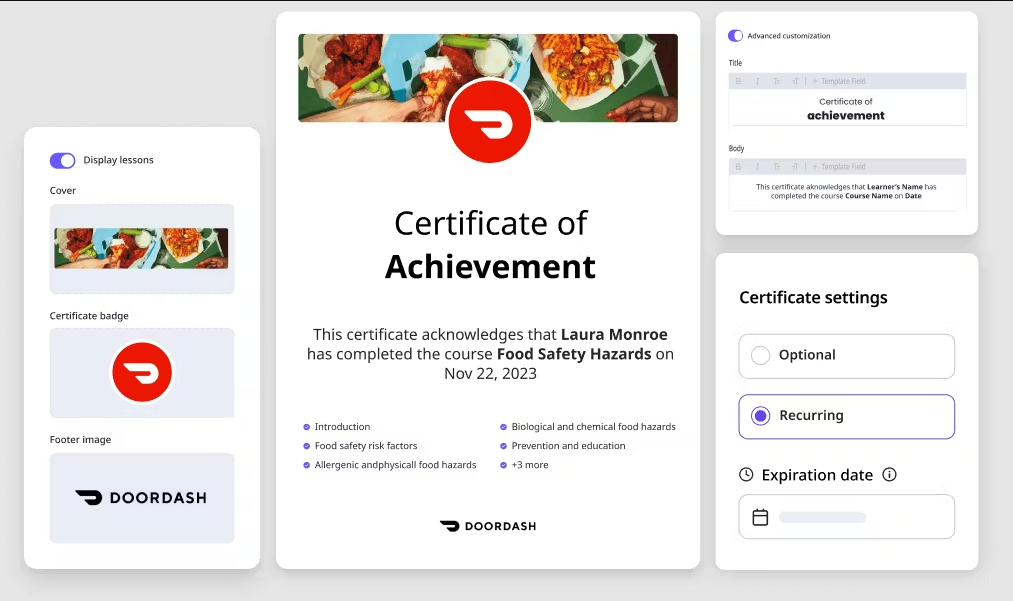
SC Training offers a generous free plan with unlimited shareable courses, AI-generated lessons, and built-in gamification. You can access over 1,000 editable course templates for up to 10 users, which makes it one of the most accessible entry points in the microlearning space. It also offers compliance tracking and risk management features on the Premium plan. For teams that want a scalable platform without a large upfront investment, SC Training is hard to beat on value.
But SC Training's biggest limitation is that the free plan caps out at ten users. Which means any team of meaningful size will need to move to the Premium tier, which requires at least one admin seat at $24 per user per month. Plus, this platform is primarily designed for structured or course-based learning. It doesn't naturally solve the delivery problem for truly deskless workers who don't have reliable access to a device during their shift. Unless you're willing to do some finagling, that is.
SC Training key features
- Compliance tracking and training
- Gamification elements
- Progress tracking
- Templated educational content
- Advanced to basic analytics
Pricing for SC Training
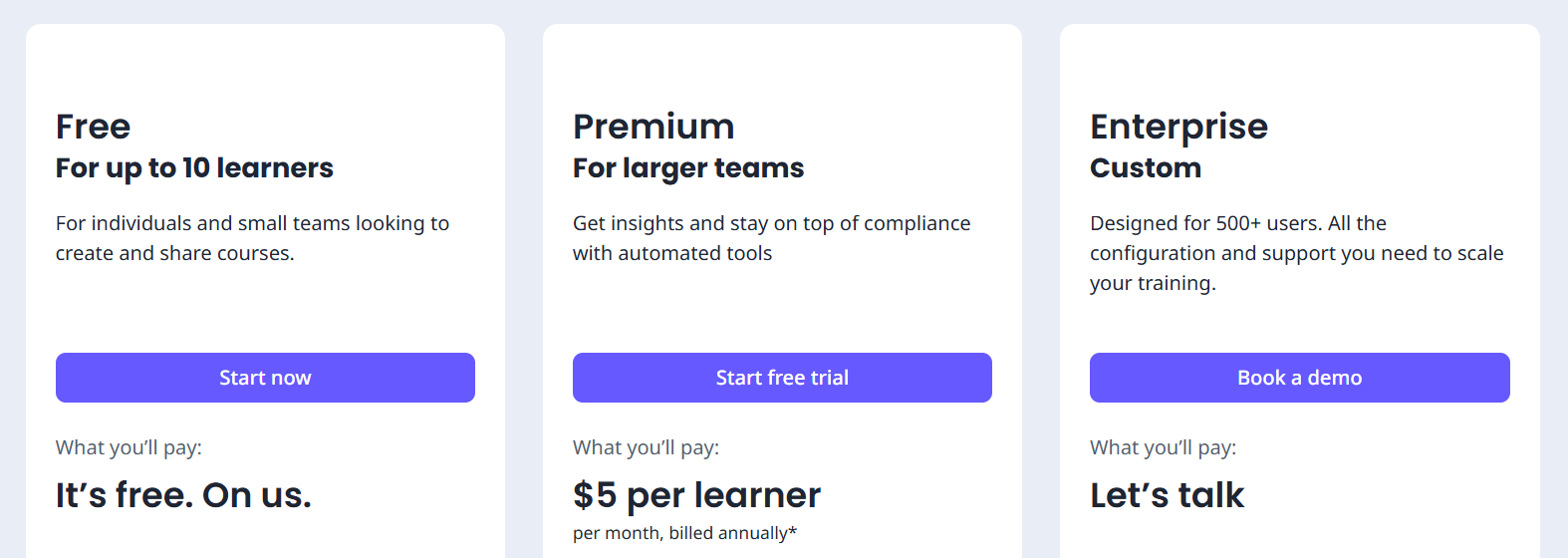
You can pick from three distinct SC Training plans:
- Free Plan: $0 for up to 10 users, plus unlimited shareable courses, AI-generated lessons, 1,000+ editable courses, built-in gamification features, unlimited audio and video lectures, and customized branding
- Premium Plan: $5 per user per month for unlimited users, SSO support, AI-assisted authoring tools for translation, training groups, and advanced analytics (must have one required admin seat at $24 per user per month)
- Enterprise Plan: Custom pricing for 500+ users, a dedicated account manager, blended learning plans, custom onboarding services, and scalable production support
Spekit: Best micro learning platform for sales reps
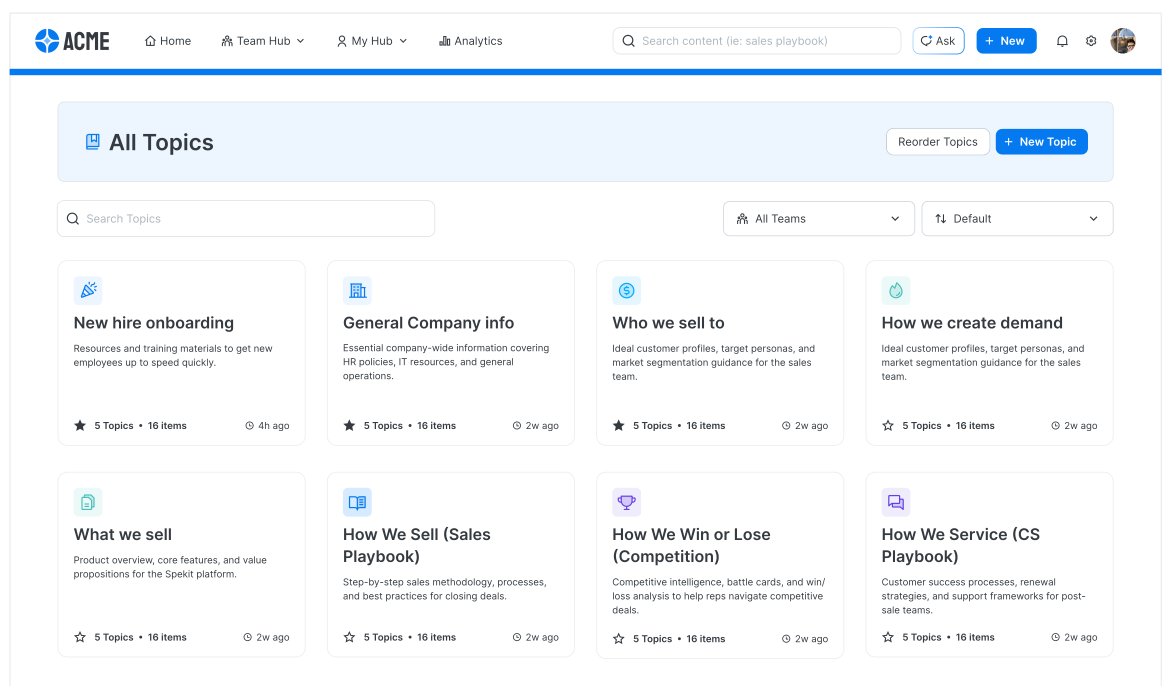
Spekit was designed to pull out training and knowledge content inside the tools your team is already using. It's especially useful for on-the-ground sales reps and knowledge workers who need a helping hand in the field. You can set up daily training bursts and personalized learning paths to help employees carve out dedicated learning time. Plus, it offers an AI-powered coaching layer so you can provide quick feedback after every short lesson.
The downside is that Spekit is very much built for desk-based, software-heavy roles. It's not necessarily a natural fit for frontline or deskless workers who don't interact with digital tools at least once a day. Plus, pricing is opaque, since you're required to request a demo before you can get any numbers. This makes it harder to evaluate alternatives without committing time to a sales conversation first.
Spekit key features
- Integrations with your existing tech stack
- Daily training bursts
- Personalized learning paths
- Internal knowledge storage
- AI-powered coaching
Pricing for Spekit
Spekit only provides you with pricing after you sign up for a demo. Keep in mind they're the exception to the rule: not all microlearning tools require demos to receive pricing.
Whatfix: Best micro learning platform for knowledge sharing

Whatfix is a digital adoption platform that helps employees learn new tools via social working. By overlaying guidance, tooltips, and training content directly onto the interfaces your team uses every day, you can encourage faster adoption even with busy schedules. It also offers rapid deployment and strong support for short video lessons and on-the-go mobile learning.
The cost, however, is a significant barrier. Online estimates put Whatfix's pricing at anywhere from $24,000 to $150,000 or more per year, depending on product and platform. It's also fundamentally designed for software adoption, which means it's less useful for teams whose knowledge gaps are around physical processes, safety protocols, or compliance procedures.
Whatfix key features
- Access to the Whatfix community for knowledge sharing
- Storage for internal expertise
- On-the-go learning via mobile-first deployment
- Rapid deployment, often within eight weeks
- Support for short video lessons
Pricing for Whatfix
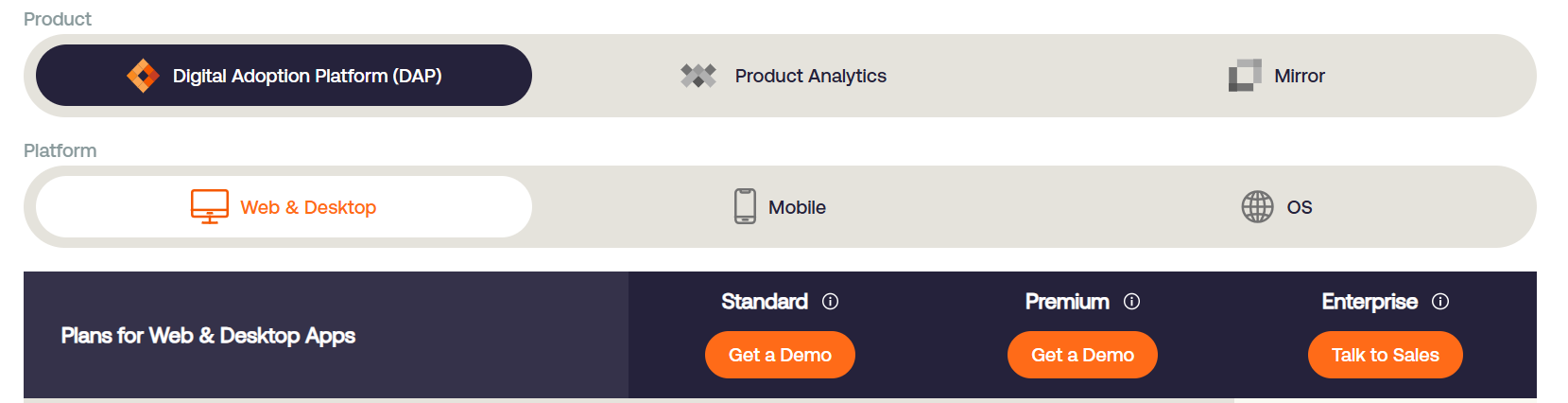
Whatfix's pricing depends on two things: product (DAP, Product Analytics, or Mirror), and platform (web and desktop, mobile, or OS). It doesn't list any prices directly on its website, but it does say that pricing includes a flat fee, plus user license fees. Some online estimates suggest that costs range from ~$24,000 to $150,000+ per year.
Here are the features you can expect with each plan:
- Standard: 2,000 articles, out-of-the-box surveys, limited integrations, and on-prem business systems support
- Premium: Unlimited articles, automatic language translation, auto-testing, offline mode, and virtual desktop support
- Enterprise: Custom pricing and features
Keep in mind this doesn't include Whatfix add-ons like:
- On-premise authoring
- 24/7 customer support
- Professional services
TalentCards: Best micro learning platform for continuous learning

TalentCards is the most cost-effective microlearning platform on this list. It focuses primarily on short-form video cards, plus interactive lessons via digital 'cards.' It's also well-suited for industries like manufacturing, food and beverage, retail, and healthcare, where safety protocols and compliance knowledge need to be reinforced regularly without pulling workers off the floor for extended sessions. It's also extremely cheap compared to other micro learning platforms. For example, there's a free plan available for up to five users. For six to 50 users, you'll pay $40 per month, or $480 per year. Compare this to Whatfix's pricing at around $24,000 per year — a 50x increase.
Just keep in mind TalentCards is intentionally simple, so teams that need advanced analytics or deep integrations may find it too lightweight for their needs. And while it does offer an offline mobile course feature, it still assumes workers have a personal device. In some frontline environments, this might be an unreliable assumption.
TalentCards key features
- Offline mobile courses for adaptive learning
- Bite-sized interactive lessons to address knowledge gaps
- Text invites compared to traditional e-learning
- Short-form, five-minute courses for long-term knowledge retention
- Strong focus on safety protocols for manufacturing, food and beverage, retail, and healthcare
Pricing for TalentCards

TalentCards offers four plans:
- Free Plan: $0 per user per month for
- Standard Plan: $0.80 per user per month in 50-user increments ($40 per month minimum) for
- Premium Plan: $1.20 per user per month in 50-user increments ($60 per month minimum) for
- Enterprise Plan: Custom pricing for more than 2,000 users, plus
Building a microlearning strategy with digital signage
Microlearning only works if it reaches the people it's designed for. And the vast majority of micro learning platforms are built around apps and browser-based interfaces. For deskless teams, devices aren't always within reach.
So, how do you uplevel your micro learning platform to work passively and repeatedly? Many businesses find that the answer is digital signage.
Digital signage turns every shared screen in your workplace into an always-on microlearning channel. This allows you to scheduling training content to appear at the right time, in the right location, in the right language, automatically. That way, adaptive learning reaches your workforce whether they think about it out or not.
Here's how to do this with a digital signage platform like Fugo:
Upload your microlearning content
Fugo's Design Studio lets you create brand-new microlearning content via pre-built templates, slide-based layouts, and video support. Already have training materials in another format? You can import them directly or repurpose them via the template library.
For organizations with multilingual workforces, Fugo can help you create translations for training content. That way, everyone on your team receives information in the language they understand best, without maintaining separate accounts or platforms for each language group.
Learn more about how that works in our multilingual signage guide.
Schedule training content to appear during specific windows
Define exactly when your training content should appear on each screen, whether it's for a 6 AM briefing or a third-shift changeover. Once your schedule is set, Fugo's platform handles playback automatically. Our multi-screen network tools make it easy to coordinate timing across all your locations from a single dashboard.
Target content by location, department, or team
Fugo lets you assign content playlists to specific screens, zones, or location groups. That way, the packing floor sees content relevant to their workflows while the loading dock sees something entirely different.
Are you a global team managing large or distributed workforces? Our enterprise digital signage platform gives you the organizational structure to target content precisely by department, location, or role. You can manage all this from a centralized location using role-based access controls. This ensures the right people can manage the right screens, without worrying about security risks or knowledge gaps.
Trigger relevant content automatically
With triggers, it's easy to define rules that push specific content to specific screens whenever certain conditions are met.
Let's say you launch a new process for greeting new hotel visitors. So you set up a trigger that shows content on every relevant screen whenever someone checks into room via a kiosk.
You can also use Zapier automations with Fugo to connect virtually any external tool to your signage triggers. This ensures your training content responds to business events the moment they happen.
Speaking of integrations...
Setup third-party integrations
Fugo connects with the tools your training and HR teams already use, so your microlearning content synchronizes to your onboarding and compliance infrastructure. It's easy to integrate with other platforms for digital signage by downloading straight from our app store.
See why hundreds of businesses invest in Fugo for deskless worker communications. Start your 14-day free trial today and deploy your first microlearning playlist today.
Frequently asked questions about microlearning platforms for frontline workers
Q: What are best practices for using micro learning platforms with frontline workforce training?
When setting up micro learning platforms for frontline employees, be sure to:
- Keep it to one concept per module
- Lead with the most important information first
- Use visuals over text wherever possible
- Design for the environment, like ensuring your screens have bigger text and higher contrast than a desktop module
- Repeat key concepts across multiple sessions rather than covering everything once
- Test and iterate using completion data and feedback
Q: What key microlearning platform features should I look for with frontline workers?
The right micro learning platforms should help you train frontline employees by:
- Supporting multiple content formats, like video, quiz, image, text, and interactive quizzes
- Being available for mobile-first lessons, with optional screen-based, in-app, or push notifications
- Offering advanced analytics and completion tracking
- Integrating with HRIS, LMS (learning management system), and communication tools
- Providing easy-to-use authoring tools for faster course creation, so you can design bite-sized lessons quickly without an instructional design background needed
- Multi-language support for diverse workforces
Q: Why should I use microlearning with digital signage?
Most microlearning platforms assume workers have a phone or laptop — but for frontline workers, this is rarely the case. Digital signage delivers learning both passively and repeatedly without any additional action from learners. Plus, busy professionals can engage with constantly rotating content, which reinforces lessons naturally over the course of a shift.
With a digital signage tool like Fugo, for example, you can display short lessons in safety reminders, compliance upgrades, product knowledge, onboarding reinforcements, and QR code links to hour-long courses. Use the cloud-based CMS to connect with your favorite microlearning apps and schedule focused content on specific screens, at specific locations, without dedicated IT support.