
From manufacturing and logistics to retail, healthcare, and hospitality, a whopping 80% of the global workforce qualifies as a worker. But nearly 20% (or one in five workers) is foreign born — meaning they're unlikely to speak your native language. If your business doesn't currently offer multilingual support for communications, or if you're relying on emails, PDFs, and meetings alone, you could be facing missed instructions, safety issues, and more.
The numbers don't lie: the average bilingual frontline worker spends four hours per week assisting other workers with translation. Limited English proficiency workers spend even more — approximately 6.5 hours per week — trying to communicate via translators or devices. The average cost is around $4,900 to $7,500 in misallocated labor costs per employee per year.
But that's the bad news. With digital signage, your success could be much brighter.
With the strategic use of multilingual digital signage, you can help employees of all backgrounds easily navigate messages and avoid any potential confusion among your frontline crew.
Common communication challenges in a multilingual workforce
If you've worked on the frontlines for a while, you already know how challenging it can be. Deskless workers already face fast-paced, high-stress, high-stakes situations. And as we've explored, language diversity is the norm, not the exception.
In situations where you need everyone on your team to adhere to safety, compliance, and operations information, you need to ensure consistency across locations and shifts.
And for many organizations, this is where the problems start:
- Over-reliance on bilingual employees. As mentioned earlier, this can cost up to 6.5 hours per week and $7,500 per year per employee. It also slows down many jobs, since employees can't get started without proper information.
- Outdated information or translations. New legislation for safely operating machinery for your business? Or changing wayfinding for international travelers? One sign with dedicated information may quickly become outdated or old. This may need you to upgrade the information or translation provided — which will probably require more printing, posters, and taping.
- Training gaps due to language barriers. If trainees, visitors, users, and staff members can't understand certain pages or images related to your work, they may end up taking an incorrect action. This could even be dangerous if they rely on third parties like Google Translate to explain the text. Not only does this put your business in danger, but it can also put others into harm's way.
The easiest solution: multilingual digital signage
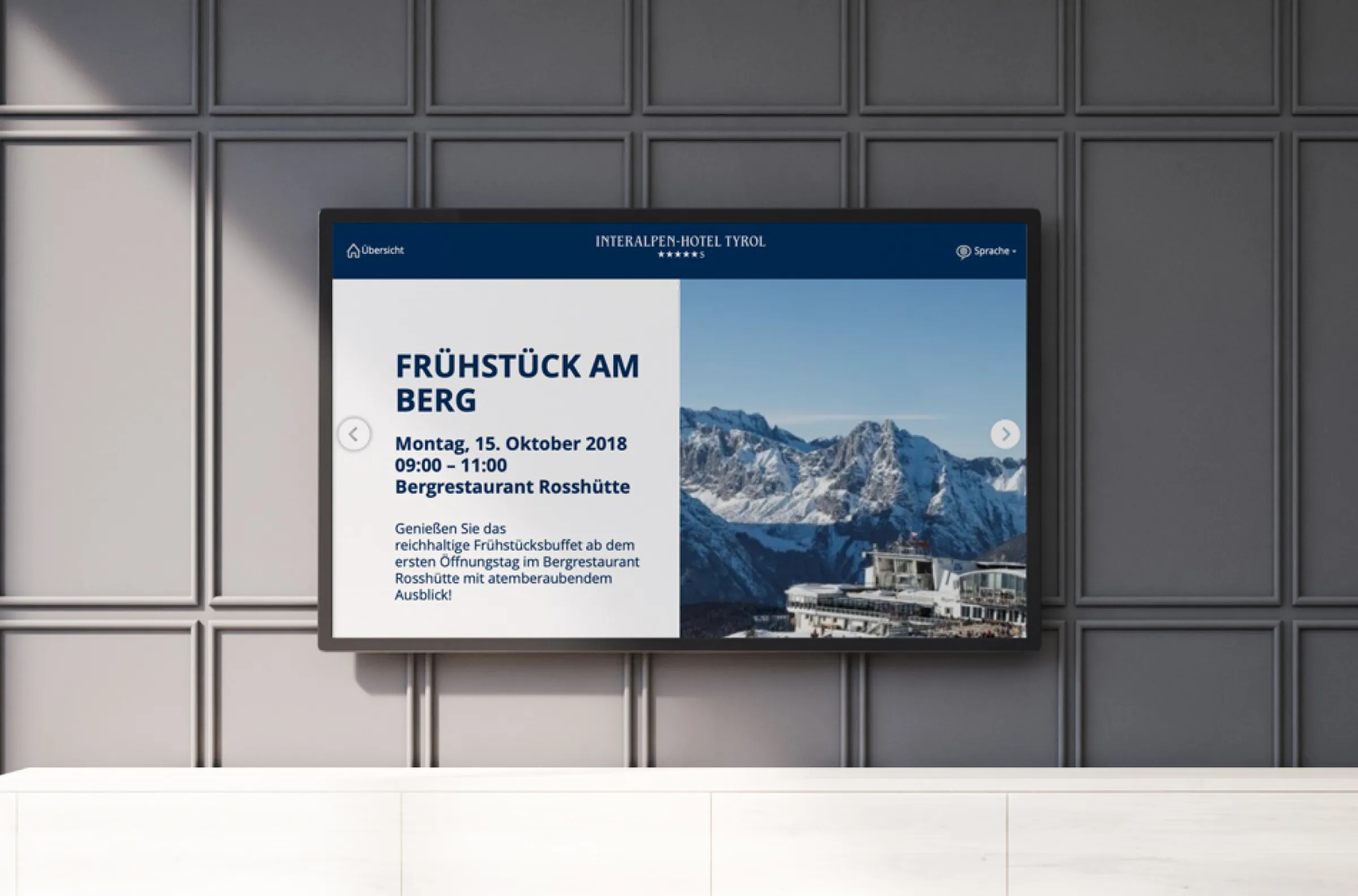
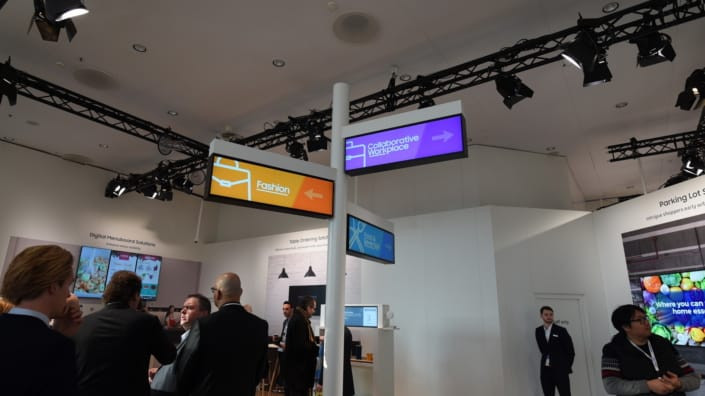
Multilingual digital signage refers to TV screens that display business content in more than one language. This ensures every member of your workforce can read important information in their native language. Unlike static signage, you can update digital screens from anywhere. This lets you push multilingual messages to multiple locations simultaneously, then easily adjust them whenever your regulations, procedures, or workforce demographics change.
There are a few different methods for delivering multilingual content on screen, depending on the complexity of your workforce and how urgently you need to share information.
The first method is rotating languages on a loop. This is by far the simplest approach, as your screen cycles through the same message in two or more languages, one after the other, on a timed playlist. It's also a great option for basic announcements, wayfinding, or compliance reminders in shared spaces. But if you want signage with special triggering logic, you'll likely need a slightly more complex workflow.
Don't want to display every language on screen? With a dedicated content management system, or CMS, you can easily assign specific languages to certain locations or zones. Now you can display playlists on specific screens according to your 'zone.' Spanish content, for example, can go to your Spanish-speaking team on the warehouse floor. Or, you can push out Vietnamese content to frontline locations online in Vietnam, and so on. Each specific group gets its own specific messaging, without cycling through languages that aren't relevant to them.
The most sophisticated and powerful approach is using integrations and API-based triggers. This allows your screens to automatically switch languages based on conditions, like:
- Shift changes
- Badge scans
- Time of day
That way, the right language appears at exactly the right moment, without manual interventions from your managers or bilingual colleagues.
See for yourself how to change the platform language in Fugo:
4 benefits of multilingual signage for deskless teams
Compared to traditional physical signage, you can use multilingual digital signage to:
Improve safety and compliance in real time
When you display safety protocols, hazard warnings, and equipment guidelines in a worker's native language, you dramatically lower their risk of misinterpretation (as well as the likelihood of a preventable incident).
This especially applies to emergency situations where employees may need to respond within seconds. After all, a message that only half your workforce can read is a message that only half your workforce can act on. But multilingual digital signage ensures that evacuation routes, lockout procedures, urgent warnings, and more can reach everyone, instantly.
Better operational efficiency
With multilingual signs, workers spend less time second-guessing tasks and more time completing assignments. Removing the language bottleneck from the start of every shift, briefing, or procedure means your team can take actions faster, without waiting on a bilingual colleague to help.
Engage employees with digital elements
Signage that instantly handles your frontline team's language barrier immediately frees up supervisors to focus on other tasks. It also shows employees how much you value and respect their native language.
Frontline employees who feel more engaged with a business will feel less frustration and anxiety, and instead more inclusivity and clarity. This ultimately leads to more positive, helpful interactions, thriving company cultures, and even lower turnover for your team.
Learn more about deskless employee engagement case studies.
Update messaging across locations
You can set up multilingual signs through cloud-based signage platforms, which give you the flexibility to update content by location, zone, or shift. This will let you manage content in a single place, then make edits or change up translations within minutes.
You won't have to pay for any extra printing, posting, or coordination to set up multilingual signs for your in-house teams.
4 practical applications of multilingual signs
Multilingual signage doesn't have to be difficult to set up.
Here are some common use cases, broken down into subsections, so you can identify the best possible option for your team.
Manufacturing
Set up multilingual screens at entry points, near heavy machinery, and along production lines to ensure every worker sees hazard alerts and emergency procedures in the language they understand best.
But rather than laminating a single-language instruction sheet, use digital displays to cycle through step-by-step operating procedures. Not only does this lower your risk of improper use, but it can also help keep your compliance documentation current, since it's easy to update and edit text, colors, and other details from your centralized console.
Learn more about using multilingual signage in manufacturing environments.
Logistics and warehousing
Displaying picking sequences, packing standards, and zone assignments in a worker's native language can help eliminate the errors that come from unclear instructions. It can also help you complete work quickly and more accurately — like Nordward or Struers, for example.
You can also integrate multilingual signage into your internal data dashboards. Whether you have changing priority orders or different workflows mid-shift, you can use multilingual screens to communicate changes across every zone of your warehouse. This ensures that your entire team, regardless of their language background, can stay in the know without a supervisor relaying the information from person to person (or printing and taping a paper list in the breakroom).
Learn more about using multilingual signage in warehousing environments.
Retail and hospitality
Let's say you run multiple resorts from around the world. You also have a diverse staff covering front desk, housekeeping, food service, and maintenance crews. Why not put multilingual screens in staff-only areas to explain schedules, policy updates, and HR announcements in languages other than English?
You can also provide staff members with QR codes to download translations and complete forms in specific languages. For example, this could be in French, Spanish, or Italian.
The same platform that powers your staff communications can push promotional content, event schedules, and wayfinding information in multiple languages to guests. Whether your visitors speak English, Mandarin, or Spanish, they can trust they'll have an inclusive experience with your team.
Learn more about using multilingual signage in hospitality environments.
Healthcare organizations
One option here is to use multilingual signage to coordinate changing patient flows. For example, you might set up digital signs in waiting areas, intake zones, and corridors to help patients understand where to go, what to expect, and how long to wait in a language they can understand. This can help prevent 'traffic jams' affecting the front desk, as well as the anxiety that comes from navigating an unfamiliar medical environment in a second language.
You might also use digital signage to set up staff alerts and updates. This allows you to display protocol updates, bed availability, and emergency alerts for staff working together on fast-moving, high-stakes medical cases.
Learn more about using multilingual signage in healthcare environments.
Restaurants and QSRs
Whether you're a mom-and-pop restaurant or a fast-food chain, your frontline workers might not always speak the same language. This is especially true if you manage multiple locations in areas that predominantly speak one language over the other. Or, if you have restaurants across multiple countries (like one in London, UK, one in Italy, and so on).
Learn more about using digital signage in food service environments.
How to use CMS platforms to help with multilingual signage
Here's how you can use a CMS platform like Fugo to set up and manage multilingual signs:
Centralized content management
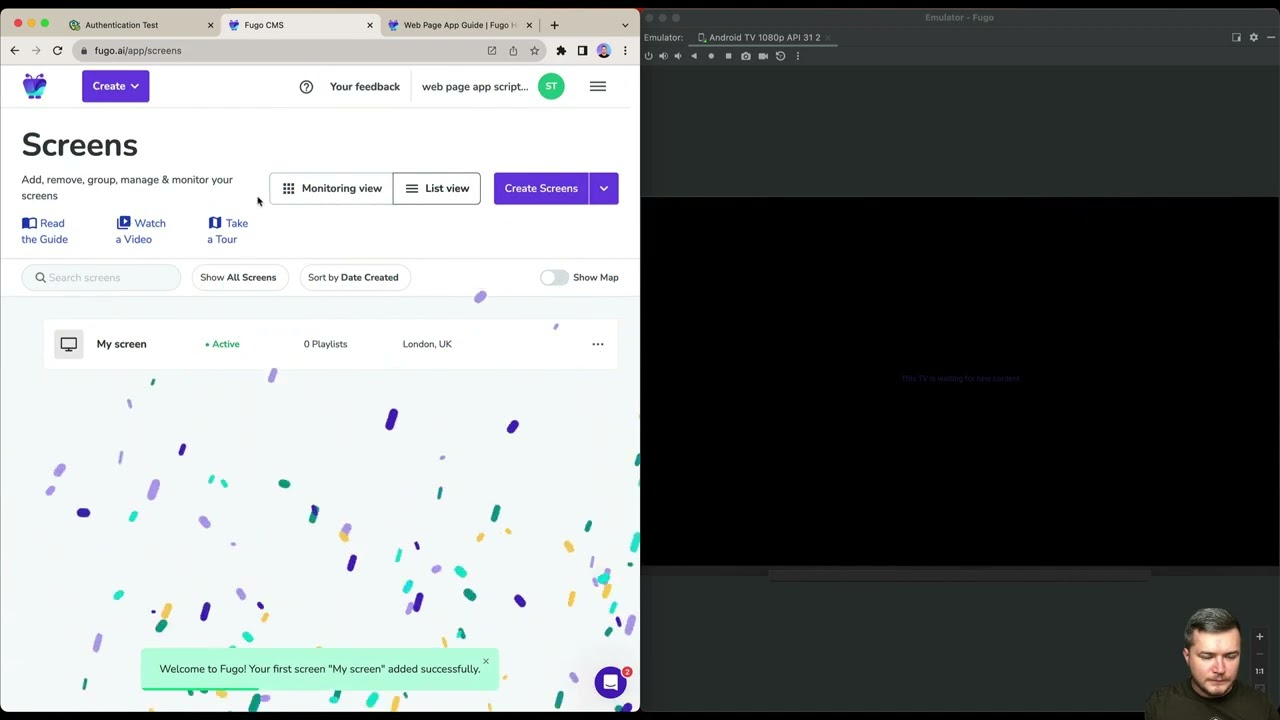
With a cloud-based CMS, you can store every language variant of your content lives in one place. You don't need to worry about scattered files, emailing updates to individual site managers, or wondering which version of a sign is showing on which screen.
Instead, your team can create, edit, and organize translations in French, German, and Chinese using playlists on a single dashboard. You'll now have full visibility into what translation is running where at any given moment across your network.
Easy scheduling and playback control
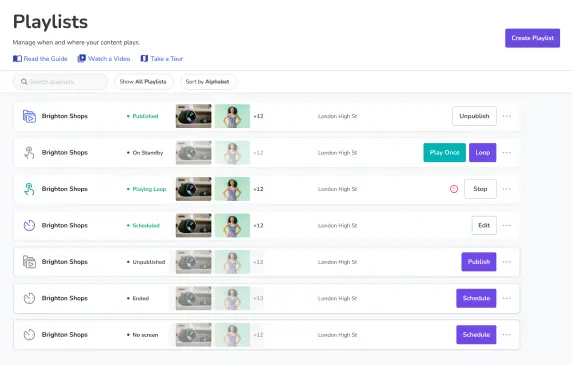
Scheduling and playback let you decide how and when to deliver multilingual content to screens. Depending on your business, that could be:
- Rotating through languages on a timed loop
- Assigning specific language playlists to specific screens or groups
- Changing content via triggers based on location, shift, or workforce composition
Either way, once your schedule is set, your CMS platform should handle playback automatically. This ensures the right language appears at the right time without anyone needing to manually intervene.
Templates for consistency
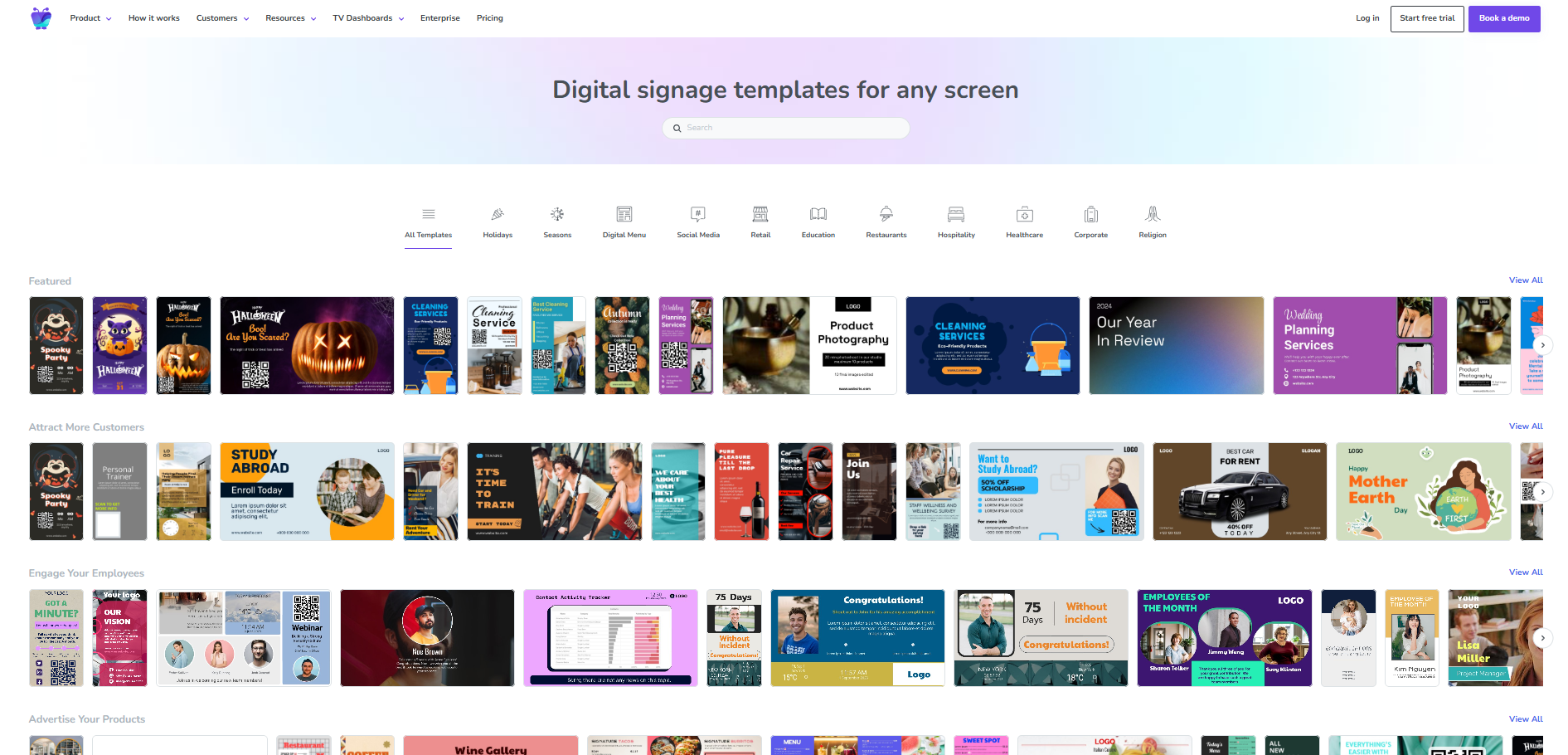
One of the biggest risks in multilingual communication is inconsistency. This could be anything from poorly translated safety warnings to wonky layouts that work for short English phrases, but not when the same message runs longer in another language.
A template system lets you build standardized layouts once, then apply them across every language variant. This ensures your messaging stays visually consistent, on-brand, and easy to read regardless of which language is on screen.
Integrations and real-time updates
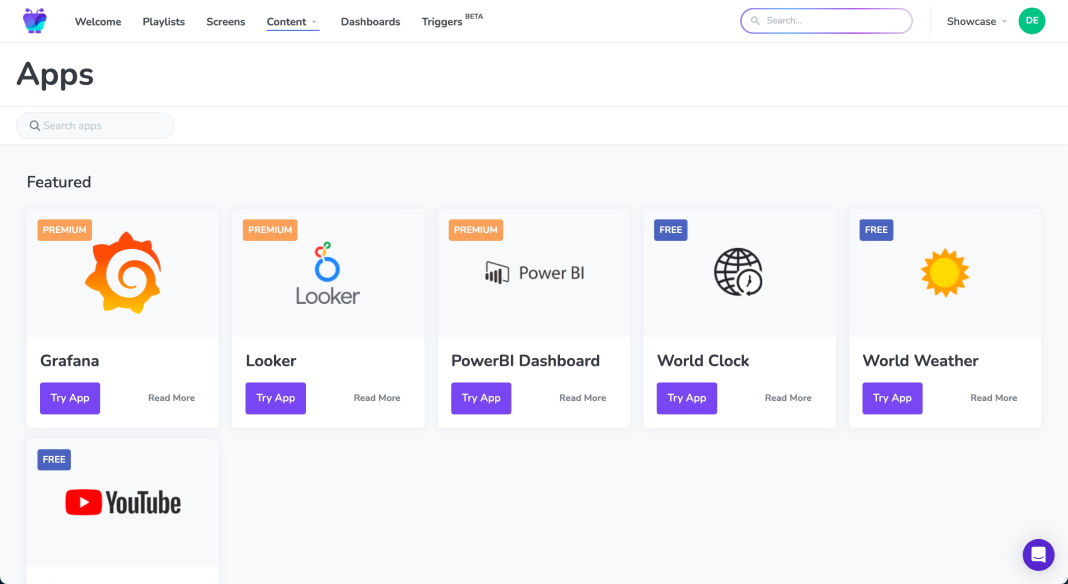
By connecting your CMS to operational data sources like your HRIS, CRM, ERP, or safety management system, you can sync multilingual content automatically with your displays. So when directions change, shifts update, or a new compliance requirement comes into effect, every screen in every language reflects that change in real time.
No need to manually rewrite and republish content in multiple languages across all your locations.
Scalable across locations
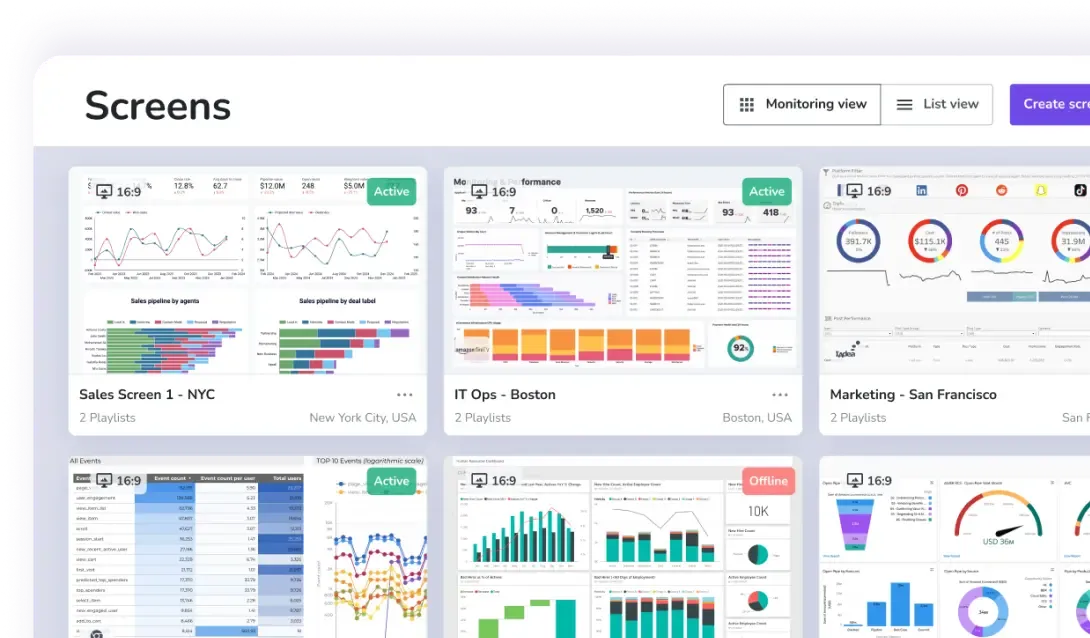
Whether you're managing screens in two facilities or two hundred, CMS platforms let you deploy multilingual messaging to your entire network from a one login.
This allows you to:
- Publish content in multiple translations once, and then push it everywhere instantly
- Create location-specific content, like a Spanish-first layout for one facility or a French variant for a Canadian operation, without disrupting what's running on other screens
- Check the status of all your screens and extensions, even from around the world, without manually setting eyes on them
- Avoid coordinating printed materials, local translations, and manual installations of multilingual signs, icons, and symbols
Getting started with multilingual signage
So long as you have the right hardware and software, building a digital signage network for multiple languages doesn't have to be difficult.
The best place to start is with your most critical content — think safety warnings, operational instructions, and compliance information. Then, before you build anything, take stock of the primary languages spoken across your workforce so you know exactly what you're designing for.
From there, use pre-built templates to standardize your layouts so you can debut every language variant on day one. Pick one location or department to pilot first, then gather feedback from the workers it's meant to serve. If you take your time building out your system, multilingual digital signage can be one of the most impactful communication investments your organization can make.
Not sure where to begin with a CMS? You can always try Fugo free for 14 days. See how easy it is to deliver the right message, in the right language, to every screen across your workforce.
Frequently asked questions about multilingual signage for deskless teams
Q: Why use digital signage for multilingual content?
Unlike traditional multilingual signs, you can use digital signage software to:
- Centralize content management
- Instantly update information across one or many locations
- Schedule playlists of content by time, shift, or region
- Integrate with data sources and other apps for real-time messaging
Q: What are the most common languages spoken by frontline employees?
Frontline employees often speak multiple languages apart from English, including:
- Spanish
- French
- German
- Chinese
- Arabic
- Dutch
- Italian
Q: What common mistakes should I avoid with multi lingual signage?
Make sure that you:
- Translating everything that into other languages spoken, even if it's not what you'd deem 'critical information'
- Don't ignore the importance of visuals and avoid overloading your screens or signage with text
- Update all language versions at the same time to serve a diverse audience of different languages
- Don't overcomplicate workflows with too many variations by selecting the most common languages at your workplace
- Assign ownership for content updates, which is much easier to do within cloud-based digital signage tools
Q: What content benefits the most from multi lingual signage?
The types of content that benefit most from multilingual signage include:
- Safety instructions and emergency alerts
- Shift schedules and operational updates
- Training and onboarding materials
- HR announcements and policy changes
- Performance dashboards and KPIs
Q: How do I implement effective multilingual signage in my business?
First, prioritize the meaning and nuance of a message when translating. Don't get stuck in the word-for-word translation.
Then, remember to use visual first communication with universally understood symbols, icons, diagrams, and color coding.
You can also segment content by audience, like different languages, locations, and shifts. Make sure to standardize key messages as well so you can easily update content or make changes in real time.