


If you look back on the history of digital signage, you’ll see the vast majority has been static content, manual uploads, and playlists. However, the modern business expects much more than that to run their business — including automations and integrations.
That’s why so many businesses are investing in digital signage APIs. These simple programming tools connect your signage to other software systems and pull data sources so you can create truly dynamic content that ostensibly runs itself.
This article explains how digital signage APIs turn static screens into programmable, automatable tools. It also explains how to make the shift from scheduled content to real-time displays within a few hours of testing.
💡Related: The Role of the Digital Signage API: What You Need to Know
First: What is digital signage API?
A digital signage API, or an application programming interface, is a programming tool that lets your signage platform communicate with other software. Rather than manually updating your screens, the API lets your systems talk to each other. This ensures your signage stays fresh without anyone on your team lifting a finger.
For example, let’s say a retail store connects its point-of-sale system to a digital signage API. That way, whenever a product drops below a certain stock level, that item automatically disappears from the promotional display.
There are many benefits to using a digital signage API. For one thing, you no longer need to worry about manual updates or static-only content. Plus, you can connect all your systems together to enable real-time updates and live data feeds.
This means less work for your teams, higher quality content, and easy device management from a day-to-day perspective.
How digital signage APIs work
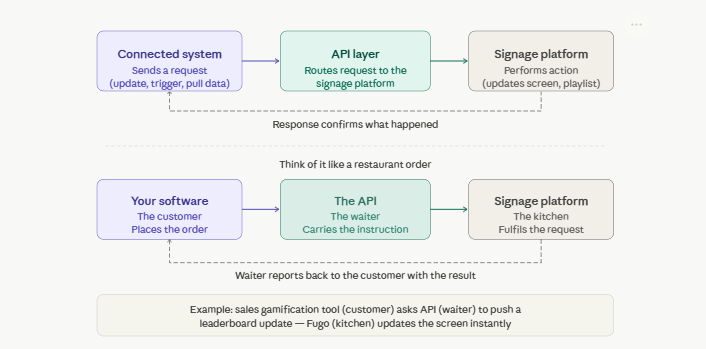
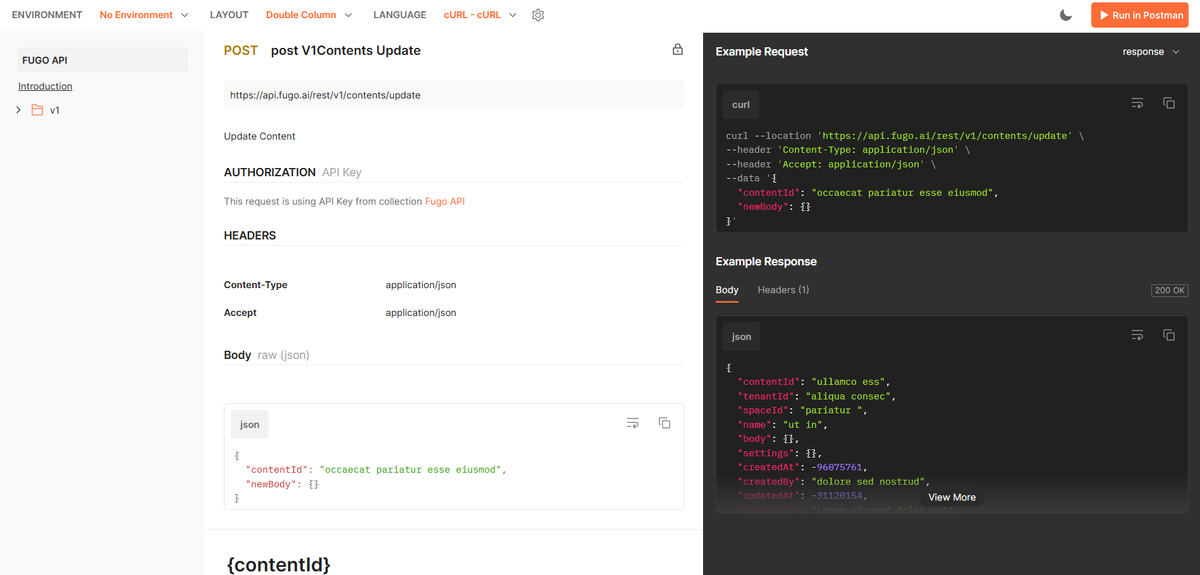
Digital signage APIs work in three steps:
- Your connected system sends a request. This might be to update content, change playlists, trigger screens, or pull device or playback data.
- Your signage platform performs an action based on what the system asks. This could be grabbing content or creating a playlist, for example.
- A response returns that confirms what happened between the two systems.
Think of the digital API process like taking an order in a restaurant.
When your software (the customer) asks for something (like uploading data from your sales gamification tool), the API (waiter) delivers the instruction to your digital signage software (the kitchen). Then, the waiter reports back to the customer (your software) with whatever the result is.
Before any third-party tool can send instructions to your digital signage platform, it’ll need to prove that it’s authorized to do so. Most digital signage APIs use one of two methods:
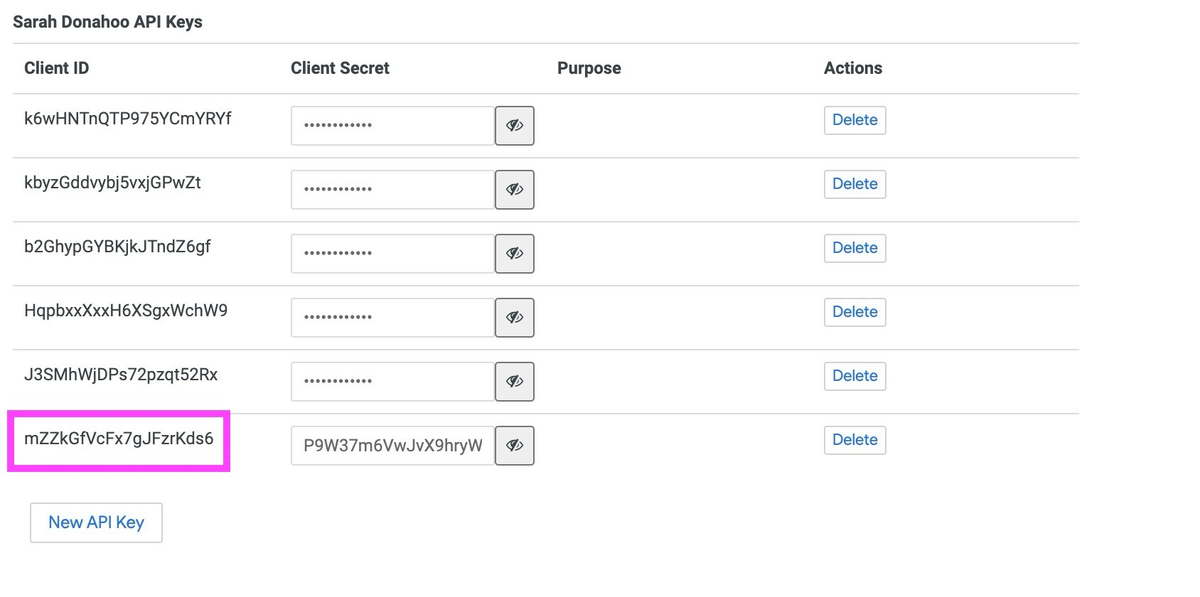
1. API keys: A unique string of characters assigned to your account that gets included with every request. These are simple to set up, but best kept private and rotated regularly. Fugo, for example, uses API keys.
2. Token-based authentication: A more sophisticated method, like using OAuth. It’s more commonly used if you need varying levels of API access for different people or systems.
Everything you can do with a digital signage API
The real power of a digital signage API lies in what external systems can instruct your screens to do without any human involvement.
There are typically three categories or ‘buckets’ it can help with:
- Update content: Your recruitment CRM, ecommerce platform, or weather feed can now push new images, text, or data to your displays whenever conditions change.
- Change playlists: Automatically swap entire playlists based on triggers, like time of day, day of week, inventory status, or sales performance.
- Trigger specific screens: Rather than updating your entire digital signage network, an API call targets a single screen or a specific group of displays (like emergency alerts, for example).
- Pull device or playback data: APIs can pull as well as push. For example, you might ask your signage platform to retrieve information about which screens are online, what content is currently playing, and whether any devices are reporting errors.
So, what do these applications look like in practice?
Here are some common use cases for digital signage APIs:
Real-time data displays
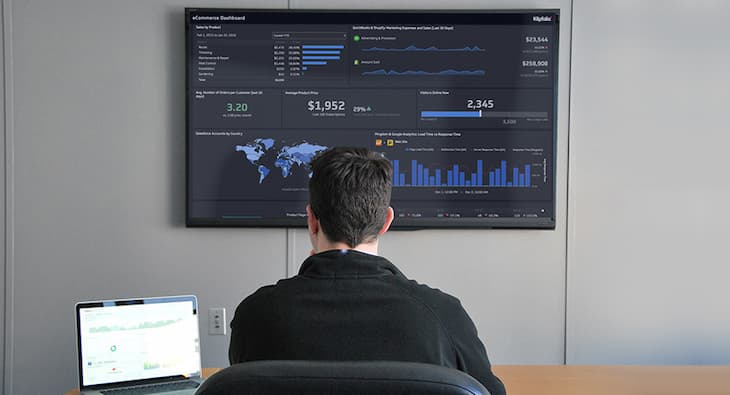
Since APIs query your software in real time, you can also automatically update content in real time. This lets you set up live sales dashboards, update menu boards based on time of day, or display queue lengths or wait times inside of a healthcare lobby.
This is especially helpful in corporate environments, where you might want KPI dashboards displayed in real time. Or, you might trigger recognition screens whenever a team member moves a prospect to the ‘closed’ stage in HubSpot.
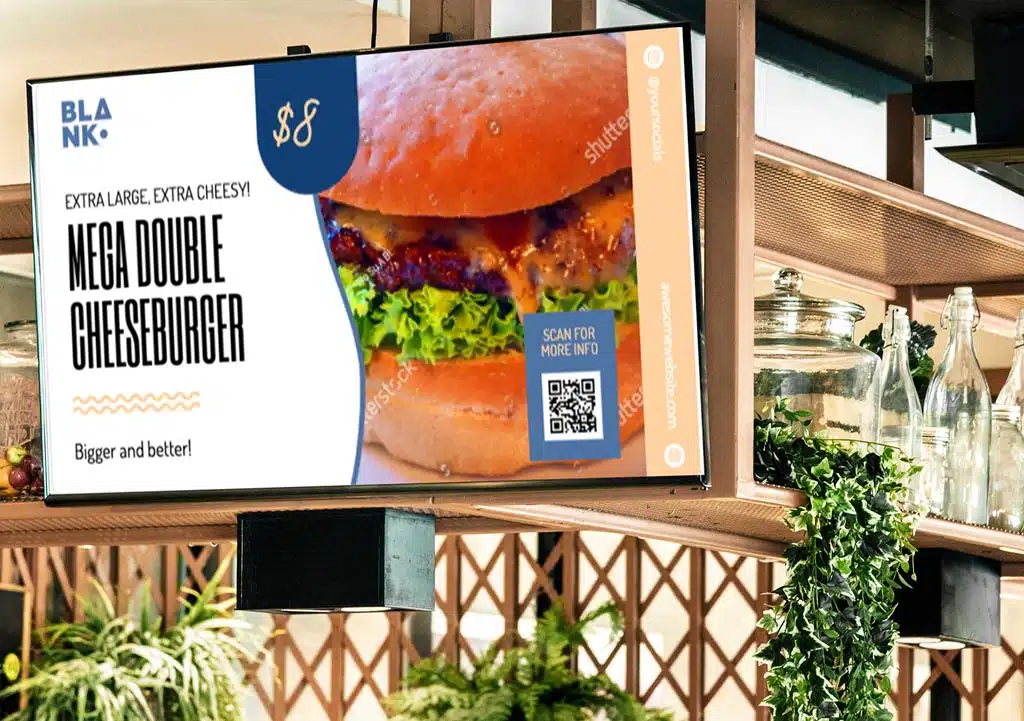
Another option for your menu boards: automatically update pricing for things like daily specials or happy hours. For example, you can create dynamic pricing that updates menu board prices in real-time based on an integration with your inventory software or marketing promotions tool.
Need to keep an eye on your uptime and computer health? APIs also provide low-level control for monitoring screen health, checking CPU usage, or remotely rebooting players, helping teams maintain high uptime without costly on-site visits.
A few other use cases to spark your imagination:
- Automated social media feeds that push hashtags, news, or other @mentions from live web pages to your displays
- Playing videos with critical information when the weather changes, like explaining the fire or tornado safety protocol across all screens at a school
- Automate updates or emergency alerts based on the number of patients in your waiting room
Interactive content
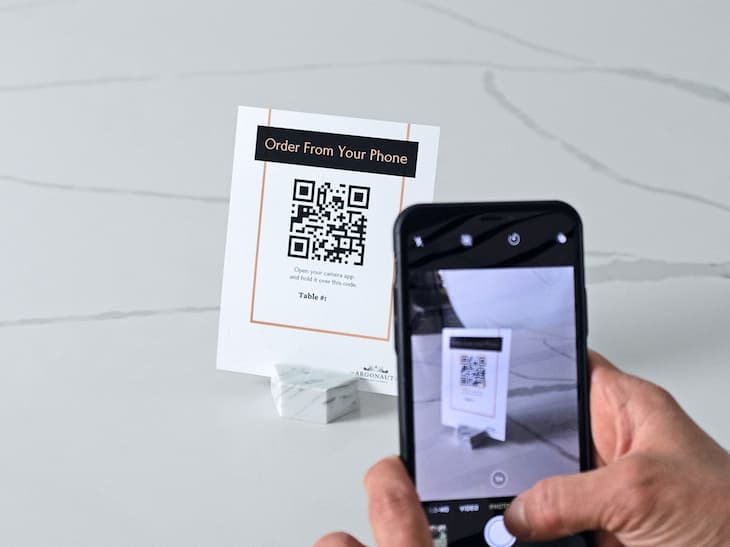
APIs can help build screens that react to inputs, like data, events, and even user actions (if you have sensors set up in your building locations). So, by ‘interactive’ content, we’re referring to any way that users can influence, interact with, or otherwise affect the content on screen.
One of the most obvious of these is creating QR codes. These let members of your audience scan a link using their phones to navigate to a web page, booking page, or other form. For example, if you have a bus, train, or plane schedule that becomes heavily delayed in your transit tracking software, you can set up an API call that displays a QR code with a link for passengers to reschedule.
This opens the door to more personalized or context-aware messaging. That way, instead of showing the same content to everyone, your screens can adapt in real time to what’s most relevant in that moment.
Let’s say you run a gym with screens in three ‘zones’: the cardio zone, the weights area, and your front lobby. Rather than pushing the same playlist to every screen, you can use an API to send targeted content to each zone based on real-time conditions.
For example, your membership software could ping the Fugo API whenever a member swipes their pass to check in. It could then trigger your lobby screen to broadcast some personalized marketing — like a personal training promotion or a supplement deal — without changing any content in the cardio or weights zone.
You can also layer in time-based logic by connecting to digital signage sensors. These are unique tools (like Nexmosphere, for example) that detect whether or not people are standing in front of your display. You can also measure foot traffic into and out of your store, which lets you decide what to display, when.
Imagine you’re a hardware retail store looking to maximize sales. You might connect your signage sensor to a TV screen that detects whenever someone picks up a tool to try. Then, when sensor data gets logged in the cloud, your API pushes specific content to your screen.
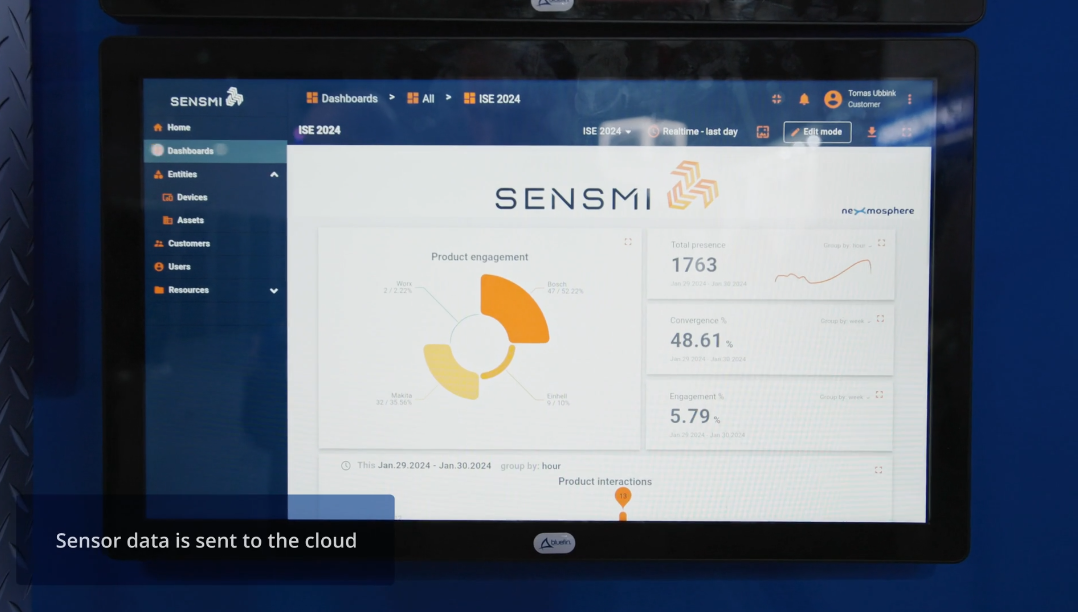
Not only does this let you personalize content, but it also helps you display multiple types of content on the same screen, without robbing one to enrich the other.
Integrate with third-party systems
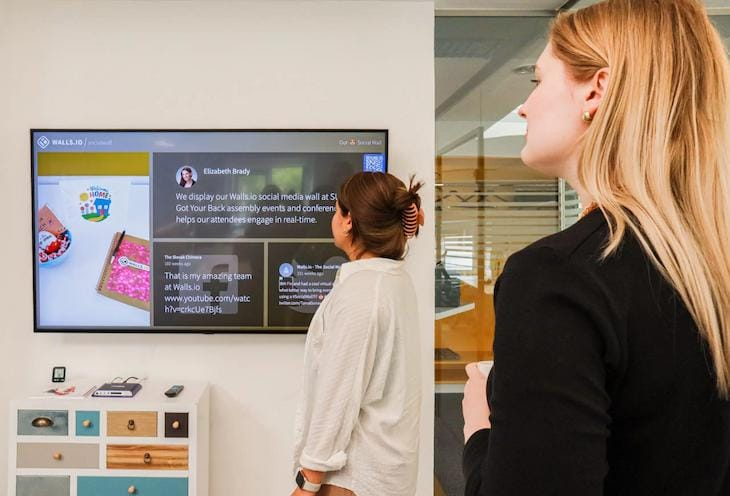
As you’re no doubt well aware by now, digital signage APIs work by integrating your CMS with the tools you already use. This lets you pull live data, respond to triggers, and display information without dealing with any manual platform updates.
APIs make it possible to connect your signage with:
- CRM systems like Salesforce or HubSpot. As mentioned, you might pull live sales data onto office screens so your team can track deals in real time. Or, you could automatically display a congratulatory message whenever a rep hits their monthly quota.
- BI tools like Power BI or Grafana. Help your frontline employees track inventory, fulfillment numbers, and picking and packing orders without anyone needing to open a laptop.
- Support platforms like Zendesk or Jira. Display real-time ticket volumes, open issue counts, or SLA breach alerts on your support center or engineering floor. What if a priority ticket comes in above a certain threshold? Let your API trigger an immediate screen alert that helps your team prioritize.
- Internal systems like HRIS platforms, Slack, or Microsoft Teams. Trigger specific announcements, policy updates, or company milestones to go directly from a platform to your office displays. This can help loop in any deskless workers who don’t have the time or space to sit down and check their internal accounts.
How Fugo’s digital signage API powers any digital signage strategy
While digital signage APIs are becoming increasingly popular, there aren’t that many options for enterprise teams.
That’s why so many growing businesses turn to Fugo.ai: one of the most accessible, HTTP REST APIs available for digital signage.
Fugo’s API connects with the tools you already use so you can pull real-time data into your digital signage network. This can help enhance your existing use cases for digital signage, like managing your network and building playlists for your team.
Let’s take a quick look at Fugo’s integration capabilities, plus more ways to use the key features we offer to enterprise brands.
Flexible integrations with existing applications
Connect your screens to pull live data from external sources — like CRMs, BI dashboards, social feeds, calendar platforms, and more — and surface that information on your displays in real time.
Centralized control at scale
Fugo’s API can help you generate, edit, and reorder playlists through API commands. For example, you can upload, tag, and organize media inside your Fugo CMS without ever opening your dashboard. This makes it easier to handle content management across a multi-location network, especially if you don’t already have a DAM like Canto.
Target specific screens or display groups
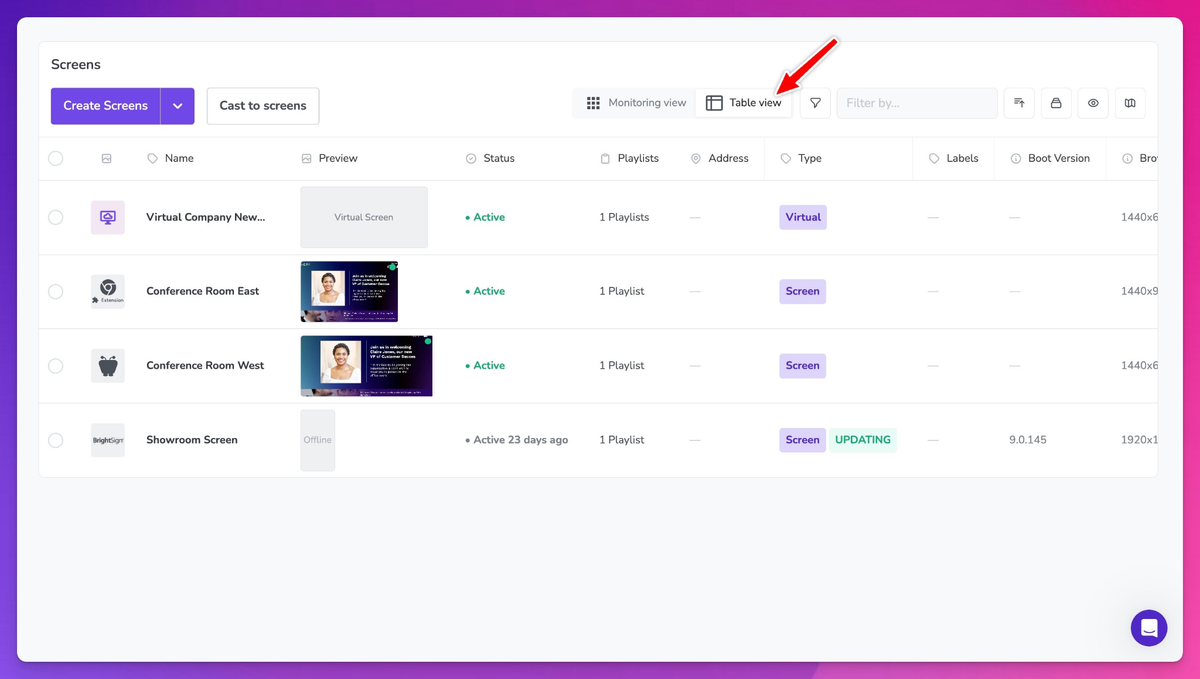
Send content to specific screens or display groups in real time — especially useful if you’re pushing content to different locations or zones at the same time.
All you have to do is define the asset and the destination. Fugo’s API automatically resolves the targeting, permissions, and deployment.
Schedule and reschedule content programmatically
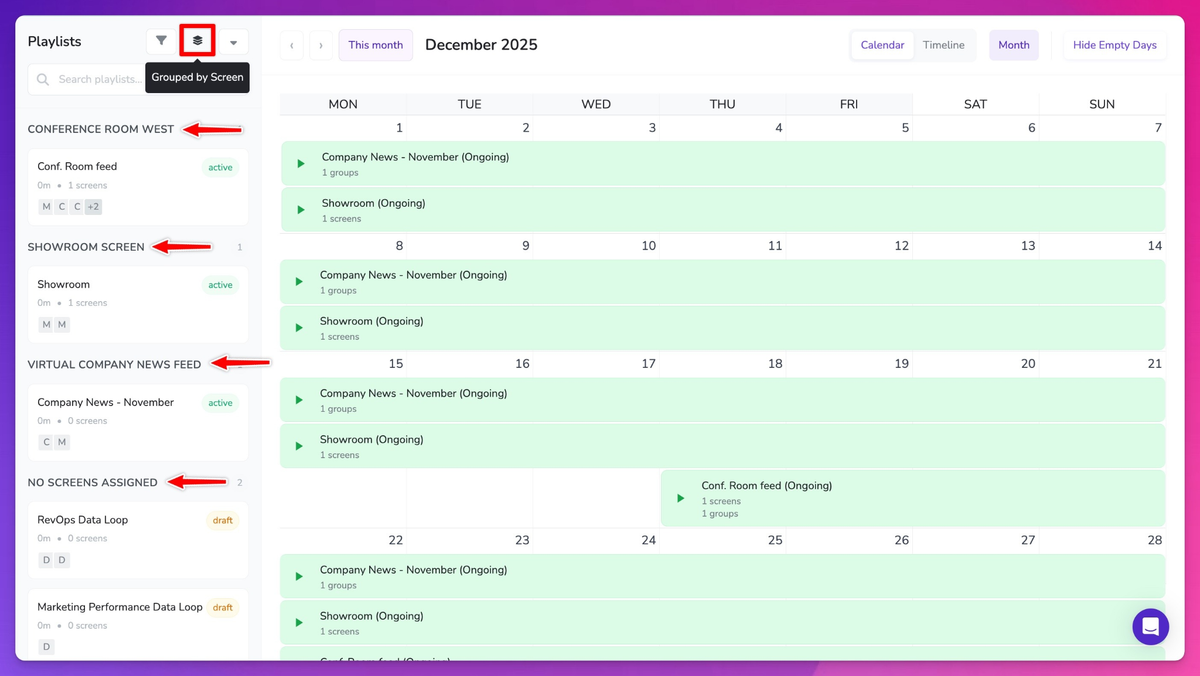
Schedule or reschedule what should pop up on your screen, and when.
Fugo’s API translates your instructions into publishing logic across your displays. That way, instead of setting schedules manually screen by screen, you can build a set of logic directly into your external systems.
Return all screens by space
Fugo’s API can target specific screens or display groups, which means you can query and retrieve screen information by location or group. This can help you understand the health of your signage platform, like what's playing where across your network.
For multi-site businesses managing offices at faraway distances, this can help you confirm whether or not something needs attention.
How to set up Fugo’s digital signage API

Fugo's API is available on the Enterprise plan, which starts at $40 per screen per month.
Here’s the easiest way to get started fast:
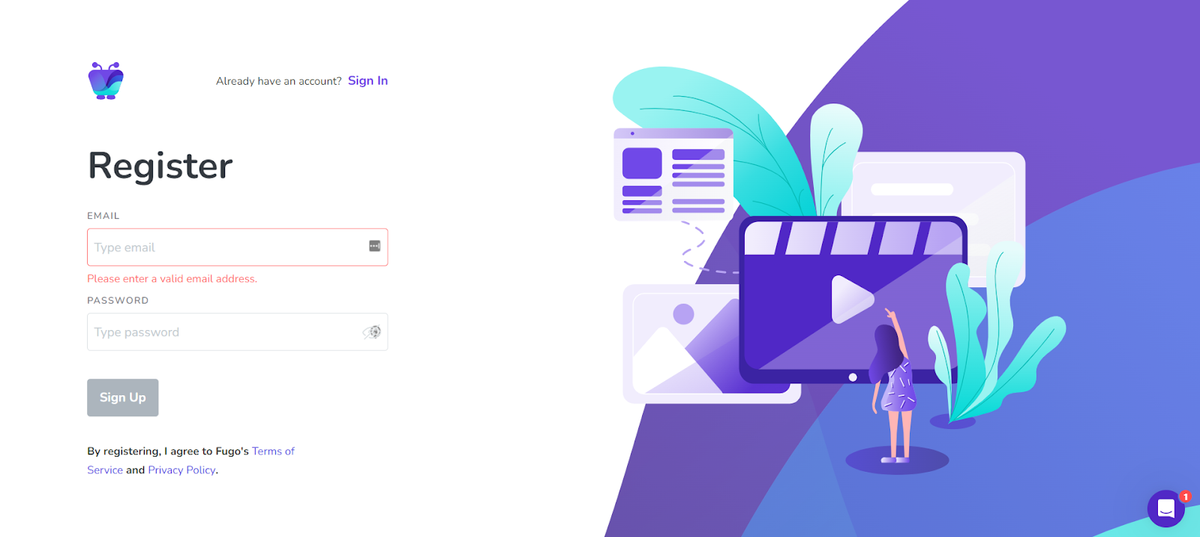
1. Sign up for a free trial of Fugo. Or, book a demo to speak directly with the team. There’s no credit card required on the free trial, but keep in mind that API access requires a paid plan.
2. Get your API key. Inside your Fugo account, you can retrieve an API key. This is what you’ll use to set up a development environment and test integrations before they go live.
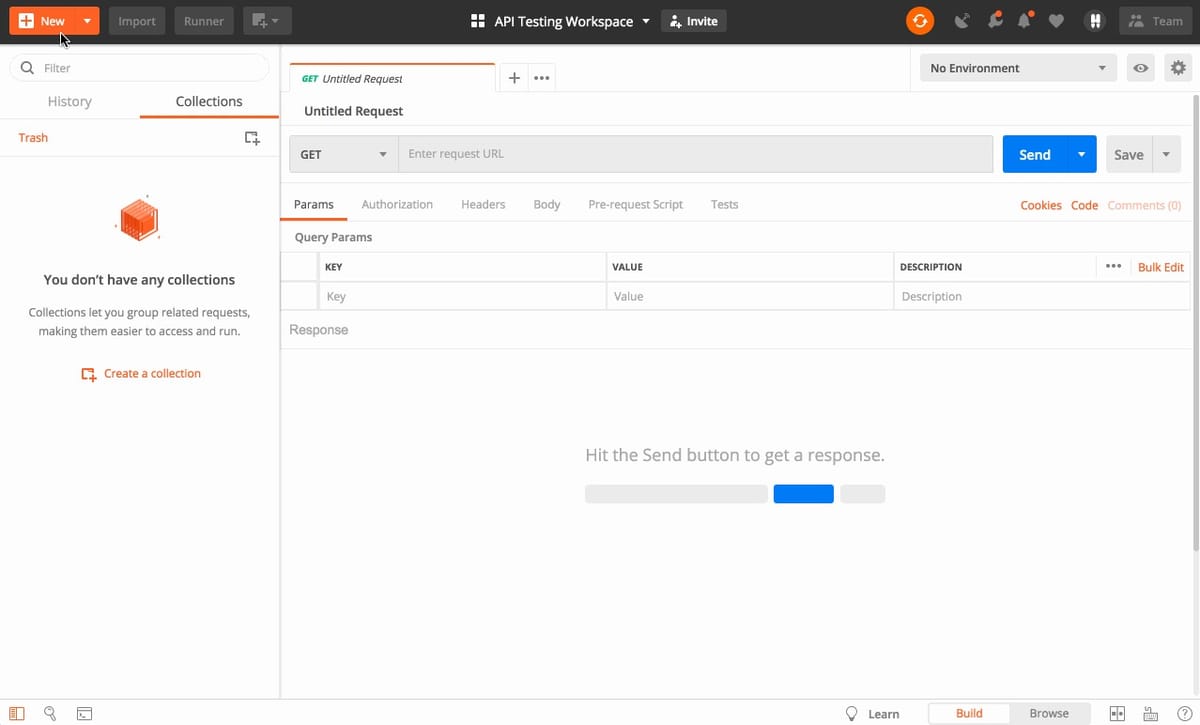
3. Test your API calls. This ensures you can establish basic connectivity, as well as have full control of your Fugo account.
4. Build out your integrations. Now that you’ve confirmed basic connectivity, it’s time to start integrating your apps with the Fugo CMS. You might integrate with automatic playlist updates, real-time data feeds, screen controls, and more.
5. Publish to production. Once satisfied with your dev testing, you can publish the connection into your final production environment. Now, you can:
- Update an existing media entity with new content from a URL
- Update text labels in content
- Create content automatically
- Upload media files directly from URLs
- Replace existing media with new media
- Automatically delete media items
- Trigger playlists events
- Create playlists
- Return all screens by space
- And much more
Ready to dig in for yourself?
Frequently asked questions about digital signage API
Q: What do digital signage APIs do?
Digital signage APIs allow developers to transform static screens into dynamic, data-driven communication tools while significantly reducing manual overhead. This can help with content management, cut down on manual work, and help organizations connect with tools and services they already use.
Q: What are APIs vs integrations vs automation tools?
An API gives you direct, programmatic access to your signage platform. It gives you the highest level of customization with your digital signage system, but you'll need a developer (or at least some comfort with code) to set it up.
A native integration is a pre-built connection between your signage platform and a specific third-party tool (think Power BI or Google Calendar). While you don’t need any coding experience for this, the tradeoff is that there’s less customization available.
Triggers and webhooks let you define event-based rules without writing custom code. These do require some code, but it’s usually fairly easy to learn. For example, you can connect Fugo with Zapier to make changes in a Google Sheet that automatically update playlists, or showcase announcements from Microsoft Teams directly on your screens.
The best digital signage software, like Fugo, let you use all three to enhance your signage network.
Q: What should I look for in a good digital signage API?
You need the following features in a digital signage API:
- Well-documented endpoints
- Secure authentication via API keys or OAuth
- Granular access control over screens, users, playlists, and content
- Webhooks or event support
- Scalability with rate limits
- Compatibility with your existing tech stack and other systems
Q: How do you know you need digital signage API?
You likely need an API with your digital signage software if:
- You manage multiple locations
- You rely on live data
- You want automation
- You use multiple business systems
But you may not need an API if:
- You run static content only
- You have a single-screen setup and don’t plan to use multiple screens
Q: How do digital signage APIs work?
APIs sit between your external tools and your signage platform’s core infrastructure. While your displays and media players talk directly to the cloud platform, your third-party applications, custom dashboards, and automation tools need the API to communicate the same way.
This separation keeps your signage infrastructure stable and secure while still allowing for deep integrations with the rest of your tech stack.