
Fugo logo
BLOG/THE MANY BENEFITS OF DIGITAL SIGNAGE IN EDUCATION

The Many Benefits of Digital Signage in Education

Author avatar
Meagan Shelley
13 min Read
09 April, 2026

A whopping 73% of educational institutions say that digital signage will be crucial for the future of communication. And considering that seven in 10 schools have already implemented digital signage, it might be time for your school to jump on the train. 

If you’re sitting on the fence or just looking for buy-in, you can use this article to help set up school digital signage. You’ll learn about the benefits, as well as common use cases. We also walk through some best practices for school digital signage so you can get up and running fast.

Benefits of digital signage for educational institutions

You’re likely already familiar with the high-level benefits of digital displays: faster information sharing and cost savings via digital screens (instead of physical posters or bulletins). 

Using digital signage in your educational facility can help you:

  • Engagement benefits for students. A study performed by Sharp USA found that “display technology offers an outstanding return on investment for K-12 schools.” Not only do digital signage screens engage students in things like school plays, lunch menus, and upcoming events, but they can also provide a strategic approach in engaging young learners with academic achievement and excellence. For example, digital signage in schools can help support visual learning styles, which makes it easier to encourage students who may not learn from more traditional or static signage displays. 
  • Safety benefits for campuses. Digital signage offers a fast and easy way to communicate important details with students. For example, many schools set up screens in high-traffic areas to inform students of fire drills, weather warnings, and other key details they should know. 
  • Cost-effective advantages. Digital signs greatly reduce long-term costs compared to physical bulletins and posters. Plus, reducing reliance on paper materials for daily notices and event promotion can significantly reduce your environmental impact. Keep in mind that digital signage in schools can last for ten years or more. For this reason, you don’t need to worry about purchasing more equipment or screens until the right moment. 
  • Communication benefits with staff. From school administrators to teachers and substitutes, digital signs can help keep important dates and notices top of mind. This could be helpful when communicating schoolwide meetings, informing educators of new or prospective students, or sharing details about administrative tasks (i.e., turning in reports or grading papers before a spring break). 
  • Communicate with the entire school (or multiple schools). If your education system is spread across multiple buildings — like in a college campus or a large K-12 plant — digital signage can help you display the same essential messages across as many screens as necessary. But you always customize your screens and playlists to keep them personalized to the school or classroom in question. That way, you’re not reminding high school students to bring toys to show and tell, or prepping faculty members for an upcoming meeting on screens outside of the break room. 

💡Related: How Digital Signage Can Help Schools & Universities Safely Reopen

Use Cases for Digital Signs in Educational Institutions

Now that we’ve covered the benefits of digital signage, let’s take a closer look at how you might use digital displays at your own institution. 

You can use digital signage in schools to accomplish all sorts of tasks for both students and staff, including (but not limited to):

Digital menu boards and cafeteria displays

You can use digital menu boards to display meal options, changing items, or swap-outs for those with specific dietary preferences. For example, you might:

  • Display nutritional information for student athletes
  • Call out allergens in food items, like peanuts or milk
  • Remind students of upcoming events related to food, such as a pizza party or a school-wide menu change

The right digital signage management provider can help you automate this process with menu scheduling and automation-based triggers. For example, you can set up specialized playlists that switch from displaying food menus to promoting upcoming events after a certain time. Or, if your cafeteria serves more than one meal per day, you can set up dayparting to instantly switch menu items without manually changing any details. 

Display general announcements in high-traffic areas

Digital signage allows schools to broadcast announcements, event schedules, and emergency alerts instantaneously. This allows you to connect students, admins, and teachers — from your elementary school to your high school auditorium — so everyone gets the right messages at the right time.

Provide school event schedules with key information

Engage students and teachers with calendar-based signage that displays important dates all on one screen. This could be key dates for state testing, final exams, spring or fall breaks, and 

The best digital signage systems let you schedule content in advance so you can automatically update your event schedules as the weeks and months pass. This ensures all content starts and expires at the perfect time. That way, you’re never promoting outdated events (or ones that haven’t happened yet). 

Doing so in a calendar planner view can also make this easier. Not only does it provide a more visual overview of all your scheduled signage playlists, but it can also help you:

  • Review upcoming playlist schedules
  • Look for overlaps in playlists across screens or screen groups
  • Check live content and make adjustments as necessary
  • Review your setup and quickly make changes to digital displays

Maximize visibility of emergency alerts and safety information

School campuses face a wide variety of safety threats today, ranging from physical threats and student violence to cyberbullying and hate crimes. With nearly one in two teachers and administrators worrying about the safety of their students, school digital signage can provide a critical piece of the safety puzzle for learners of all ages. 

For example, school administrators may receive word of an emerging threat that affects all buildings on a college campus. On top of issuing warnings via text or email, they can also instantly update all digital signs with a timely warning and important next steps.

In fact, after the Virginia Tech Massacre, West Virginia University installed 120 digital screens to assist in protecting students during emergencies.

An example of digital signage screens at West Virginia University.

Some digital signage software tools offer content override functions that help display important information immediately, without needing to wait for updates or manual content configurations. Or, you can simply cast your device to another screen

💡Related: Screen Casting 101: How to Mirror Your Laptop

Student recognition and storytelling, managed remotely

Schools can use digital signage to showcase student achievements and promote upcoming events, fostering a sense of community. This is especially helpful since digital signage can be managed remotely, allowing for quick updates and changes to content across multiple displays.

You can also display general announcements virtually with tools like embeddable channels. This makes it easier to put key information into your intranets, like Notion boards, Slack channels, or even your school’s backend website. That way, students can view announcements and important details from anywhere with a WiFi connection. You can even make separate channels for teachers, parents, school admins, and more.

Promote learning even outside of the classroom

A whopping 85% of students report that video content improves their learning experiences. And considering digital signage captures up to 400% more views than static displays, there’s no reason not to use digital signs to improve your students’ educational buy-in.

For example, you might use digital signage outside of classrooms or teacher offices to schedule content like:

  • Quiz questions and answers for students 
  • Display the teacher’s own content (think office hours, class updates, or room availability)
  • Engaging content around previous lessons, like a recap of math concepts covered, or history modules for a homeroom class

Remember: digital signage can improve academic performance by reinforcing lessons and appealing to different learning styles. School digital signage offers the perfect tools to boost learner performance and encourage study outside the classroom.

💡Pro Tip: Some content management systems let you live stream video directly on your digital signage screens. That way, you can broadcast live or on-demand content on a big screen (like webinars or virtual educational sessions) for students who can’t physically attend in-person learning sessions. 

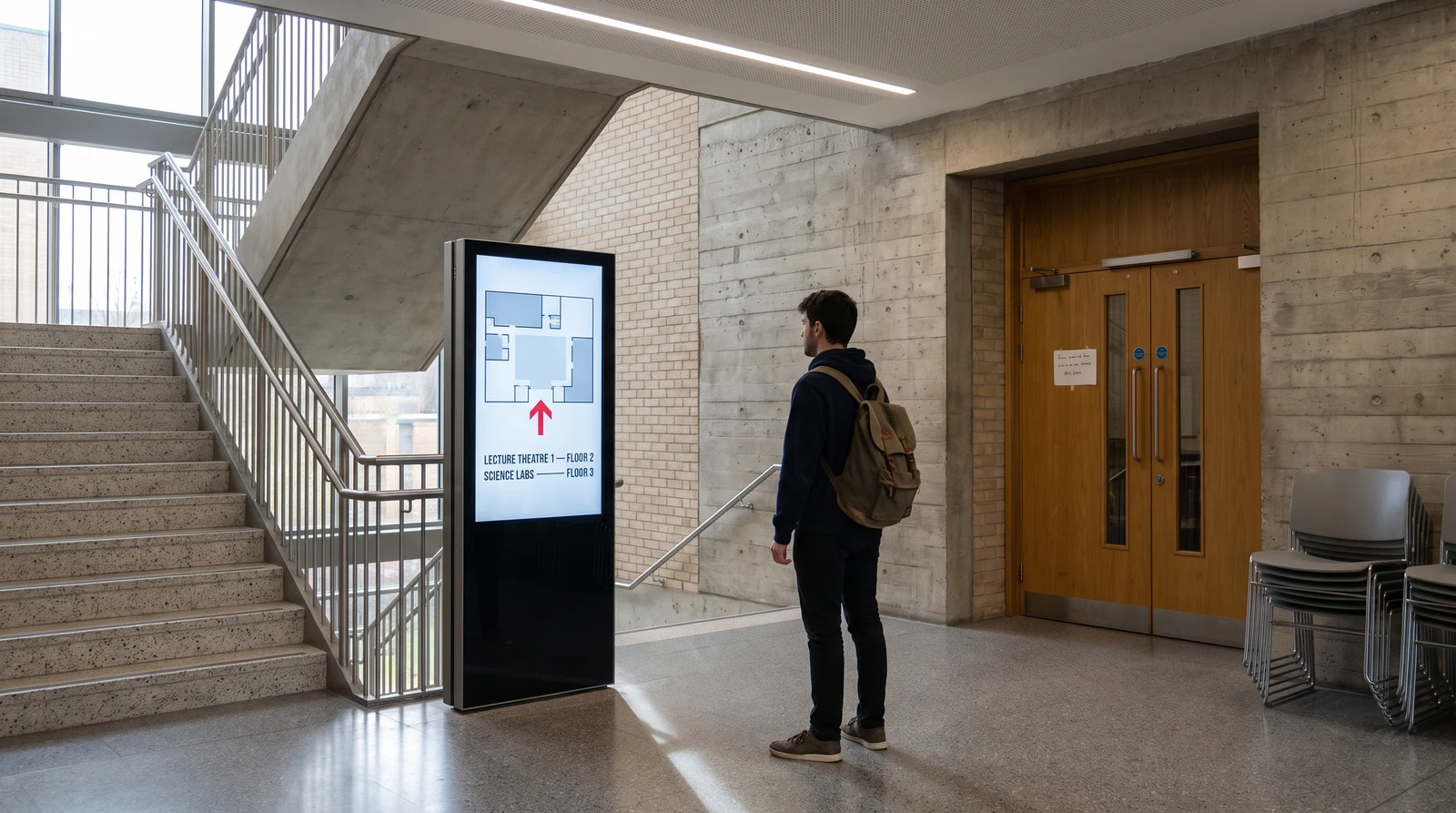
Wayfinding kiosks and form collection in public spaces

On a larger campus? Worried about new students getting lost? With digital signage, you can set up touchscreen flows so students can quickly find where they are and where they need to go.

You can even set up kiosks and collect form information from students. For example, you might advertise signups for educational experiences and field trips, auditions for plays or athletic teams, or even on-campus clubs. 

For either of these implementations, it’s a good idea to focus on areas like building entrances, high-traffic common areas, and key decision points (think visitor centers or major walkways). 

Just make sure to evaluate sightlines and viewing angles for each screen before installation. Don’t worry if you don’t have much space, or if your connection could be iffy. With the right digital signage provider, you can set up signage without WiFi even in tight or awkward spaces

Digital displays in quiet spaces like hallways, libraries, and visitor lobbies

Hallways, libraries, and visitor lobbies are key areas in educational facilities. And yet, they often go underutilized by signage displays.

Adding digital signs to these oft-forgotten areas can help with effective space usage, as well as building responsive communication between students, parents, and educators. 

For example, you might create:

  • High-impact, “snackable” content in hallways. This could be highlighting class or student achievements, historical facts about the school, or even real-time updates about the weather or student activities.
  • Quiet, low-motion content for libraries. Video content isn’t recommended here, as students often need to focus on static books, textbooks, or study materials.
  • Tailored content for common areas. In lobbies and waiting rooms, in which parents and visitors might spend the most time, consider providing event schedules, class schedules, and even seasonal greetings. 

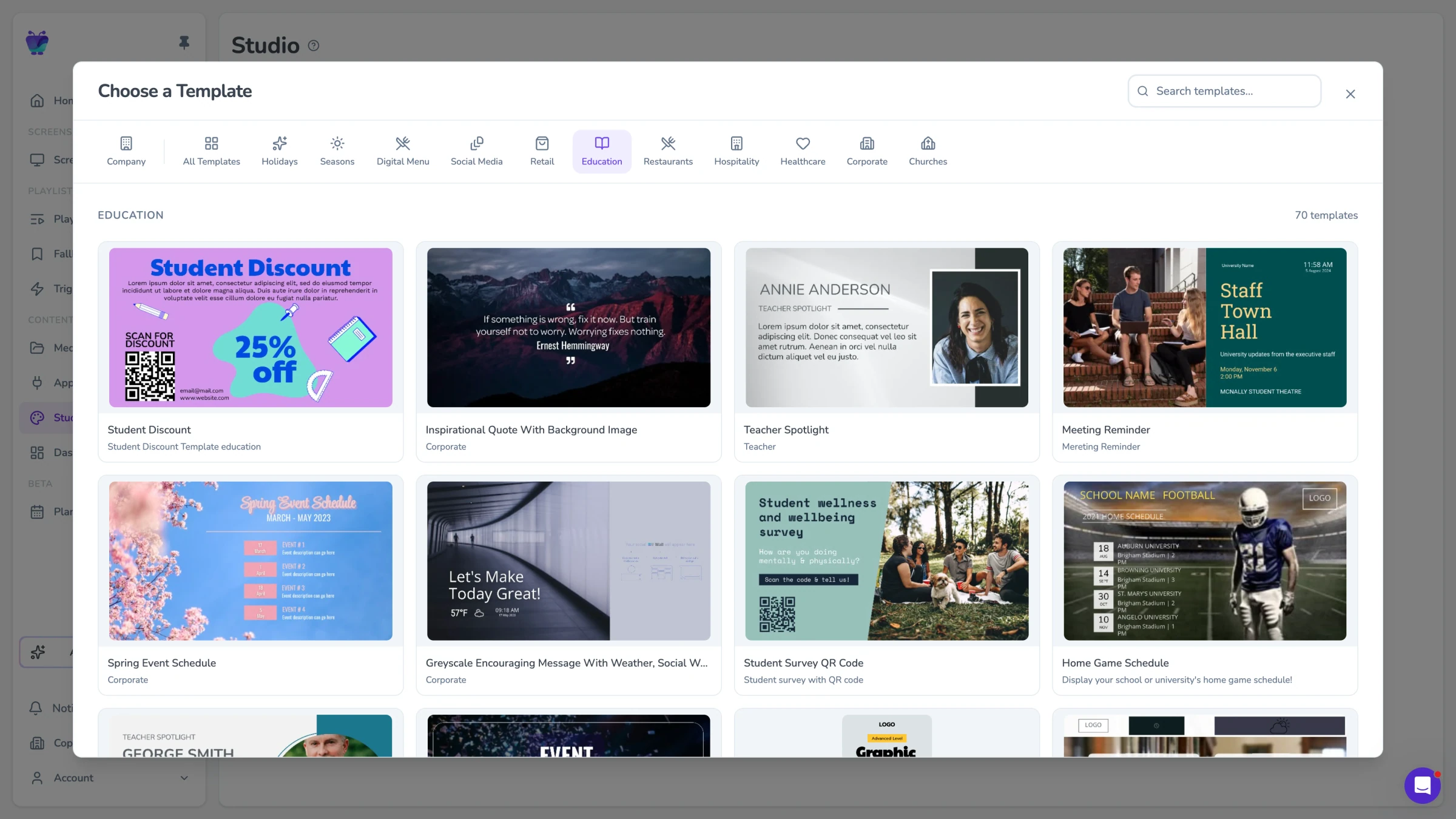
You also don’t need to create this content on your own. For the greatest possible operational efficiency, opt for a digital signage software provider offering a built-in design studio. This allows you to design static or dynamic content within a single, powerful tool.

You may also be able to schedule content directly from your design studio. That way, you don’t need to tab back and forth across multiple tools. 

Best Practices for Digital Signage Content and Maintenance

Ready to get going with digital displays at school? Before purchasing equipment, make sure you familiarize yourself with all best practice.

Remember: digital signage refers to how you manage and maintain your screens, not necessarily just the content itself. Building out a full use case for your digital displays will help leaps and bounds in building a successful, high-value program. 

Here are six tips for getting started:

1. Design your digital signage content strategy and digital signage content

First, decide what you want from your signage program. Is this more student engagement? Better internal communication? Or something else? 

It might help to establish KPIs and metrics that help determine the success of your program (more on this later).

Next, plan out the “buckets” of content you want to create. Announcements, events, and kiosk forms are all valid options for schools of any size. Then, create dedicated playlists of content for specific regions of your school — think the cafeteria, classroom, hallways, lobbies, and beyond.

When creating the content itself, you’ll want to focus on:

  • Short, snackable content that remains on the screen for at least 15 seconds or more (depending on whether it’s static or dynamic content)
  • Automated feeds for things like calendars and news updates
  • Updating content at least once per week to prevent content from getting stale or outdated

2. Accessibility, compliance, and student involvement

If your school is located within North America, you may be subject to legislation from the Americans with Disabilities Act. This requires you to ensure ADA-compliant fonts and color contrast, provide multi-language messaging where needed, and set clear governance for student-submitted content.

Speaking of: if you do plan to involve students in content creation, make sure they are familiarized with ADA education. You can create a workbook or spreadsheet to help them keep track. Or, assign a team member who can help you audit content for errors or inaccessibility. 

3. Implementing digital signage systems: deployment and governance

Before going all-in on a digital signage platform, make sure to run a pilot in at least one building or department. This allows you to establish a clear governance system and stress-test your foundations before going live.

Two other best practices for this include:

  1. Creating a content-approval workflow. Who starts the content? Who edits it? It makes it “go live” and fixes problems when they happen? It’s a good idea to map all this out in a spreadsheet so everyone can see their role(s) at a glance.
  2. Set staff training schedules for content managers. Yes, this should include students if you allow them to help in any capacity (more on this later). More administrative users, such as teachers or staff members, should receive training that’s more akin to their responsibilities. Such as how to monitor screen health remotely and log incidents when they occur. 

4. Choosing digital signage systems and hardware

Now it’s time to consider your hardware options, including:

Keep in mind you’ll also have to consider a content management system, or CMS, before beginning. Fugo, OptiSigns, Yodeck, Screencloud, and Signagelive are all examples of these.  

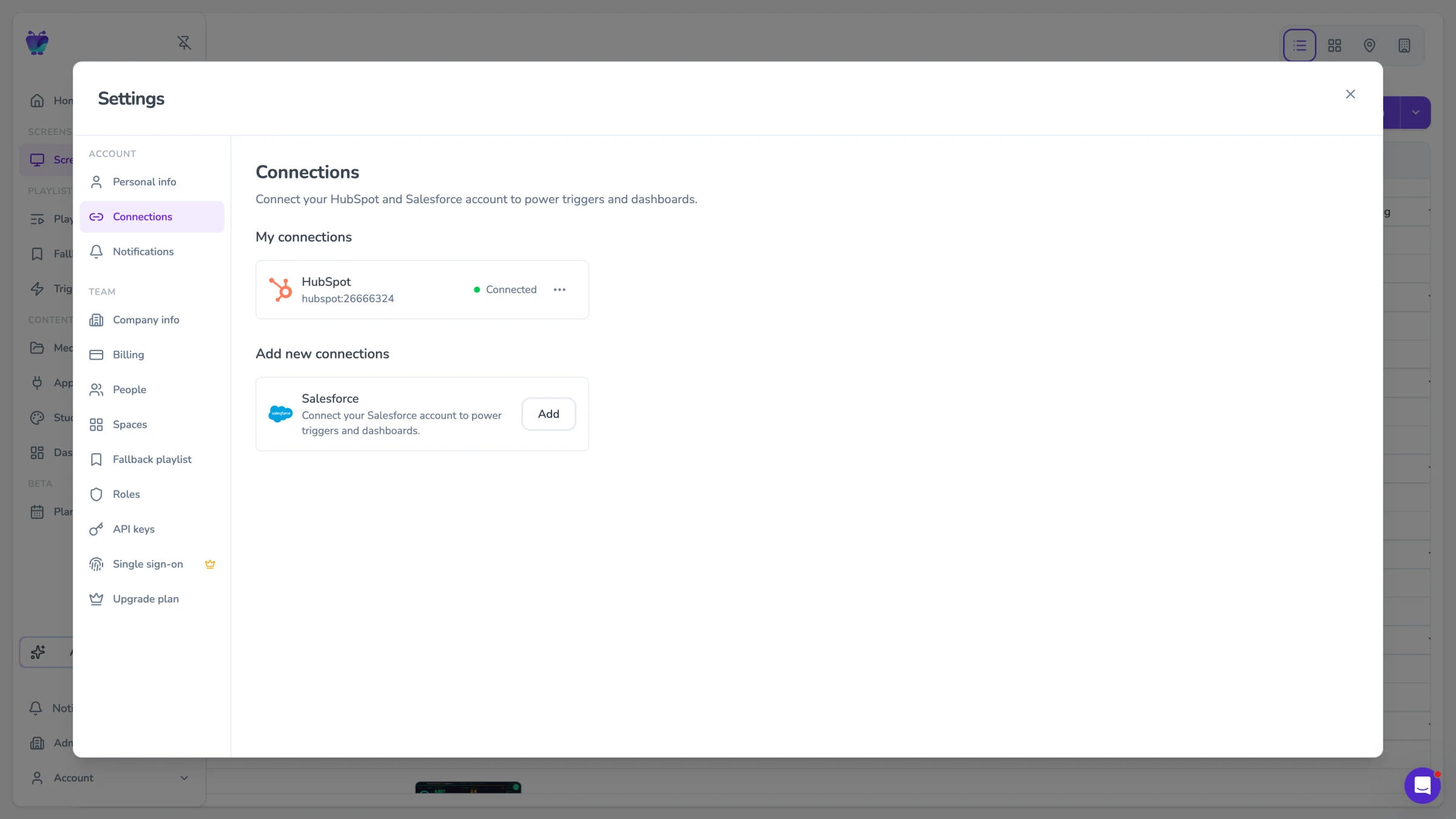
You may also want to consider additional management platforms like digital asset management systems, or DAMs. Fugo, for example, lets you set up an integration with Canto’s DAM so you can store and access digital content from anywhere with an internet connection.

5. Cost-effective digital signage solutions, budgeting, and funding

Money isn’t everything when building a digital signage network for education, but it sure helps when stretching your bottom dollar.

First, look for lower-cost hardware and software to get started. You can always use “prosumer” grade tools like Fire Sticks and Google TV Streamers. If you need a lower-cost interface, the Raspberry Pi 5 can help. But make sure you’re looking for value in your tools, and not necessarily a low bottom dollar. It makes more sense to invest in something that will help save costs in the long run — like a cloud-based tool instead of an on-prem system (and so on).

Another way to reduce costs is to propose phased rollouts. That way, you can spread initial expenses out across several months, quarters, or even multiple years. You might purchase digital signs and other equipment in the first half of the year. Then, take the rest of the year to make your CMS setup the top priority. 

You can also reduce production costs in more creative ways — like allowing students to create content rather than members of your team. This can reclaim time for other more valuable tasks. Plus, students stop feeling like they’re being “force-fed” content. It may also improve student engagement as well. 

Still struggling with costs? Sponsorships are an easily viable option. You may want to approach local businesses in your area to see how much they’d be willing to sponsor in exchange for sanctioned advertising. 

6. Measuring the impact and ROI for digital signage system

Assuming you already have KPIs and metrics set, the final step is the measure the return on investment, or ROI, of your digital signage system. 

We wrote a dedicated guide explaining the latter.

But the quick and efficient version includes defining:

  • Engagement metrics to track screen views
  • Message reach metrics for audience coverage
  • Emergency-response time metrics to evaluate safety
  • Pre-post pilot surveys to measure impact

How to select digital signage software and digital signage solutions for schools

Choosing the right digital signage software is crucial; it should be tailored for educational institutions and include features like scheduling and content management.

But how do you know if you’re on the right track?

Use the following checklist to ensure you’re making the right choices:

  • Does it offer remote management? Digital signage systems should allow for remote management, enabling administrators to update content from anywhere, which streamlines operations and enhances efficiency.
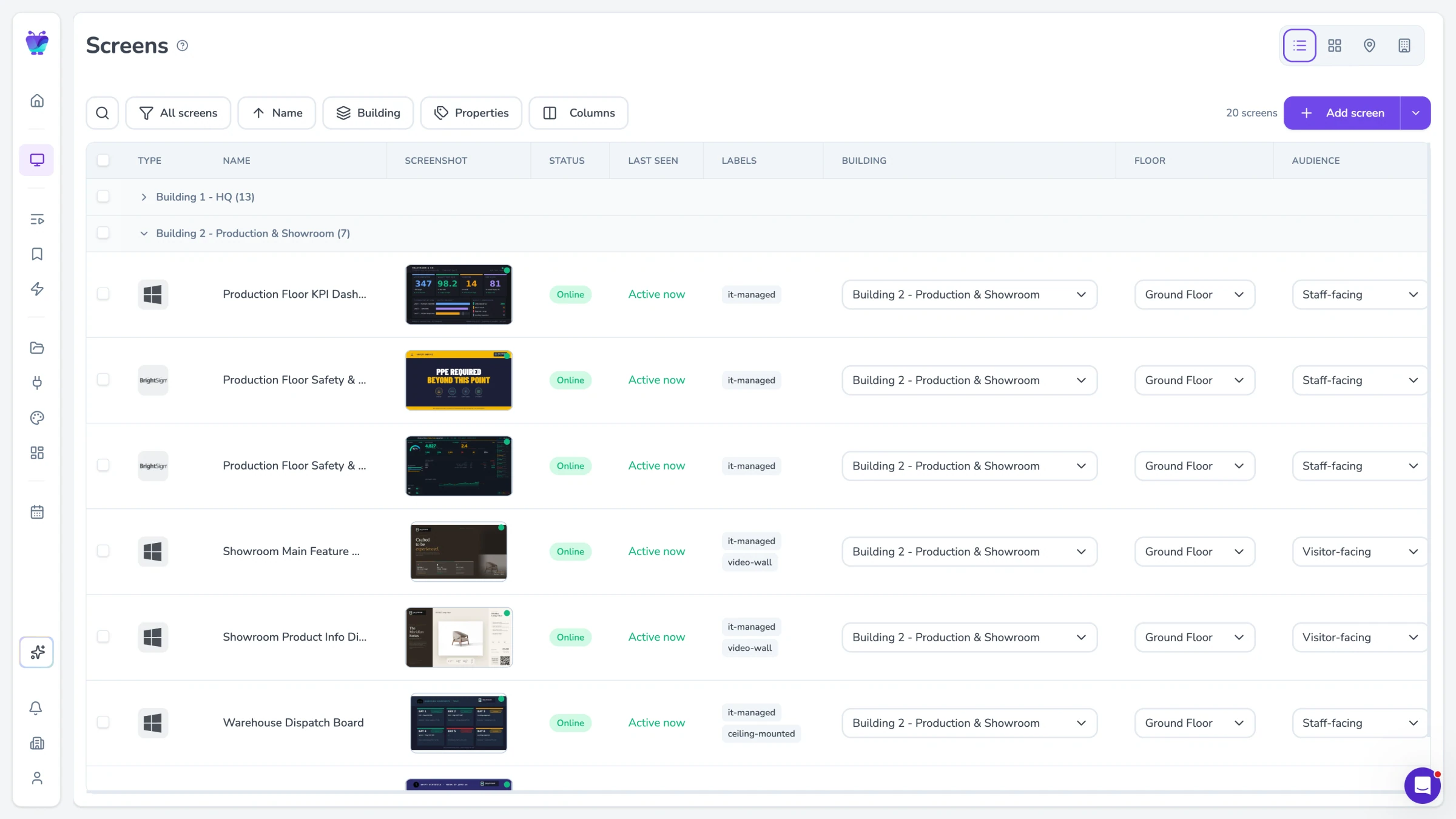
  • Can you access cloud-based digital signage software features? Cloud tools let you make adjustments from anywhere, while on-prem requires you to manage everything yourself. It’s best to pick a signage solution that lets you manage content across your campus from a single, simple dashboard. 
  • What third-party integrations does it offer? You should be able to tap into calendar integrations, event automation software, and emergency-system integrations for instant overrides (if necessary). If the software you’re exploring doesn’t offer this, you may want to reconsider. 
  • What’s the pricing structure? Do you pay per screen, or per user? Are there annual contracts or hidden fees? And most importantly, are there minimum requirements for how many digital signs you need to sign up?

Fugo: the best digital signage software for educational institutions

Digital signage in education offers dozens of benefits — when implemented correctly. You just need to make sure you’re choosing the right management partners to get started. This includes a cloud-based content management platform like Fugo.

Fugo was designed for schools of all kinds, from K-12 organizations to colleges and beyond. Plans start at $20 per screen per month and scale alongside your network as you grow. That way, your school can:

  • Create content in-app and save company-wide templates that anyone in your schools can use
  • Playlist creation features, plus a calendar view, that lets you check content at a glance and make adjustments quickly in the app
  • Schedule content, trigger emergency alerts, and create priority takeovers for must-see content
  • Multi-user permissions and role controls to protect sensitive information or unauthorized access
  • Enterprise-grade security and reliability with SSO, whitelisted IP addresses, and an SOC type 2 certification
  • Hardware-agnostic software that runs on almost any screen or player
  • TV dashboards for sharing internal data from platforms like Looker or Power BI

Create school digital signage in just a few clicks by signing up for a 14-day free trial of Fugo

Frequently asked questions about digital signage in education

Q: How can I use digital signage in education?

Digital signage can be used to display real-time updates during emergencies, such as fire or lockdown situations, ensuring that critical instructions are communicated quickly across the campus.

Q: What is the meaning of educational signage?

Educational digital signange refers to any signage network specifically established for a digital signage network. This includes content and features designed to support school campuses, including emergency alerts, event and class schedules, student recognition, and more.

Q: How often should I update educational signage?

Digital signage content should be regularly updated to remain relevant and engaging, preventing it from becoming stale and overlooked by students. Try to switch up your content at least once per week, typically from the comfort of your cloud-based CMS.

Subscribe to our newsletter
Stay updated with Fugo by signing up for our newsletter.