Digital signage on AirServer
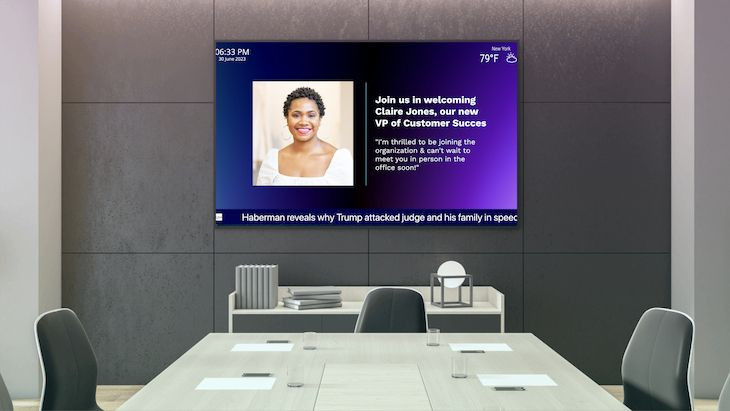
Keep AirPlay, Google Cast, and Miracast for sharing — point AirServer’s Website background at player.fugo.ai for scheduled signage between sessions.

A casting receiver with a signage background slot
AirServer loads a website when nobody is sharing. Point that slot at Fugo — casting still takes the whole screen when someone mirrors.
Read AirServer’s background documentationCasting always takes precedence
A mirroring session covers the whole display. End it and AirServer returns to its background — Fugo resumes without an input change.
AirPlay, cast, and miracast unchanged
People still share from iPhone, Android, Mac, or Windows the way they already do. Fugo only fills the hours between sessions.
The background slot takes a URL
Choose Website in Personalization → Background and enter https://player.fugo.ai — AirServer renders the page as HTML.
Documented on both sides
No AirServer app and no API between the products. AirServer’s own guide lists Fugo among supported HTML signage players.
You choose how the overlay sits
Homescreen layouts control connection details over the background. Minimal keeps name and IP in the corner so content stays readable.
Nothing extra behind the display
The receiver already holds the HDMI input. No second box to mount, power, or put on the network for signage hours.
Set Fugo in the background slot you already configure
In Device Management, open Personalization → Background, choose Website, and enter https://player.fugo.ai. Pair with the on-screen PIN in Fugo — nothing installs on the receiver.
Set up Fugo on AirServer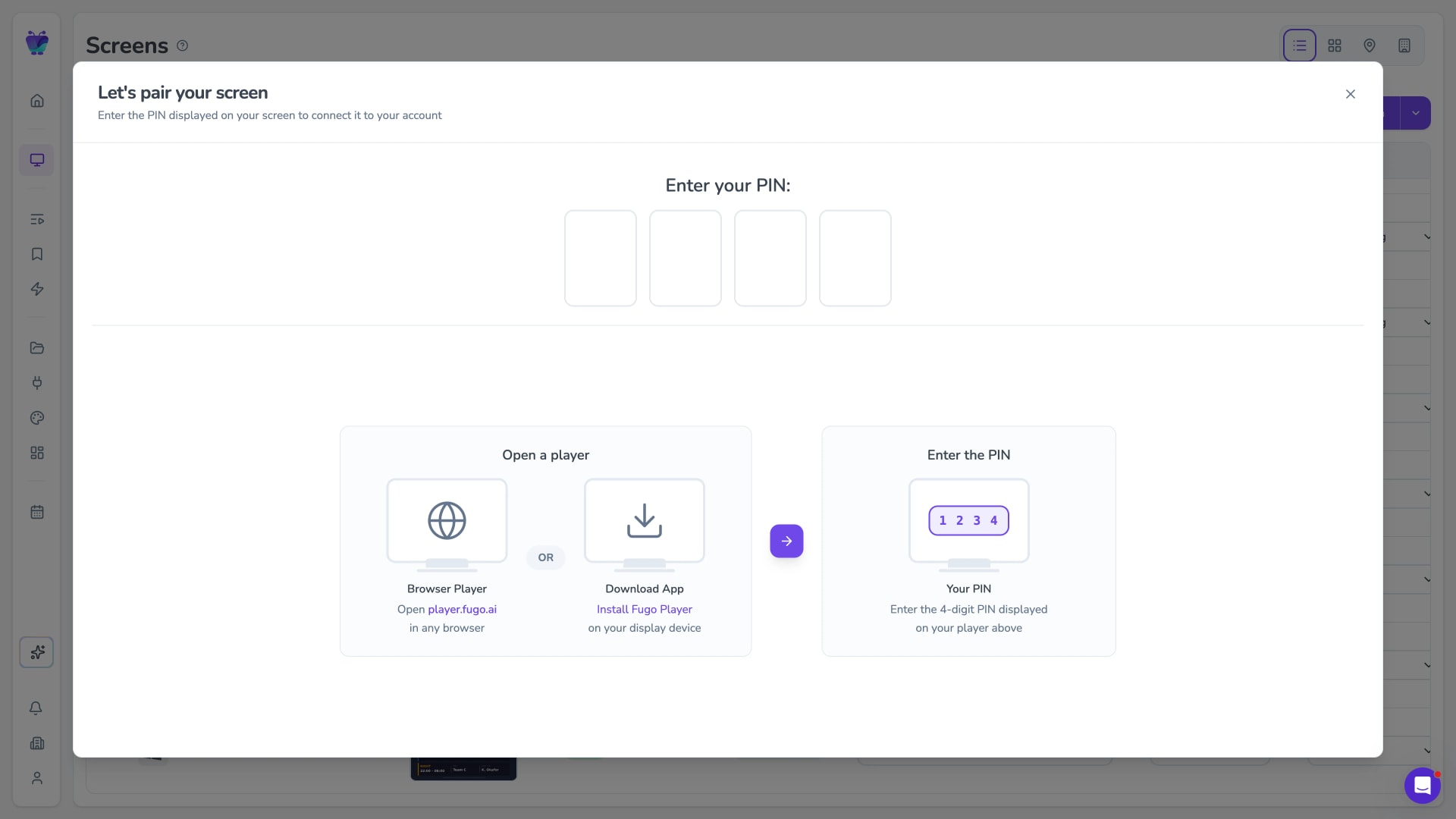
The CMS behind that URL
AirServer decides when the screen belongs to a presenter. Fugo designs, schedules, automates, and manages what plays the rest of the time.
Flexible content scheduling
Keep even complex content calendars easy to manage. Schedule & target content to the right screens with flexible timing and automatic expiry.
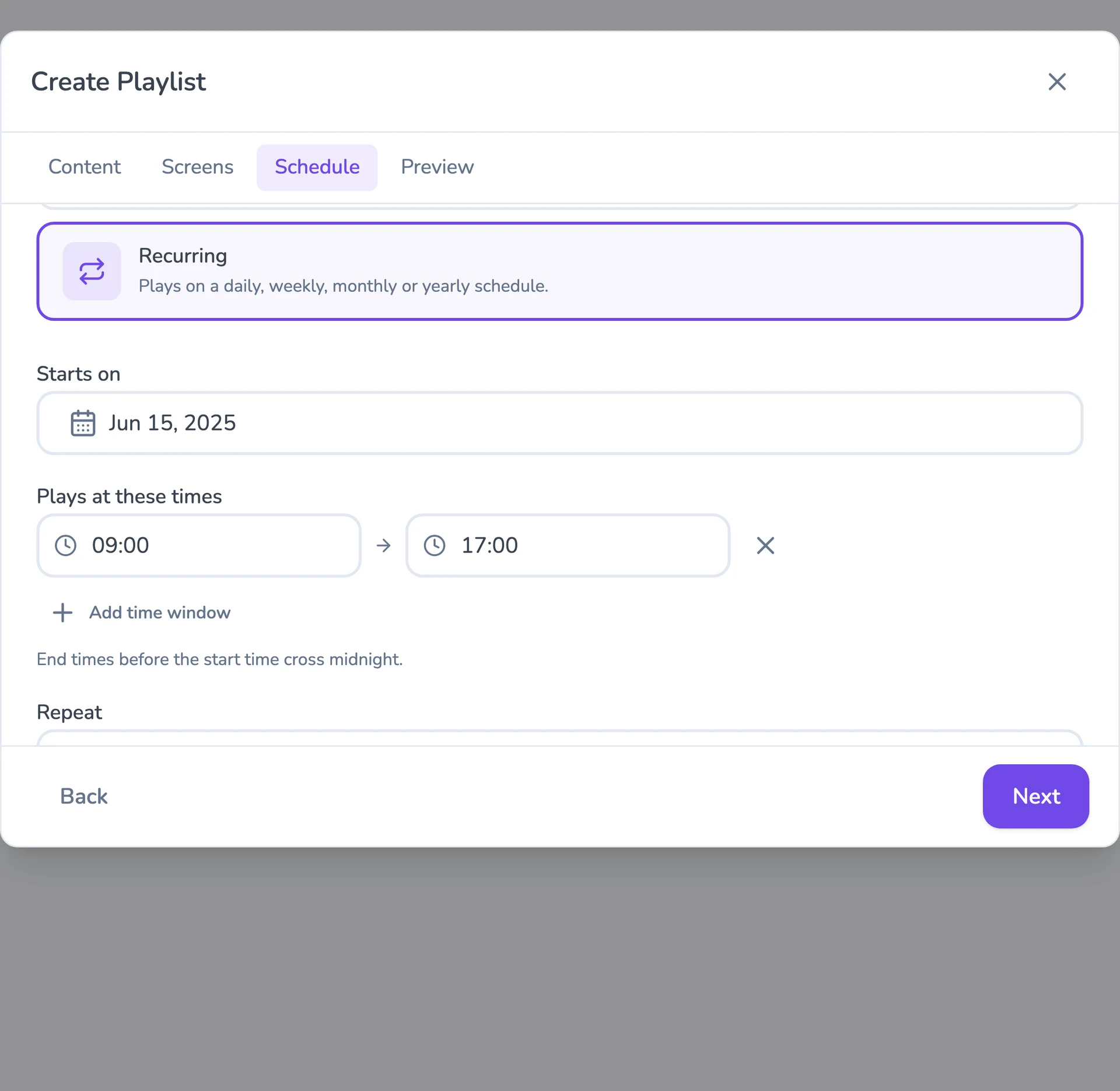
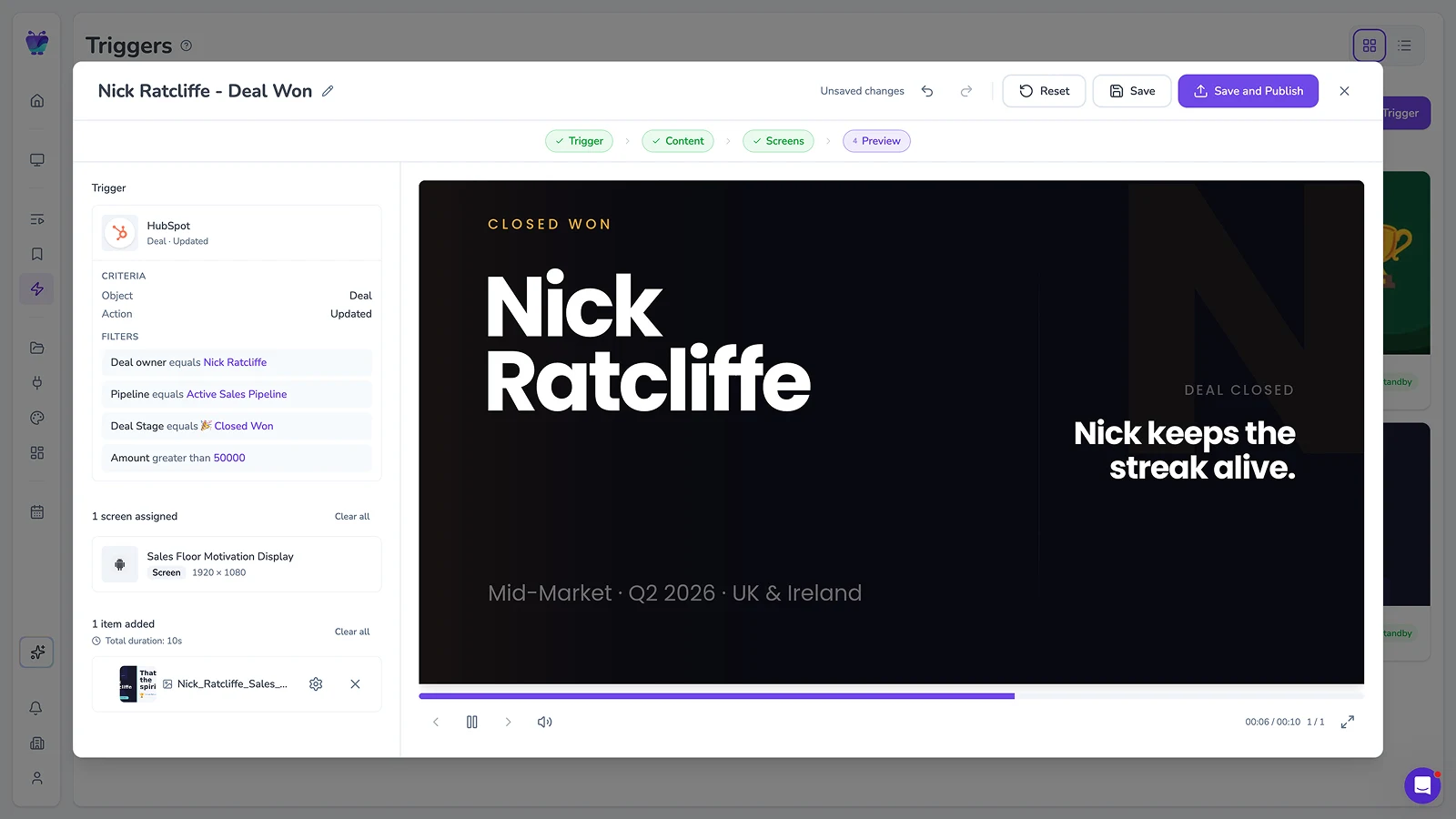
Event-driven content triggering
Let events in your connected systems decide when screens should update. Surface timely takeovers for alerts, milestones, or moments that need attention.
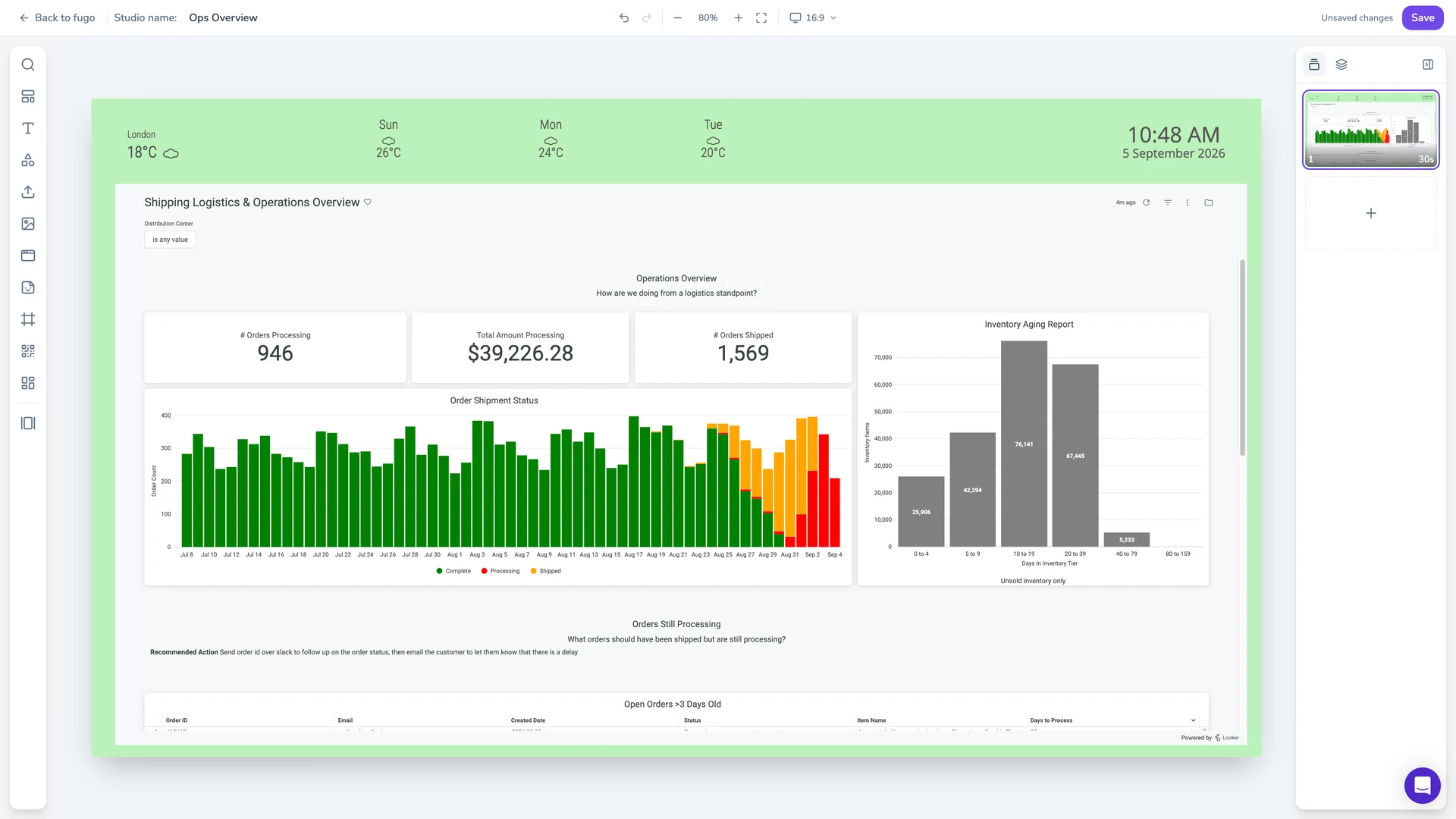
Full-featured content design
Combine your own media, live data, and connected apps into polished multi-zone layouts using an editor that feels as easy as Canva.
Centralized screen management
Organize and control your entire screen network from one place, without losing the flexibility to manage each screen according to its setup.
Live data on screen
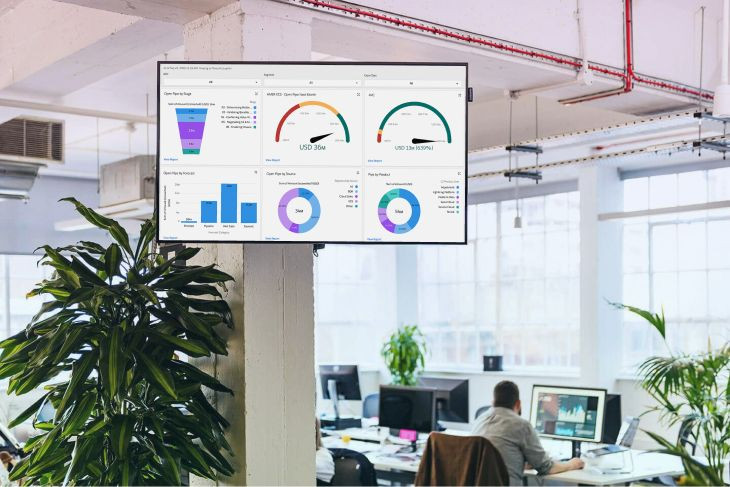
Put BI dashboards and KPIs on the display through Fugo’s integrations, and keep them refreshing without anyone signing in on site.
Built-in remote monitoring
See what’s happening on remote screens from Fugo. Verify playback and investigate problems without sending someone on site.
Granular user management
Give teams access to the screens and content they own without opening the rest of the network.
Recommended players for your other screens
AirServer needs no extra hardware for the room it already serves. These cover lobbies, corridors, and floors that are not casting receivers.
Compare Fugo playersFugo NUC
Get a quote
Pre-configured for Fugo — lobbies and canteens join the same network as your rooms without an imaging step first.
ASUS Chromebox 5
From $295
Indicative US price
Enrols in Google Admin and auto-launches Fugo in kiosk mode — signage screens inherit the OUs and policies you already apply.
MeLE Quieter 4C
From $469
Indicative US price
Fanless Windows box for rooms where a fan would be heard, or mounts sealed behind the display.
Dive deeper on meeting-room screens
Guides from the Fugo blog on casting, conference-room displays, and what is worth putting on them.