

Fugo

Digital signage software features

Most signage software is built to run playlists. Fugo is built to run the system behind your screens - the content, the publishing rules, the devices, and the people managing it.

CONTENT MANAGEMENT

Streamline content creation & automation

Turn the tools your team already uses into screen content.

Media

Upload images, videos, and presentations directly to your media library for evergreen content like announcements, promotions, menus, and brand visuals.
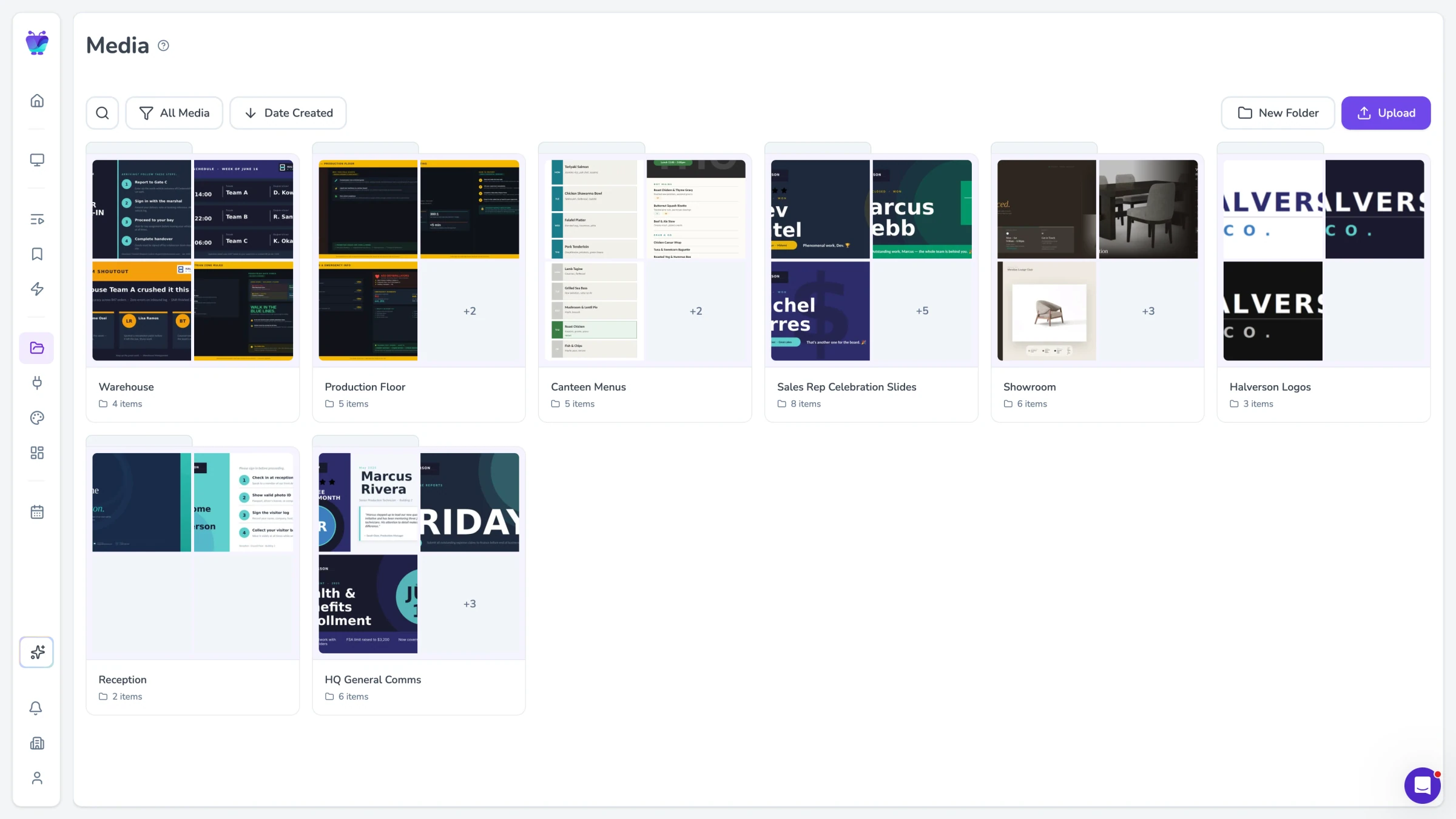
ImagesVideosPDFsPowerPoints
Media
CONTENT DELIVERY & SCHEDULING

Control what plays, where, and when

Run your screen network with precise control over content, timing, and behavior.
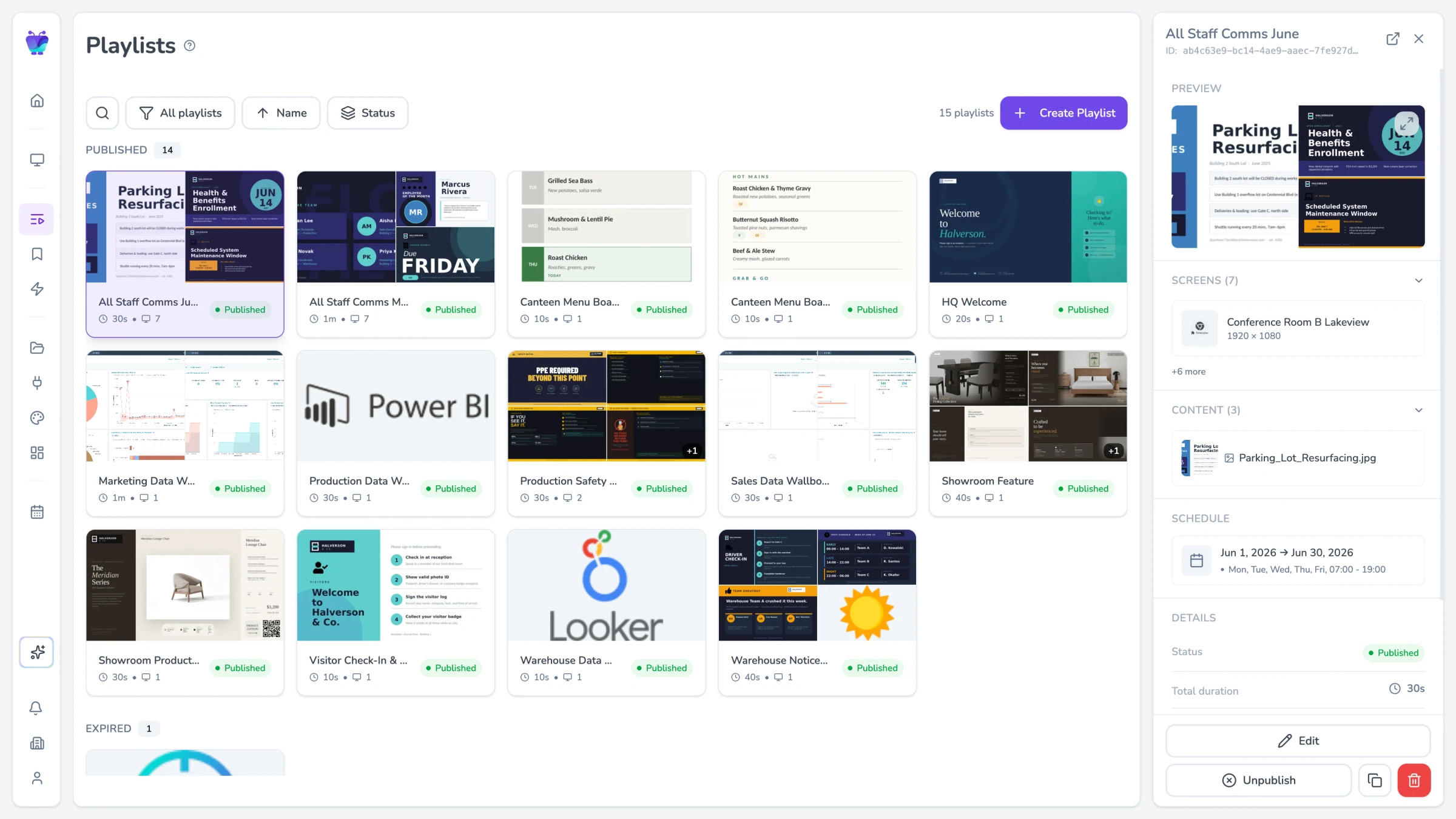
Playlists & scheduling

Playlists & scheduling

Build playlists that combine content, screens, and timing in one place. Run continuously, schedule by date or time, and layer multiple playlists on the same screen.
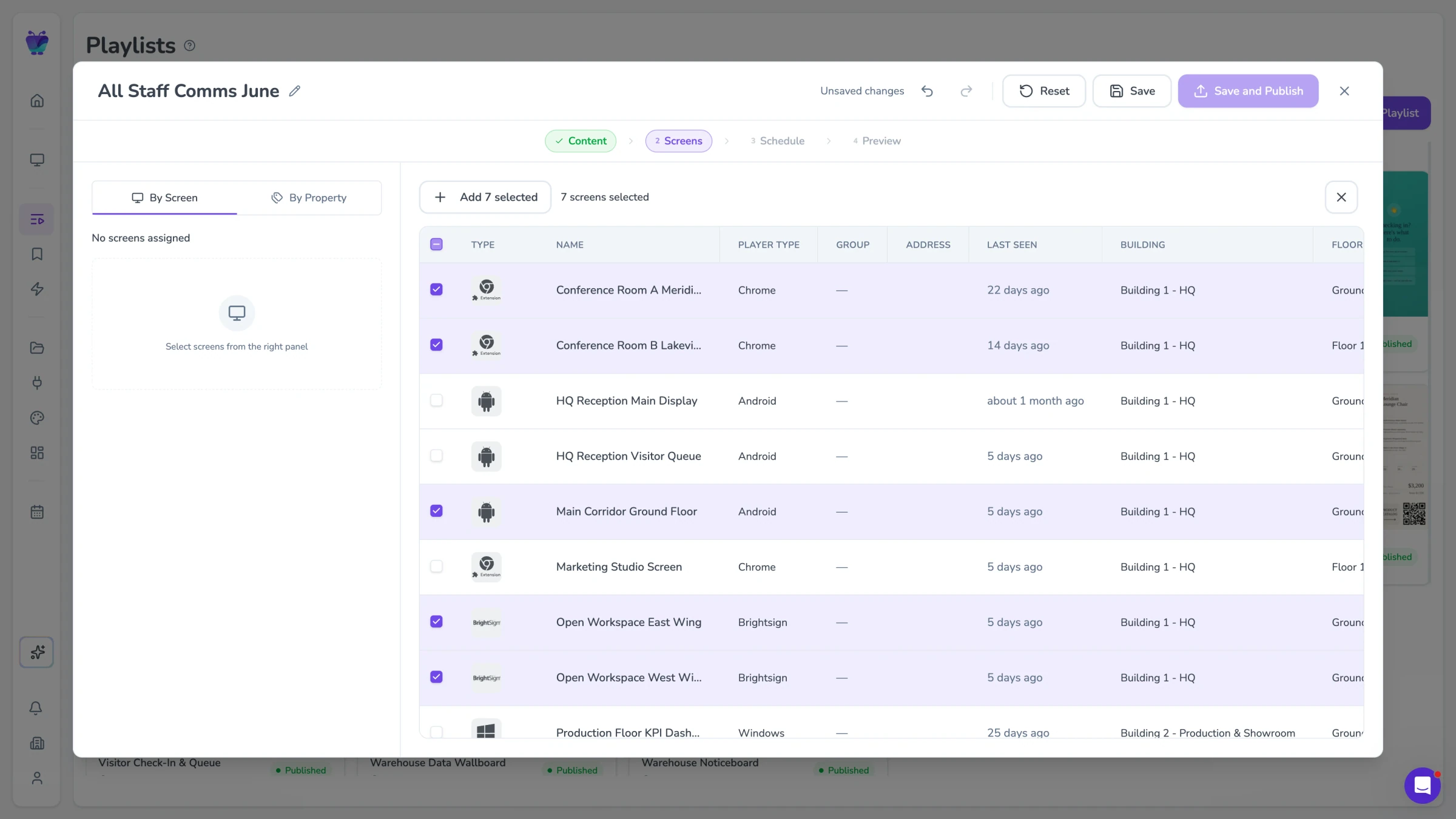
Screen targeting

Screen targeting

Publish content to specific screens, groups, or dynamic properties. Target by location, type, or any custom attribute - and have new screens pick up content automatically.
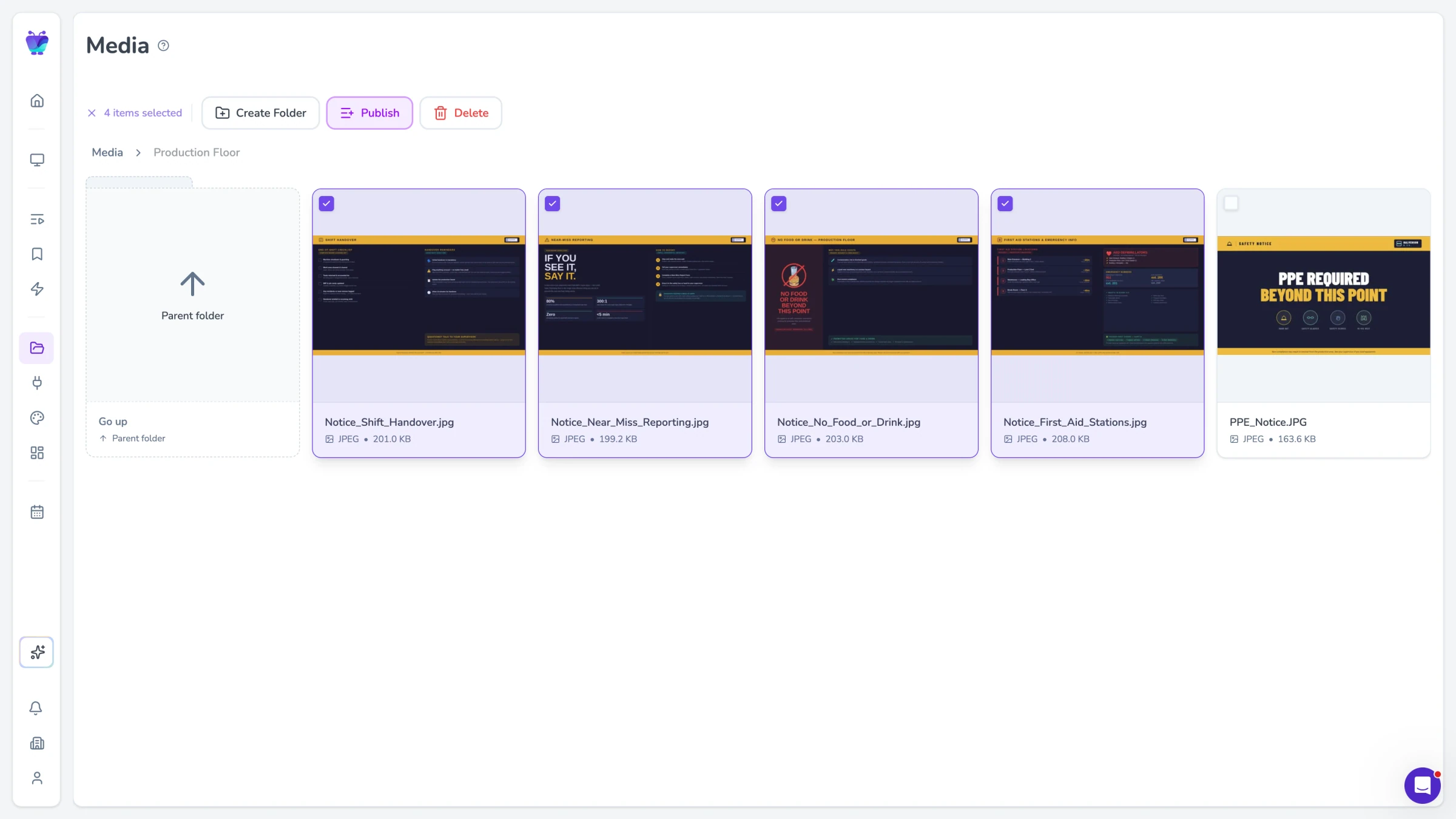
Bulk publishing

Bulk publishing

Make changes across your network without repeating work. Update, duplicate, or publish playlists to many screens at once.
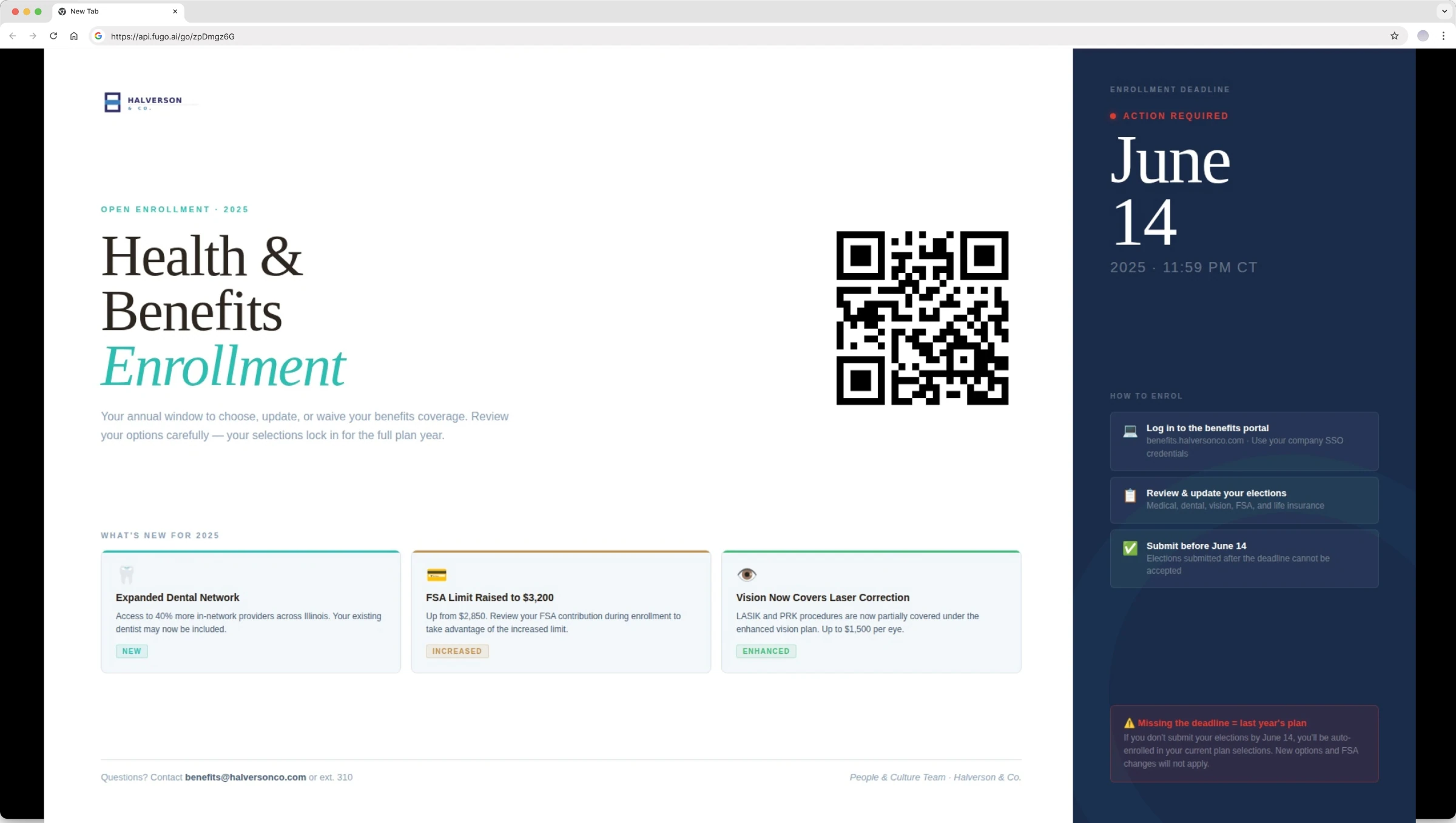
Screen mirroring

Screen mirroring

Need to borrow your digital signage screen for a presentation or meeting? Wirelessly mirror to one or multiple Fugo-connected displays then go back to scheduled content.

SCREEN MANAGEMENT

Run & organize your screen network

Set up screens quickly, keep them running reliably, and manage your entire network from one place.

Setup & pairing

Add new screens in minutes. Pair devices with a simple PIN, then set name, location, and orientation during setup - no complex configuration required.
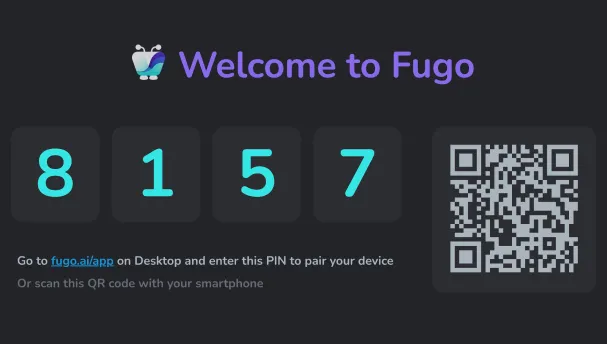
Fugo pairing screen showing a PIN and QR code

Screen organization

Keep your network structured as it grows. Use labels and custom properties to organize screens by location, audience, or purpose - and make them easier to manage and target.
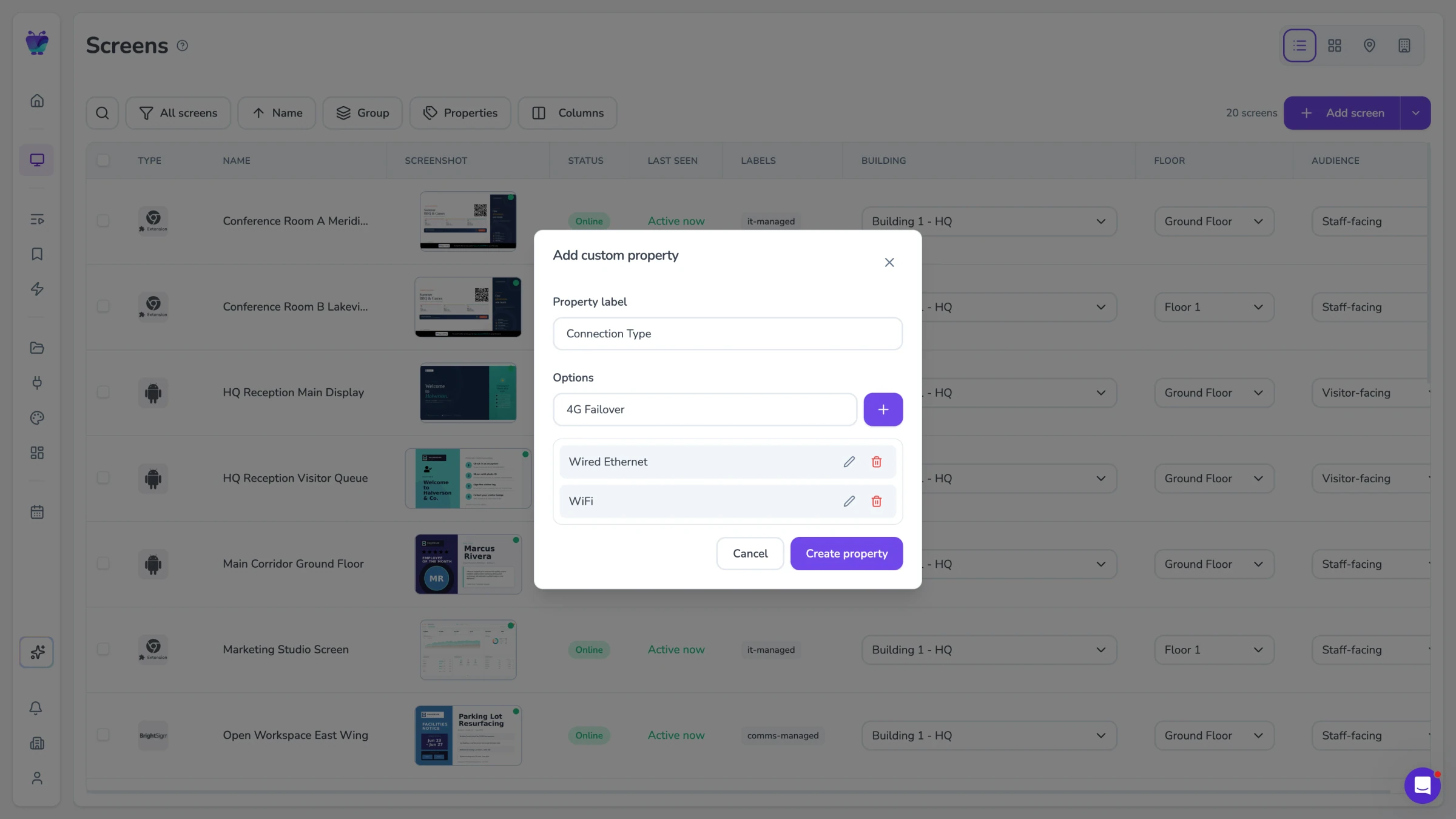
Custom property configuration modal for organizing screens

Screen views

Understand your network at a glance. Switch between table, grid, map, or floor plan views depending on how you want to manage your screens.
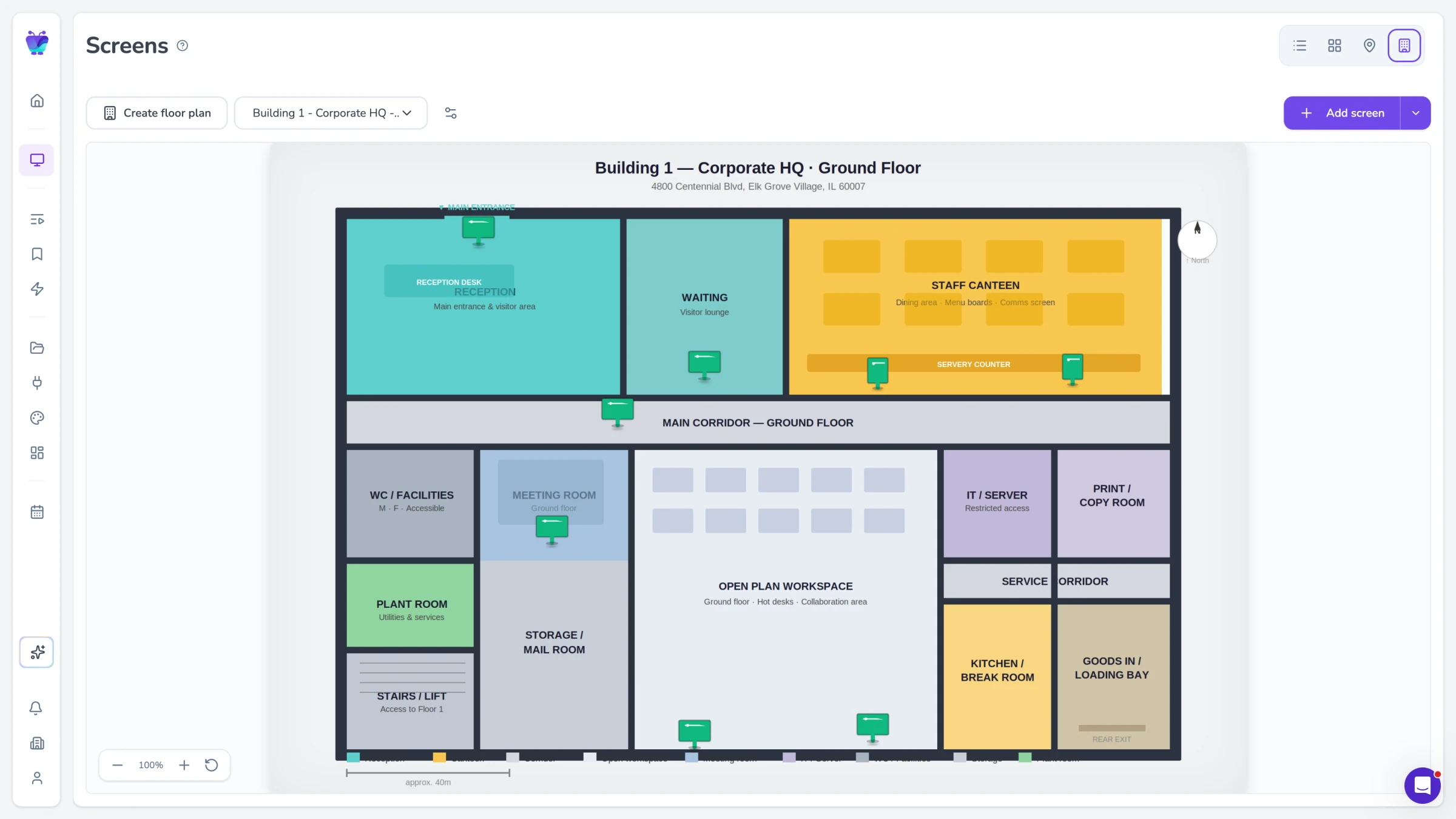
Screens page in floor-plan view

Playback & device control

Control how screens behave in the real world. Lock devices in kiosk mode, enable auto-start, and fine-tune playback to keep content running smoothly.
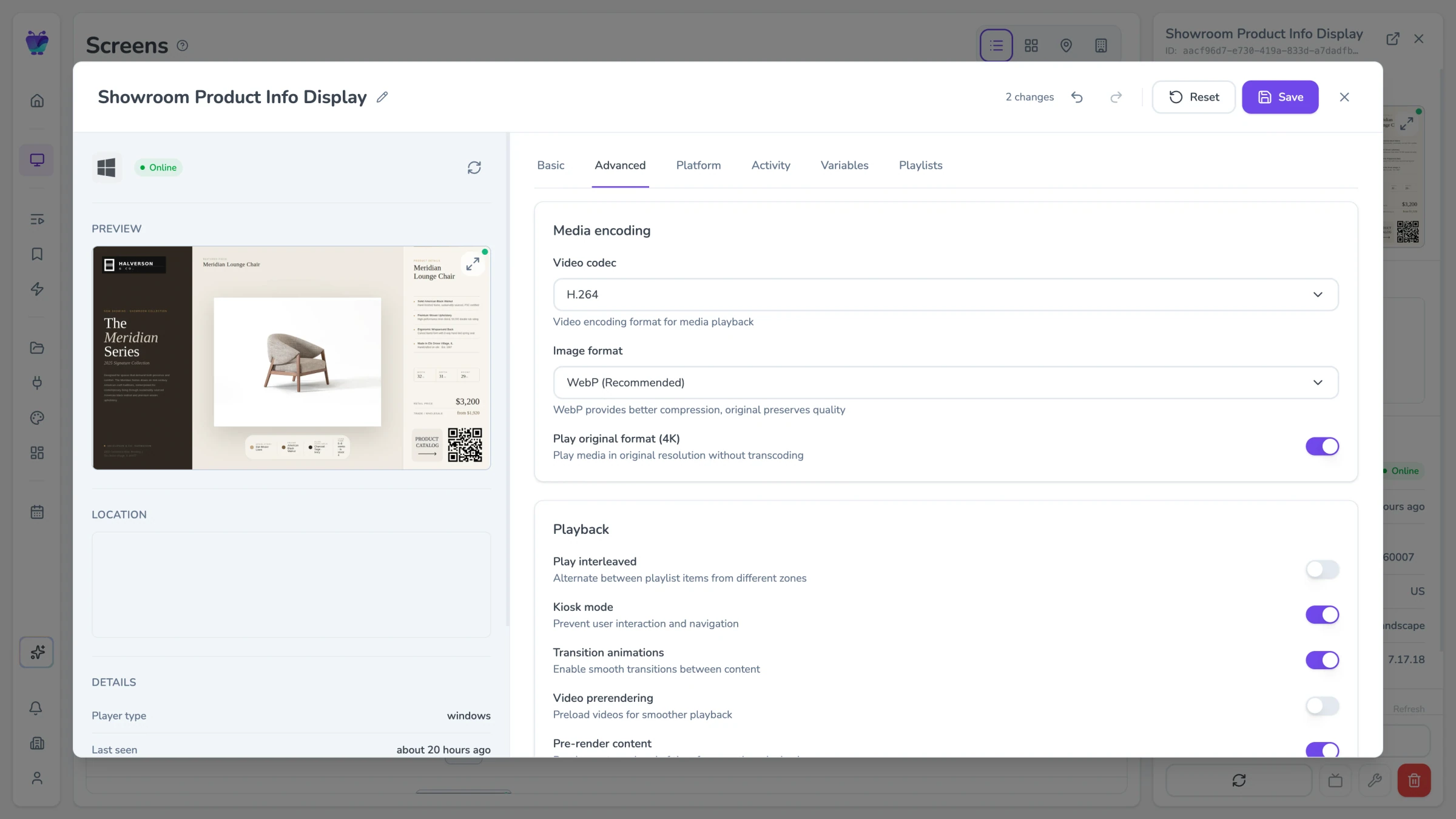
Screen settings advanced tab with playback and device controls

Remote actions

Manage screens without being on-site. Restart devices, update settings, or troubleshoot issues directly from your dashboard.
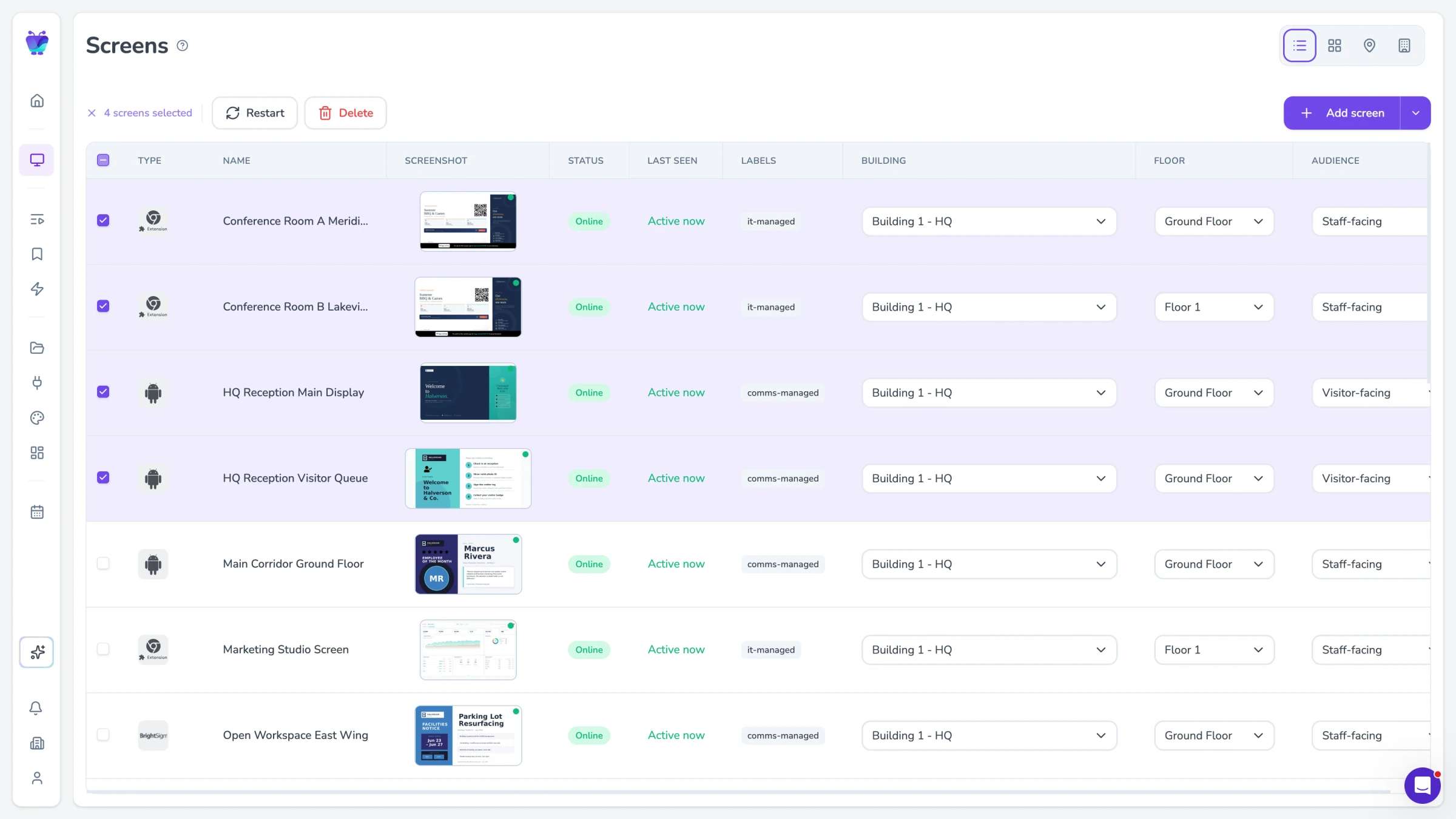
Bulk-selecting screens to apply remote actions

Screen-level customization

Adapt content per screen without duplicating work. Use variables and settings to control what each screen shows based on its location or role.
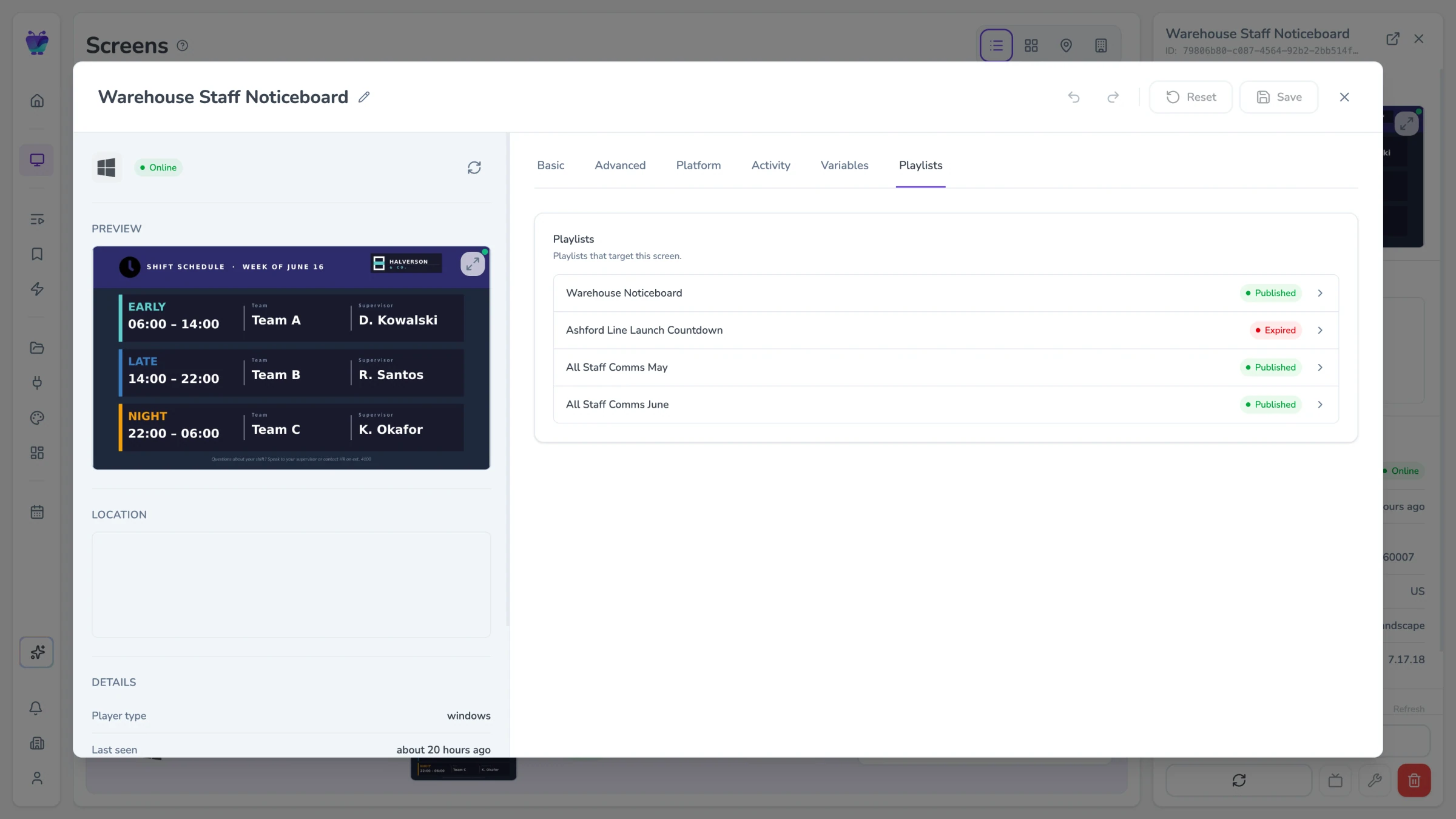
Screen settings playlists tab with per-screen playlist customization
MONITORING & RELIABILITY

Know what’s happening across your screens

Stay on top of your network without constantly checking in.
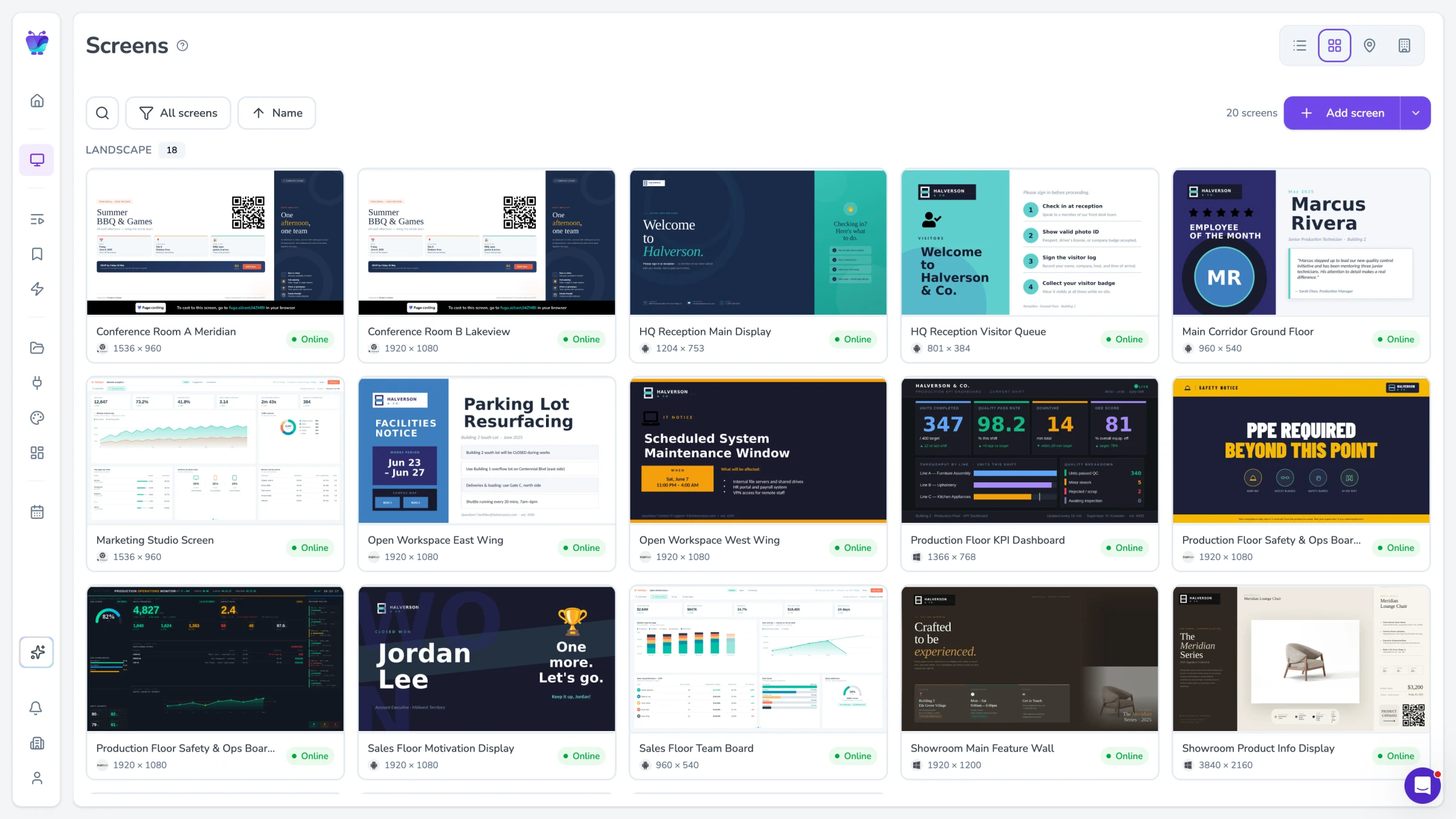
Screens page in grid view showing every screen at a glance

See your network at a glance

View all your screens in the way that makes sense for your setup - whether that’s a table, live preview grid, map, or floor plan of your space.
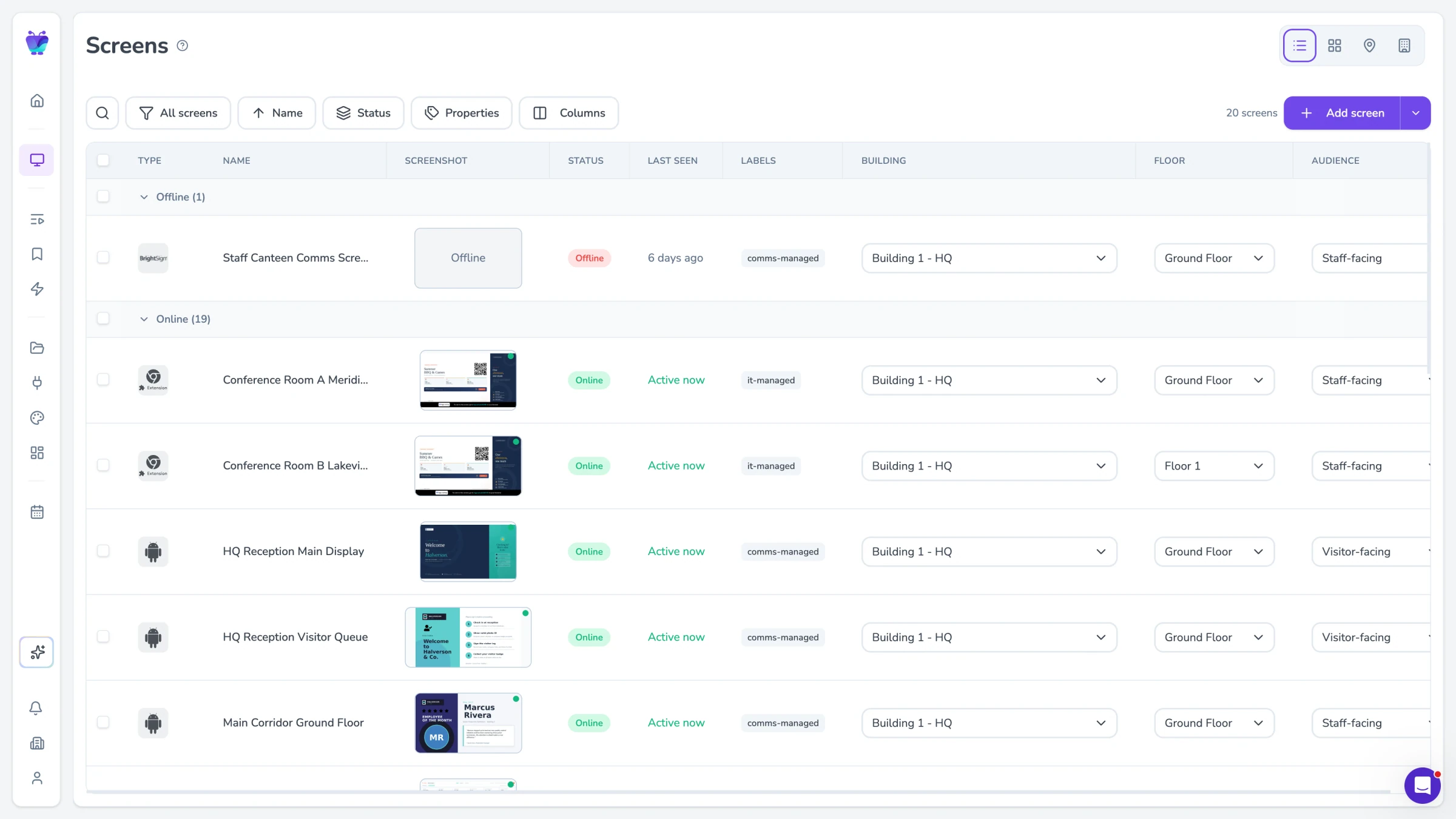
Screens grouped by online status for quick health monitoring

Track screen health in real time

Know which screens are online, what’s playing, and when they were last seen. Spot issues quickly without digging through settings.
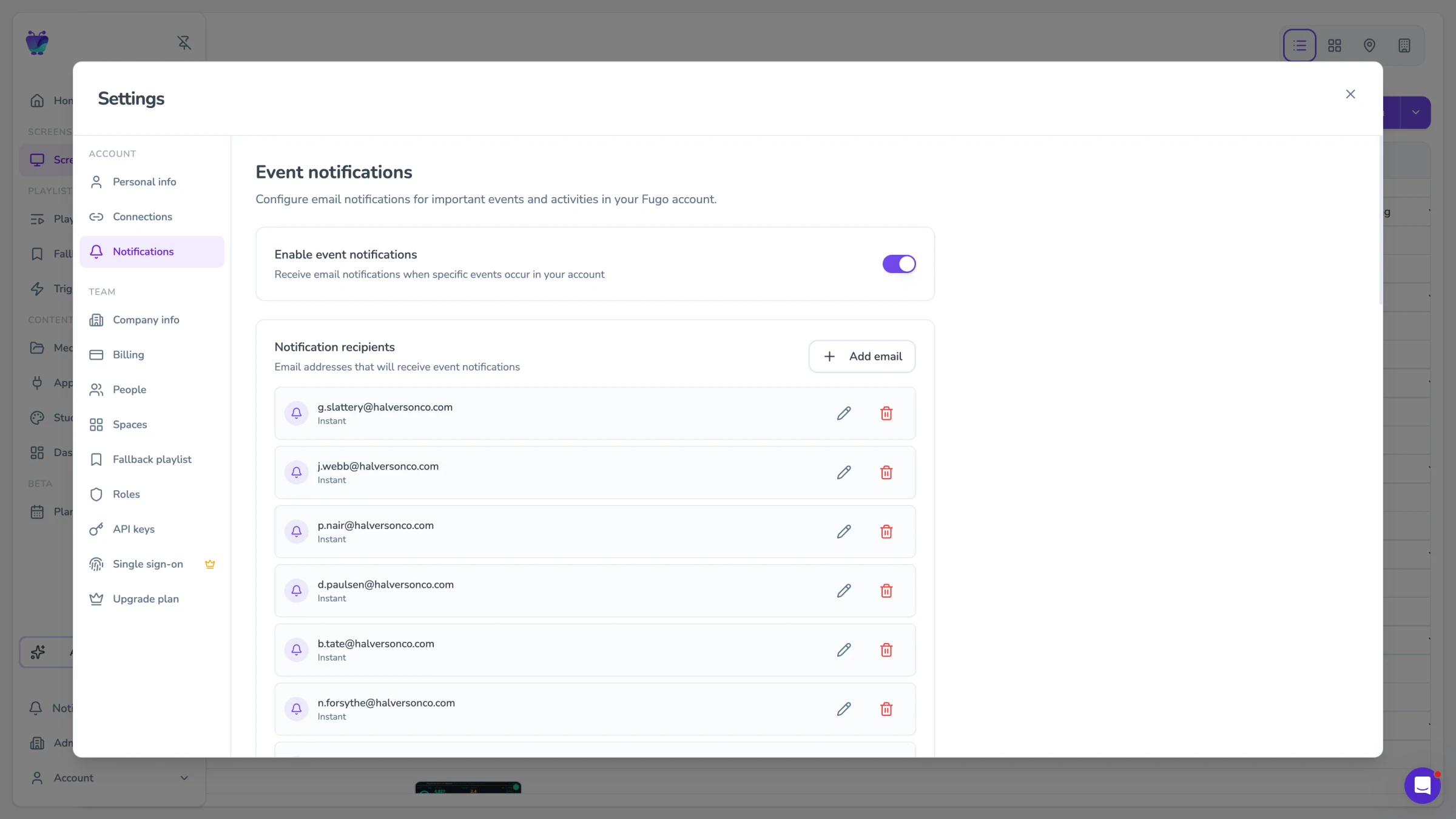
Notification settings showing event types Fugo can alert on

Get notified when something breaks

Set up alerts so you’re notified when screens go offline or need attention - instead of finding out after the fact.

USERS & ACCESS

Keep your team aligned, without losing control

Control who can access your screens, what they can do, and how teams are organized.

Single sign-on

Let your team log in with their existing company accounts. No extra passwords, and no separate system to manage.

Roles & permissions

Control what each person can see and do. Give teams the access they need without opening up the whole system.

Spaces

Separate teams, locations, or clients into their own environments. Keep content, screens, and workflows isolated where needed.

Structured onboarding

Invite users with the right role and space from the start, so they land exactly where they should be within your account.

Access requests

Let people request access and approve them when ready. Keep things flexible without losing oversight.

Ongoing control

As your team changes, update roles, move people between spaces, or remove access without disrupting anything else.

ADVANCED FEATURES

Go above & beyond basic signage

Extend your setup beyond scheduled content with tools for real-time use, local environments, and custom workflows.

Content planner

Plan content across time with a clear calendar view. See what’s scheduled across your screens and adjust without digging through playlists.

Screen casting

Mirror your screen to multiple displays at once. Cast from Fugo or use on-screen links for temporary takeovers, then return to scheduled content.

Fugo screensaver

Turn any idle Windows PC into a digital sign. Shows content when unused, disappears when someone comes back.

Video walls

Run content across multiple screens as a single canvas. Keep layouts aligned and playback synchronized across your setup.

On-premise dashboards

Display dashboards and internal tools that only exist on your local network. Keep sensitive data behind your firewall while still visible on screens.

Local app casting

Stream desktop apps and local content directly to your screens. Useful for environments where content can’t be exposed to the public internet.

API & automation

Connect Fugo to your own systems. Use the API to trigger content, manage screens, or build custom workflows around your signage.

Ask Fugo

Tell Fugo what you want on your screens. It can build layouts, pull in dashboards, and schedule content for you.

Frequently asked questions

What are the most important digital signage software features?

Digital signage software features fall into four core areas:

  • Content management
  • Publishing and scheduling
  • Screen management
  • User access control

Content management covers how you create or connect content, whether that’s media, dashboards, or internal tools.

Publishing and scheduling controls how that content is assigned to screens and when it appears.

Screen management deals with how devices are grouped, monitored, and configured across locations.

User access control defines who can create, approve, and publish content.

Most tools cover these areas at a basic level. The difference shows up in how well they hold together once you’re managing multiple screens, teams, and data sources at the same time.

How does digital signage scheduling actually work beyond basic playlists?

Playlists are the foundation of most digital signage systems, but they only describe what plays in sequence. They don’t solve how content is coordinated across time, screens, and teams.

More advanced digital signage software builds on playlists with scheduling layers that define start and end times, priority rules, and expiry behavior. Some platforms like Fugo also introduce calendar-based planning so teams can see what is running across screens over time, rather than managing each playlist in isolation.

This becomes important when multiple campaigns overlap or when different teams are contributing content. Without a clear scheduling model, most teams end up relying on manual coordination.

What does IT mean to trigger content in digital signage software?

Triggered content allows screens to react to events instead of only following a fixed schedule.

In practice, this means content can change based on external inputs such as API calls, CRM events, or manual triggers. For example, an event in your CRM (like a new deal being closed) might trigger a specific celebration message to display, then revert back to the normal scheduled content.

This is one of the key shifts from static signage to systems that are tied into real business activity.

Learn more about Fugo Triggers

What types of content can digital signage software display today?

Modern digital signage software supports a mix of content types rather than relying only on uploaded media.

That includes images, videos, and presentations, but also dashboards, reports, web applications, and content pulled from external systems. Many platforms now allow you to display authenticated or restricted web pages, which is essential for showing internal tools without exposing them publicly.

The practical difference is that screens become an extension of the tools your team already uses, not a separate place where content has to be recreated.

How does digital signage software handle content from multiple systems?

In most real deployments, content comes from multiple sources such as file storage, BI tools, CRMs, and internal applications.

Digital signage software needs to connect to these systems directly so content updates automatically when the source changes. Without this, teams end up downloading, reformatting, and re-uploading content, which creates version drift and delays.

The strength of a platform often comes down to how well it integrates with existing tools and how reliably those connections update content over time.

How do you manage a large network of screens without losing control?

Managing a few screens is straightforward. Managing dozens or hundreds requires structure.

Digital signage software typically provides ways to group screens, assign properties such as location or function, and apply content rules based on those attributes. This allows you to publish content to sets of screens without managing each one individually.

It also includes visibility into screen status, playback, and configuration so you can understand what is running and where without checking each device manually.

Learn more about screen management in Fugo

How does digital signage software support multiple teams working together?

As soon as more than one team is involved, digital signage becomes a coordination problem.

Most platforms address this through roles and permissions, which control what each user can access and what actions they can take. More advanced systems also allow you to separate environments by team, location, or client while keeping everything within one account.

This is what allows organizations to decentralize content creation without losing control over what appears on screens.

Learn more about user management in Fugo

What features make digital signage software scalable over time?

Scalability in digital signage software is less about the number of screens and more about how the system handles complexity.

Key features include structured scheduling, the ability to publish content across groups of screens, integration with external systems, and clear access control for multiple users. Visibility into screen status and content is also critical, especially as networks grow.

Systems that lack these features often work at small scale but require increasing amounts of manual coordination as they expand.

How do you evaluate digital signage software features before choosing a platform?

It’s easy to compare feature lists, but most platforms include similar baseline capabilities.

The more useful approach is to evaluate how those features behave in real scenarios. That includes how content is scheduled across multiple screens, how updates are handled when data changes, how permissions are enforced, and how easily you can understand what is running across your network.

If you’re going deeper into evaluation, this guide breaks down what to look for and how these features work in practice:

What features should your digital signage software have?

Can digital signage software display dashboards and internal tools securely?

Yes, but this is where implementation matters.

Many teams want to show dashboards, reports, or internal tools that sit behind authentication or are only accessible on a private network. Digital signage software needs a way to render that content without exposing credentials or requiring those systems to be made public.

More advanced platforms handle this by running secure sessions in the background and displaying the output on screen, which allows you to show live internal data without weakening your security model.

Learn more about TV Dashboards in Fugo

What is the difference between playlists, scheduling, and planning in digital signage software?

These terms are often used interchangeably, but they describe different layers of control.

Playlists define what content plays in sequence. Scheduling determines when that playlist runs. Planning introduces a higher-level view across time and screens, often through a calendar interface, so teams can see campaigns, overlaps, and expiry at a glance.

Most tools stop at playlists and scheduling. Planning is what helps teams avoid conflicts and manage content more predictably as usage grows.

Learn more about content publishing in Fugo

How does digital signage software handle real-time data and live updates?

There are two main approaches.

Some content updates on a timed refresh cycle, such as dashboards or embedded apps pulling in new data. Other updates are event-driven, where content changes in response to triggers such as API calls or system events.

The combination of these approaches allows screens to stay aligned with live business data without constant manual intervention.

What happens when multiple teams need to publish to the same screens?

This is one of the most common points of failure in digital signage systems.

Without structure, teams either overwrite each other’s content or rely on manual coordination. Digital signage software needs clear rules around ownership, permissions, and scheduling so multiple teams can contribute without conflicts.

This usually involves role-based access, scoped publishing rights, and scheduling logic that defines how different content interacts on the same screen.

How does Fugo compare to other digital signage platforms like yodeck, ScreenCloud, optiSigns, signagelive, poppulo, and appspace?

Each of these platforms is built for a different starting point, and the differences tend to show up as your screen network grows.

Tools like Yodeck, OptiSigns, and RocketScreens are designed for low-friction deployments. They’re accessible, quick to set up, and often built around lower-cost hardware. That works well for basic media playback and simple scheduling, but can become limiting when you need to display dashboards, integrate live data, or manage more dynamic content workflows.

Yodeck Pricing, Plans, & Hidden Fees: Is the Cost Worth It?
Optisigns Pricing, Plans, & Hidden Fees: Is the Cost Worth It?

ScreenCloud sits at the more polished end of the market, with a strong app ecosystem and a focus on content distribution. It’s a good fit for teams that want a wide range of content options, though pricing can scale quickly and more advanced use cases like secure dashboards or deeper integrations often sit behind higher-tier plans.

ScreenCloud Pricing, Plans, & Hidden Fees: Is the Cost Worth It?

Signagelive is a long-standing enterprise platform with strong hardware compatibility. It’s often used in large AV environments where infrastructure is managed separately from content, but that also comes with more complexity and a heavier setup.

Signagelive Pricing, Plans, & Hidden Fees: Is the Cost Worth It?

Poppulo and Appspace take a different approach. They are workplace communications platforms first, with digital signage as one part of a broader intranet or employee experience suite. That can make sense for organizations standardizing on a single communications platform, but it often introduces more overhead than needed if screens are the primary system you’re trying to run.

Fugo sits in a different position. It’s built for teams that have moved beyond basic playback but don’t want the complexity of enterprise-heavy systems. You can combine media, dashboards, and apps in one layout, schedule content across time, and trigger updates based on real events, all while keeping screen management and access control in the same system.

The result is a platform that works well for growing teams who want their screens to reflect real operational data, without adding extra tools, hardware constraints, or a long implementation cycle.