


A new hire's first morning usually goes one of two ways. Someone is waiting with a working laptop, a plan for the week, and a lunch invitation. Or the new hire spends an hour in reception while IT looks for a login.
Most organizations know which version they want. Fewer manage it consistently. Gallup found that only 12% of U.S. employees say their company does a good job of onboarding.
An employee onboarding program closes that gap with a written plan, named owners, and check-ins that continue well past the first week. This guide walks through each stage, from preboarding to day 90, and shows where office screens can help new hires find their way around.
What an employee onboarding program covers
The SHRM Foundation's onboarding guidelines, written by Talya Bauer, describe onboarding as helping new hires adjust to the social and performance sides of a new job. Orientation is one part of it. The full program runs from before the first day to the end of the first year.
Bauer groups the work into four building blocks, often called the Four C's:
- Compliance. The legal and policy basics, from paperwork to safety rules.
- Clarification. What the job involves and how performance will be judged.
- Culture. The formal and informal norms of the organization.
- Connection. The relationships and information networks a new hire needs.
Nearly every company covers compliance. The guide finds that far fewer plan for all four, and it describes the ones that do as proactive.
A useful test for your own program is to take each C and name who owns it. HR usually owns compliance, and the manager owns clarification. Culture and connection tend to belong to everyone, which can leave them unassigned in practice.
Prepare before day one
The first best practice in the SHRM guide is to put the basics in place before the first day. That covers the dull but necessary work:
- Order the laptop, badge, and any safety equipment.
- Create accounts and test the logins.
- Send a first-week schedule with a start time, an address, and a named contact.
- Assign a buddy from the team who can answer everyday questions.
- Tell the team who is joining, what they will do, and when they start.
If you plan to welcome new hires on an office screen, this is also the time to ask. Some people are happy to see their name and photo in reception. Others would rather keep a low profile. A short consent question in the preboarding email settles it.
Preparation also protects the manager's first week. When the setup is done, the first conversations can be about the job.
Make the first week count
Bauer calls the first day the most important day on the job, and notes that a new hire's trajectory is set as early as the first two weeks. Bauer's best-practices section names small things too: greeting the new hire warmly, taking them to lunch, and having a working desk ready on day one.
A practical first week might look like this:
- Day one. Welcome, tour, equipment, and lunch with the team. Keep paperwork to what has to happen today.
- Day two. A conversation with the manager about the role, the first 90 days, and how success will be measured.
- Days three and four. Shadow colleagues, meet the people the role depends on, and start a small piece of real work.
- Day five. A short check-in to answer questions and adjust the plan for week two.
Gallup's research points to the manager as a deciding factor. New hires were 3.4 times as likely to call their onboarding successful when their manager took an active role.
Space out the information, too. Nobody absorbs a whole handbook in a morning, and most of it won't matter for weeks. Give the essentials on day one and keep the rest somewhere easy to find again.
Plan days 30, 60, and 90
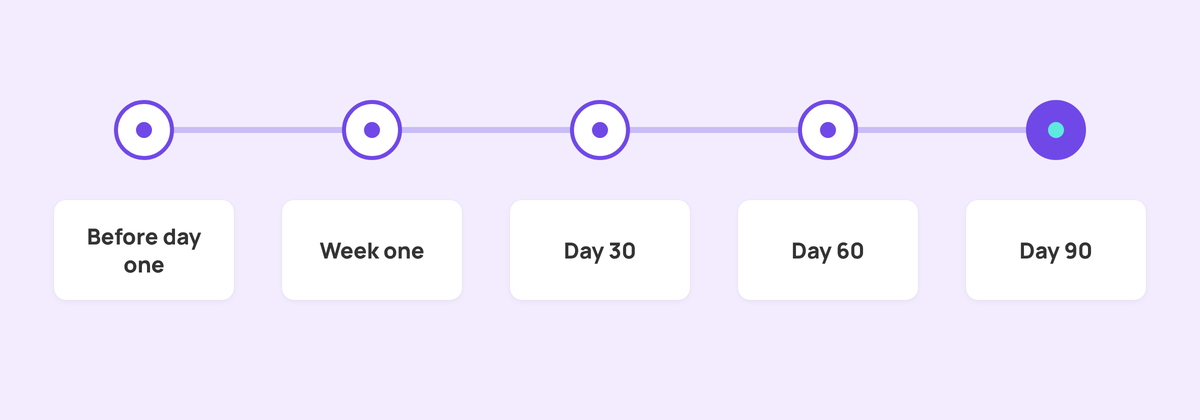
After week one, the program shifts from welcome to progress. SHRM recommends milestones at 30, 60, 90, and 120 days, and up to a year after a hire joins. Gallup's guidance runs along similar lines, suggesting new employees take around 12 months to reach their peak performance potential.
A simple 90-day plan gives each phase a focus, an owner, and a check-in:
| Phase | Focus | Owner | Check-in |
|---|---|---|---|
| Before day one | Equipment, accounts, schedule, buddy | HR and the manager | Welcome email sent and logins tested |
| Week one | Welcome, role clarity, introductions | Manager and buddy | End-of-week conversation |
| Days 8 to 30 | Tools, processes, and people | Manager | 30-day review of goals and questions |
| Days 31 to 60 | Real work with regular feedback | Manager | 60-day review of progress and support |
| Days 61 to 90 | More independent work and next goals | New hire and manager | 90-day review and plan for the rest of the year |
Write the goals for each phase before the person starts, then go through them together in week one. Make them specific enough that both of you can answer yes or no at the review. A goal like learning the product is hard to assess. Running a customer demo with a colleague observing is much easier to judge.
Book the 30, 60, and 90-day reviews on day one. Send the invites from the manager's calendar so they sit alongside everything else that week.
Where office screens help new hires
Screens support a few parts of an onboarding program well. They suit information that needs repeating, messages everyone should see, and people who are rarely at a desk.
Common uses include:
- Welcome screens. A first-day welcome in reception or the team area, with the new hire's name and role if they agreed to it.
- Team introductions. A rotating slide of who's who, with names, roles, and what to ask each person about.
- Key information. Building basics, safety reminders, upcoming training sessions, and who to contact for IT or HR help.
- Culture and recognition. Company values, team wins, and milestones, so new hires see what the organization celebrates. Our guide to employee recognition on digital signage has more ideas.
- First-month events. Socials, all-hands meetings, and lunch-and-learns that new hires should know about.
For frontline and shift-based teams, a screen in a break room or by the entrance may be the most reliable way to reach someone who has no company email yet. It also helps anyone who starts between orientation sessions and would otherwise wait days for the building basics. Our post on how digital signage supports frontline employees covers that audience in more detail.
Keep the content short and current. A welcome slide still showing three weeks later makes the screen look unattended.
Setting up onboarding screens in Fugo
If you use Fugo, most of this runs on features you may already have:
- Build reusable slides. Design a welcome or team-introduction layout in Design Studio, then save it as a company template so other teams can reuse it. Company templates are available on Core and Enterprise plans.
- Schedule it to start and stop. A playlist combines content, screens, and an optional schedule. Set a welcome playlist to start and expire on chosen dates so it comes down on its own.
- Fire a welcome on cue. A manual trigger plays a chosen playlist on selected screens with one click, then the screens return to their normal rotation. A timer trigger does the same at a set date and time, with an optional end.
- Edit in Google Slides. If HR already keeps an onboarding deck in Google Slides, the Google Slides app syncs your edits to the screens automatically.
- Reach remote and hybrid hires. A virtual screen shares playlists through a browser link or an iFrame embed in tools like Notion, Confluence, or SharePoint, with an optional password. Virtual screens are available on Core and Enterprise plans, and each one uses a screen license.
For other ways teams use workplace screens, see our page on internal communications digital signage.
How to tell if onboarding is working
Ask the people going through it. A short set of questions at each review works well. Do you know what is expected of you? Do you have what you need to do the job? Who do you go to with a question?
Then track a few signals over time:
- Whether each review happened on schedule.
- How new hires rate their first week and their first 90 days.
- How many people leave in their first year, and what they say on the way out.
- How long it takes, in the manager's judgment, before the new hire works without close support.
Review the program itself once or twice a year. Remove steps nobody uses, and add answers to the questions new hires keep asking. For a broader look at everyday staff communication, read the internal comms checklist.
FAQs
What is an employee onboarding program?
An employee onboarding program is the planned process of helping new hires settle into their job and their organization. It usually starts before the first day and runs for several months, covering policies and paperwork, role expectations, company culture, and the relationships a new hire needs.
How long should employee onboarding last?
Plan for at least 90 days, with lighter check-ins after that. The SHRM Foundation recommends milestones at 30, 60, 90, and 120 days, and up to a year after entry. Gallup suggests new employees take around 12 months to reach peak performance.
What are the four C's of onboarding?
Compliance, clarification, culture, and connection. The framework comes from Talya Bauer's onboarding guidelines for the SHRM Foundation. It covers policy basics, role expectations, organizational norms, and the working relationships new hires need.
What should happen on an employee's first day?
A warm welcome, a working desk and accounts, a tour, introductions to the team, and lunch with colleagues. Keep paperwork to what has to happen that day. The new hire should leave knowing the plan for the rest of the week.
What is the difference between onboarding and orientation?
Orientation is usually a single event, such as a first-day session on policies and facilities. Onboarding is the wider program. It includes orientation and continues through the first months with goals, check-ins, and introductions.
Who is responsible for onboarding a new employee?
HR usually designs the program and handles compliance. The hiring manager owns role clarity, goals, and reviews, and Gallup links active manager involvement to more successful onboarding. A buddy or peer mentor helps with everyday questions.
How can digital signage help with onboarding?
Screens in reception, team areas, and break rooms can show welcome messages, team introductions, building and safety information, and upcoming events. Scheduled playlists let that content start and expire on set dates. A virtual screen can share the same content with remote hires through a browser link.
How do you onboard frontline or shift-based employees?
Plan the first week around their shifts and pair them with an experienced colleague on the same shift. Use shared spaces to reach them. A screen near the entrance or in the break room can carry introductions, safety reminders, and training dates for people without a company email account.
Start with the next new hire
If you are building an employee onboarding program from scratch, write the first-week schedule and the 90-day goals for your next hire, then book the three reviews.
When you are ready to put the welcome on screen, our office digital signage page shows how teams run their workplace screens with Fugo. You can also start a 14-day free trial and set up a welcome playlist before your next new hire arrives.


