

Sales dashboard displays
Put live CRM data on screens so reps see pipeline, quota, and activity metrics without opening Salesforce. One glance tells the whole floor where things stand.

Why sales teams put dashboards on screens
Make quota progress visible without opening CRM
Reps check quota status with a glance instead of logging into Salesforce or HubSpot. Removes friction from the most important number on the floor.
Reduce "where do we stand" interruptions
Managers spend less time fielding pipeline questions. The screen answers them. Reps stay in selling mode instead of waiting for updates.
Create natural accountability around pipeline
When deal stages and activity counts are visible to the team, reps self-correct. No one wants to be the empty row on the board.
Support coaching conversations with visible data
Managers can point to the screen during one-on-ones. Real numbers replace gut feelings. Coaching gets specific and timely.
Keep leadership aligned on forecast
Put a forecast summary on the executive floor screen. VPs and CROs see the same pipeline view the team sees, updated automatically.
Celebrate wins where the whole floor can see them
Closed deals show up on screen the moment they land in CRM. The team sees it happen in real time. Recognition without a Slack thread.
What sales teams show on screens
Pipeline by stage and value
Visual breakdown of open deals grouped by stage with total dollar value per stage.
Quota attainment progress
Progress bars showing each rep and the team against target for the current period.
Rep and team leaderboards
Rankings by revenue closed, calls made, demos booked, or any CRM metric you track.
Daily activity metrics
Call volume, emails sent, meetings booked, and demos completed for the day.
Deal velocity and aging
Average days in each stage and deals that have stalled past your normal cycle time.
Forecast accuracy
Projected vs. actual close rates so reps and managers can calibrate their commit numbers.
Fugo features for sales displays
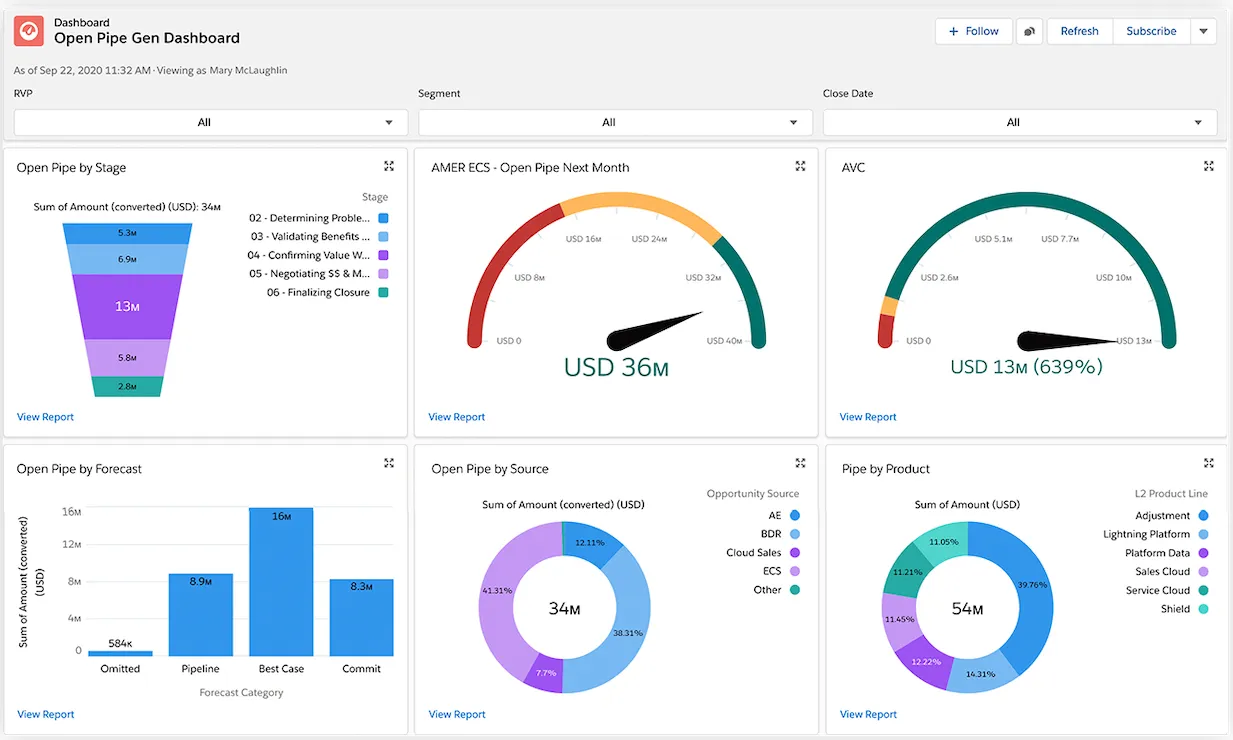
Salesforce dashboards
Connect your Salesforce org and display any report or dashboard view on screen. OAuth setup, read-only access, no developer needed.
Explore Salesforce dashboards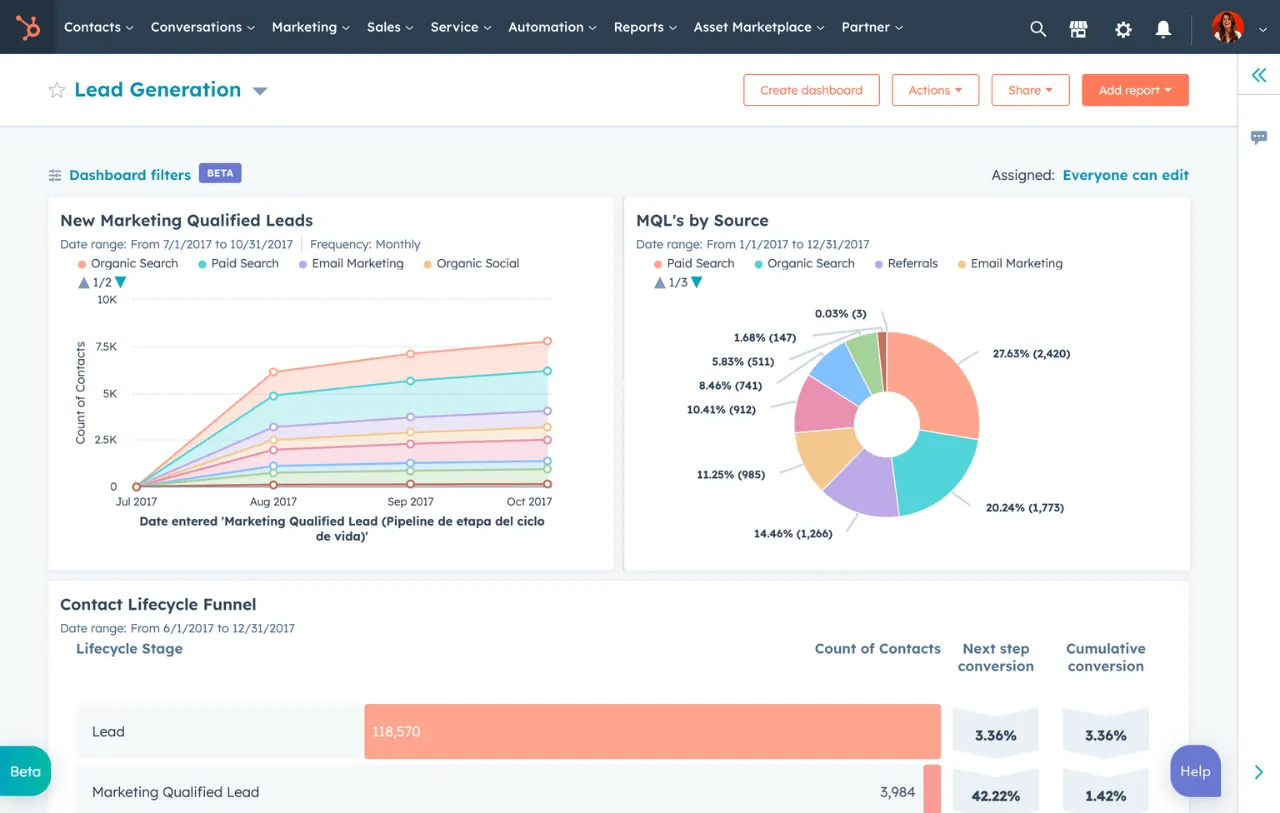
HubSpot dashboards
Pull deals, activity, and revenue data from HubSpot and show it on any screen. Connects in minutes through the HubSpot integration.
Explore HubSpot dashboards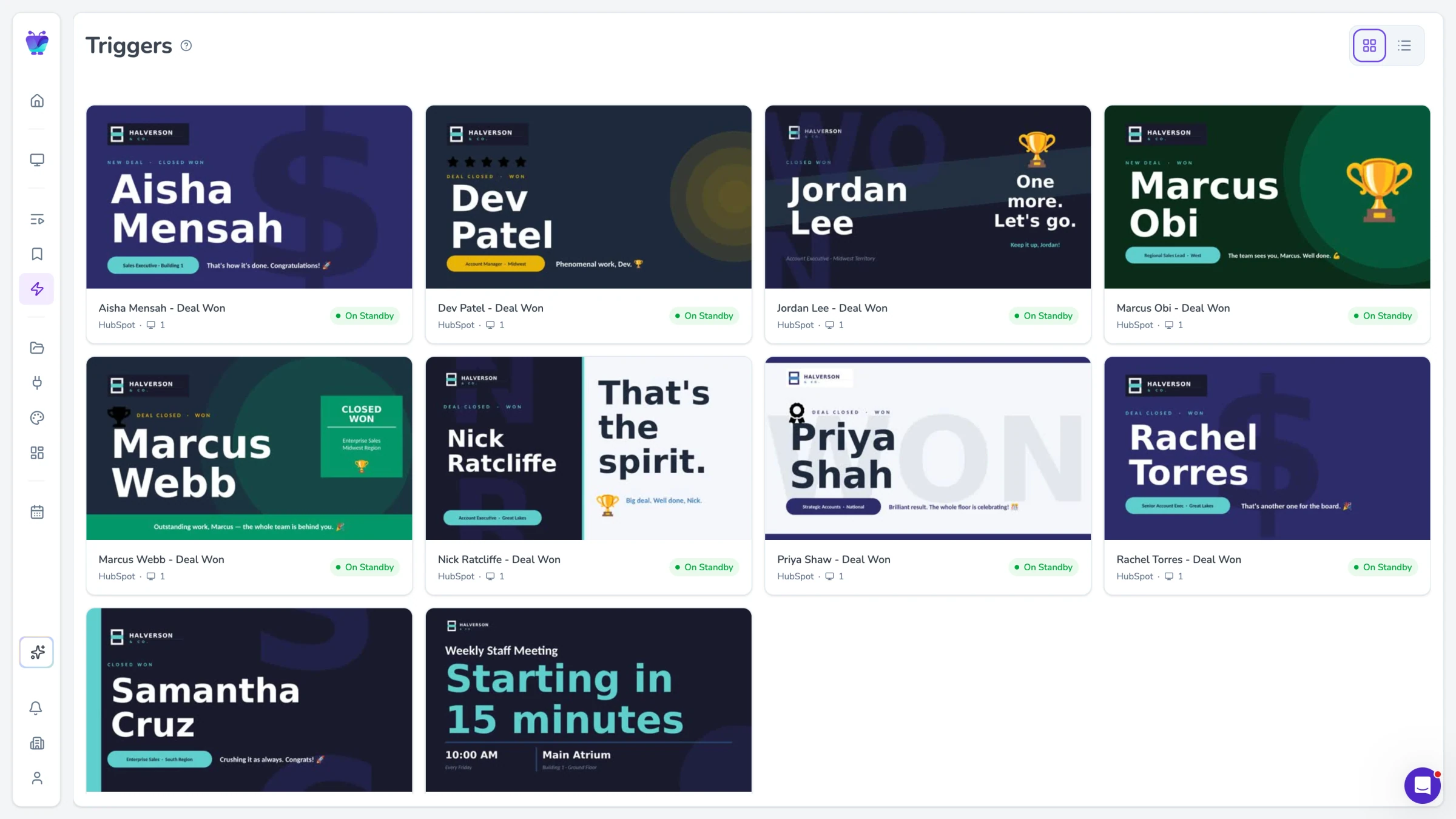
Content triggers
Automatically display a celebration screen when a deal closes or an alert when pipeline drops below threshold. Rules run on your CRM data.
See content triggers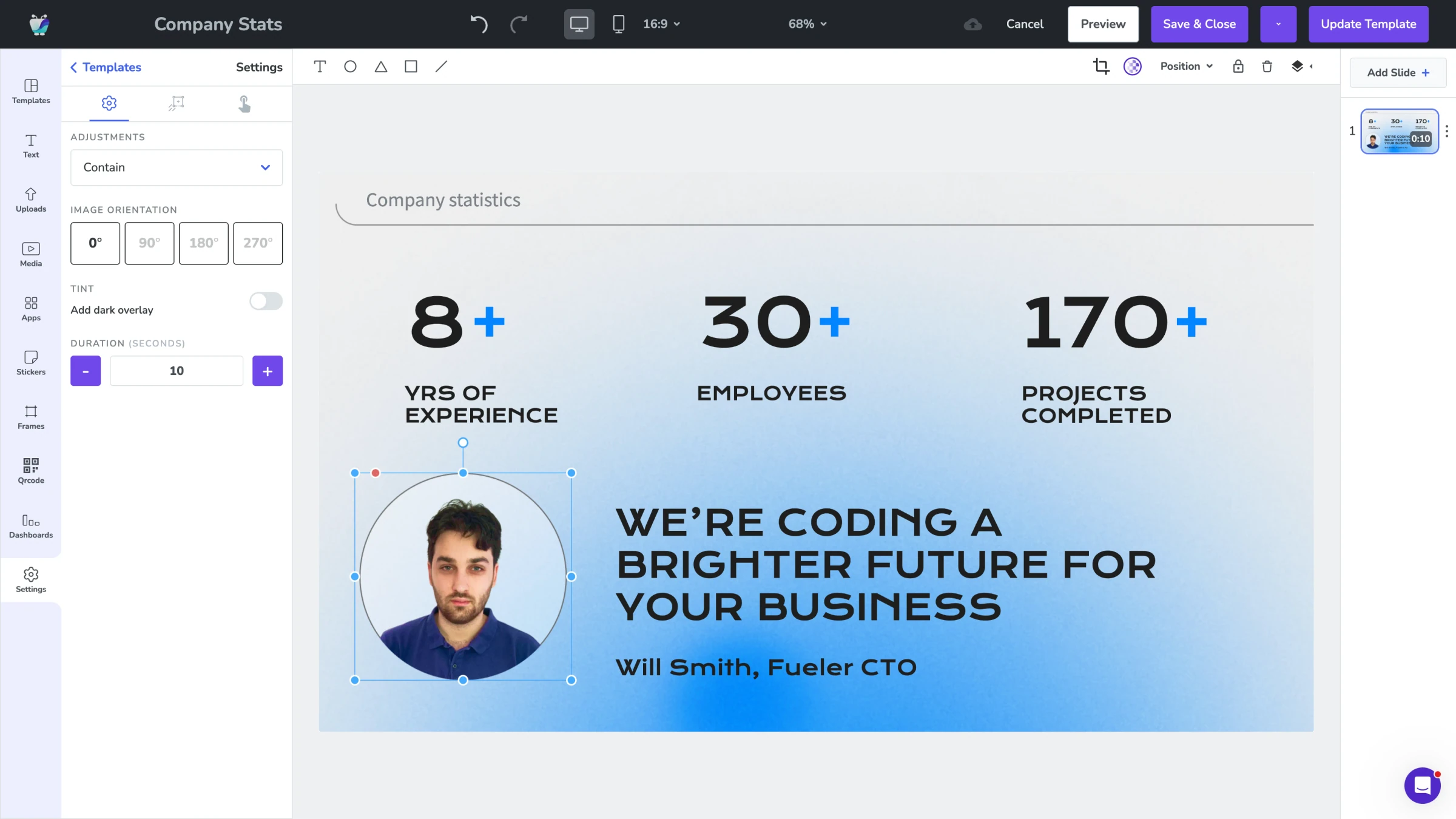
Design Studio
Build custom sales dashboard layouts with drag-and-drop. Combine CRM widgets, leaderboards, branding, and announcements on one screen.
Explore Design Studio