

Digital signage for events
Events change by the hour, and printed signage cannot keep up. Run agendas, wayfinding, sponsor loops, and live social walls across every screen in the venue: schedule once and update everything live from one dashboard.
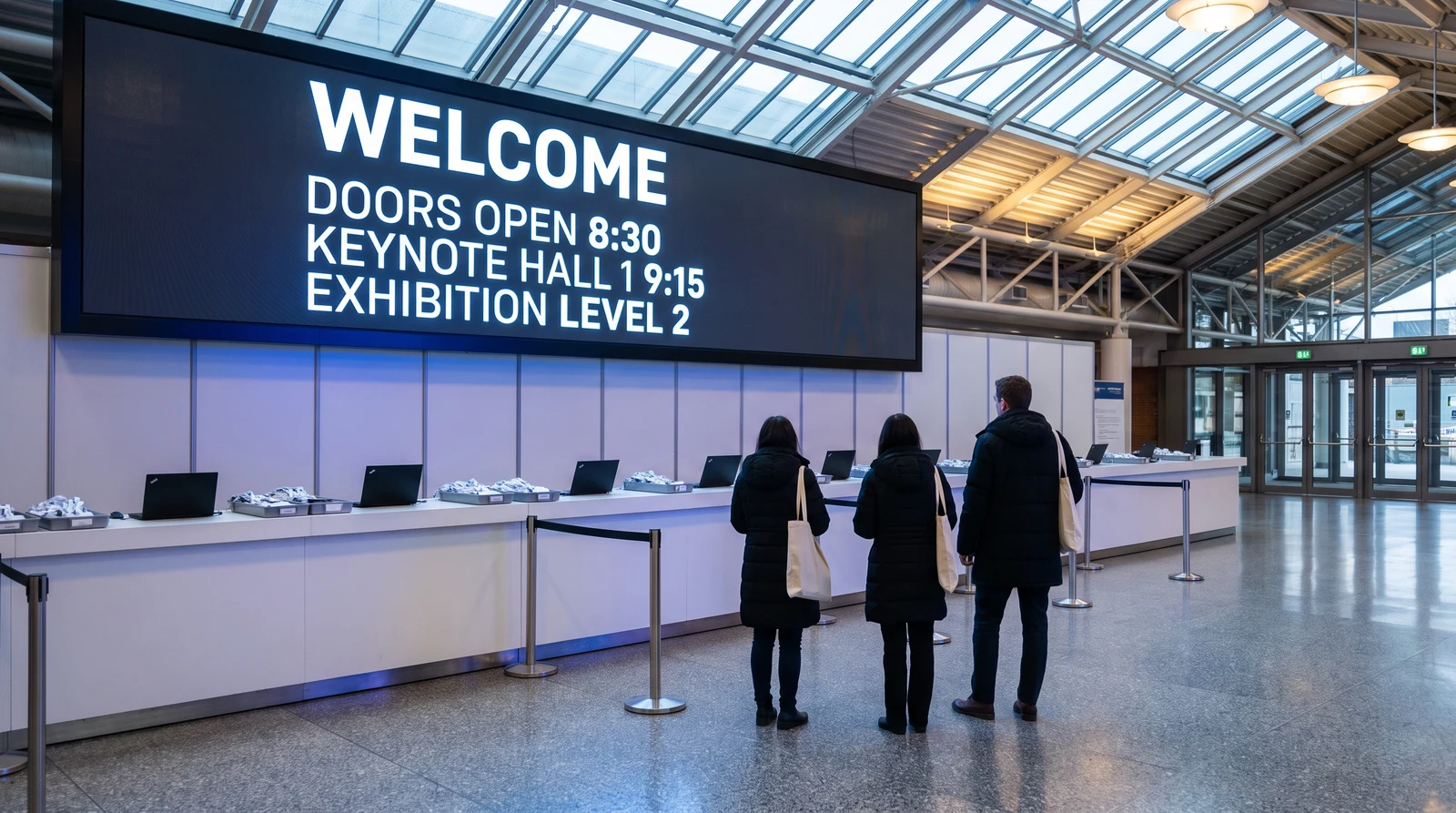
What to show on event screens
From the entrance to the main stage, every screen has a job. Fugo runs them all and lets you change any of them in seconds as the schedule shifts.
Keep agendas and schedules current
Show session schedules, room agendas, and now-next speaker information on screens throughout the venue. When a session moves or runs late, update the screen instantly instead of reprinting boards or leaving attendees with stale times.
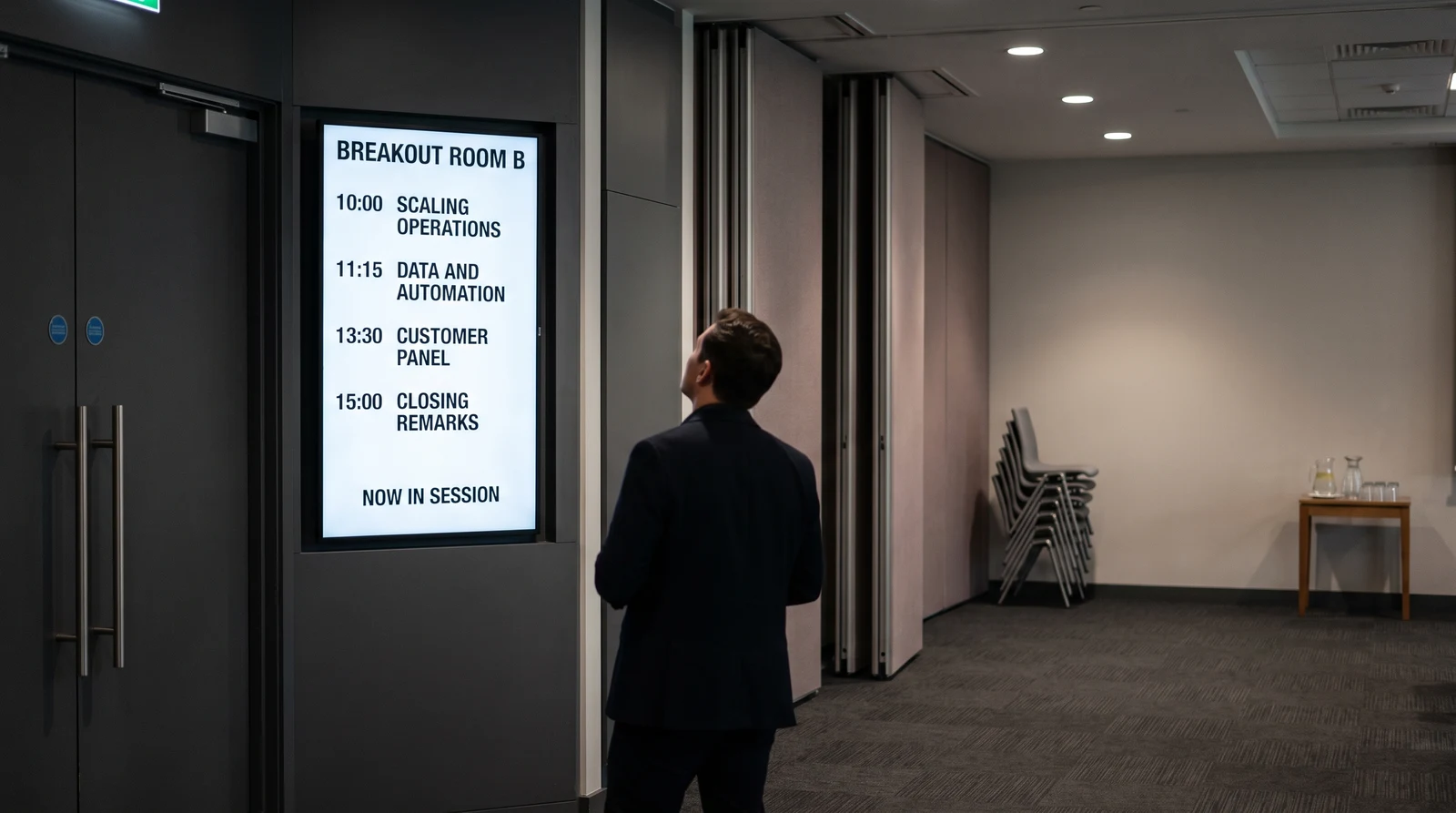
Run one show or a portfolio of venues
Fugo is built for content that changes fast and screens that are spread across a venue, or across many venues you manage centrally.
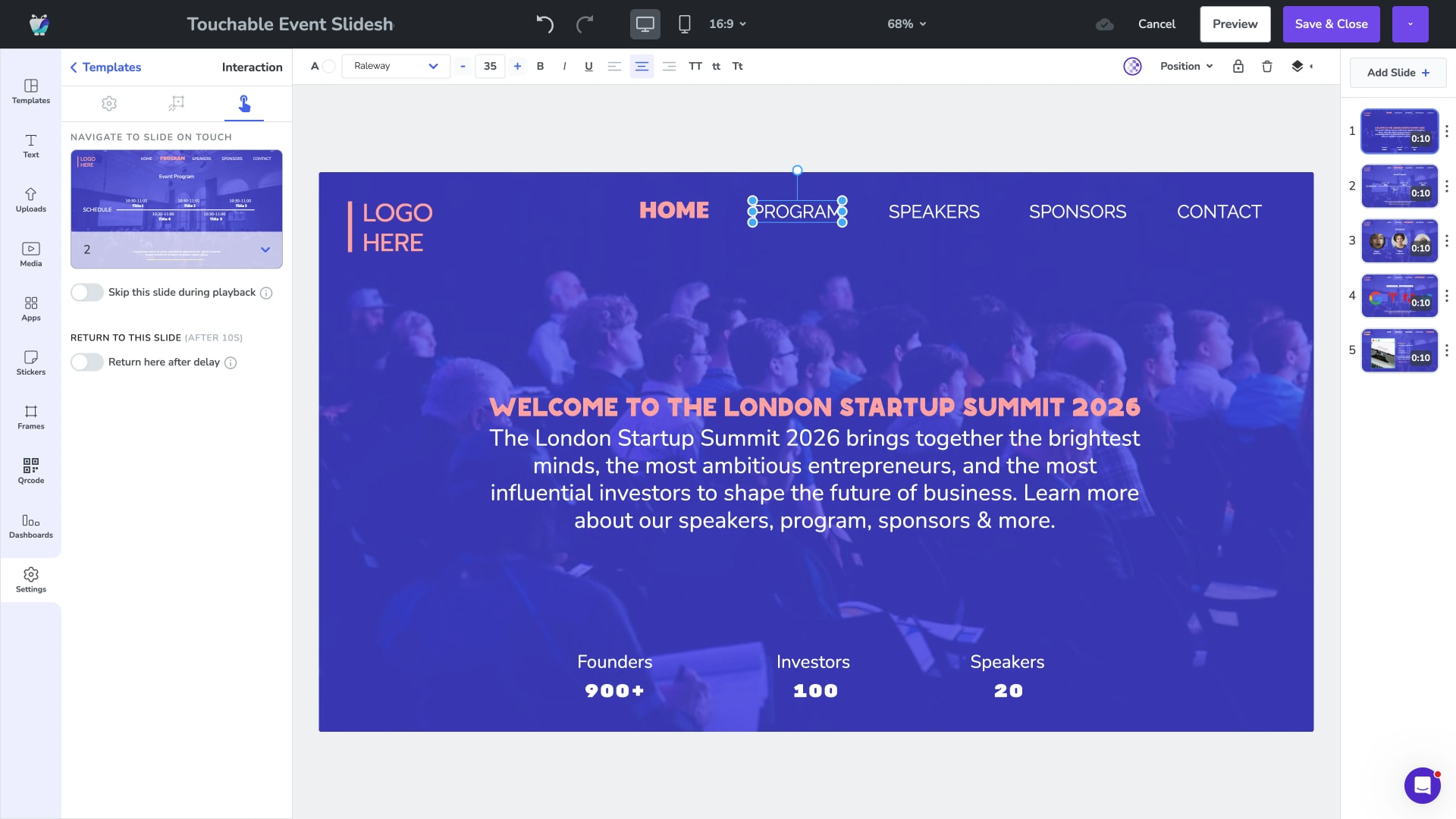
Design Studio and event templates
Build agenda boards, welcome screens, and sponsor slides with drag-and-drop tools and reusable templates. Brand everything once and reuse it across every screen and every event.
- Drag-and-drop event layouts
- Reusable branded templates
- Agenda, welcome, and sponsor screens
- No design software required
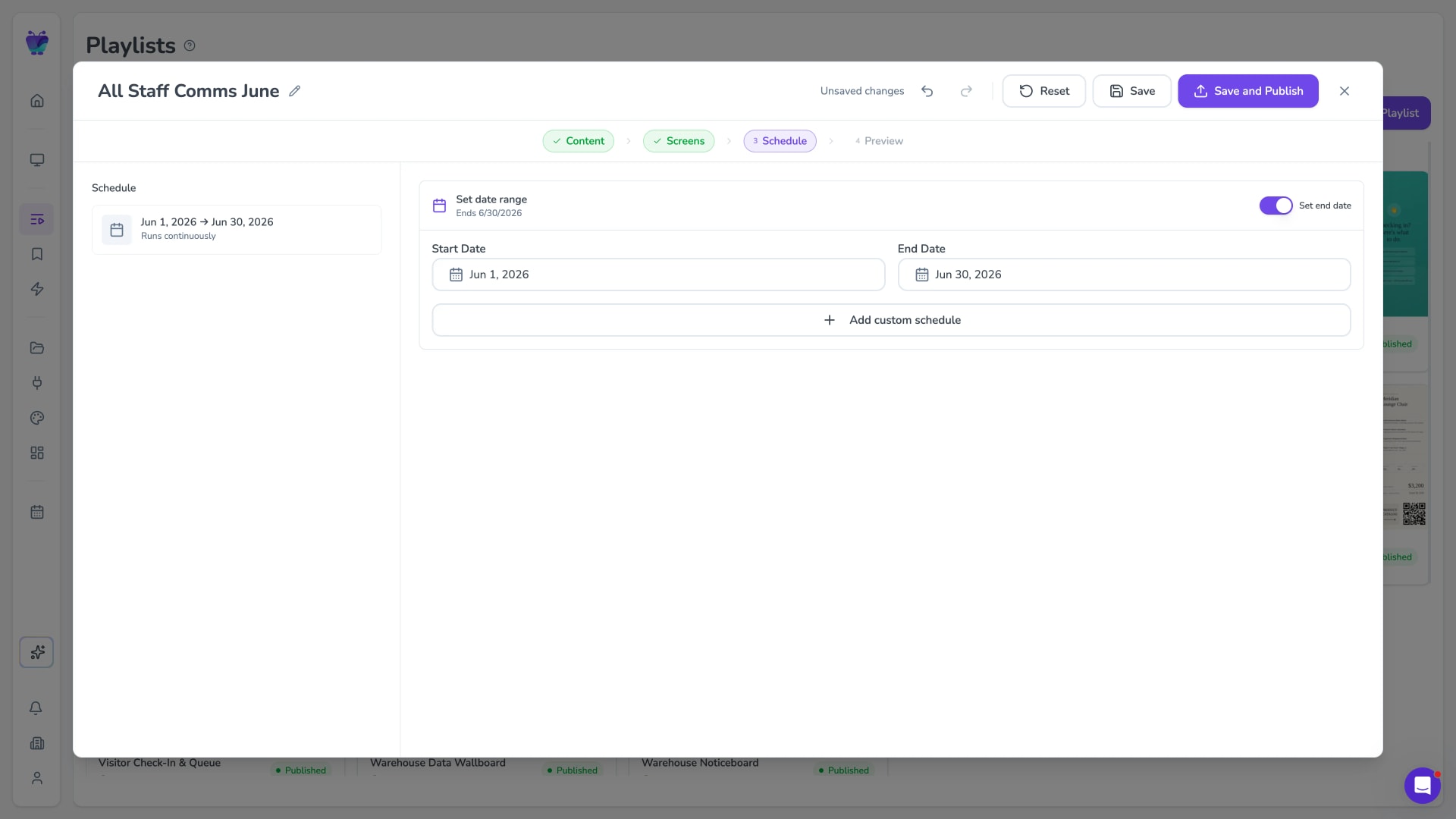
Scheduling and day-parting
Schedule content to appear and expire at exact times so the right thing shows during keynotes, breaks, and networking. Sponsor loops and agendas update themselves as the day progresses.
- Time-of-day scheduling
- Start and end dates per item
- Automatic agenda changeovers
- Auto-expiry of finished sessions
Remote management across the venue
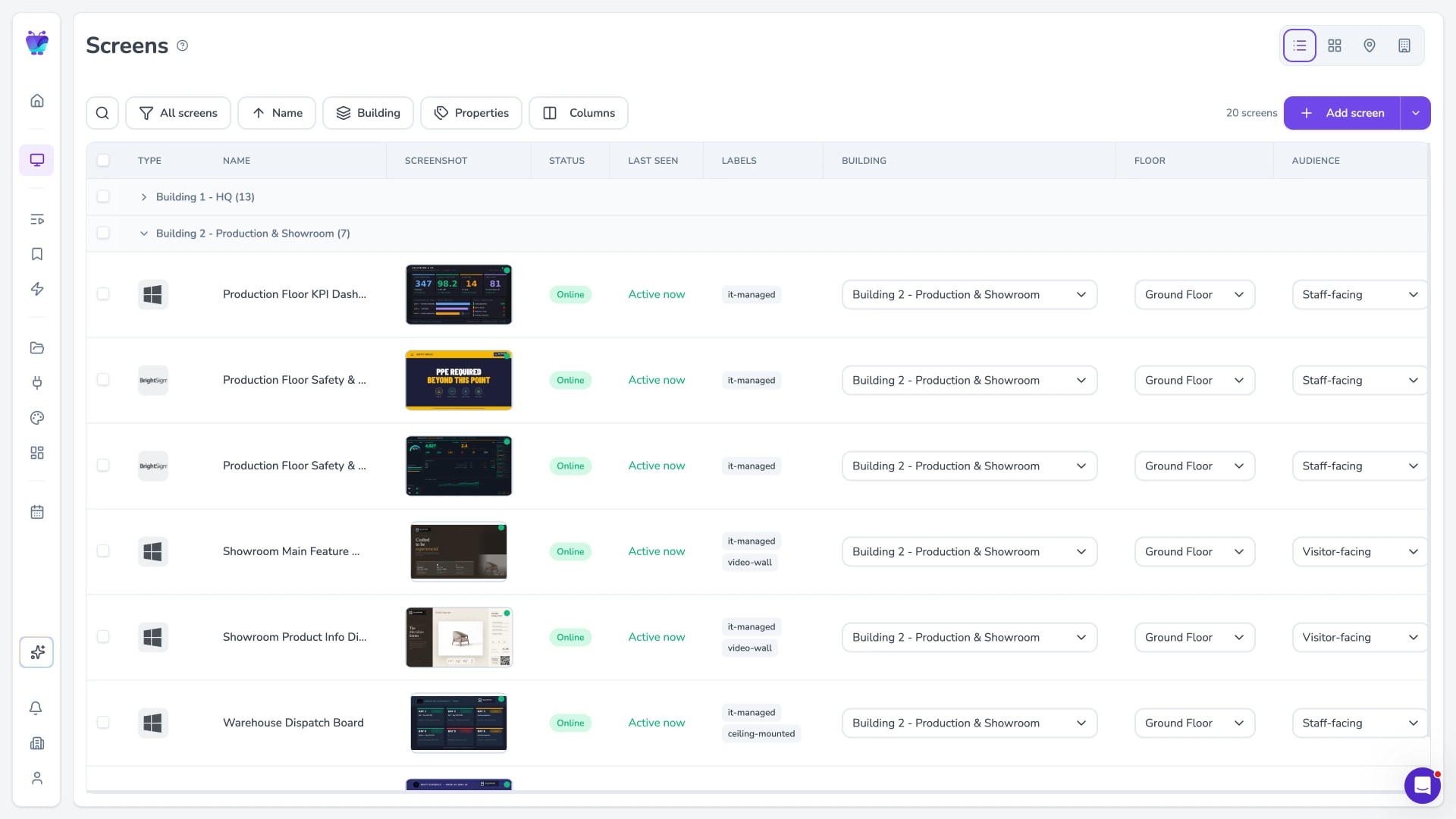
See every screen and push content from one dashboard, whether it is one hall or a portfolio of recurring events. Group screens by room, stage, or site and update them together or individually.
- One dashboard for the whole venue
- Group by room, stage, or site
- Push to all screens or just one
- Manage recurring events centrally
Pull in the content your event already produces
Fugo connects to the design tools, asset libraries, and social feeds event teams already use, so screens stay current without manual exports.
Google slides
Business
Google Slides
PosterMyWall
Business
PosterMyWall

Canto
Business
Sync Canto collections to screens for dynamic, auto-updating displays
Google drive
Business
Google Drive
Fugo social wall
Social
Create a custom live social media wall for your screens!

Walls.io
Social
Walls.io
QR code
Business
QR Code

YouTube
Featured
YouTube App
Event digital signage FAQs
What event and venue teams ask before rolling out screens.