

Digital signage for bars and pubs
In short: Fugo turns the screens in your bar into drinks menus, happy hour boards, event listings and social walls. You update them from your phone in seconds. Set a schedule once and your 4pm happy hour board swaps itself in, then swaps itself back at 7. Run one bar or fifty from the same dashboard. It works on the TVs you already own with a small streaming player behind them. Part of Fugo's food & drink signage.
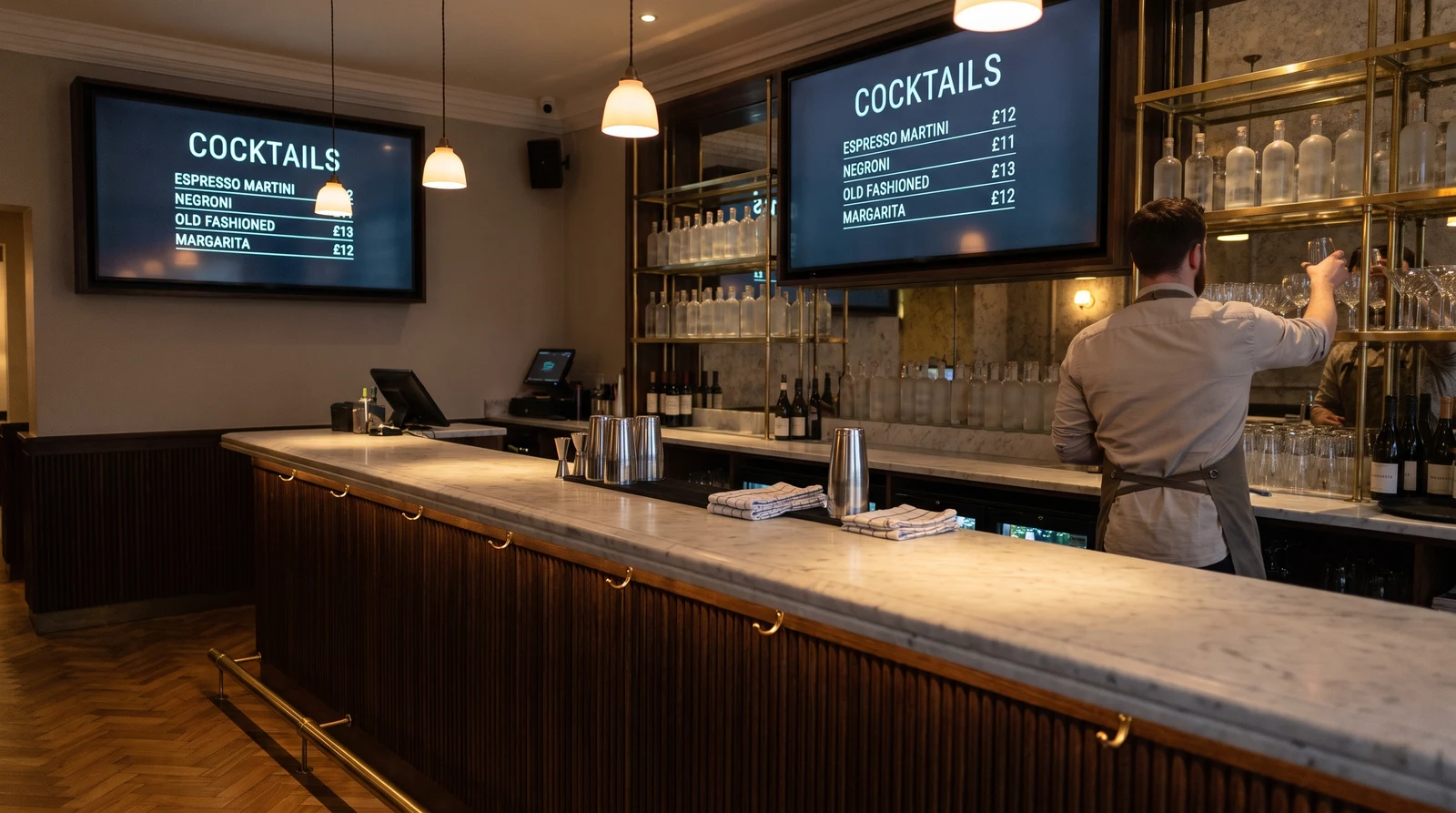
What bars and pubs actually put on screens
Your screens do more than one job, and they change through the night. Fugo lets each screen run its own playlist while you manage the lot from one dashboard.
Change a drinks menu in seconds
A keg blows at half seven and someone has to cross it off the board. With Fugo you open the app on your phone, mark it sold out, and every screen updates within seconds. Same for a price change, a new cocktail, or swapping the whole list. You build the layouts in Design Studio, Fugo’s drag-and-drop editor, and lock your brand colours and fonts so a quick edit on a busy Friday doesn’t wreck the look. For the full detail on menu layouts, pricing rows and multi-screen menu spans, see our digital menu boards page.
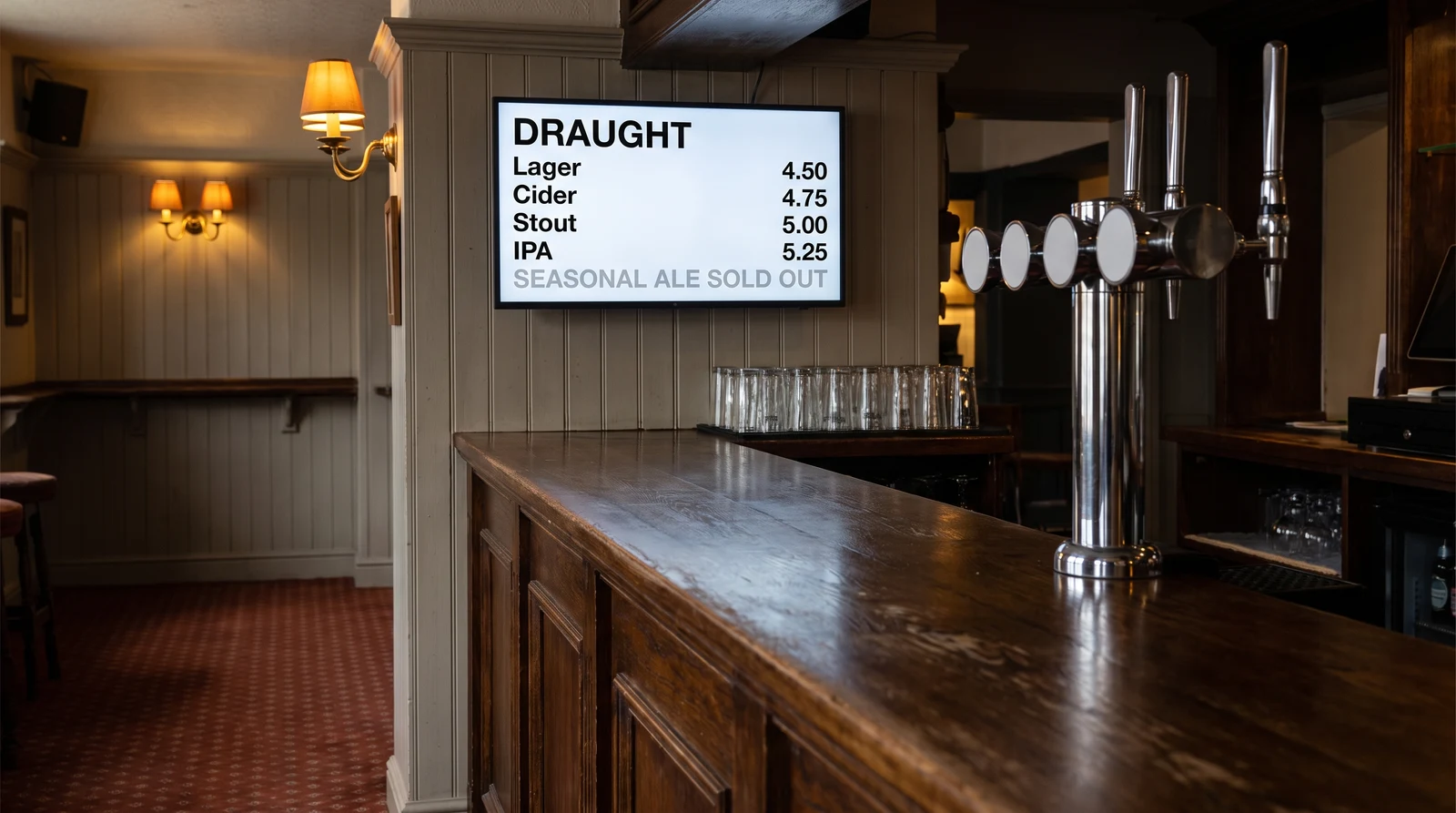
Run every screen behind the bar from one place
Bars move fast and staff are busy, so Fugo is built for quick updates and hands-off automation. Here is the platform doing the work behind the scenes.
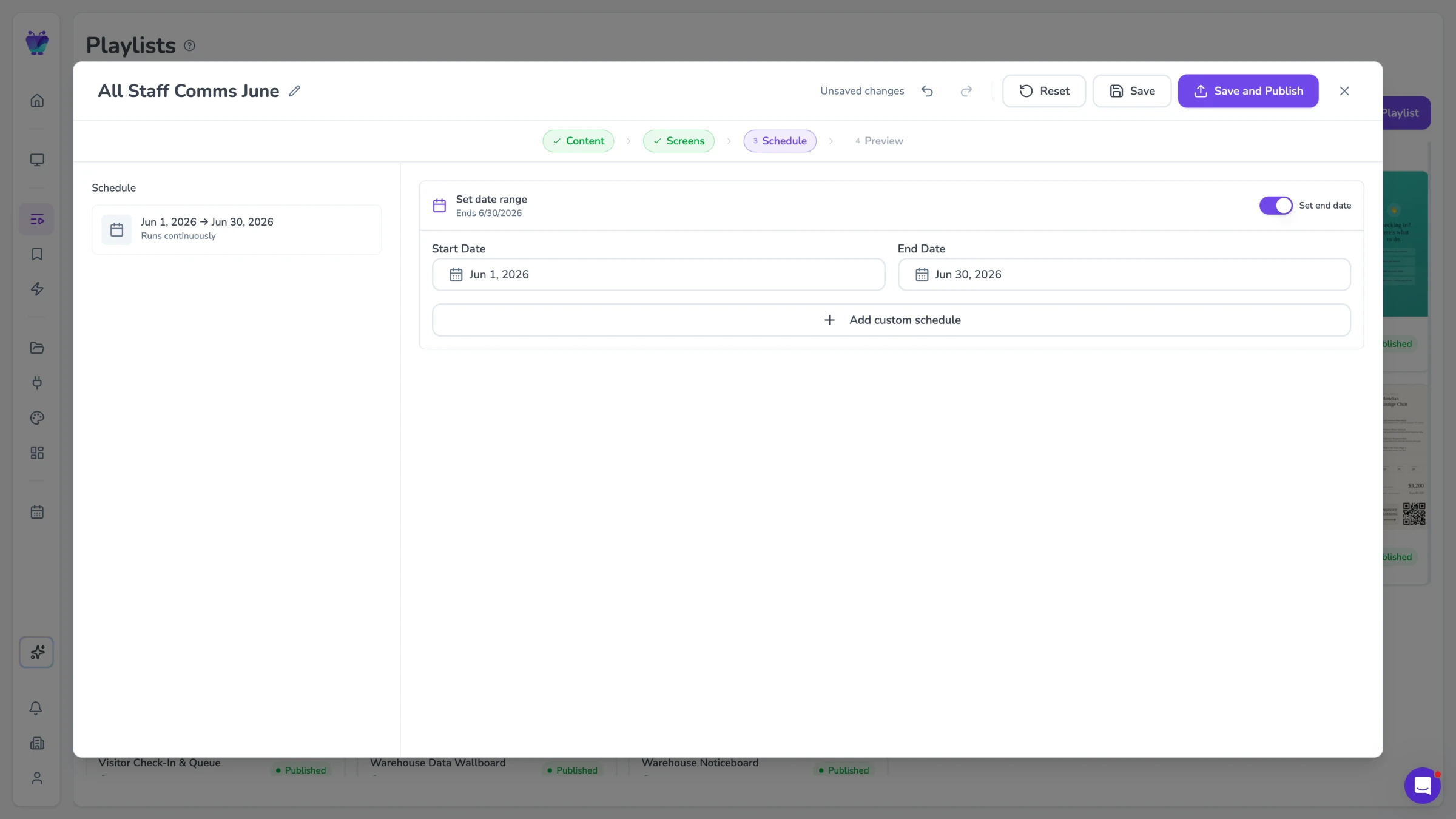
Scheduling and day-parting
Set content rules by time of day and day of week so your screens always show the right message at the right moment. Happy hour appears at 16:00 and clears at 19:00, and a weekend brunch board replaces the evening list on Saturday and Sunday mornings. Once configured, Fugo handles every transition without any manual input.
- Time-of-day content switching
- Day-of-week scheduling rules
- Campaign start and end dates
- Auto-expiry for limited-time offers
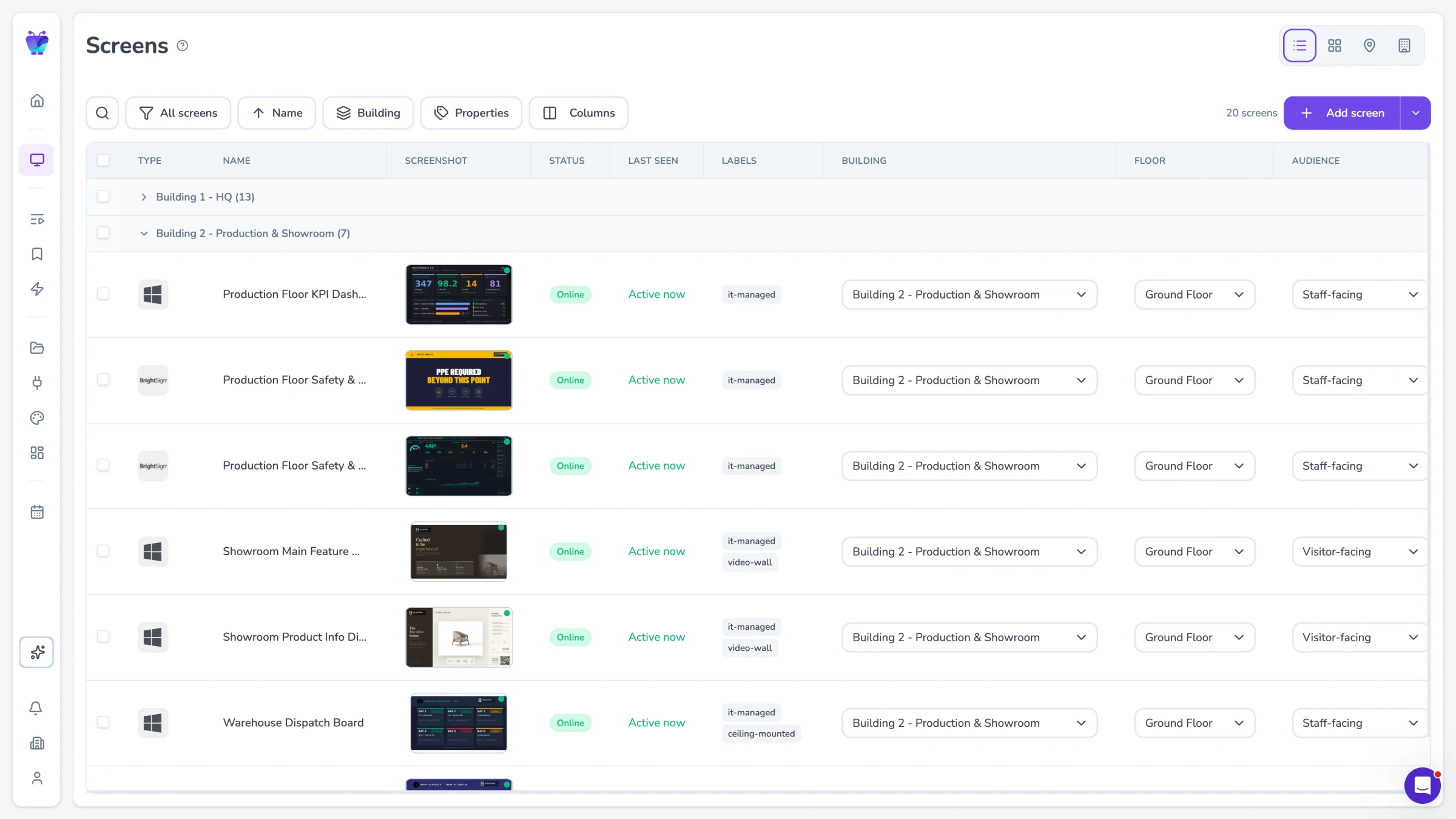
Every screen behind the bar, from one place
Bars rarely have one screen. You have the menu wall, the screen by the door, the one in the beer garden, maybe a portrait screen at the end of the bar. Fugo groups them so you can push one playlist to all of them, or give each screen its own. For pub groups and multi-site operators, head office can push a national campaign to every venue at once while a local manager still updates their own quiz night board.
- Group screens and push one playlist to all
- Or give each screen its own content
- Head office pushes a national campaign at once
- Local managers update their own venue
Screens that stay up on a friday night
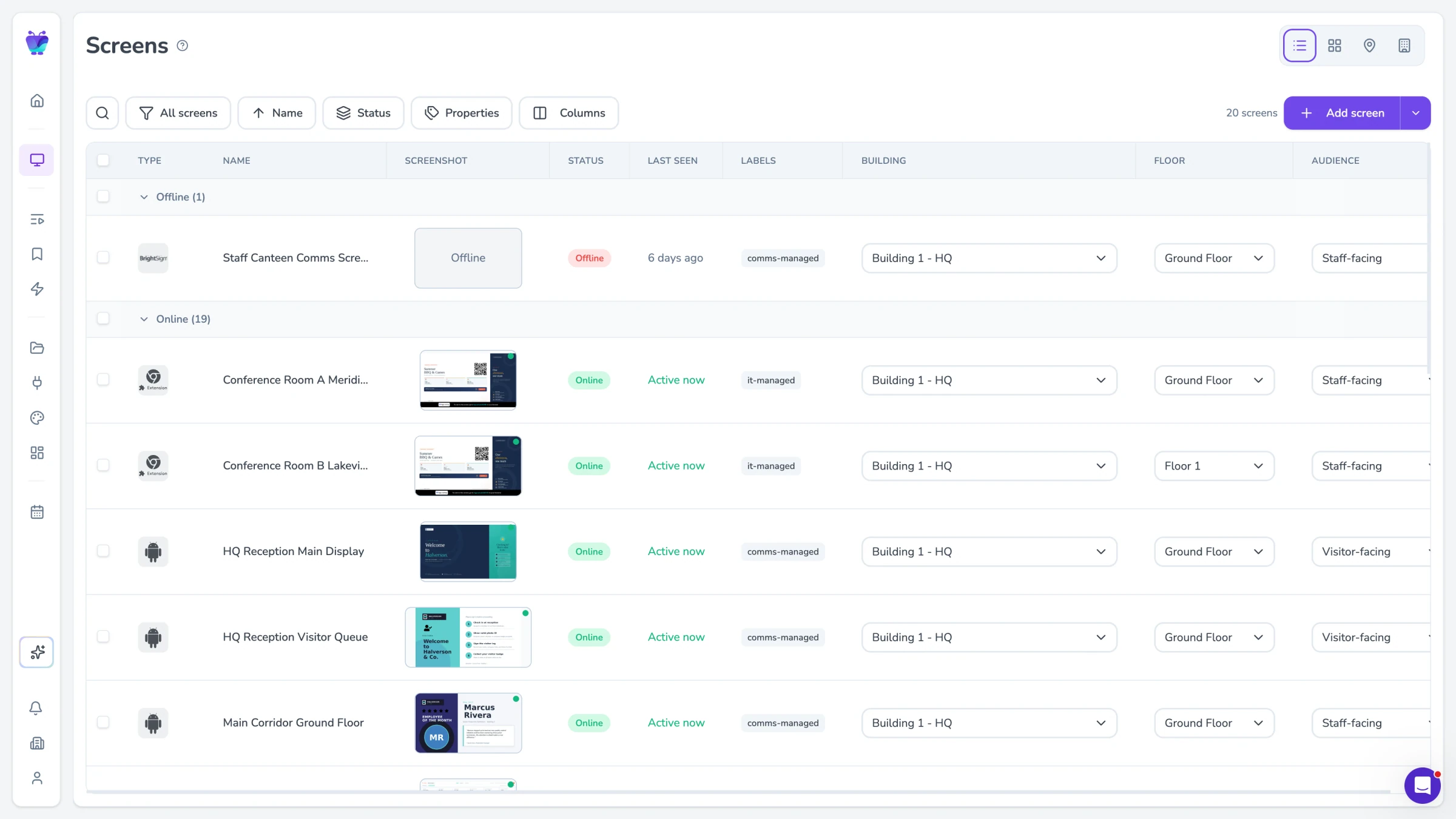
A blank screen behind the bar at peak is a bad look, and nobody has time to poke at a media player. Fugo’s uptime monitoring flags a screen that has stopped playing, and remote recovery lets you reboot it or take a remote screenshot to see what it is actually showing, from your phone, from anywhere. You find out before a customer points at it.
- Uptime monitoring with alerts
- Remote reboot from your phone
- Remote screenshot of the live screen
- Catch a blank screen before customers do
Alcohol promotion and who can edit what
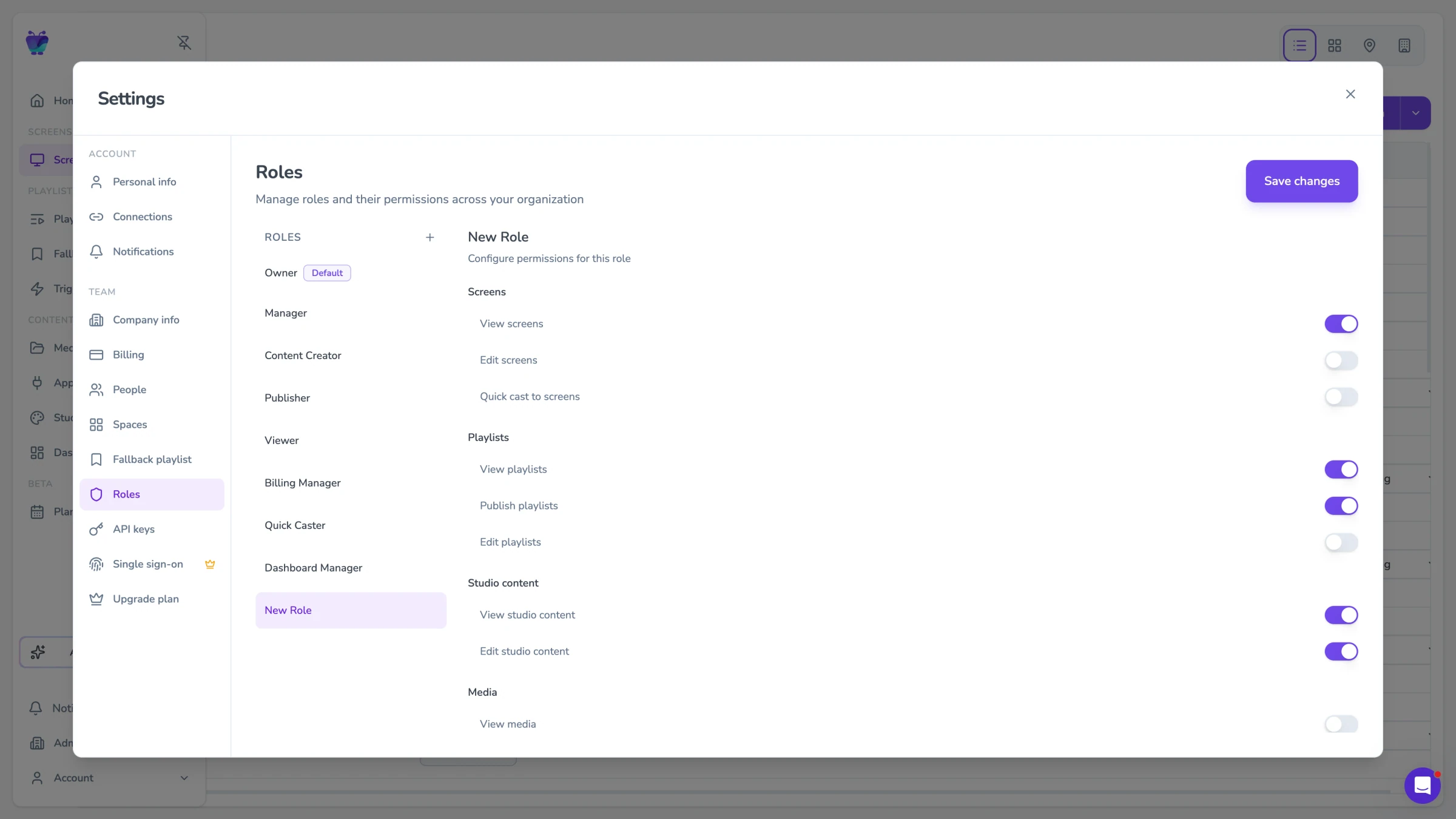
Promoting alcohol carries rules, and they differ by country and by licence. Fugo gives you role-based access so you control who can publish: a venue manager updates their own venue’s screens while head office keeps the master templates and brand assets, and every change is attributable. Fugo does not offer age-gating, licensing checks, or alcohol-specific content moderation. Responsibility for what goes on your screens, and for meeting your local licensing and advertising rules, stays with you.
- Role-based publishing control
- Per-venue manager access
- Locked master templates and brand assets
- Every change attributable
Apps that power your bar screens
Fugo connects to the tools you already use to build menus, promotions and social content, so updates push to every screen across every venue at once.
Digital menu
Business
Build responsive digital menu boards
Google slides
Business
Google Slides

Canto
Business
Sync Canto collections to screens for dynamic, auto-updating displays
PosterMyWall
Business
PosterMyWall
Google Sheets
Business
Google Sheets
Fugo social wall
Social
Create a custom live social media wall for your screens!
QR code
Business
QR Code

YouTube
Featured
YouTube App
Bar and pub digital signage FAQs
Everything you need to know before deploying digital signage in your bar or pub.