

Fluxx
2 min read · Updated November 12, 2026
The Fluxx dashboard provides a comprehensive overview of grant management processes, enhancing efficiency and collaboration for organizations.
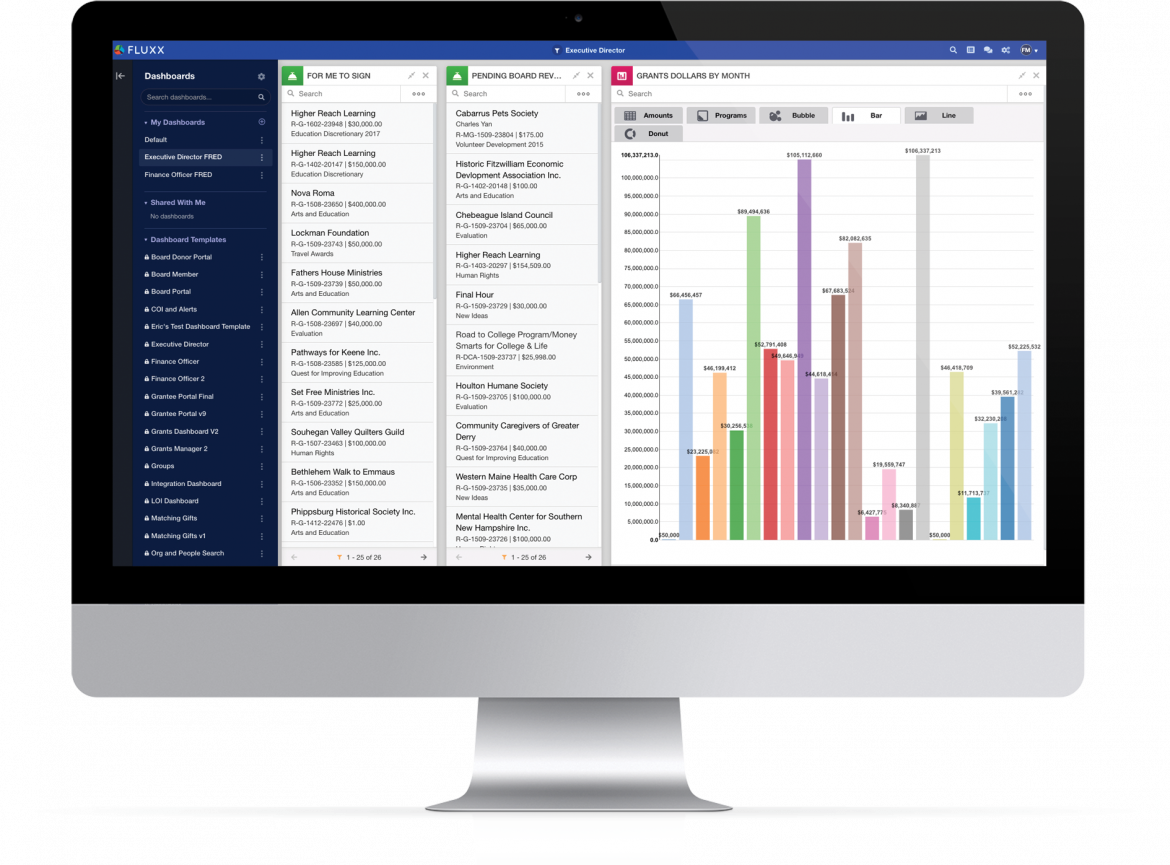
Fluxx is a grant management platform used by nonprofits and foundations to track grants, funding and outcomes. A screen helps a small team keep the pipeline and reporting deadlines visible while they work.
Key takeaways
Fluxx covers grant workflows, funding tracking and outcome reporting.
Multi-level access controls mean you should confirm what a screen may show.
Audit trails and documents stay in the tool, not on the wall.
Fugo can refresh the view on a schedule.
What a Fluxx dashboard covers
Grants in progress
A view of multiple grants shows where each one stands in the process.
Funding tracking
Funding figures show what has been committed and what remains.
Outcome reporting
Reports show the results grantmaking is achieving, which is useful for boards and staff.
Automated workflows
Workflow stages show where applications are waiting.
Real-time analytics
Analytics show change as it happens, at the refresh rate you choose.
Who uses it and what to show them
| Team | What to put on the screen |
|---|---|
| Grant managers | Applications by stage and upcoming deadlines. |
| Nonprofit teams | Funding secured against the target and reporting due. |
| Foundations | Portfolio overview and outcome indicators. |
| Leadership | A short summary of impact for the quarter. |
Put Fluxx on a screen with Fugo
- 1
Pick the pipeline view
Choose the Fluxx report that shows grants by stage, and set filters so it opens on the current cycle.
- 2
Connect it to Fugo
Add the Fluxx page in Fugo and enter the sign-in details. Fugo stores the credentials encrypted and signs in on your behalf, and it can generate the one-time codes if the account uses two-factor authentication.
- 3
Crop and position the view
In Design Studio, crop the page to the charts that matter and set the scroll position, so the screen shows data rather than menus and toolbars.
- 4
Set the refresh interval
Choose how often Fugo loads a fresh view, from every few minutes to a few times a day. The screen shows a regularly refreshed snapshot, not a live video feed.
- 5
Add it to a playlist
Put the dashboard in a playlist, set how long it stays visible, and rotate it with other dashboards if the screen is shared. Then assign the playlist to the screens that need it.
Mind applicant confidentiality
Fluxx uses access controls and secure document storage because grant files can be sensitive. Show totals and stages on screen, not applicant details, and place the display in a staff area. For layouts, see internal communications signage.
Frequently asked questions
What organizations can use fluxx?
Can the dashboard be customized?
How does fluxx handle security?
Similar dashboards
Other dashboard tools that work with Fugo

Branch.io
Gain insights into user engagement and optimize your marketing strategies with the Branch.io dashboard, designed for seamless data integration and analysis.

Singular
Singular's dashboard offers real-time analytics and insights, enabling data-driven decisions with customizable reports and intuitive visualizations.

Impact Dashboard
The Impact Dashboard provides real-time insights into organizational performance, highlighting key metrics and trends to drive strategic decision-making.