

Board
3 min read · Updated November 12, 2026
The Board dashboard offers a comprehensive overview of organizational performance, enabling strategic decision-making with real-time data insights.
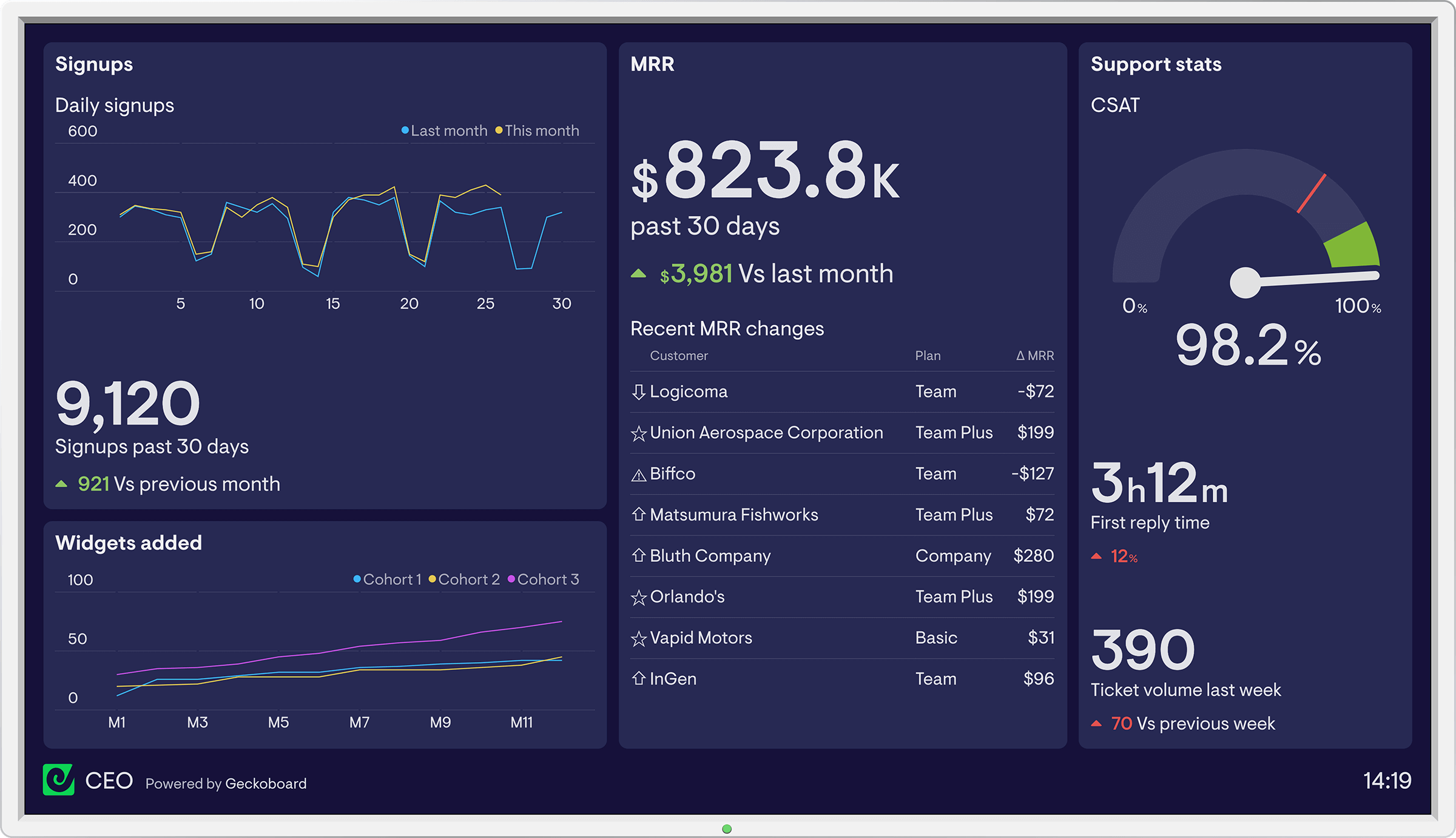
Board is a business intelligence tool that pulls figures from several departments into one performance view. On a TV, that view works best as a shared scoreboard, with a few agreed KPIs everyone can read without logging in.
Key takeaways
Board brings KPIs from different departments into a single, customizable view.
Choose a handful of agreed metrics for the screen rather than the whole dashboard.
Fugo can load a login-protected dashboard and refresh it on a schedule you set.
Keep sensitive figures on screens placed where only the right people can see them.
What a Board dashboard tracks
Based on how Board describes its dashboards, these are the parts most worth showing on a wall.
Departmental KPIs
Key performance indicators from finance, marketing, operations and HR sit side by side, so one glance shows how the organization is doing.
Aggregated data sources
Figures from several systems are combined into one view, which spares a team from opening multiple reports.
Customized views
Each view can focus on specific metrics, so a screen can show only what one team needs.
Interactive visualizations
Charts are built for exploring, which means a TV version should be a simplified, fixed view.
Alerts and notifications
Board can flag changes as they happen, which suggests which numbers deserve a permanent place on screen.
Who uses Board and what to show them
Board is aimed at people who need a high-level view of performance. Match the screen to the audience.
| Audience | What to put on the screen |
|---|---|
| Executives | A short set of organization-wide KPIs and the trend against strategic targets. |
| Managers and team leaders | Departmental KPIs that tie daily operations back to the wider goals. |
| Finance and operations | The budget, cost and throughput figures that move week to week. |
| Marketing and HR | Campaign results or headcount and workforce measures, kept to one view each. |
| Analysts | Usually better served by the full tool, with the TV reserved for the headline numbers. |
Put Board on a screen with Fugo
A short sequence gets a Board view onto an office screen.
- 1
Choose one view
In Board, pick a single view with the KPIs the room cares about. A screen with five numbers is read; a screen with fifty is ignored.
- 2
Connect it to Fugo
Add the Board page in Fugo and enter the sign-in details. Fugo stores the credentials encrypted and signs in on your behalf, and it can generate the one-time codes if the account uses two-factor authentication.
- 3
Crop and position the view
In Design Studio, crop the page to the charts that matter and set the scroll position, so the screen shows data rather than menus and toolbars.
- 4
Set the refresh interval
Choose how often Fugo loads a fresh view, from every few minutes to a few times a day. The screen shows a regularly refreshed snapshot, not a live video feed.
- 5
Add it to a playlist
Put the dashboard in a playlist, set how long it stays visible, and rotate it with other dashboards if the screen is shared. Then assign the playlist to the screens that need it.
Plan for the back of the room
Test the screen from the farthest seat. If a label or axis is hard to read there, remove it from the view or enlarge the chart before publishing. Executive views also fit well on executive dashboard displays.
Frequently asked questions
How often does a board dashboard on a TV update?
Can I show only the metrics I need?
Can board data be exported?
Similar dashboards
Other dashboard tools that work with Fugo

Metabase
Gain insights into your data with Metabase's interactive dashboard, designed for easy visualization and analysis of key business metrics.

Yellowfin BI
Experience data-driven insights with Yellowfin BI's interactive dashboard, designed for real-time analytics and enhanced decision-making efficiency.

Teradata Vantage
Experience seamless data analytics and insights with the Teradata Vantage dashboard, designed for optimal performance and user-friendly navigation.