






Okay, marketers: when’s the last time you posted anything manually online? You’ve probably scheduled at least one or two emails this week. Your social media posts are already queued up in the scheduler, and your paid ads and SMS campaigns rely on triggers you’ve already created. Even most of our blog content is preloaded and timed
So why — in 2026 — do so many physical screens still need USB drives, calendar reminders, or daily content removal?
The honest answer is, because the platforms you used to start your signage program may not offer everything you need to scale as you grow.
Good news: not only does digital content scheduling technology already exist, but it’s reaching new heights with the help of AI.
In this article, you’ll discover how content scheduling can simplify and enhance your digital signage content. You’ll also learn how to get started today 100% for free.
So what’s the big problem with manual scheduling?
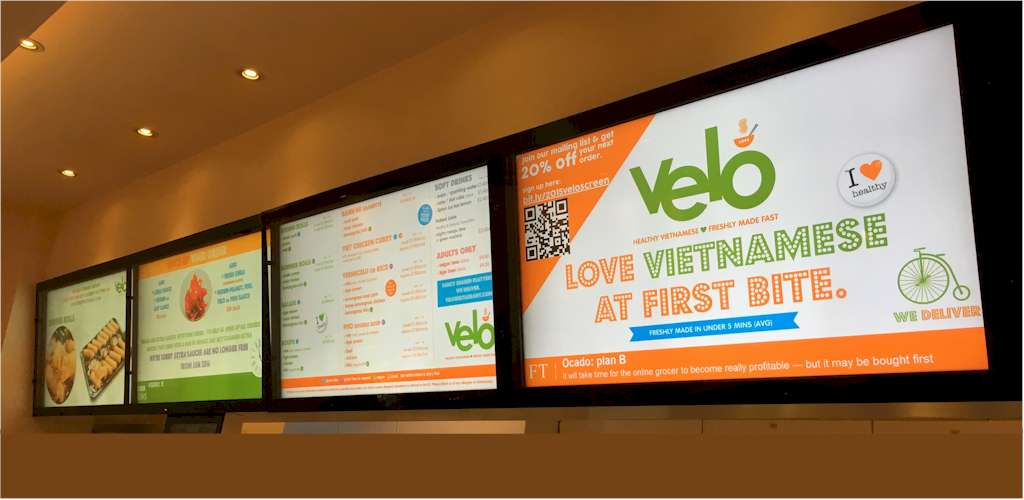
Scheduling is one of the most powerful capabilities that modern marketers rely on. But somewhere along the way, digital signage got left behind.
“So what?,” you may be thinking. “Why does this manual scheduling thing matter so much?
Well, if you’re trying to manage digital signage without a planner, timetable, or automated rules in place, you might be stuck with:
- Manual uploads. You need to physically swap out the content on your screen before specific times or dates. This can be doubly annoying if you run a fast-casual restaurant or need to mix and match USB drives to swap content out before opening or closing. This can take multiple hours per year if you tally up all the inconsistencies.
- Expired content still on display. This might not be bad if it’s just a “Happy Valentine’s Day” message. But if you have promotions, sales, or other advertisements, you might accidentally confuse customers and have to deliver the bad news (i.e., ‘sorry, that’s not in stock’). This will do you no favors in the court of public opinion. And worse still, it can cost you money.
- No campaign alignment with marketing calendar. This is particularly poignant if you manage multiple stores. Since the onus of updating signage relies manually on each store owner, you just need to cross your fingers and hope signage goes live (and sunsets) exactly when it needs to every week. If someone forgets to add a screen, or if they wait too long to remove a slide, you could potentially lose out on sales and customer awareness that bring your business thousands per year.
This inconsistent messaging and risk of expired promotions can dramatically increase your missed revenue windows, not to mention de-sync content between your HQ and other locations.
So the easiest solution is treating your in-store screens as a marketing channel. That is to say, setting up solutions for content scheduling.
What content scheduling can do for retail and hospitality brands
Digital signage is technically a type of owned media, and for in-store environments, they represent a lot of opportunity. That’s because most screens are high visibility and compliment high dwell times. They’re also fully controlled and immune to algorithm changes, which makes it easier to advertise without cutting through the noise of other brands.
All that to say: in-store screens are one of the few channels where you control 100% of attention. So why wouldn’t you schedule them like you schedule email and paid ads?
With the right content scheduling tool for your digital signage, you can set up smart scheduling workflows that enable:
1. Dayparting at scale
Retail, food service, hospitality brands rarely broadcast the same message at 8 AM versus 8 PM. Without the right tools, you’ll have to remember to switch these manually. But with content scheduling, you can easily set up:
- Breakfast, lunch, and dinner transitions
- Weekday versus weekend messaging
- Happy hour swaps
- Holiday and seasonal promotions
- Event-based takeovers (think weather warnings for resort guests)
That way, instead of manually updating screens between shifts — or worse, leaving the wrong content running — your signage adapts automatically to the days, times, and conditions you set.
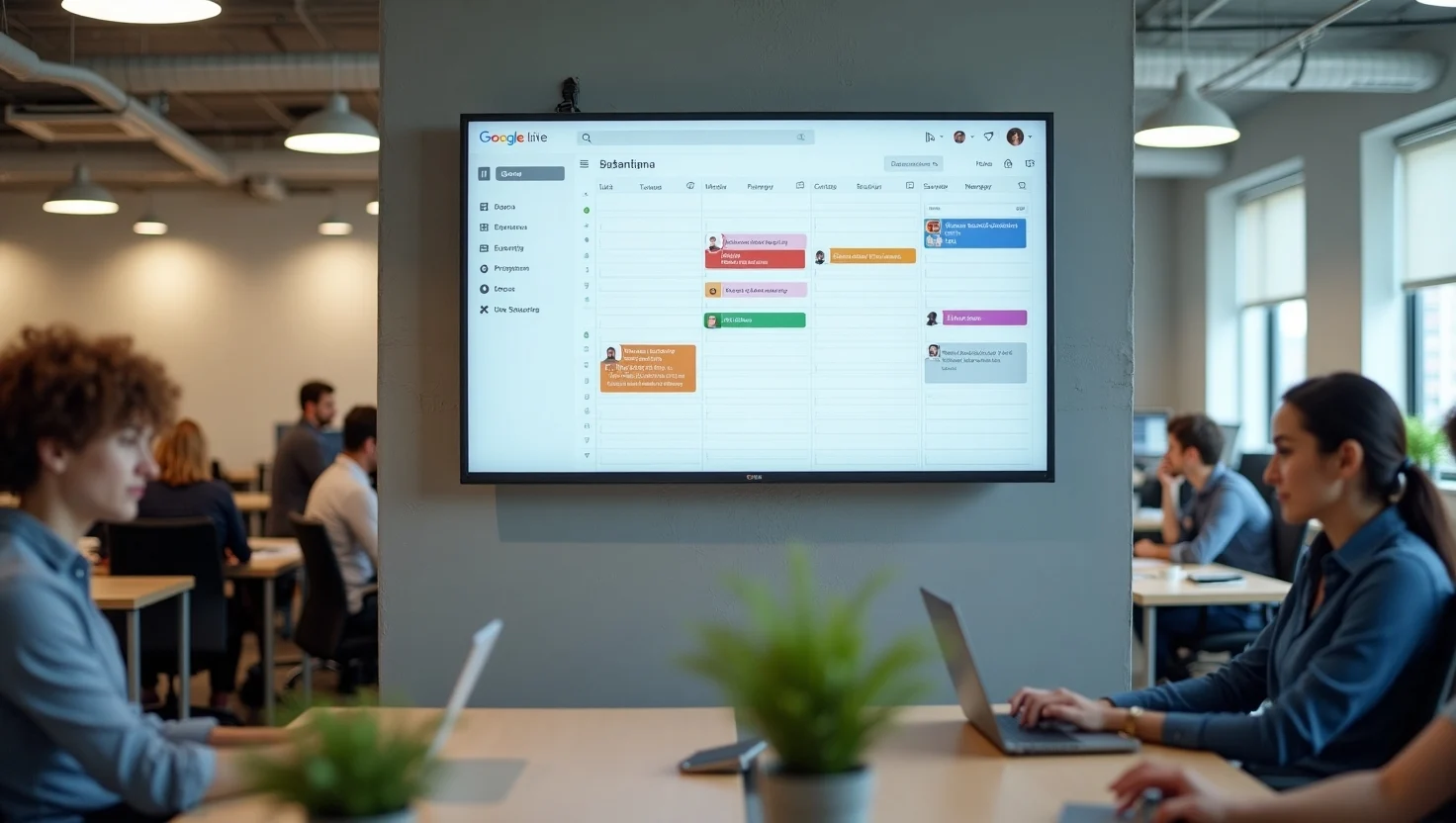
Some digital signage tools come with drag-and-drop scheduling features so you can easily create schedules without extensive coding knowledge. Now, in calendar view, you can arrange your signage flows to play content during specific date ranges, on weekly schedules, down to the minute, or indefinitely.
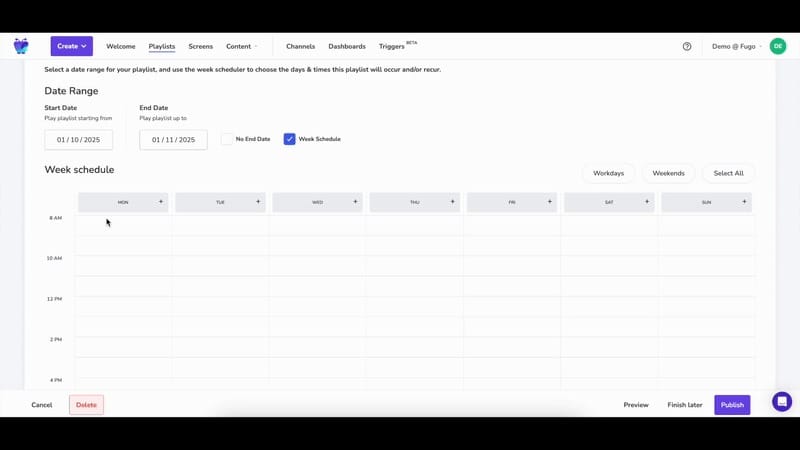
2. Campaign alignment
Marketing teams don’t launch campaigns “whenever someone remembers” to do it. You need national promos to go live at the same time across every location. Your limited-time offers must have clear start and end dates. And your paid ads, email, and social channels probably broadcast the same messages at the same time.
Your in-store screens should follow this exact same pattern. And with smart scheduling, it’s fairly easy to do.
You can use smart scheduling to coordinate campaign launches across dozens, if not hundreds, of locations without manual intervention. Just select your screens, select a go-live date, and give the system a cutoff time. Now, you can run the same campaigns you see on other online channels without needing to manually remember or set reminders to switch up your signage.
Just think about the many benefits of this. Running a two-week national promo? Schedule it in advance and automatically remove it when the window closes. Launching a regional offer around a local event? Set it to activate only in specific locations.
But what if you want your content to change based on time, date, or even a data condition?
That’s where automated workflows come in. Some digital signage providers also refer to these as “triggers.”
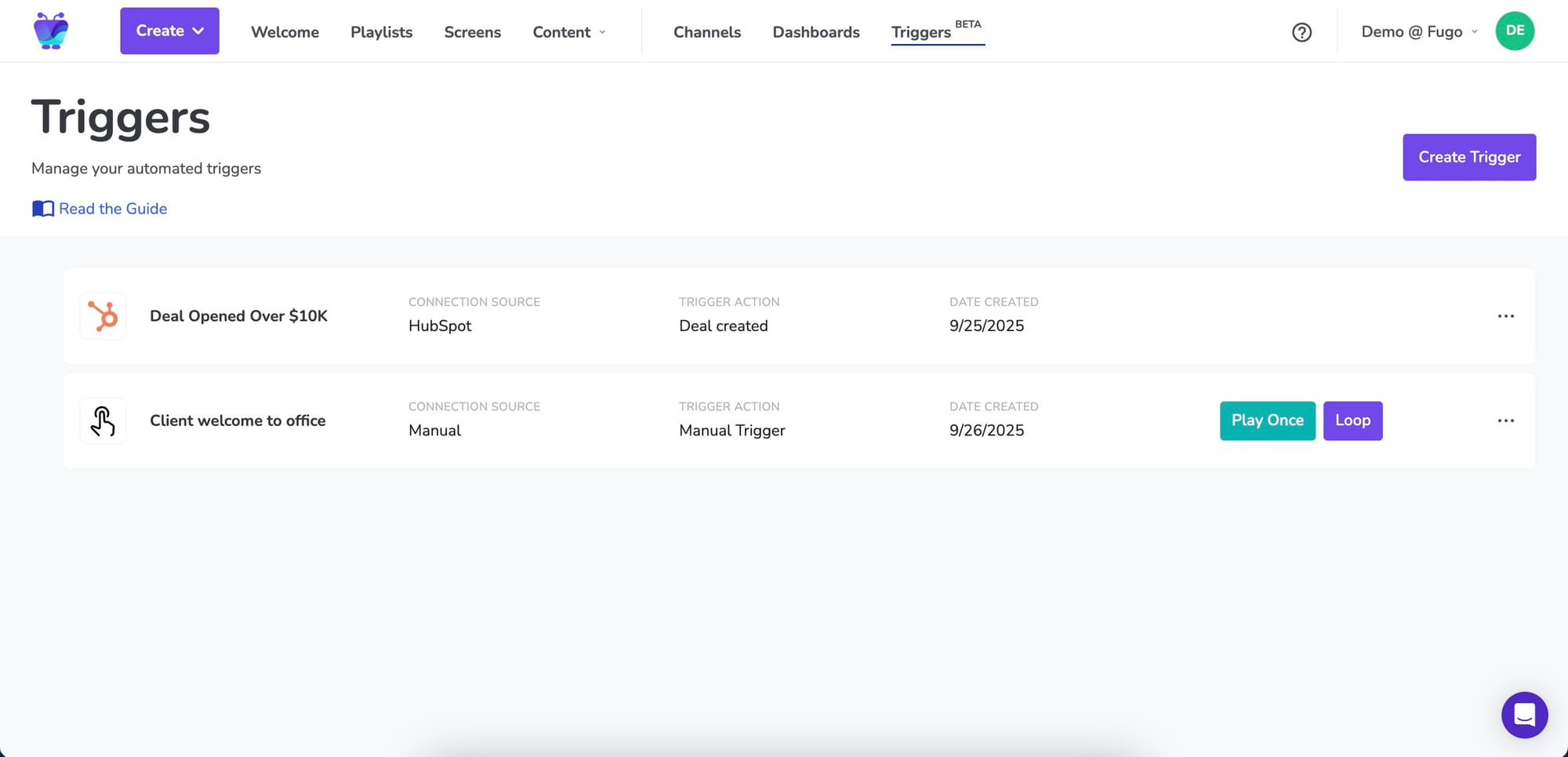
Triggers can keep your content fresh even without any human input. This is especially on days when in-house labor hours are low. Tthink holidays with reduced hours, team outings, or days when lots of people call out sick.
At a basic level, a trigger is a rule that says: “when X happens, display Y on screen.”
That “X” can be a time, a date, or a live data condition pulled from one of your integrations. The “Y” is whatever content you want to appear, like a promo, a dashboard, a leaderboard, a menu change, or a celebration slide.
First, connect with a data source. This allows the software to reference real-time data from those systems. Next, set up time-based, data-based, or event-based conditions. This could be:
- When daily sales exceed $10,000
- When inventory drops below a set threshold
- When there are 20 vacancies available
- When it’s 4:00 PM on weekdays
Finally, tell your digital signage system what to display whenever your condition is met.
That could mean:
- Switching to a happy hour menu
- Displaying a sales celebration slide
- Showing a leaderboard
- Triggering an inventory alert
- Pulling up a live dashboard
When your condition is no longer met, or after whatever period of time you set, your screen can revert back to its scheduled programming.
This allows you to automatically schedule content to go out only when it’s ready to be seen, and without you needing to lift a finger.
3. Regional targeting
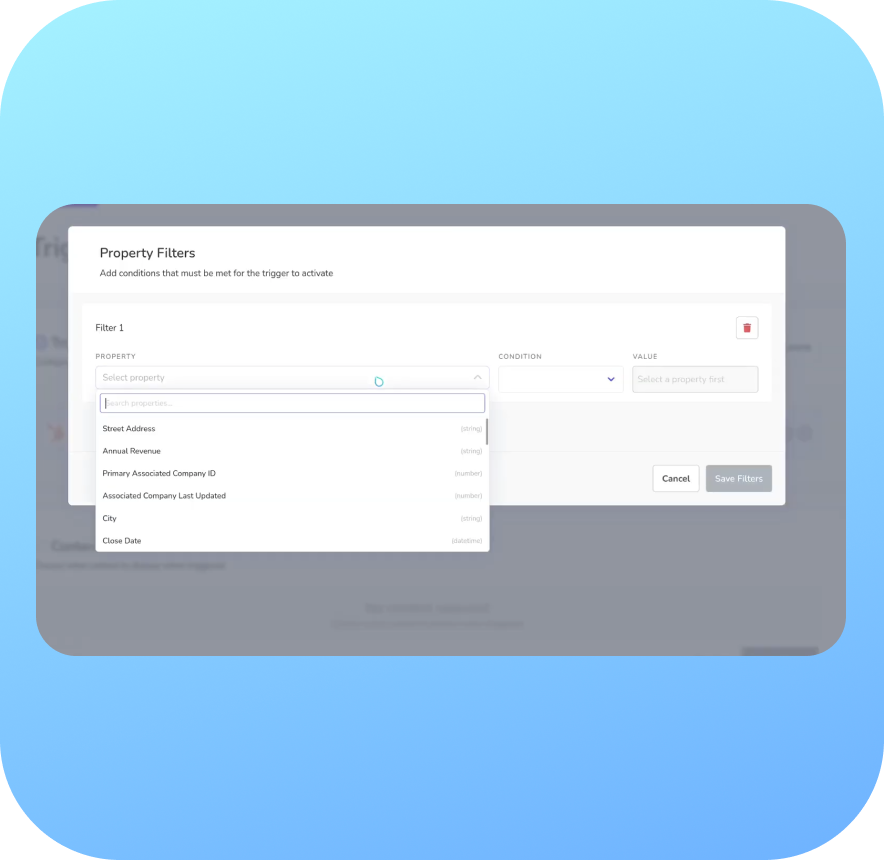
Not every location should say the same thing at the same time. A snowy Chicago morning doesn’t need the same messaging as a sunny Miami afternoon, for example. And a college-town store during homecoming weekend shouldn’t run the same content as a suburban subsidiary on a slow Tuesday.
As hinted earlier, regional targeting can help you create specialized content for locations in different geographies — without turning management into a spreadsheet nightmare.
Instead of building one massive playlist and hoping it works everywhere, you can simply group screens by location, region, or store type. Then, you assign content accordingly.
You might organize screens using screen labels, folders, or a dynamic screen group. That way, you can sort signage by:
- City
- State or territory
- Climate zone
- Franchise group
- Store format
- Performance tier
Once grouped, you can push targeted campaigns to exactly the right screens in seconds. You can rest easy knowing you’ve maintaiedn centralized brand oversight, but still have space for unique content scheduled in unique locations (not necessarily pushed to every single screen in your network).
4. Brand consistency without micromanagement
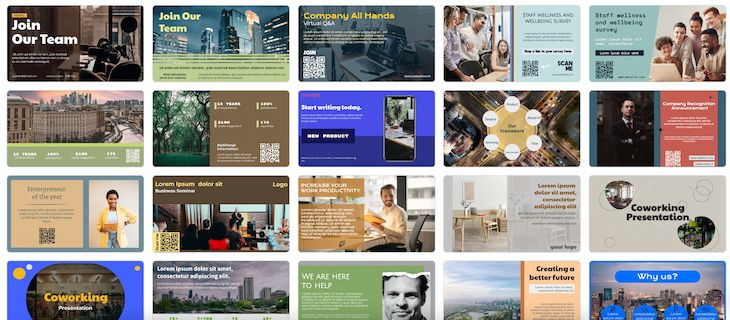
Speaking of managing screens across multiple locations, we both know that scaling signage always creates some level of tension at home. HQ needs consistency in displayed content, plus enforce brand standards for legal and compliance reasons (think logos, fonts, color palettes, disclaimers, and approved messaging). But local managers also need the ability to update pricing, promote store-specific events, or adjust messaging based on what’s happening on the ground.
The solution isn’t here is smarter guardrails by restricting access around your content scheduling tools. That way, HQ sets the rules, and locations can follow them correctly within their own context.
With the right content scheduling system in place, corporate teams can create standardized digital signage templates that have:
- Locked brand elements
- Pre-set layout structures
- Required legal copy
- Campaign timing windows
That way, local teams can customize whatever needs to be customized. This might be pricing fields or currency types, store hours, manager names, and event details. Now, each of your locations can schedule their own content as needed without breaking legal disclosure or going off-brand.
Let’s say you want to roll out a new seasonal campaign across 200 stores. All you need to do is push the template once, and your local stores can adjust the pricing and currency only within designated fields.
And if you are down to the wire, you can always opt for less strict company templates. That way, local marketing teams have a boilerplate to follow, but can easily adjust for things like spoken language or inventory levels.
5. Proactive marketing
Most in-store screens are reactive tools. Whenever you need something changed, or updated to match a schedule, you remember (read: scramble) to get everything updated appropriately.
But when you introduce structured scheduling, signage becomes something else entirely.
Suddenly, you can:
- Pre-schedule seasonal rollouts months in advance
- Queue up holiday campaigns before the rush begins
- Plan quarterly promotions alongside your paid and email calendars
Instead of scrambling the week before Black Friday, your content is already loaded, approved, and scheduled. Or, rather than manually switching screens on December 1st, your holiday creative goes live automatically at midnight.
But while you want to democratize this proactive marketing across multiple sites and team members, you still don’t everyone to have access to everything. One solution for this is creating structured user permissions that ensure each team member has a role and the structure to execute on it.
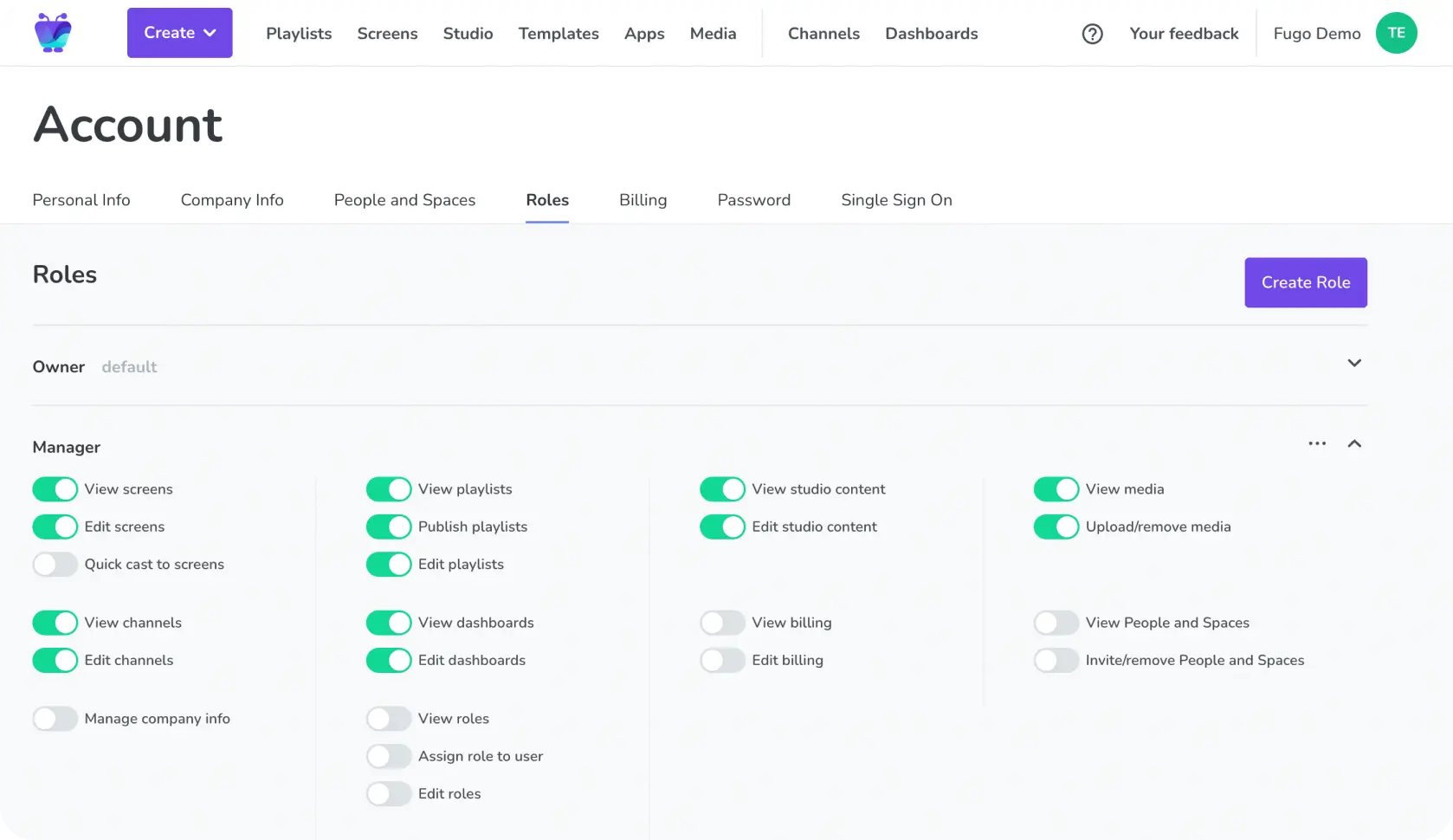
Member roles like content creation, editing, or publishing can help users avoid accidentally updating, deleting, or moving important details to places they might be hard to find.
6. Integrate with the tools (and schedule) you already have
There’s a very good chance your marketing team already has schedules for the rest of your business functions (like ad campaigns, promotions, holidays, etc.). For this reason, integrating content with these pre-existing schedules ensures you hold your digital signage to the same rigor as every other marketing channel.
Imagine easily automating content that relates to all your other campaigns, then setting scheduling rules around launch dates and embargoes, geo-targeted rollouts, and even A/B timing tests. This turns timing into a strategic benefit for your business, since what’s on your conference room screen will always match what’s happening online, in your retail media, or with your DOOH efforts.
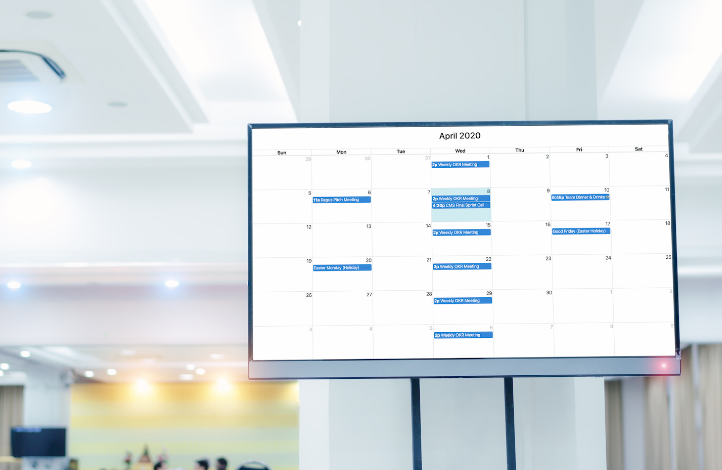
Learn more about digital sigange integrations.
Scheduling your signage for success
If scheduling is a superpower in every other marketing channel… why would you leave your most visible screens stuck in the stone age? The retail and hospitality brands that will win in 2026 will be the ones that stop treating signage as hardware and start treating it as software.
Setting up signage that’s planned, automated, integrated, and aligned with the rest of your marketing stack will make it substantially easier to get a positive ROI out of your program.
So: where do you start with rethinking your signage stack?
Below are some resources to help diagnose your current situation, then point you in the right direction:
- What Features Should Your Digital Signage Software Have? (2026 Edition)
- Automation, Analytics, & Asset Management: 3 Pillars of Digital Signage
- Your Digital Signage Reflects Your Operations. Is Yours Messy or Managed?
Frequently asked questions about content scheduling in digital signage
Q: What should I avoid in a digital signage content scheduler?
You may want to avoid any digital signage platform with:
- Weak calendar views
- No multi-location control
- Limited automation
- No triggers
- No integration with campaign data
- Poor visibility into what’s live and where
Q: How does content scheduling affect digital signage?
Digital signage is a type of owned media that lives exclusively in physical spaces. For retail and hospitality brands, this presents an opportunity to synchronize channels you already own by syncing signage to a campaign calendar, CRM, and promotions.
Q: What do you need to treat digital signage like the modern marketing stack?
Modern features that can be applied to digital signage infrastructure include:
- Centralized calendar (like a campaign planner)
- Screen grouping and tagging
- Expiration dates on content
- Automated triggers
- Data integrations
- Role-based permissions
You can see examples of these tools in action with Fugo’s Planner, Triggers, screen labels, and integrations. You can sign up to test these features today, free for 14 days.

