







Digital signage workflows and social media publishing tools have eerily similar goals.
But with the right scheduling tool, you can schedule a week of social posts in ten minutes. So why does updating a digital signage screen still feel like a major quarterly project?
The difference is that social tools evolved for speed and ease of use, and the vast majority of digital signage tools, well, didn’t.
But that doesn’t mean it’s impossible to simplify your system.
This is a guide to making that happen.
Why digital signage (still) isn’t easy to manage
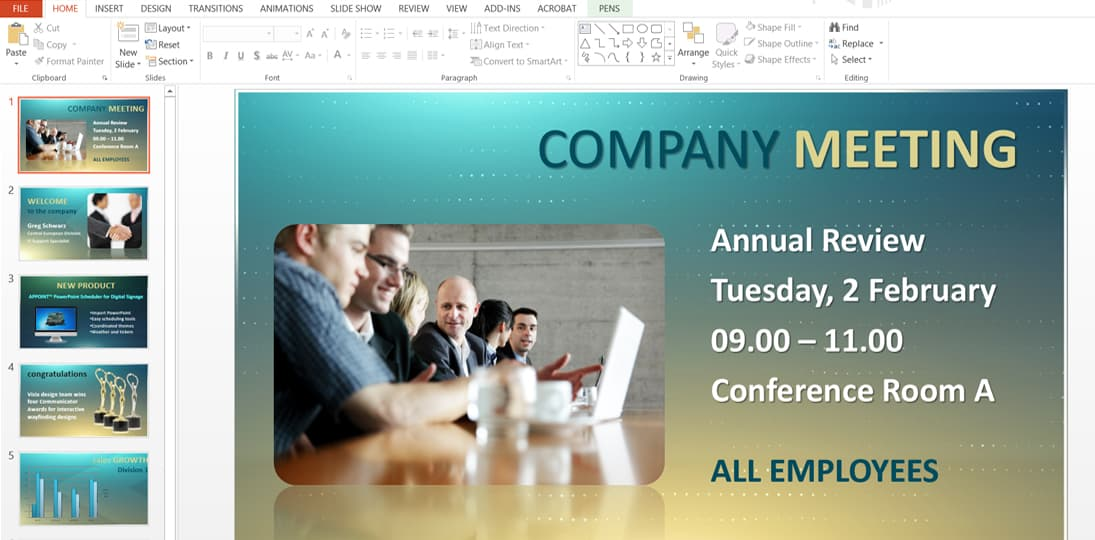
Both social media scheduling and digital signage processes are about getting the right message to the right audience at the right time.
But as we both know, most signage workflows still feel heavier, slower, and more technical.
Here’s a closer look at how hardware-first, IT-owned legacy tech still has a major effect on digital signage workflows.
1. Technical complexity
Imagine if every Instagram post required a spreadsheet, a cable, and IT approval. You’d probably stop posting, right?
But that’s essentially how many organizations still run digital signage, especially in small and growing businesses.
The vast majority of digital signage workflows are rigid and manual compared to flashy social media management tools. Even the tasks you don’t have to do manually still require some of your attention (like scheduling times for content to go out). Throw on-premise data into the mix, and things feel even more complicated and slow.
2. High effort for small changes
Most signage updates aren’t high-stakes creative moments, but they still require the same level of effort and detail. Menus change and promotions end early. Some announcements might need a quick correction, or you’ll need to shift hours for a holiday.
And yet, many signage systems treat these updates like major events. Tweaking a single sentence may require hunting down design files, re-exporting assets, rescheduling playlists, or coordinating across teams to make the change live.
This high-effort input for such low-value output can slow teams down and encourage avoidance around digital signage. Why keep screens current if fixes take so much work? You can’t really fault them for wanting to delay changes or batch updates, or even leave “temporary” content running longer than intended.
3. Fragmented ownership
Thanks to cloud-based tools, most social media teams know exactly who owns what. Post drives live in one place, approvals follow a clear path, and (most) publishing rights are obvious up front.
But… digital signage rarely works that way.
Your marketing, IT, facilities, HR, and operations teams might own parts of the process, but it’s not always clear. Marketing creates the content, but they don’t know who approves it. IT manages the players, but operations orders new equipment. And out of all of them, no one has a full picture of what’s live, or why.
Without clear roles and boundaries, signage becomes everyone’s responsibility but no one’s job. It’s harder to make content decisions or make updates on the fly, simply because of the splintered ownership.
4. Limited visibility
With social tools, it’s fairly easy to take a peek at what’s live, what’s scheduled, what’s paused, and what’s performing. You can typically connect multiple social media channels to one dashboard, then spot check for problems.
But with digital signage workflows, you might be limited to the screens in just one location (or worse, just the ones you can see from your desk). If something does look wrong, you’ll have to track down the problem manually. This can take longer than just fixing the problem yourself.
At the end of the day, limited visibility makes signage feel risky. If you can’t confidently predict the outcome of your signage — or even confirm success afterward, for that matter — why put forth so much effort in the first place?
The cost of high-effort digital signage
We’ve hinted at a few of these above, but it’s worth reflecting on the bigger picture.
Because taking a live-and-let-live approach to digital signage workflows could be ultimately harmful to your customers, employees, and brand perception.
Think about it:
- Slower response to change. When even simple updates feel heavy or risky, your team is likely to focus on faster, more satisfying wins. In other words, leaving your signage system to fend for itself. Studies show businesses that aren’t able to pivot may raise 2.5x less money and are 52% more likely to scale prematurely compared to those that are.
- Stale or incorrect content in public view. You might spot promotions lingering past their expiration dates, or embarrassing signage mistakes in public spaces. Roughly 60% of consumers (read: three in five of them) say they're unlikely to trust brands that publish errors in their content.
- Expensive downtime. When no one owns your digital signage workflow, no one owns its repair. And research shows that unplanned downtime averages $14,056 per minute in growing brands. For digital signage, the impact may be much more substantial in industries like transportation, manufacturing, or logistics.
- Internal friction. No one knows who to talk to about digital signage workflows (content, approvals, publishing, etc). Plus, small mistakes become harder to correct, so there’s cross-team tension around ownership and approvals. Studies show that U.S. employees spend 2.8 hours per week dealing with inter-team conflicts, which costs $359 billion in paid hours (based on wages of $17.95 per hour).
- Disengaged teams. Your content flow may become “set it and forget it,” which limits how often management updates screens. Plus, employees and customers may stop treating signage as a living communication channel, which invites even more disengagement over time. Learn more about the cost of employee disengagement.
Making signage simple: A modest proposal
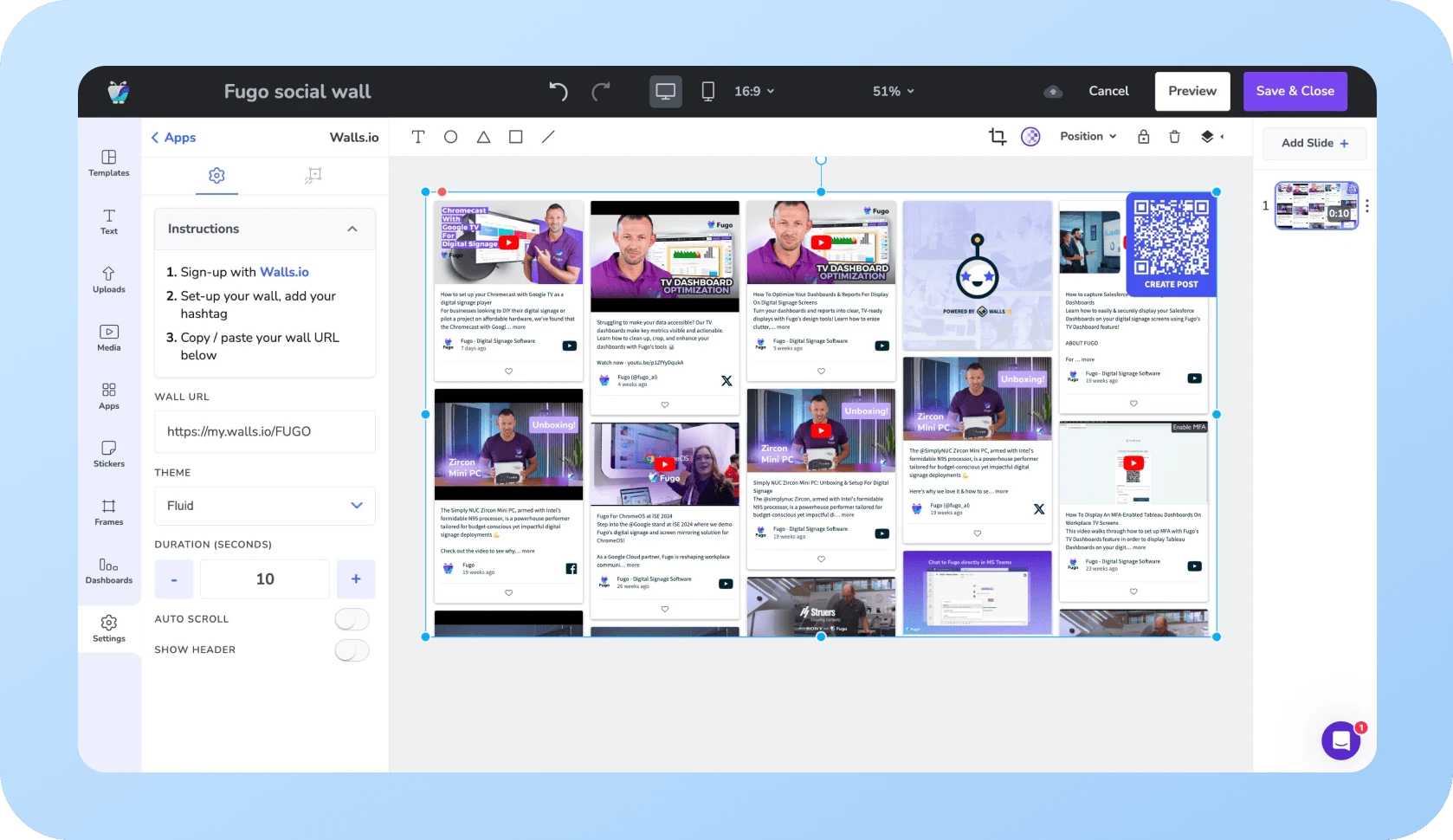
Social media management platforms are leagues and leagues simpler than your average digital signage platform.
But that doesn’t mean there aren’t new ways of managing your workflow.
Here are a few easy steps you can take today to make your digital signage management as easy as your socials.
Centralize your content and asset libraries
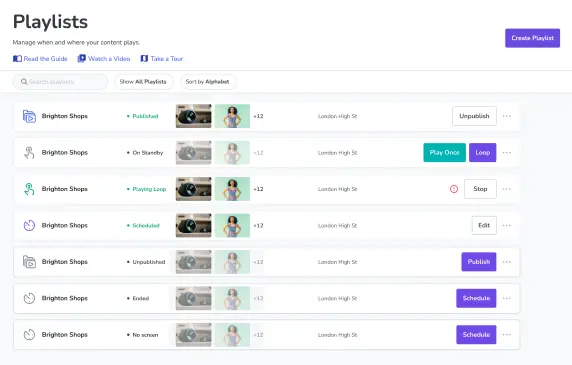
If you can get and keep all your content in a cloud-based, shared library, you can save hours of time by avoiding wasted files or recreated assets. Your team won’t need to worry about where to find specific pieces of content. Instead, it lives inside your existing tools and is available to users on any device.
This can be much simpler if you have a digital asset management tool (DAM) or content management system (CMS) uniquely designed for signage. Plus, if they offer third-party integrations or webhooks, you can connect the two together. This makes it easier to push out content without scouring your tools for a single piece of content.
Be sure to keep your eyes peeled for additional features like:
- Ownership and access roles. Can you pick and choose who does what? And who gets access to specific tools? More on this later.
- Version history. If something goes wrong, can you rollback to the correct version? Can you see who implemented the mistake so you can iron out the root of the problem?
- Reusable company templates. Locked templates can help reduce mistakes while speeding up publishing workflows. Now, your team can focus on whether the message itself is right, and not necessarily whether they’re using the right font colors for your business.
Role-based workflows that mirror social teams
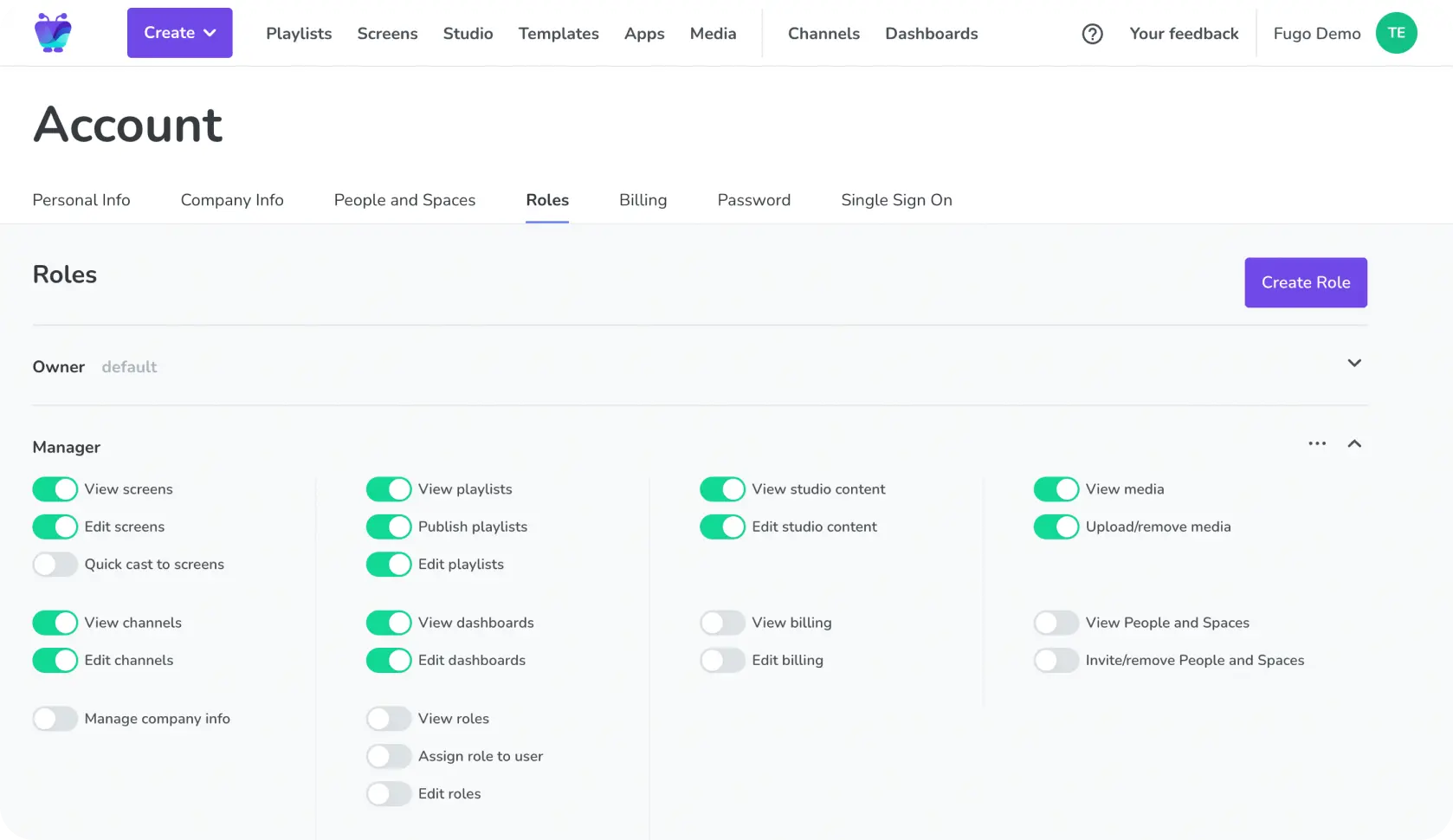
Most social publishing platforms work because responsibilities are clear: creators create, reviewers review, and publishers publish.
So applying the same role-based structure to your signage workflow can help remove confusion and bottlenecks. It also offers a few other benefits, like protecting credentials whenever someone onboards, offboards, or moves up the ranks.
With proper access controls, your marketing, IT, and operations teams have set roles and guardrails around who does what. Now, they trust that what’s live has been approved and is intentional. A definite must for enterprise teams looking for trustworthy signage.
Learn more about digital signage security here.
Rules-based automation instead of manual updates
Automation removes the need to babysit screens. Which is something most social media publishing platforms already have down pat.
But modern signage workflows are trying to catch up with a few AI-powered tools that can help you publish content automatically.
Just imagine the possibilities of tools like:
- Time-based conditions. Set dynamic content to change on specific dates or times across different time zones. Like the breakfast menu on a digital signage menu board, or school announcements on a Friday versus a Monday. Without manual input, by the way.
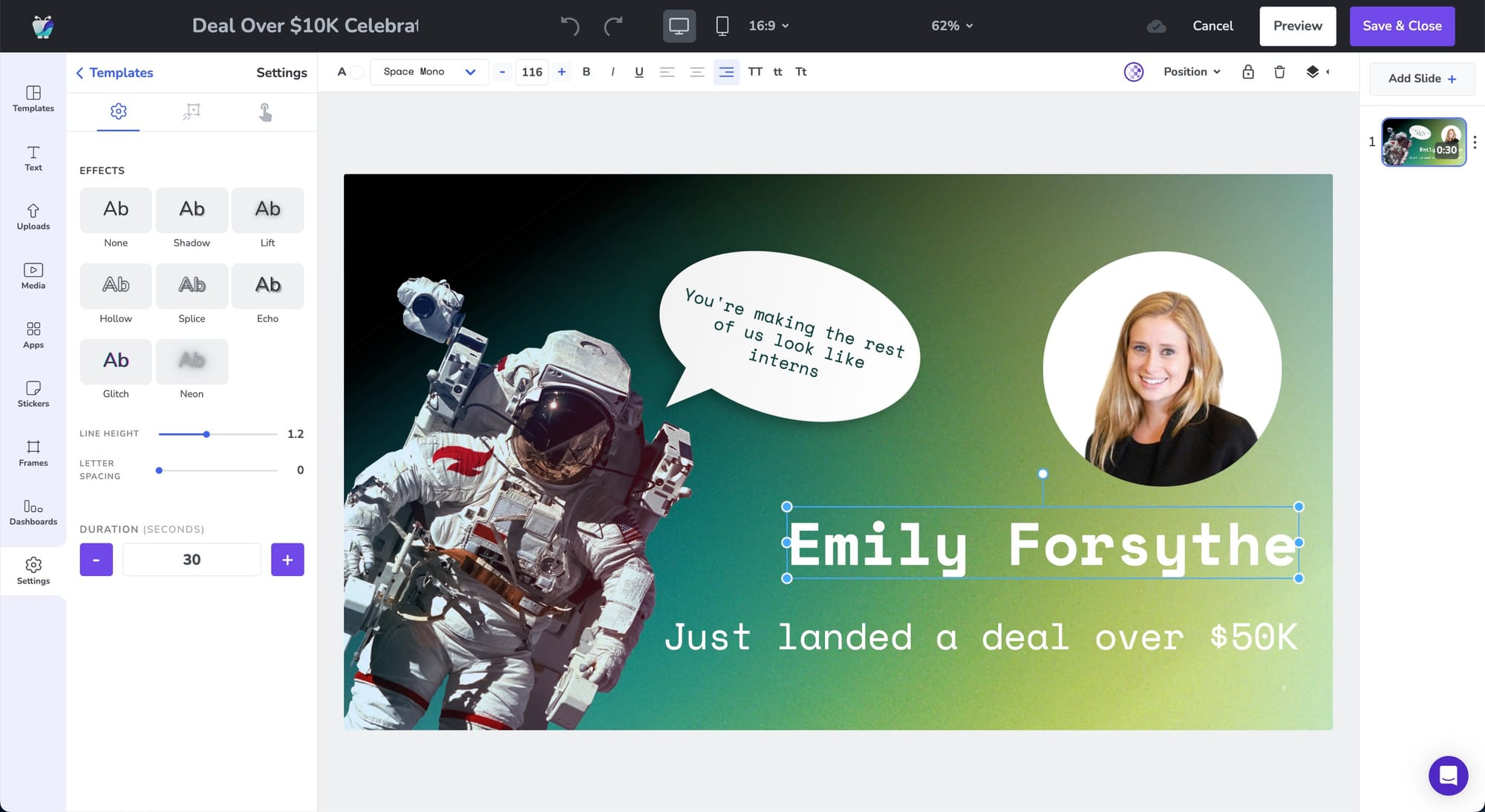
- Data triggers. When something changes on an app or platform, update your content accordingly. A great example of this is updating a deal change in Salesforce, then publishing a congratulatory screen for the successful salesperson in question (see above!).
- Conditional logic. Let content change automatically as conditions change, like the weather outside or the time of year. Now, you don’t need to worry about making late-night updates or publishing hours during holiday emergencies.
And let’s not forget the magic of AI-powered signage, which lets you automatically generate templates and completed slides by simply speaking or typing a prompt into your generative AI.
Put these all together, and you suddenly have routinely easy content — not because someone on your team randomly remembered to log in and change the dates.
Clear analytics focused on playback and uptime
Most social media platforms make it obvious what’s live, what’s working, and what needs attention. So why not demand the same of your digital signage platform?
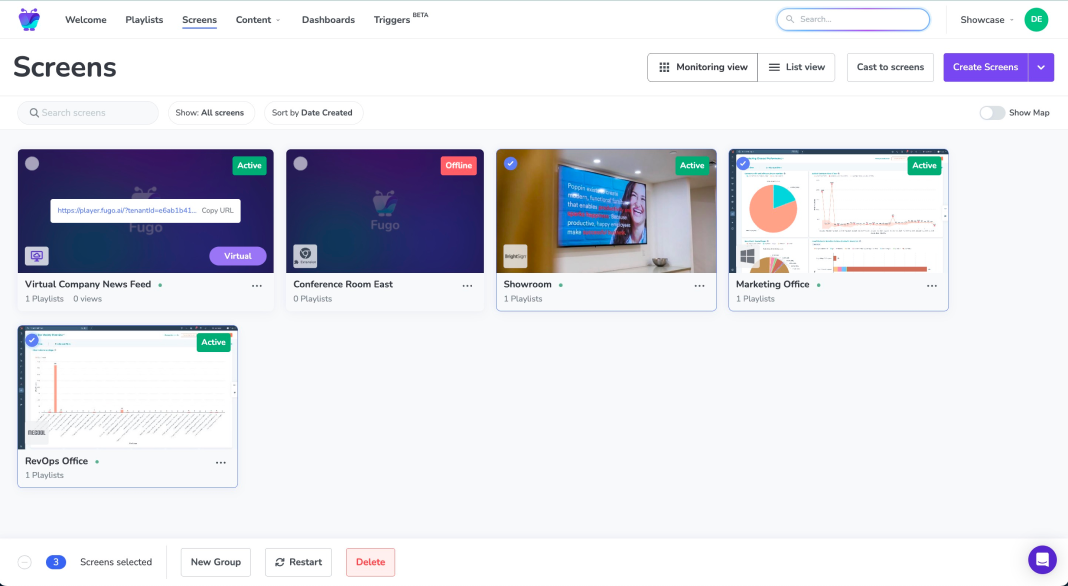
Look for a tool with dashboards into KPIs like screen health, content playback, and system reliability. This makes it easier to spot problems from afar, troubleshoot fixes, and delegate repairs to someone at or near your business location.
Here’s what signage analytics look like in Fugo:
How to create your simple digital signage system
Just because you’re opting for simpler signage doesn’t mean it’s unusable. And ‘easy’ doesn’t mean less powerful. In fact, the most effective digital signage systems today are powerful just because they’re simple.
You deserve tools that scale cleanly across locations and teams, let you update content quickly without introducing risk, and ensure your screens reflect what’s actually happening in the day-to-day life of your business.
All you need is the right software to keep up.
Try Fugo free for 14 days and see how simple enterprise-ready digital signage can be.
Frequently asked questions about managing simpler digital signage systems
Q: What’s wrong with my digital signage?
Your digital signage system is often as messy or as managed as your internal operations. If you’re noticing problems, there’s likely something deeper that needs attention.
Q: Is digital signage easy?
With the right tools, absolutely. Modern digital signage platforms offer drag-and-drop editors, simple scheduling, and automation that removes most of the manual work. See for yourself with a 14-day free trial of Fugo.
Q: Can I connect social media platforms to my digital signage tools?
Yes. The best digital signage platforms let you pull in live or curated content from platforms like Instagram, LinkedIn, X, and Facebook. You can set up a connection either through direct integrations or approved content feeds. Learn more about digital signage integrations.

