






In 2025, we spent most of our time thinking about the implications of scale.
Not scale strictly as a number of screens, but scale as an operating reality: more stakeholders, more systems, more expectations placed on the same set of displays. Screens are increasingly expected to stay in sync with live data, respect security boundaries, and remain understandable even as ownership shifts between teams.
Much of what we shipped this year came from treating that reality as the default operating context for the product. Some of that work is visible in new features. Some of it is structural. All of it reflects a deeper focus on making the platform easier to operate as complexity grows.
Here’s how that thinking showed up in the product over the course of the year.
Triggers for event-driven screens
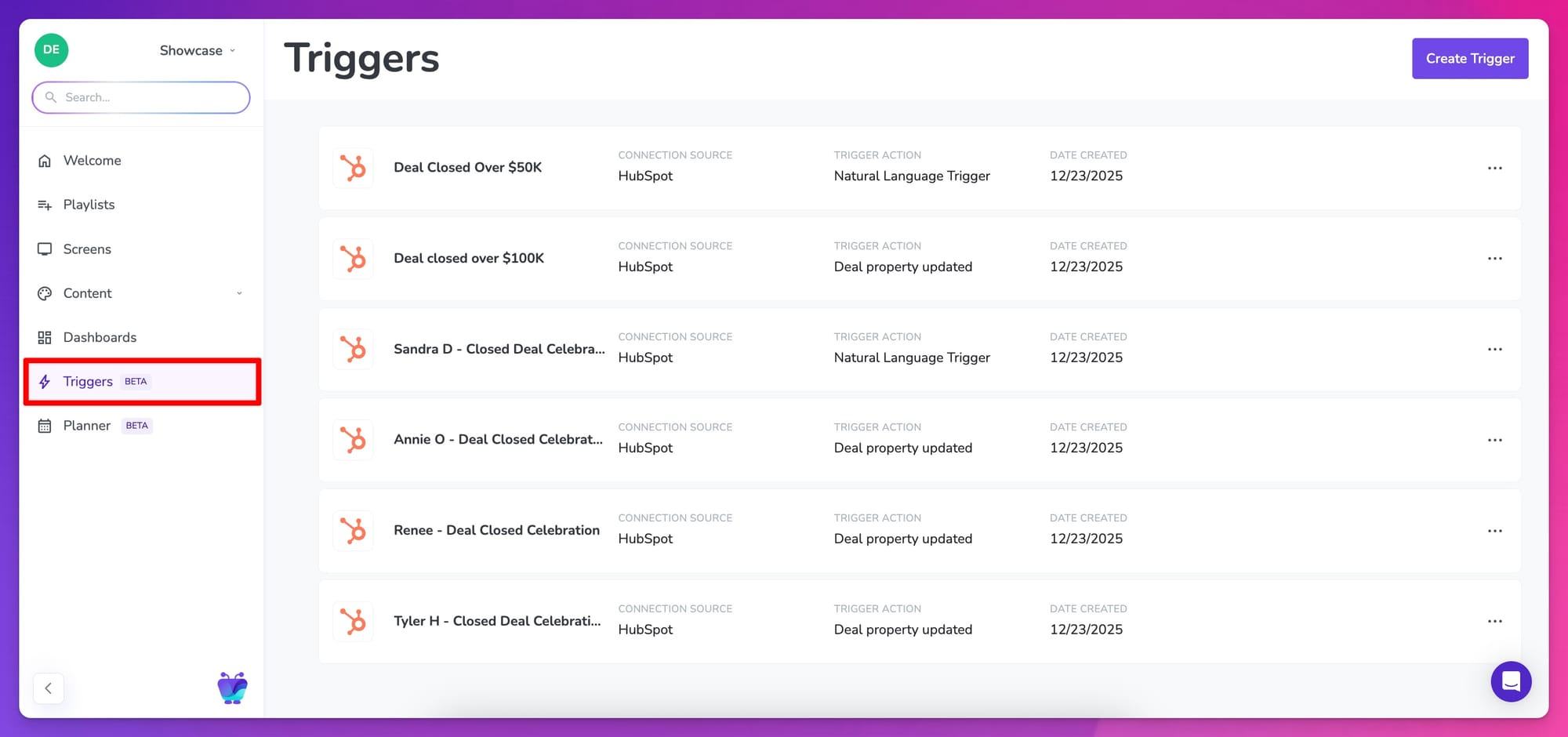
As screens become more tightly connected to how teams work, timing starts to matter in different ways. Many of the moments people care about most don’t happen on a schedule. They happen when a deal closes, when a queue spikes, when a milestone is hit.
Triggers grew out of that reality.
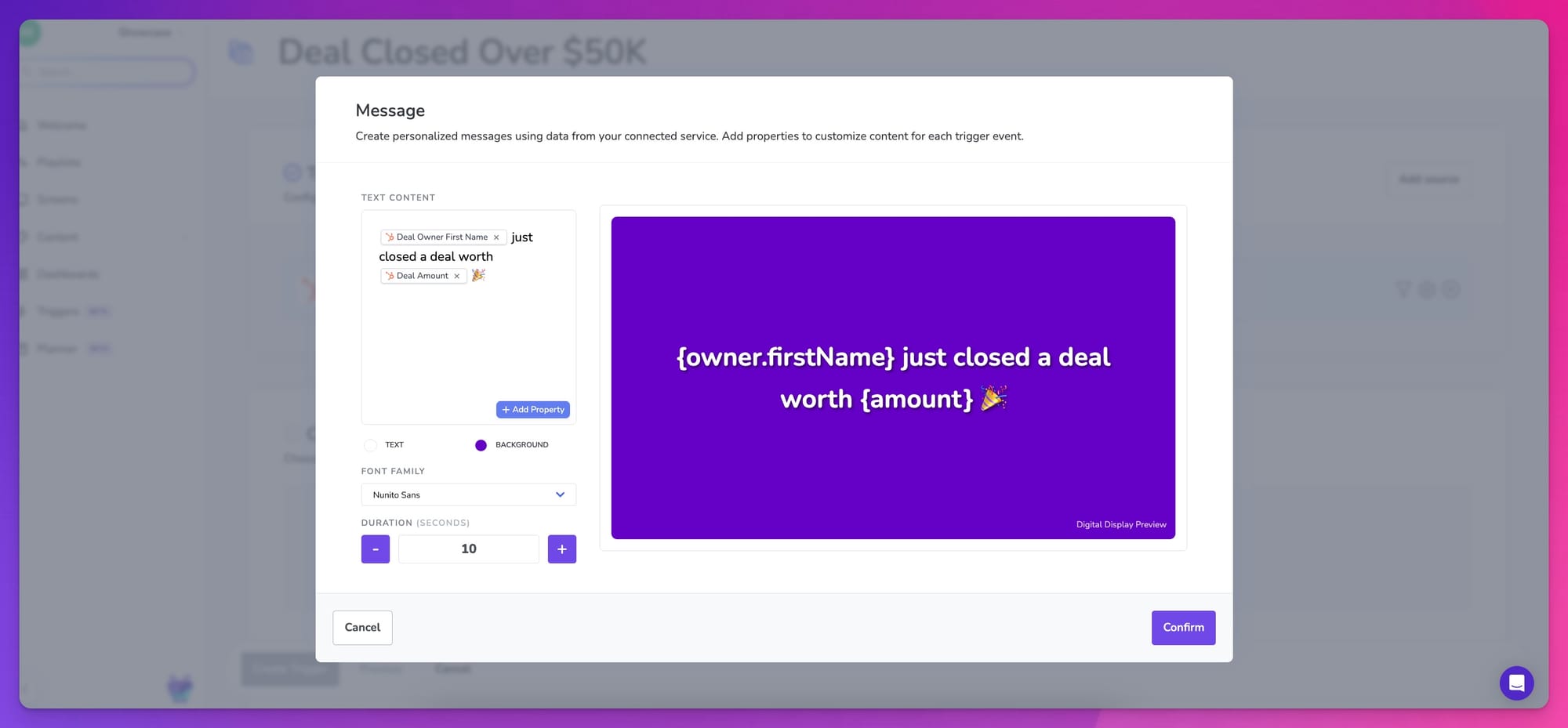
Today, Triggers allow screens to respond to events from HubSpot, without waiting for someone to manually intervene. When something meaningful happens in HubSpot, that update can appear on screen immediately without editing playlists or manually pushing one-off content.

What makes this work challenging is deciding when a screen should speak, and when it should stay quiet. Screens are shared surfaces; if they react to everything, they quickly become noise.
Triggers were designed with that tension in mind. Filters, thresholds, and conditions matter as much as the event itself. Triggers rely on explicit conditions and natural explained filters so teams can describe, in plain language, which events are worth surfacing on shared screens and which should be ignored.
While HubSpot is the first supported connector, Triggers were built with a broader set of systems in mind. They set the groundwork for how automation, logic, and AI-driven updates will evolve inside Fugo over time. In that sense, Triggers are less about a single integration and more about establishing a new way screens participate in day-to-day operations.
👉 Build your first trigger in Fugo
New dashboard apps for data visibility
We've xpanded the range of systems that can be displayed securely on shared screens through new and updated dashboard integrations.
New apps for SAP Analytics Cloud, Grafana Cloud, and Outlook Calendar make it possible to put live, authenticated dashboards and schedules on screen without relying on public links or device-stored credentials.
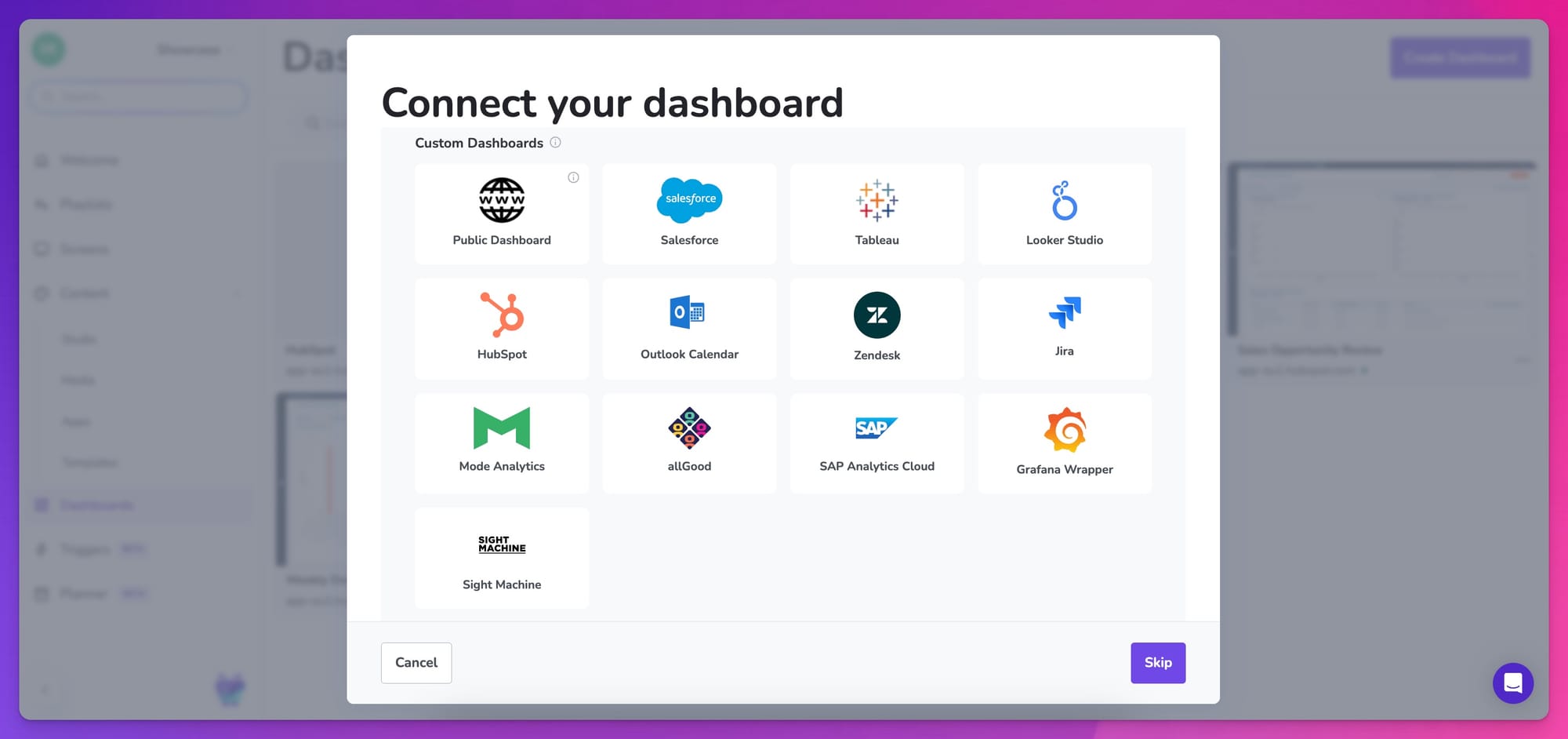
These integrations use service accounts, encrypted authentication, and controlled refresh intervals so sensitive data can appear on shared displays without introducing security risks.
In practice, this supports a range of common workflows:
- SAP dashboards in manufacturing, logistics, and operations environments
- Grafana metrics in engineering and IT spaces
- Outlook calendars for meeting rooms, shift planning, and shared schedules
- Mode Analytics dashboards for sharing data insights across teams
- Sight Machine views for real-time manufacturing intelligence and performance monitoring
- allGood dashboards for operational performance and service-level visibility
Sales gamification apps for bringing recognition into shared spaces
Fugo added new integrations for SalesScreen, Spinify, and OneUp Sales to make live performance data easier to surface across shared screens.
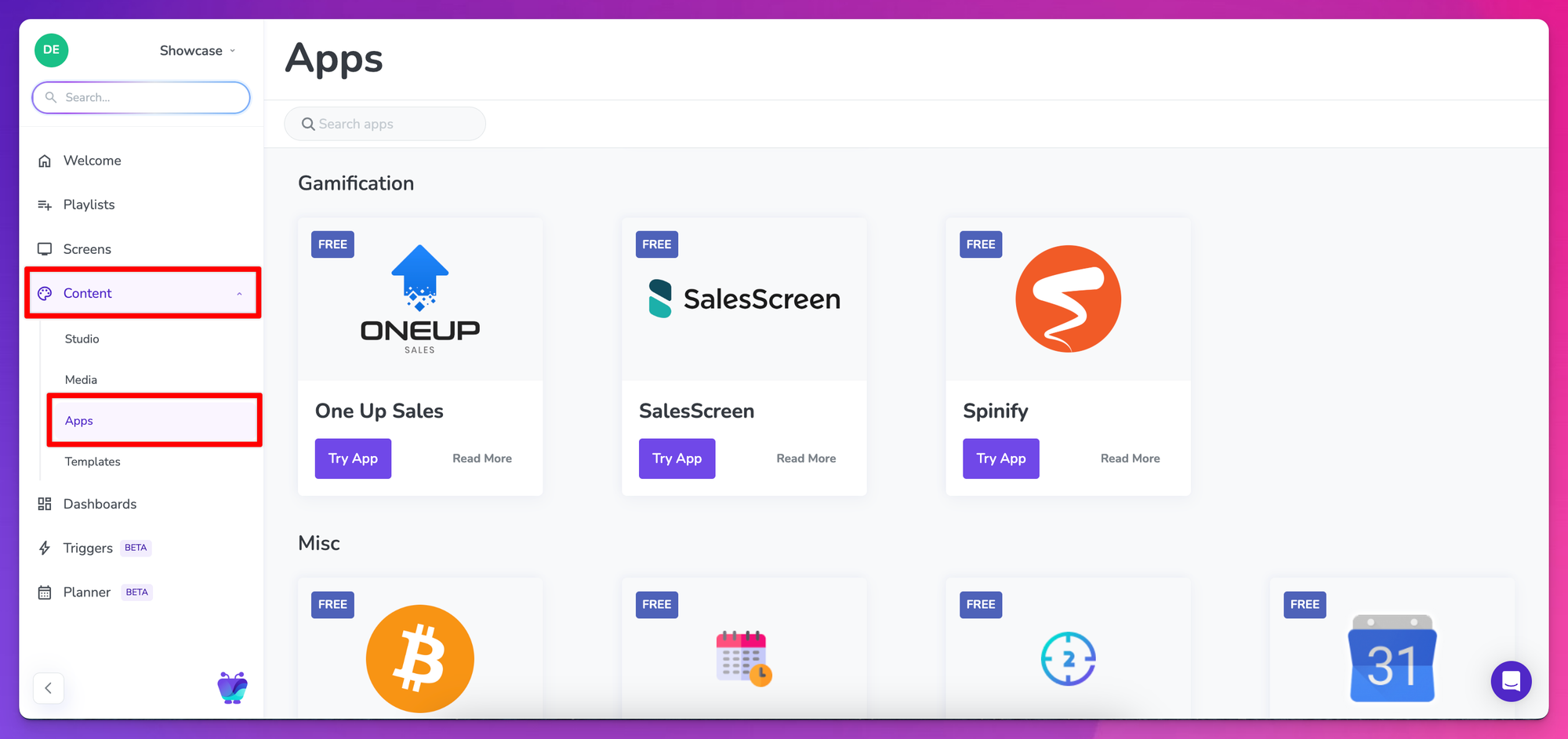
These apps allow teams to publish existing leaderboards, competitions, and achievement feeds to any Fugo-connected display. Sales performance, milestones, and recognition can run alongside dashboards, announcements, and other workplace content without being confined to a single screen or tool.
For sales, recruitment, and customer-facing teams, this makes performance more visible throughout the day. Updates stay present on screens people already pass, rather than living behind logins or requiring someone to actively check a dashboard.
💡 Sales gamification works (if you follow the science)
Canto app for extending DAM into the physical world
This year, we launched a native Canto integration to connect digital asset management directly to digital signage.
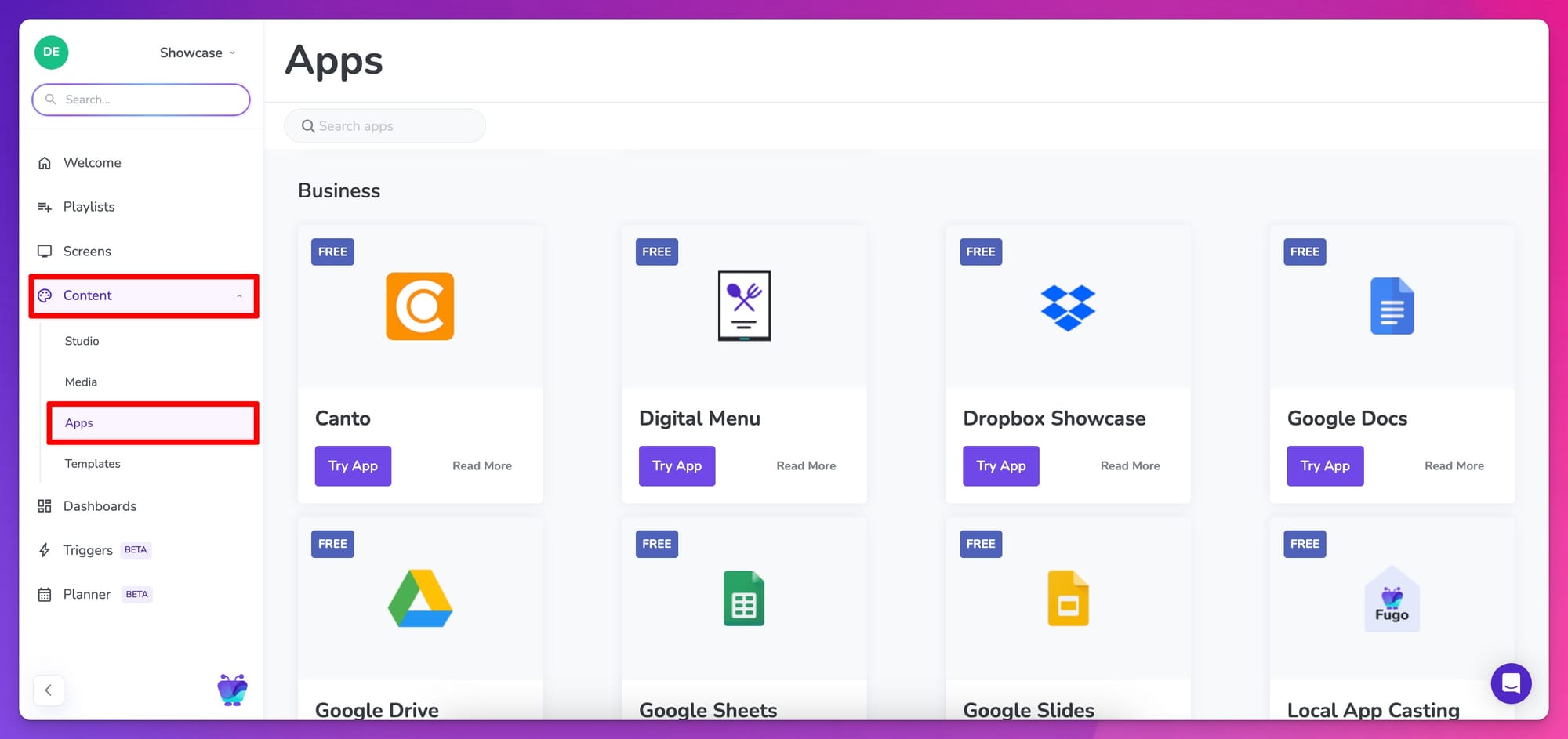
For a long time, TV screens have sat just outside the marketing stack. DAMs run campaigns across web, social, and retail. Screens get whatever someone remembered to export and upload. That gap gets harder to manage as screen networks grow, so we partnered with Canto to close it.
Assets managed in Canto can now flow straight into Fugo, using the same source of truth teams already rely on for the rest of their content. For brands running frequent campaigns across large screen networks, that changes how quickly and consistently screens can be updated.
The integration launched in production with a major UK-based retailer, where in-store screens are updated directly from the DAM as campaigns change.
Canto & Fugo in the press
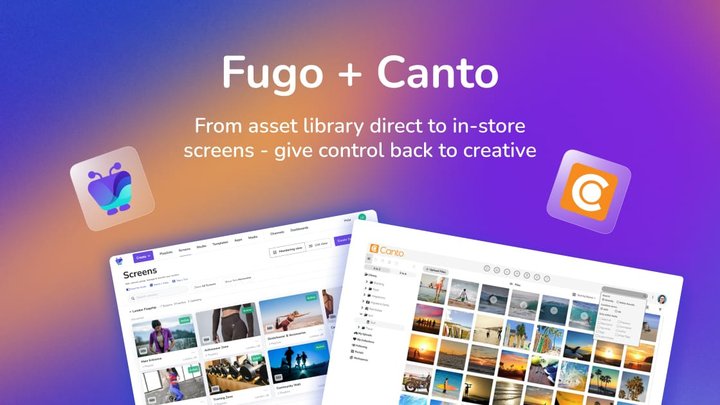
It turned out to be a bigger deal than even we expected. Most DAM platforms still stop short of physical signage, even though the connection becomes obvious once you’re running screens at scale. The integration started making the rounds in the professional AV and retail press – and not because we asked nicely.

Content planner & table view for visibility as systems grow
As screen networks expand, planning and visibility become harder to manage than publishing itself. Teams need to understand what content is scheduled, where it’s running, and how those plans overlap across screens and locations.
Planner
The Planner addresses this by introducing a timeline-based view of playlists and schedules. It allows teams to see what’s planned across screens over time, making it easier to spot conflicts, gaps, or unexpected overlaps without clicking into individual playlists or screens.
The initial release focuses on visibility, giving teams a clear picture of how content unfolds before introducing more advanced editing controls.
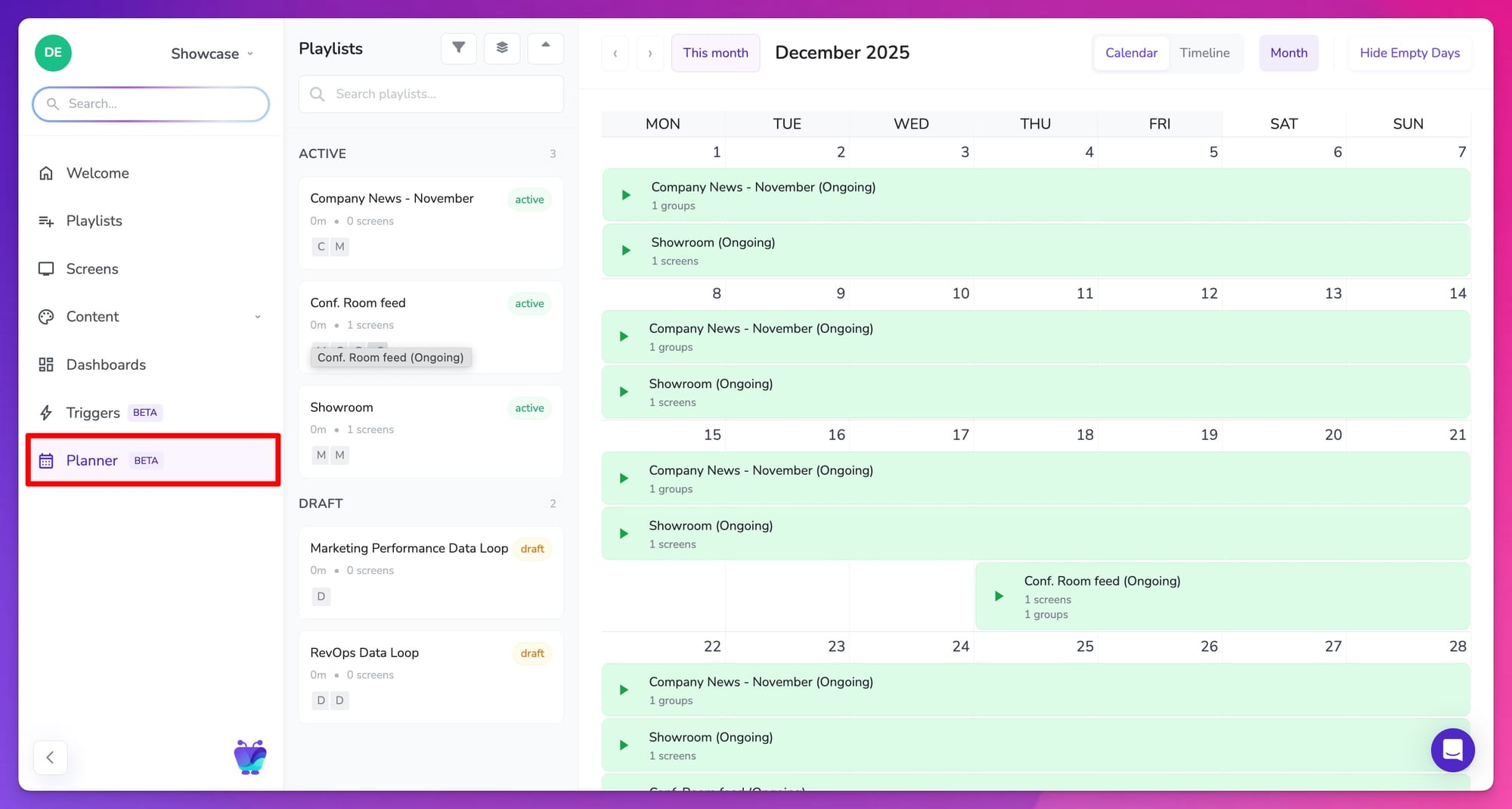

Table view for screens
Alongside that, the screens table view improves how large screen networks are managed day to day. Instead of relying on tile views, teams can now sort, filter, and scan screens in a structured table.
Screen status, location, ownership, and configuration details are visible at a glance, making audits and operational checks faster and less error-prone.
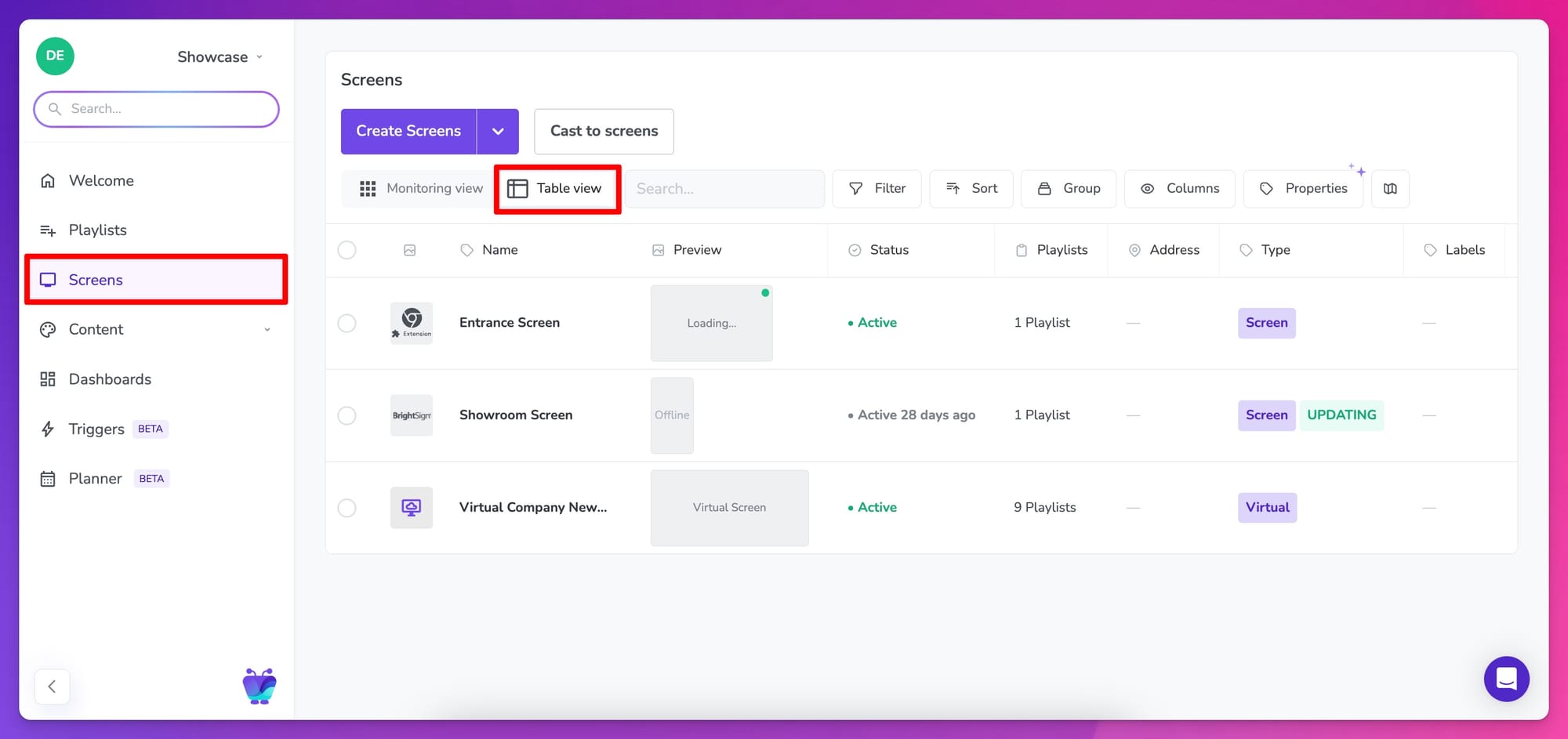
Together, these updates make it easier to reason about large screen networks as systems, not collections of individual displays.
Sidebar navigation for a CMS that’s easier to navigate as it grows
As new capabilities are added, the CMS itself needs to remain understandable.
This year, Fugo’s main navigation moved from a top bar to a left-hand sidebar. The change creates more space for content-heavy views like tables, planners, and editors.
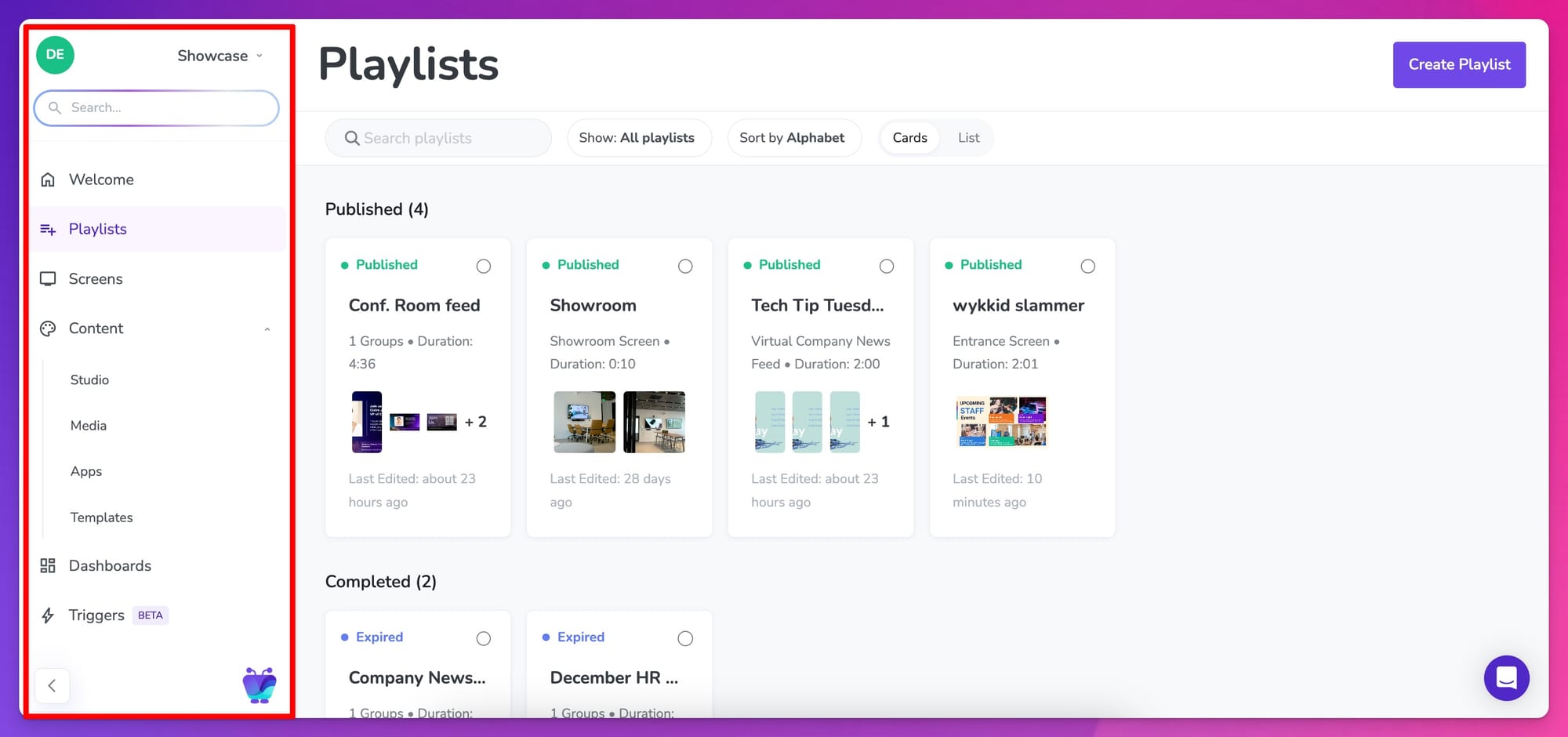
Alongside that, we added a global search bar to make navigation faster as accounts grow. Search allows you to quickly jump to screens, playlists, dashboards, and support resources without needing to remember where something lives in the UI.
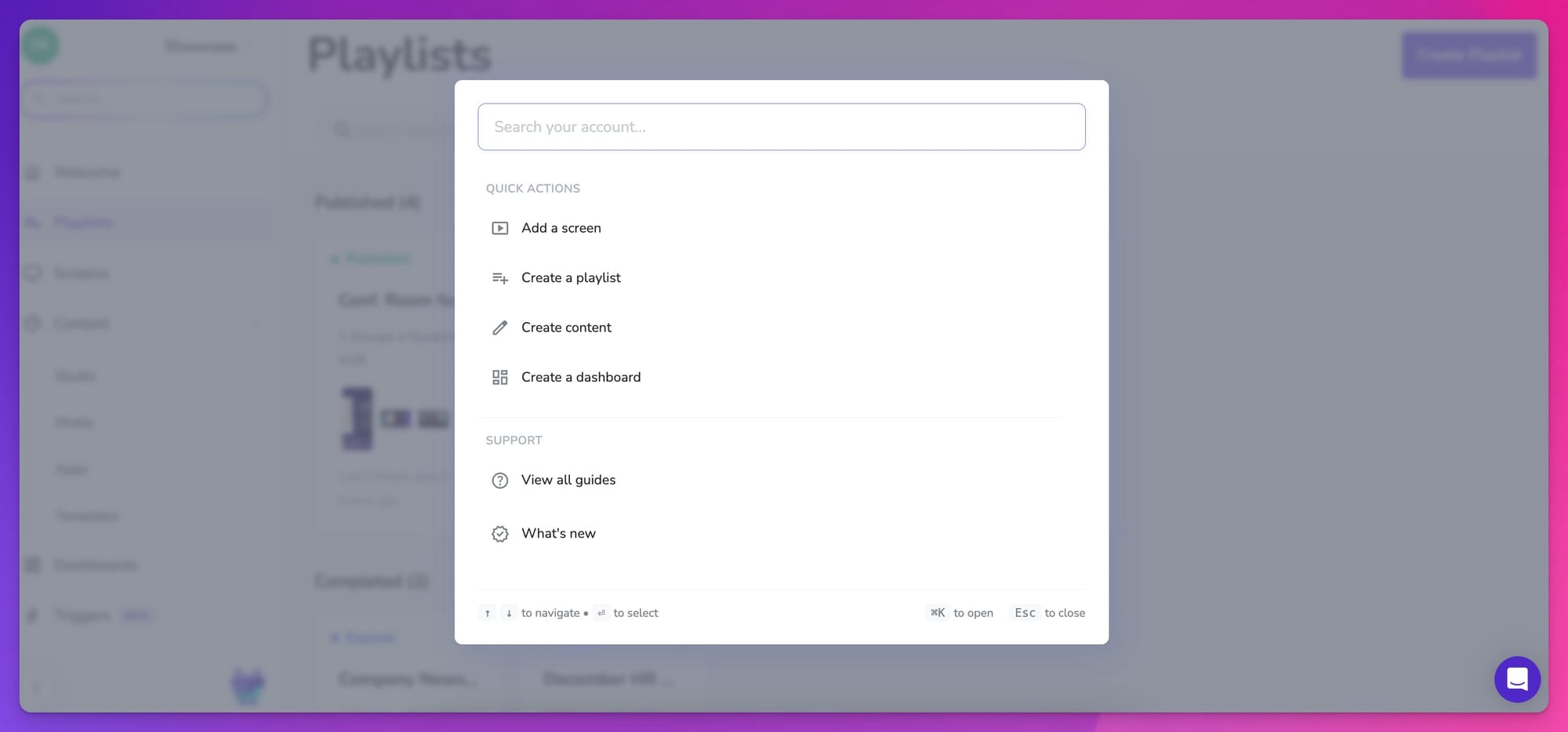
As more features and objects are added, this becomes a practical way to stay oriented without adding extra layers of navigation.
Linux support
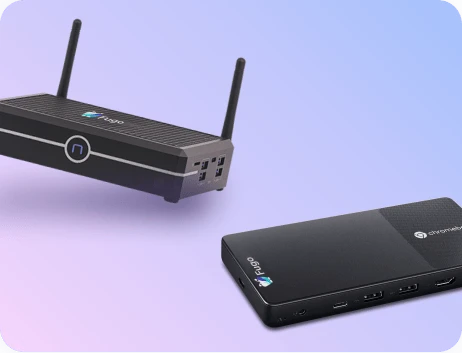
Fugo can now run on Linux devices, expanding the range of hardware environments the platform supports.
Linux support is designed for teams repurposing existing machines, running lightweight operating systems, or deploying signage in environments where Windows or proprietary players aren’t a good fit. Fugo's Linux player can be installed using standard package management and paired directly with Fugo, just like other supported devices.

For teams running large or long-lived deployments, having a first-class Linux player makes it easier to standardize installs and updates as screen networks scale.
The Linux player is available via the Snap Store: https://snapcraft.io/fugo-player
Deeper BrightSign controls
Also on the hardware side, Fugo introduced more granular controls for BrightSign players, including support for high-resolution output and multi-screen video wall configurations.
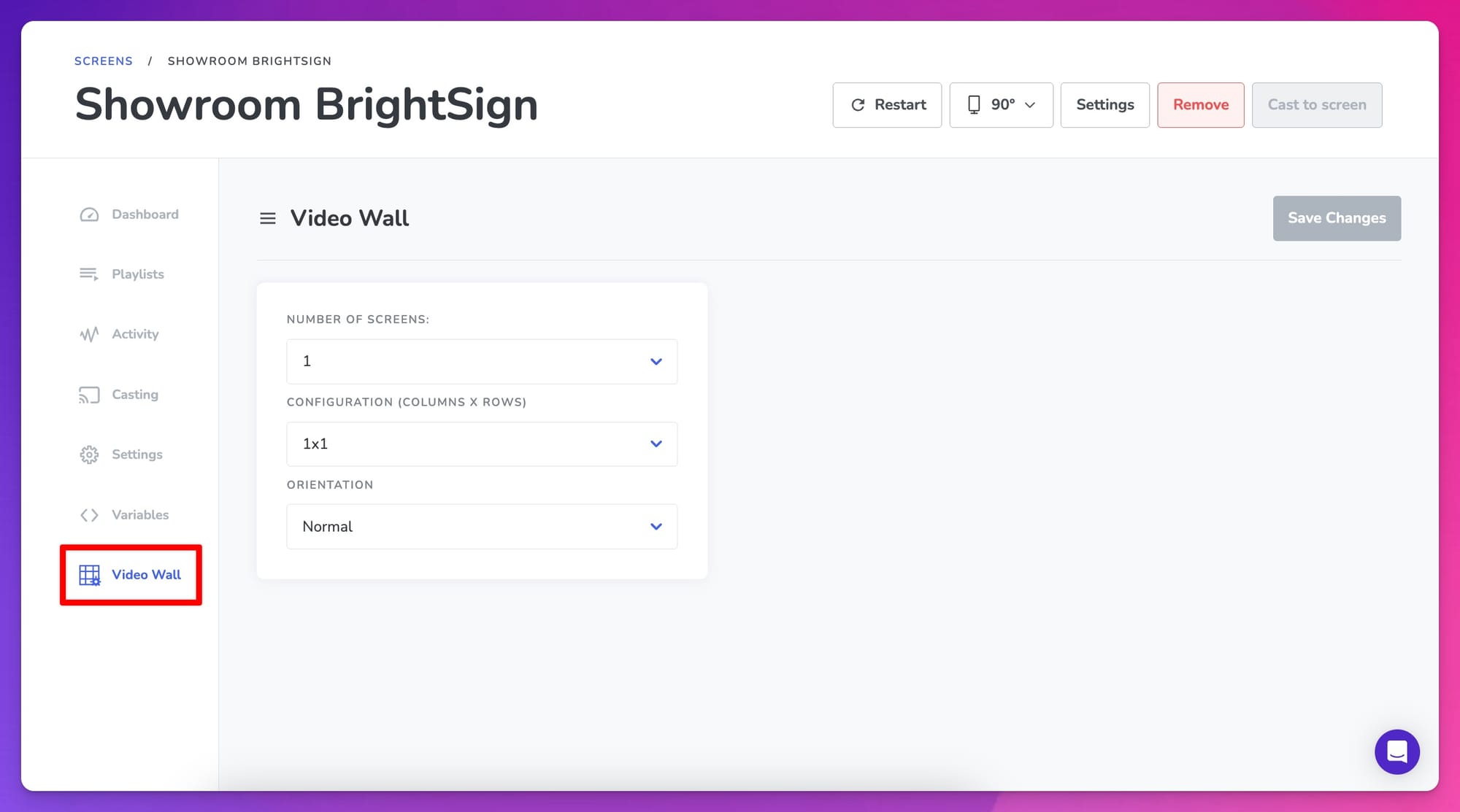
These settings give operators explicit control over resolution, playback behavior, and scaling, which becomes increasingly important in complex display setups. Instead of relying on defaults or external tooling, teams can configure BrightSign devices directly within Fugo to match the requirements of their screens and environments.
For customers running large or high-impact displays, this makes BrightSign deployments easier to tune and maintain over time.
IdP-initiated SSO for enterprise teams
For Enterprise customers, Fugo added support for IdP-initiated single sign-on.
That means logging into Fugo works the same way it does for the rest of your internal tools - directly from Google Workspace, Okta, Microsoft Entra, or another identity provider.
It removes a small but persistent source of friction during onboarding and makes it easier for IT teams to treat Fugo like any other enterprise application as deployments scale.
Fugo MCP and the shape of what comes next
Some of the most meaningful work we did this year isn’t immediately obvious from a feature list.
The Fugo MCP is one of those pieces. It’s a new layer of the platform that we opened up for early access, and it’s been particularly close to home for our team, especially for those of us who like working at the edges of what’s possible with connected systems and real-time software.
The MCP sits underneath features like Triggers and handles something that becomes increasingly important at scale: context. It connects events from external systems, understands what’s happening inside a workspace, and determines how and when screens should respond.
That makes it possible to support more dynamic behavior without hardcoding one-off workflows for every new use case.
It's the kind of infrastructure that quietly changes what the platform is capable of over time. As more systems connect to Fugo and more logic moves closer to the screen, the MCP provides a way to keep that complexity manageable.
That same work is shaping a broader platform redesign now underway. The aim isn’t to reinvent the interface, but to make the product easier to learn, easier to operate, and easier to extend as capabilities grow. Faster navigation, clearer access to key information, and AI-assisted tools are all part of that effort used where they remove friction, not where they add noise.
💡Test Drive Fugo’s AI Digital Signage Features Before Anyone Else
Continued recognition as a digital signage category leader
It’s been a familiar pattern for us over the past few years, and 2025 was no exception.
Fugo continued to be recognized as a category leader in digital signage, with a few more nods landing along the way:
- Software Advice named Fugo Best Functionality digital signage software
- Capterra included Fugo in its 2025 Digital Signage Shortlist
- GetApp once again recognized Fugo as a 2025 Category Leader in digital signage

We don’t spend much time chasing awards, but it’s always encouraging to see the work reflected back this way, especially as the product continues to grow in depth and complexity.
What's ahead in 2026
By the end of this year, one thing felt clear: screens are no longer treated as static displays or side projects. They’re increasingly part of how teams communicate, coordinate, and respond to what’s happening inside the business.
In 2026, more of the work behind that shift will become visible.
A faster, more flexible CMS interface
We’re in the middle of a broader CMS redesign focused on making Fugo easier to learn, faster to use, and simpler to operate as accounts grow. You’ll start to see improvements like:
- Dark mode for longer working sessions
- Quick view panels to check screen settings and playlists without loading full pages
- Improved responsiveness across devices
- White-labeling options for teams rolling Fugo out under their own brand
These will make the platform feel lighter as it gets more and more capable.
New integrations for screens to stay in sync
Triggers will continue to expand beyond their first use cases, alongside new integrations that make it easier to reflect live activity from systems teams already use.
That includes:
- Salesforce as a new connector for Triggers, enabling event-driven updates from CRM activity
- Shopify Analytics added to Fugo’s dashboard apps, bringing commerce data onto shared screens
- Bonusly launching as its own app in the Fugo App Store for recognition and internal moments
AI, quietly in the background
AI continues to move behind the scenes, where it’s most useful. Expect features that reduce manual configuration, surface relevant information when it matters, and make parts of the platform easier to control without adding complexity or noise.
None of this changes what Fugo is at its core. But together, it makes the platform easier to live with as expectations around screens continue to rise.
💡 Keep up with what we build here
A note of thanks
Before wrapping this up, we want to say thank you.
Everything we shipped this year was shaped by real conversations with people using Fugo day to day asking for something better, pointing out where things got messy, and pushing us to think harder about how screens actually fit into their work.
Whether you’ve been running a handful of screens or managing a large, distributed network, your feedback has directly influenced the product. From early beta testers trying out new ideas, to long-time customers who’ve grown alongside the platform, we don’t take that trust lightly.
We’re excited about what’s ahead, but we’re just as grateful for the people building with us now. Thanks for sticking with us, challenging us, and helping shape where Fugo goes next.