






It's a sad fact of life that most “enterprise” digital signage software isn’t technically enterprise-grade. It’s usually just SMB software with extra seats and a higher price tag.
That distinction matters in 2026.
As an enterprise brand, your digital signage will need to live complex IT ecosystems. It integrates with identity providers, BI tools, and internal systems. Since it runs on managed devices, it'll need to play nicely with multiple teams and regional/country regulations.
If all this isn't reflected in your software’s architecture, you might end up compensating with manual process, frustrating workarounds, or security risks.
This guide is for teams wanting to avoid that outcome. Here, you'll learn about the features that matter in enterprise digital signage, including how to tell if a signage platform can operate at scale. It also breaks down capabilities across your content layer and device ecosystem so you don't create risk that’s expensive to unwind later.
Two pieces of the enterprise digital signage puzzle
Enterprise digital signage is a combination of two tightly connected layers. You'll need both at once as your business grows.
The first of these layers is content management. This refers to any feature set letting teams create, approve, schedule, and automate what appears on screens. At an enterprise scale, this should also include governance (i.e., who can publish what, to which screens, and under which rules). Your CMS is also where your integrations live. That way, you can pull in data from internal systems, dashboards, and operational tools without creating security or ownership gaps.
The second layer is for your device ecosystem. By this, we mean screens and players, which are the natural endpoints on your network. You need to monitor, secure, and manage these devices like any other distributed fleet. But there's a pretty big difference between three screens and 300. And you'll still have to manage all the specifics of each screen: device health, update cycles, remote diagnostics, and so on.
If you evaluate just one of these layers, you'll likely discover the other under far less pleasant circumstances.
So we're taking the time to break down both of them below: to give you the best possible shot at evaluating the right enterprise digital signage solution.
The CMS layer: Or, enterprise features for content management
Let's start with the #1 most important feature on this list:
1. Enterprise security and compliance
Security features are more of a prerequisite than a 'feature' in nearly all enterprise configurations. If you operate digital signage campaigns on corporate networks that multiple teams must access, you need a special set of features to avoid potentially dangerous breaches. If a CMS can't meet your basic security and compliance expectations, you simply should not consider it for more complex iterations.
Enterprise-grade CMS platforms should offer these robust security measures:
- Integrations with existing identity providers. Support for SSO via SAML or OAuth (including Okta, Entra ID (formerly Azure AD), Google Workspace, Ping, and Keycloak) ensures you can easily assign or remove access whenever your internal roles change.
- Two-factor authentication. You can also rely on multifactor authentication (or MFA) and conditional access policies to further reduce risk without relying on shared credentials.
- Paper trails and histories. Features like audit logs and event trails allow security and IT teams to trace changes, investigate incidents, and satisfy compliance requirements. Under the hood, encryption in transit and at rest, along with secure device-to-cloud communication, protects data as it moves between screens and systems.
- Proven security credentials. Be sure your CMS provider of choice maintains bare-minimum standards for security. First, look for recognized frameworks like SOC 2, which is a third-party security audit ensuring a provider attempts to meet most industry regulations. Then, search for additional support around ISO 27001 if you need even more security.
- Secure device-to-cloud communication. Data encryption in transit and at rest is especially helpful for maintaining HIPAA compliance. It can also assist with passwordless or conditional remote access policies, which further ensures only the right people can access your digital signs.
So let's say an enterprise platform offers all these features and more. How can you be sure it's the right choice for your business?
First, demo the platform alongside your team. Does it offer everything you need at the tier you want to purchase?
Then, think for a moment about the scalability of your system. Will these security features be enough as you grow?
2. Identity and access management
Once you've established your CMS' security foundations, the next step is considering its scope ofcontrol.
That's because digital signage belongs to many different people in an enterprise context. Your marketing team creates content, your operations department cares about accuracy, and IT teams manage devices — sometimes across multiple locations.
Excellent identity and access management features help prevent those responsibilities from becoming a major security risk.
So at a minimum, enterprise signage platforms should support:
Centralized user provisioning
It's a good idea to find a CMS offering user provisioning within an existing identity provider. SCIM support is increasingly common and removes manual user management by syncing roles automatically. That way, you can rest easy knowing you're preventing unauthorized access to data as team members join, jump departments, or leave your organization.
Role-based access control
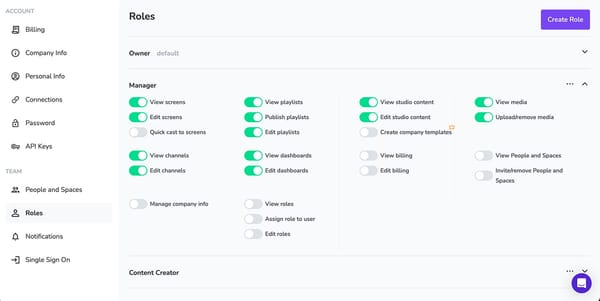
We've already covered this to some extent, but it's certainly worth repeating.
Because beyond provisioning, role-based access control needs reflects how your team divvies up their work. Everyone on your team should have separate user permissions for:
- Creating content
- Approving signage
- Managing scheduling tools
- Publishing signage
- Managing digital screens
Department- and region-specific permissions
Enterprise CMS platforms should offer the ability to restrict users by department, region, or screen group. Plus, there should be a way to easily delegate administration and remote management to certain teams. This makes it easier for remote teams to move quickly without waiting on admins in other countries (or exposing the entire network to accidental or unauthorized changes).
Delegated administration
Shared credentials and tribal knowledge will eventually fail in enterprise settings. Your CMS tool should offer simple identity integration that allows you to determine a single 'throat to choke' and managerial chain of command. Plus, you won't accidentally lose track of passwords when losing or gaining new employees.
3. OS ecosystem strategy: proprietary vs multi-OS
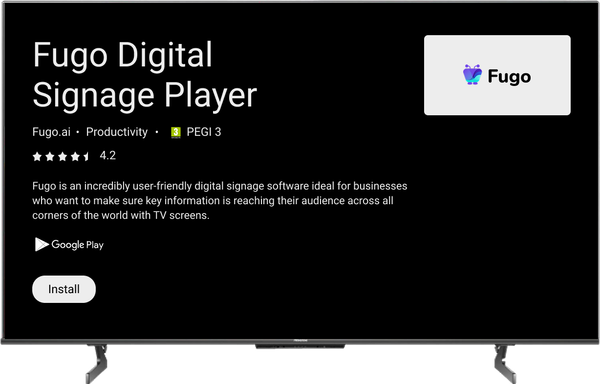
The operating system behind your CMS ultimately determines how you procure, manage, secure, and support the rest of your devices. Switching your operating systems can get expensive fast, so your choice of platform should be extremely strategic.
There are two viable models to choose from:
Proprietary OS with custom hardware
Some platforms offer proprietary software that runs on specific, vendor-supplied hardware.
The primary advantage is predictability. Because your OS, hardware, and CMS are designed together, performance is consistent and easier to support. If what you need most is uniformity, proprietary OS can help reduce operational complexity.
That said, you should also be prepared for vendor lock-in, limited hardware procurement options, and (usually) higher costs. Proprietary devices may also be frustrating for procurement teams. You may have to work from a list of standardized vendors offering limited global availability and potentially long-term hardware contracts.
Cross-Platform CMS across multiple operating systems
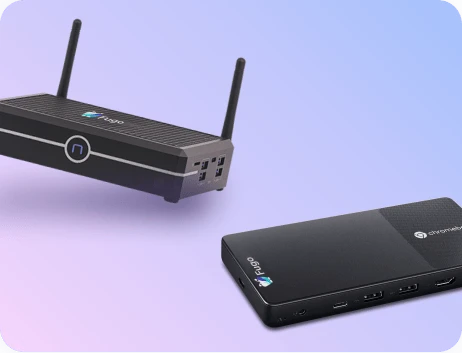
A cross-platform CMS is any platform that runs across multiple operating systems: think Android, LG webOS, Samsung Tizen/SSSP, Windows, and/or ChromeOS.
As you might expect, the biggest benefit is flexibility. You can usually source hardware locally, which naturally aligns with regional procurement policies, or reuse devices from your existing inventories. Plus, you won't have to be dependent on a single vendor, which makes global rollouts easier to coordinate.
The downside here is variability. For example, different operating systems will behave differently under load. They might receive real-time updates on different schedules, which could become a problem if everyone needs the same information at the same time. You may have to rely on MDM tools to maintain device posture, enforce policies, and monitor health consistently across environments.
So: should you choose a proprietary or multi-OS CMS?
It all comes down to how much control you want versus how much flexibility you need. How many regions, vendors, and device types do you need to manage all at once? Does it make sense to lock in with one specific OS now? Or decide on that down the road?
From here, you can start making decisions for the entire system.
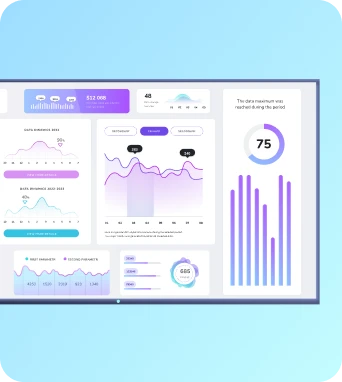
4. Real-time dashboards and BI integrations
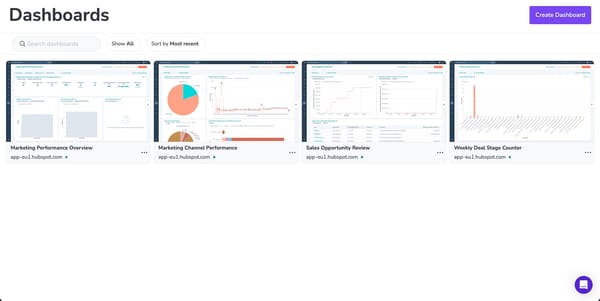
Speaking of delivering real-time info to users, you must look for a system with robust integration capabilities. That's because enterprise software earns its place when it becomes an extension of your existing software, not a separate reporting surface.
True enterprise digital signage software should support the following platforms:
- Power BI, Tableau, Grafana, and Looker. Excellent for data integration capabilities without needing to worry about view-only licenses or costly user accounts.
- Slicer support. You should be able to filter Power BI data by category, region, and date to find valuable insights with your team.
- Operational dashboards. This could be for warehouses, sales, logistics, customer experience, HR, hospitality, and more.
5. Global content governance and brand control
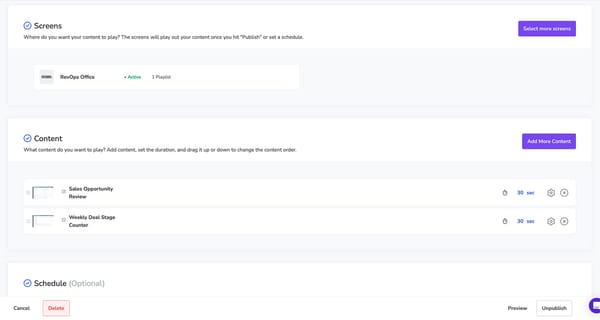
For enterprise signage, it's not about if something will go wrong — it’s how contained the damage will be when it does. Enterprise-grade digital signage software should make it easy to move quickly whenever someone publishes the wrong content or the content creation process goes south.
This starts with support for global and local content. For example, your headquarters' team should be able to publish company-wide messages that show up on multiple digital signage displays. But regional teams, on the other hand, can layer in location-specific content. This could be dining discounts, local events, social media feeds, and more.
Alongside this should be content expiration policies, which allows content to 'lapse' after a specific trigger (usually a certain month or date). Look for features like time-bound content, automatic removals, and scheduled reversions to limit the number of outdated or non-compliant messaging lingering in public spaces.
Are you a global organization? Multi-language support is a must-have feature. You should also be able to build custom approval workflows. Sure, not every update will need a review, but systems for high-risk screens in regulated environments can help take the pressure off internal compliance teams.
6. Automation and event-driven logic
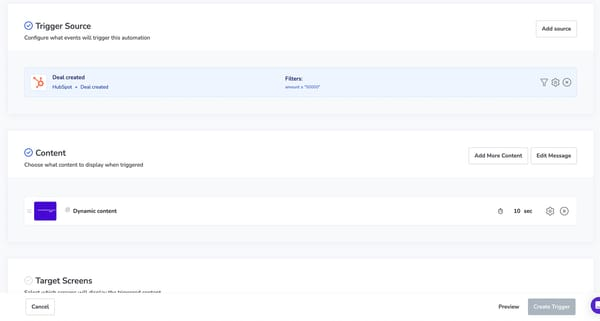
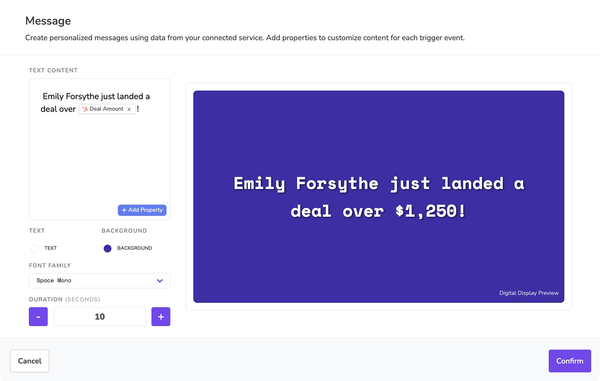
Manual publishing does not (and should not) scale alongside your enterprise. The best digital signage systems offer automations and AI tools that help you publish engaging content automatically, with as little work for your team as possible.
Your enterprise signage system should provide the following automation features:
- Triggers based on CRM, ERP, HRIS, IoT, or BI data
- Rules-based publishing
- Automated content expiration
- Conditional content logic
- Real-time operational updates
- AI-driven automation for real-time data such as audience demographics or weather
7. Template systems for brand governance
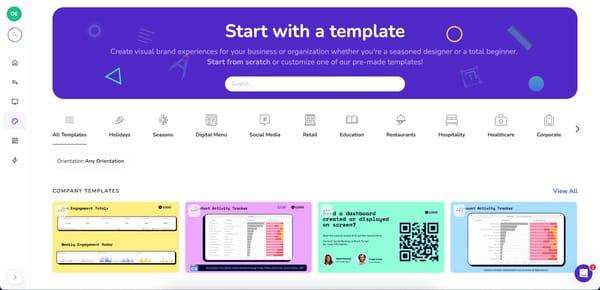
Brand locking tools and templates allows you to enforce core brand elements at the system level, like layouts, fonts, colors, logos, disclaimers. Now, no one on your team will need to memorize specific guidelines. Plus, your team can easily reuse templates and layouts to update messaging without risking compliance errors.
Your enterprise digital signage platform should support:
- Centralized brand templates. Global teams should be able to define approved layouts for common use cases (think menus, announcements, dashboards, safety messaging) then make them available across the organization.
- Lockable fonts, colors, and layouts. Local teams can update text, images, or data fields, but can't alter brand-specific typography, color systems, spacing, or legal components.
- Region-specific template variants. Create controlled variations for different regions, languages, or regulatory environments, without effecting brand consistency.
Modern template systems also support dynamic content, where layouts pull in real-time data or AI-driven inputs. This makes it possible to personalize messaging at scale. For example, displaying live metrics, localized information, or context-aware updates.
8. Deep integrations with enterprise systems
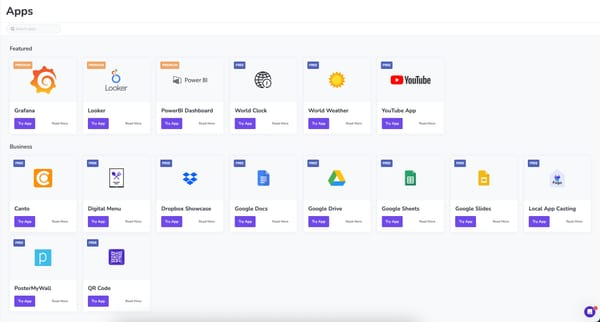
We've already discussed some data integrations. Now, let's look at the bare necessities for enterprise-specific audiences.
You'll likely need support for your:
- Digital asset management (DAM). This may include Canto, Bynder, and Adobe Experience Manager. When integrated with a CMS, you can easily push owned content onto your digital displays.
- Customer relationship management software (CRM). Connect platforms like Salesforce and HubSpot (or HubSpot alternatives), then update your signage system whenever data changes (like a deal stage, for example).
- Human resource information systems (HRIS). Tools like Workday and BambooHR can help you announce new hires or HR information with centralized management options.
- Collaboration tools. Microsoft Teams and Slack are two of the most popular options.
- Mobile device management (MDM). This should include integrations with Esper, SignageOS, 42Gears, Android Enterprise, and Knox.
The device ecosystem layer: Or, screens and digital signage players
Now that we've covered the software spectrum, let's look at some must-have features for enterprise digital signage hardware.
9. Scalable fleet management
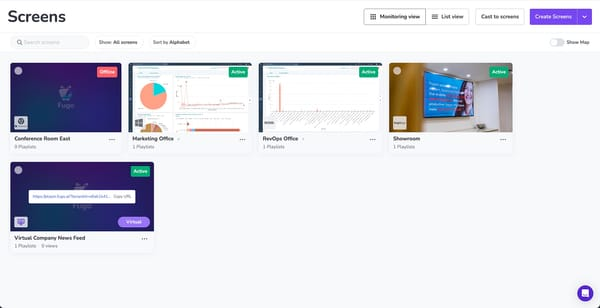
Enterprise digital signage systems should be able to scale as you do. And as you move from ten screens, to hundreds, to thousands, you shouldn't have to worry about platform migration. So long as your signage network supports
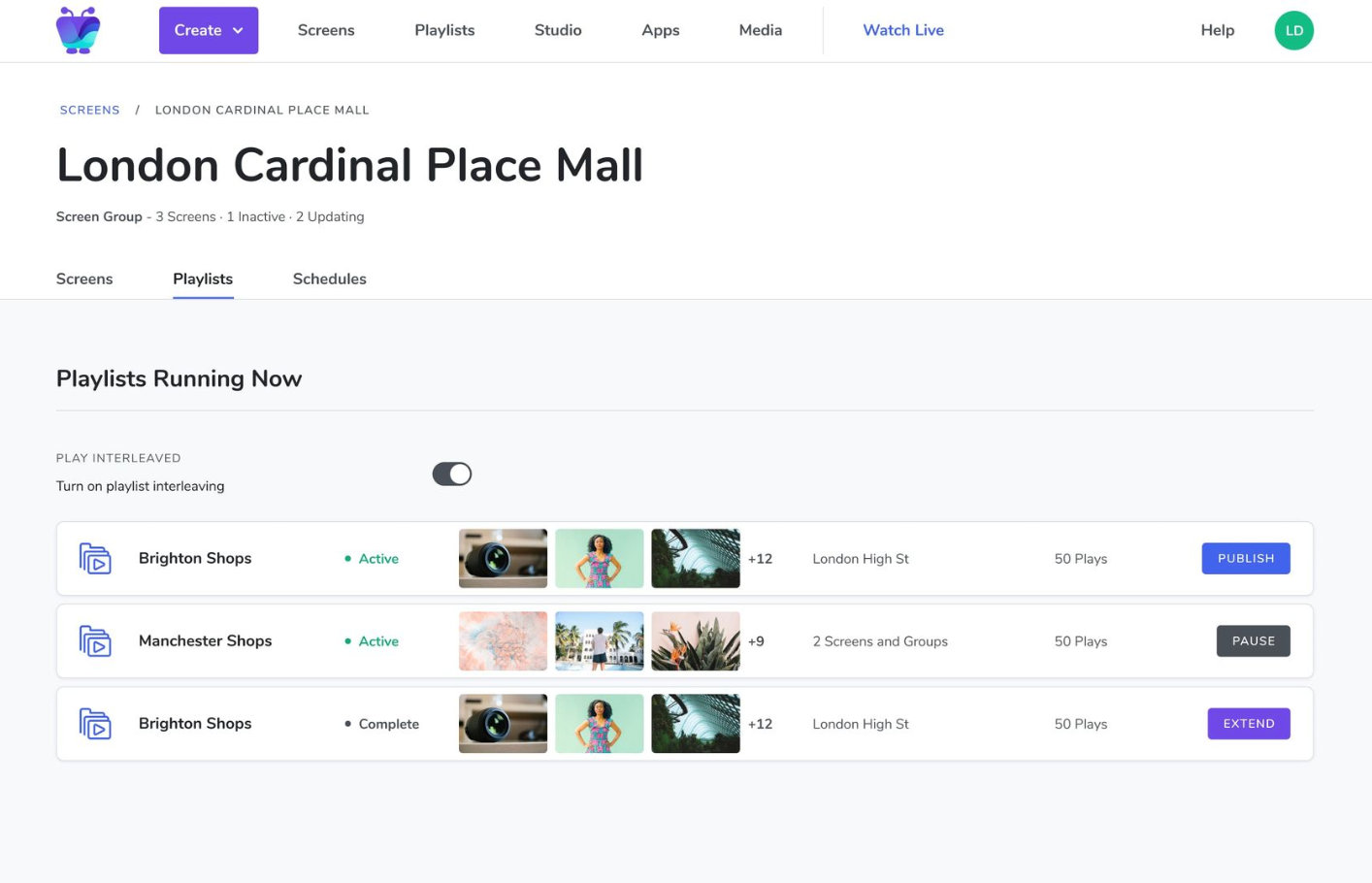
This starts with good organizational features. You should be able to group screens into nested folders or logical hierarchies based on location, department, region, or use case, for example. You can also look for features like tags and metadata, which make it easier to keep an eye on multiple screens at once.
Next, look for platforms that support bulk actions and filterable device inventories. Your IT team should be able to update settings, restart players, or apply changes across dozens or hundreds of screens at once.
Finally, there should be dashboards offering real-time views of device health, connectivity, and playback status. This helps teams provide hardware support before small issues become big problems, even when sorting through thousands of screens.
10. Screencasting for internal communications
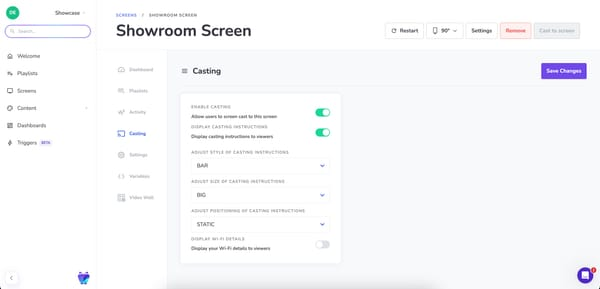
Screencasting certainly isn't what you'd call 'new' technology. But in enterprise environments, you need hardware that supports shared communication spaces. Whether you're broadcasting town halls, executive updates, live dashboards, incident response, or ad-hoc meetings, you should know your hardware can support long-term, point-of-playback displays.
There are two screencasting requirements unique to enterprise brands:
- No dongles or manual IT setup. But there should still be authentication workflows so that only authorized users can take over a screen, and only for the screens they’re permitted to use.
- Auditability. Shared screens should be “borrowable” for a defined window of time, then automatically return to their scheduled content. You should always be able to access clear records of who cast what content, and to which screen.
And speaking of auditability...
11. Screen auditability
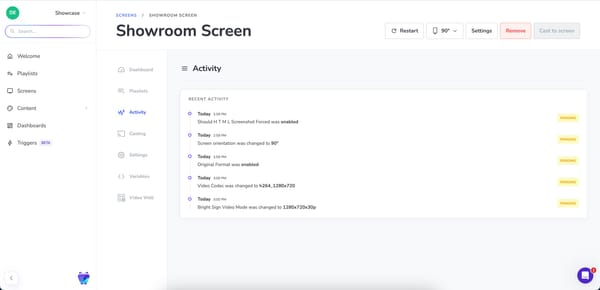
Every content change, screen update, and configuration adjustment should be traceable in an enterprise. There should be full audit trails that clearly show who did what, when they did it, and where it was published.
This includes content history logs allowing teams to review previous versions. If something goes wrong, or if there are errors with the new version, they should be able to quickly roll back changes and restore previous version history.
You should also have access to exportable records for internal reviews, external audits, and regulatory compliance. Not only should they be easy to retrieve, but they should be easy to open in your software of choice (read: more than just Excel or Google Sheets).
Retention policies matter, too. If you're spread out internationally, you may need to follow different data retention rules to comply with various local regulations.
12. Scalability, resilience, and uptime
No matter how big your enterprise is, it's likely going to get bigger eventually. And when you do, you'll need an enterprise digital signage solution that can scale alongside you.
A scalable system ensures that, as your business expands, your digital signage networks keep pace without requiring a complete overhaul.
Here's what scalability features to look for in an enterprise digital signage system:
- Offline playback, so they can run targeted content even without WiFi.
- Redundant media storage and failover support, so you don't need to worry about data breaches or natural disasters ruining your well-designed content.
- 99.9%+ uptime, so you don't stress about RSS feeds going dark.
- Predictable update cycles, so you don't need to worry about managing them yourself.
13. Advanced device management and diagnostics
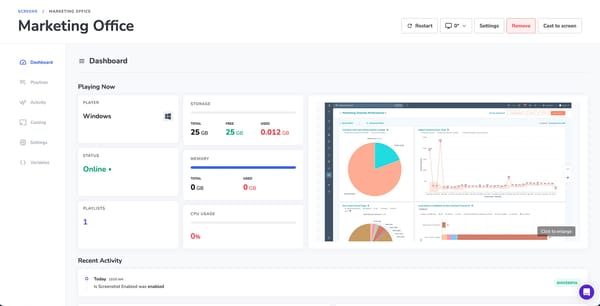
Screens are the biggest endpoints on any digital signage network. And without proper management tools, attempting to troubleshoot hundreds or thousands of devices could be hugely problematic.
That's why advanced device management for enterprise brands should always offer real-time online/offline visibility. Your IT teams should instantly see active devices versus unreachable screens, whether you're using a brand new screen or consumer-grade TVs. This includes access to device health metrics, such as CPU usage, storage, connectivity, and playback status.
Other quality of life features include remote restarts and app recovery, which lets you resolve simple issues without sending a tech on-site. Some tools, like player logs, provide the detail needed for debugging and root-cause analysis. You should also have access to automated alerts to notify teams if when are issues with your hardware.
14. Enterprise support and vendor partnership
Most digital signage platforms offer integrations and support. And not much else.
But with enterprise digital signage software, you need additional support and partnerships to keep everything running smoothly.
Beyond software features, you should have an
- SLAs and uptime guarantees
- Dedicated support team or TAM
- Structured onboarding
- Deployment assistance
- Rollout support in multiple locations
What if an enterprise digital signage solution doesn't offer these capabilities? Look for roadmap transparency on the provider's website.
Change management and internal alignment: Bridging both sides of the equation
We've talked quite a bit about the enterprise features to look for. But enterprise software success depends on internal adoption, not just features.
Even the most secure, scalable, and feature-rich enterprise digital signage platform will fail if teams don't (or can't) adopt your tool.
Most large organizations struggle with these classic digital signage adoption struggles:
- Cross-team coordination
- IT concerns
- Stakeholder skepticism
- Cultural resistance to new tools
- Unclear ownership
So how do growing businesses navigate the messy middle?
By treating adoption as part of the architecture. This is the quickest and easiest way to support both technical readiness and organizational buy-in.
Rethinking enterprise signage as infrastructure
2026 will be a big year for enterprise signage. The question is, do you have all the features you need Growing enterprises need scalable, secure, data-driven communication platforms, capable of managing thousands of displays across global networks from a single interface.
So whether you're reevaluating your provider or searching for your first CMS platform, make sure it offers the true hallmarks of 'enterprise' support: security and compliance, governance and approval workflows, device reliability and health, and ecosystem fit across software, hardware, and operational processes.
Treat signage like infrastructure rather than a cosmetic option or budget line, and you can easily reduce risk, improve operational efficiency, and ensure the system continues to deliver value as the organization grows.
Curious about a good starting point for your brand?
Learn more about one option for enterprise digital signage.
Frequently asked questions about features for enterprise digital signage
Q: Does it make sense to purchase interactive features for enterprise digital?
Interactive features in digital signage can increase customer engagement by 60%. Additionally, interactive experiences drive user engagement, fostering a more immersive viewing environment. Your enterprise brand many benefit from interactive signage if you serve specific audiences, such as healthcare, transportation, or retail.
Q: Does on-prem or cloud-based make more sense for enterprise digital signage?
Cloud-based (SaaS) digital signage is preferred for reduced IT overhead and scalability. Plus, centralized management streamlines operations and maximizes the impact of digital signage deployments.
Q: Why should I upgrade to enterprise digital signage?
There are several reasons why small and growing businesses decide to upgrade their digital signage instance:
- Enterprise digital signage improves internal communication by delivering consistent corporate messages and emergency alerts instantly.
- Most enterprise digital signage provides 24/5 professional support, ensuring help is available when needed.
- Enterprise digital signage offers significant return-on-investment by improving productivity and enhancing employee engagement.
- Enterprise digital signage allows for customizable content, enabling businesses to tailor messages based on audience, location, or time.
Q: How can I make enterprise digital signage more efficient?
Operational efficiency is achieved by eliminating the costs associated with physical printing and manual updates for digital signage.

