






Fast-casual restaurants have a very different vibe from more buttoned-up, high-expectation dining experiences. But just because your atmosphere is different doesn’t mean your customers expect any less. In fact, customers are getting much less satisfied with their dining experiences as a whole.
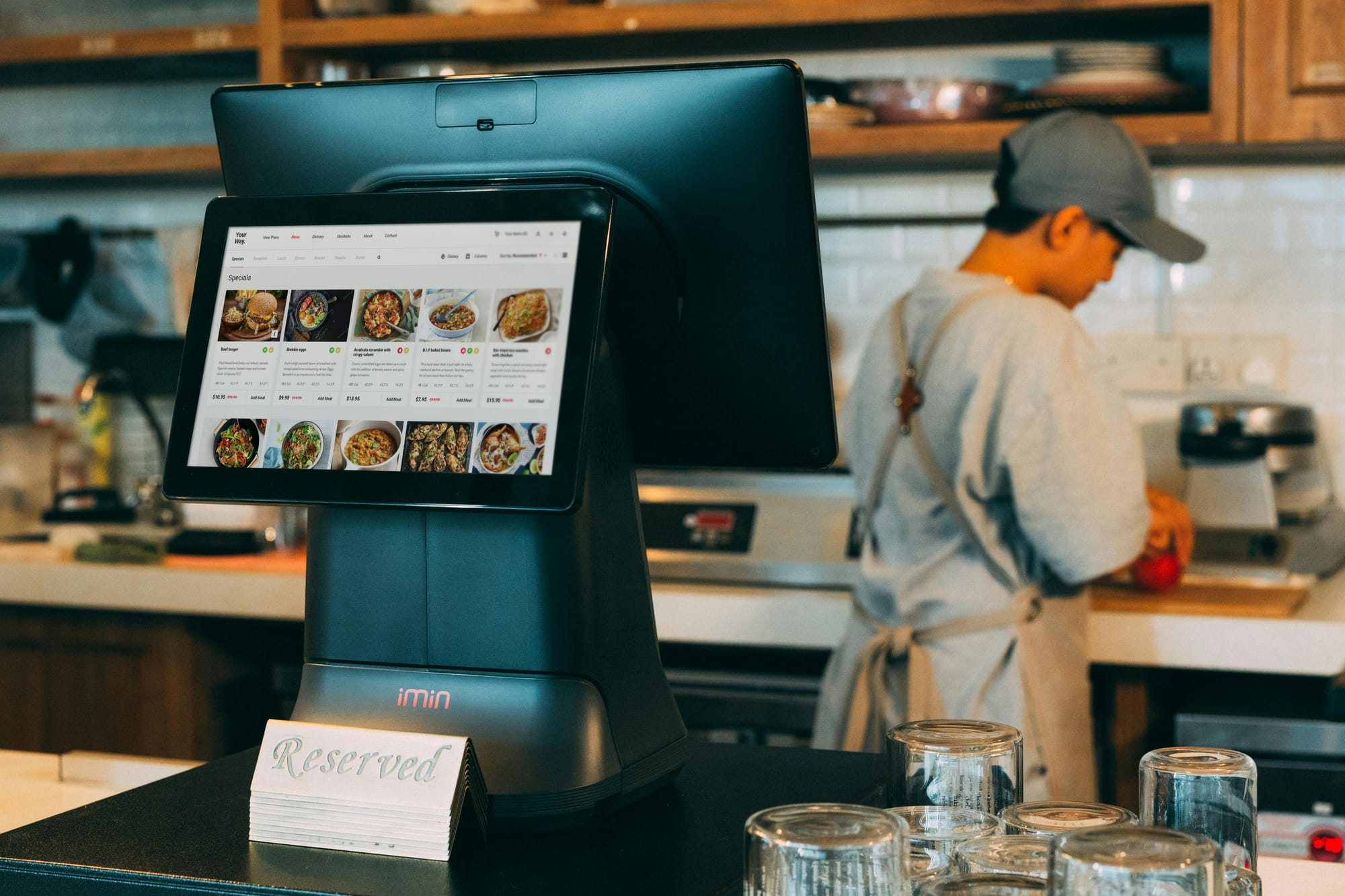
Digital menu boards can play a huge role in boosting customer engagement, satisfaction, and experiences. The right software should offer all-in-one solutions that make it easy to surprise and delight your customers. This also includes a host of features that significantly upgrade traditional paper or whiteboard menus.
Below is a list of key digital menu board features you need to survive and thrive in your fast-casual restaurant.
Sidenote: what do we define as fast casual?
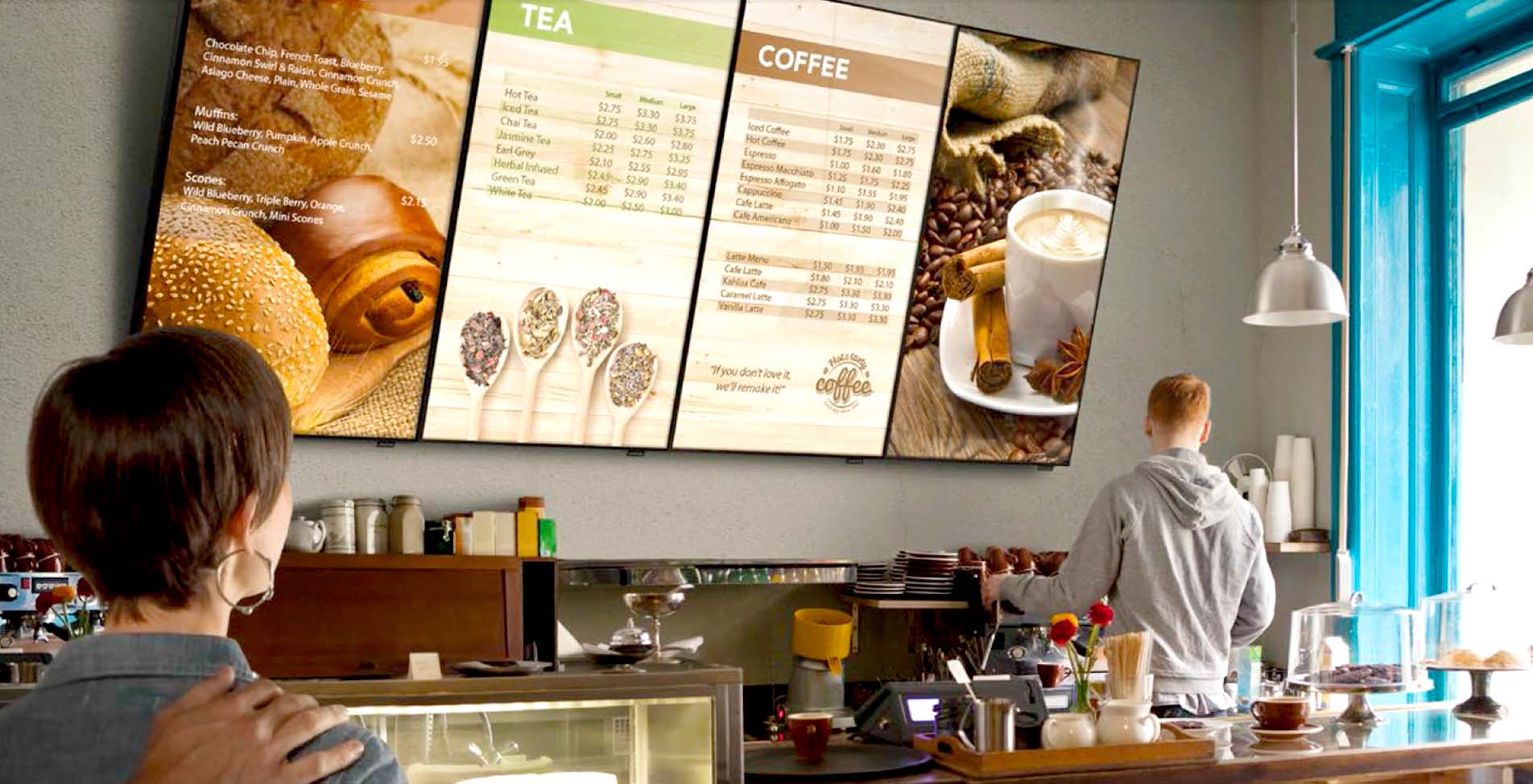
Before we go any further, it’s worth clarifying what ‘fast casual’ means and whether or not your restaurant qualifies.
Fast casual typically sits between quick-service restaurants (QSRs) and full-service dining experiences. It usually includes:
- No table service (guests order at a counter or kiosk)
- Fresh or premium-positioned ingredients
- Customizable menu options
- Pricier menus than the average fast food restaurant
- But faster turnaround for food than more upscale restaurants
TL;DR: if customers order at a counter, but expect higher-quality ingredients, a more customizable menu (i.e., gluten-free options), and a slightly elevated in-store experience than traditional fast food, you’re probably in fast casual territory. Think Chipotle, Sweetgreen, CAVA, Blaze Pizza, Panera, and so on.
This distinction matters when talking about digital menu boards because fast casual operators require a few extra features that other types of restaurants may not need. There may be multiple locations, but not as many as your average McDonald’s franchise, for example. But since customers order from a desk or kiosk instead of a table, for example, you might need more interactive features that let customers interact in self-service environments.
Static menu boards are a far less suitable option in this context. They also don’t offer any flexibility, automation, or centralized control as you scale.
Does that sound suspiciously like your existing setup? Then you’ll want to pay attention to the features below.
But first:
Why bother with digital menu boards as a fast-casual restaurant?
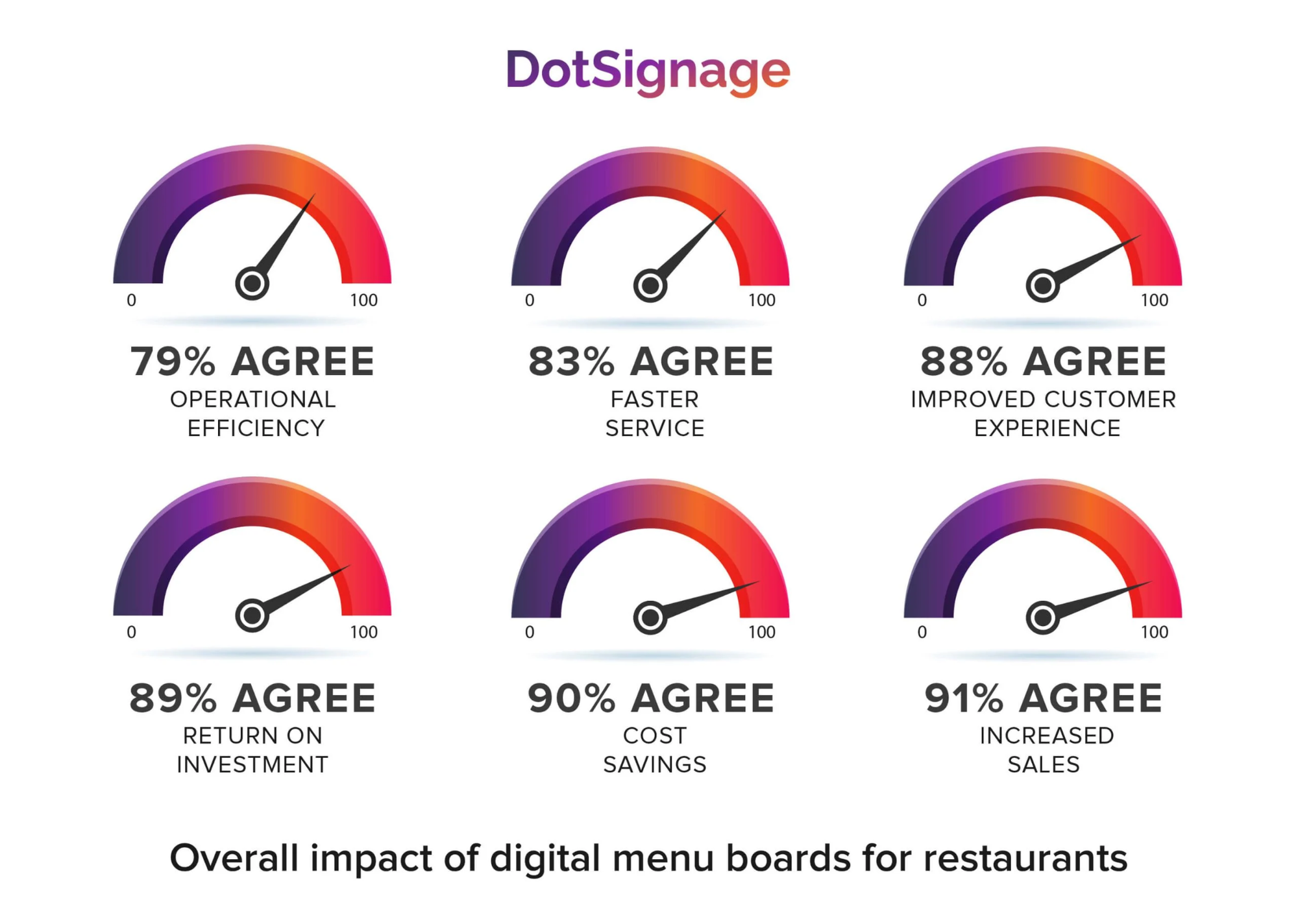
Because they’re simpler, cheaper, and more engaging than traditional menus.
No need to take our word for it, though.
Here are some statistics about digital menu boards that prove why they’re so important to modern restaurants:
- Cost-effective. Digital menu boards cost a fraction of what you might spend on printing costs. They can also help you makemore money. More than 90% of people who integrate with digital menu boards say it increased their sales over time.
- Enhanced visual appeal. A bright, beautiful screen of high-resolution images can entice customers to purchase more food with minimal effort. This can also help to increase customer flow and boost sales, as you’ll see below.
- Sell more menu items. Some studies suggest that digital menu boards provide a 10% to 15% lift in sales. This could mean the difference of several thousand dollars with high-margin items and popular choices like meal deals.
- Compatible with multiple locations. Printed materials could work for a single location, but what happens when you need to manage menus across multiple stores? You may need to juggle different menus, price changes, or dining experiences. With digital menu boards, you can make all these updates remotely from anywhere.
- Avoid replacement costs. Traditional paper menus can get weathered and old, and eventually even become illegible. Plus, some menus may age out as your company grows and changes. This isn’t the case for digital menu boards — you can change prices, update combo meals, and swap out high-quality images within minutes.
- Improve operational efficiency. Customers are usually the ones relying on your digital menu boards, but you can also leverage screens to support your frontline workers. For example, you can use digital menu boards to display customer orders, which can help improve order accuracy. Plus, dynamic screens can be automatically updated from anywhere. Your team doesn’t need to troubleshoot anything if a screen goes down; instead, they just contact the right person to manage troubleshooting on their behalf.
- Easy to create without IT resources or prior experience. With drag-and-drop tools, you don’t need a degree in technology to create digital menus. You may even have access to digital menu board templates so you can get started quickly, without stressing about the entire content creation process.
Now that you can see the benefits plainly, let’s look at the features you need to make the magic happen.
The 10 best digital menu board features for 2026
Maybe you like your current digital menu board, but you know you’re missing some mission-critical features as you grow. Or maybe you’re currently using traditional printed menus and want to explore the operational efficiency of digital restaurant menu boards.
Either way, you know you need digital signage software that can help scale your fast-casual restaurant in more ways than one.
We’ve already done the heavy lifting for you by hunting down the best digital menu board features you need in 2026. Here are 10 things modern restaurant operators should demand from their menu board software, plus a possible provider of digital menu board software.
So: what are the 10 best features you need for great fast-casual menu boards in 2026?
In order, they are:
- Smart scheduling tools
- Digital menu apps
- QR code support
- Social media boards
- Digital bulletin boards
- Universal hardware and software compatibility
- Centralized screen management
- Remote device and people monitoring
- Design studio and templates
- Automations and triggers
Let’s take a closer look.
1. Smart menu scheduling software
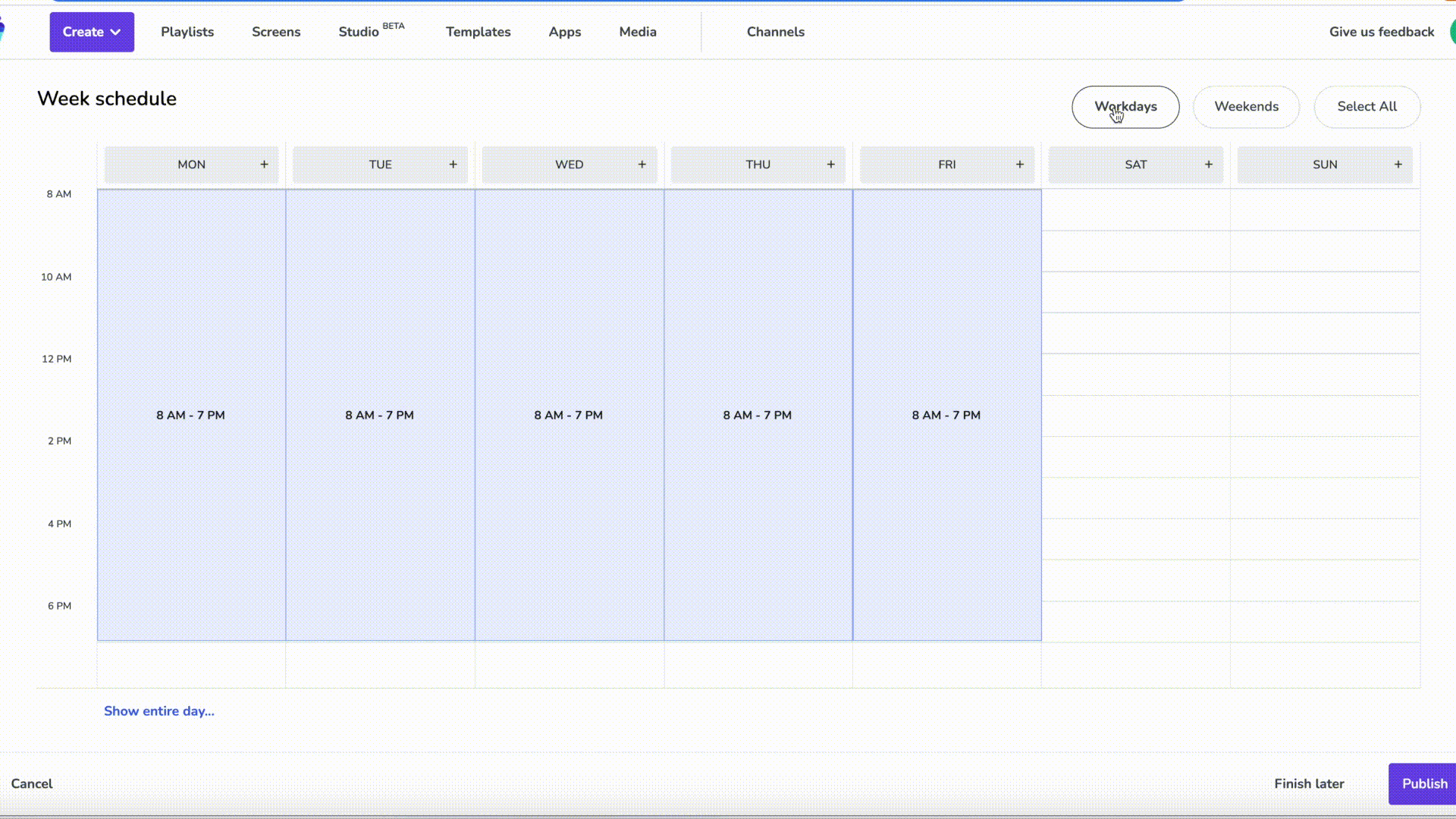
How it helps: Dayparting, promos, limited-time offers
No matter where you work in the restaurant industry, you likely don’t offer the same menu content at all times of the day or week. But updating menus manually can be slow and frustrating. There’s not much operational efficiency in manually swapping USB sticks or menu items, for example.
For this reason, you deserve a digital menu board that lets you get as granular as you want with scheduling. The best software offers solutions for you to schedule content to go live at the store level, screen level, hour level, or whatever else makes sense for you.
That way, you can:
- Set up lunch and dinner automations
- Switch out happy hour menu items without manual updates
- Offer seasonal menu rollouts across multiple locations
- Pre-schedule menu changes using a calendar or planner tool
- Avoid human error during peak hours (like forgetting to switch between breakfast, lunch, and dinner, for example)
2. The ability to access your digital menu online
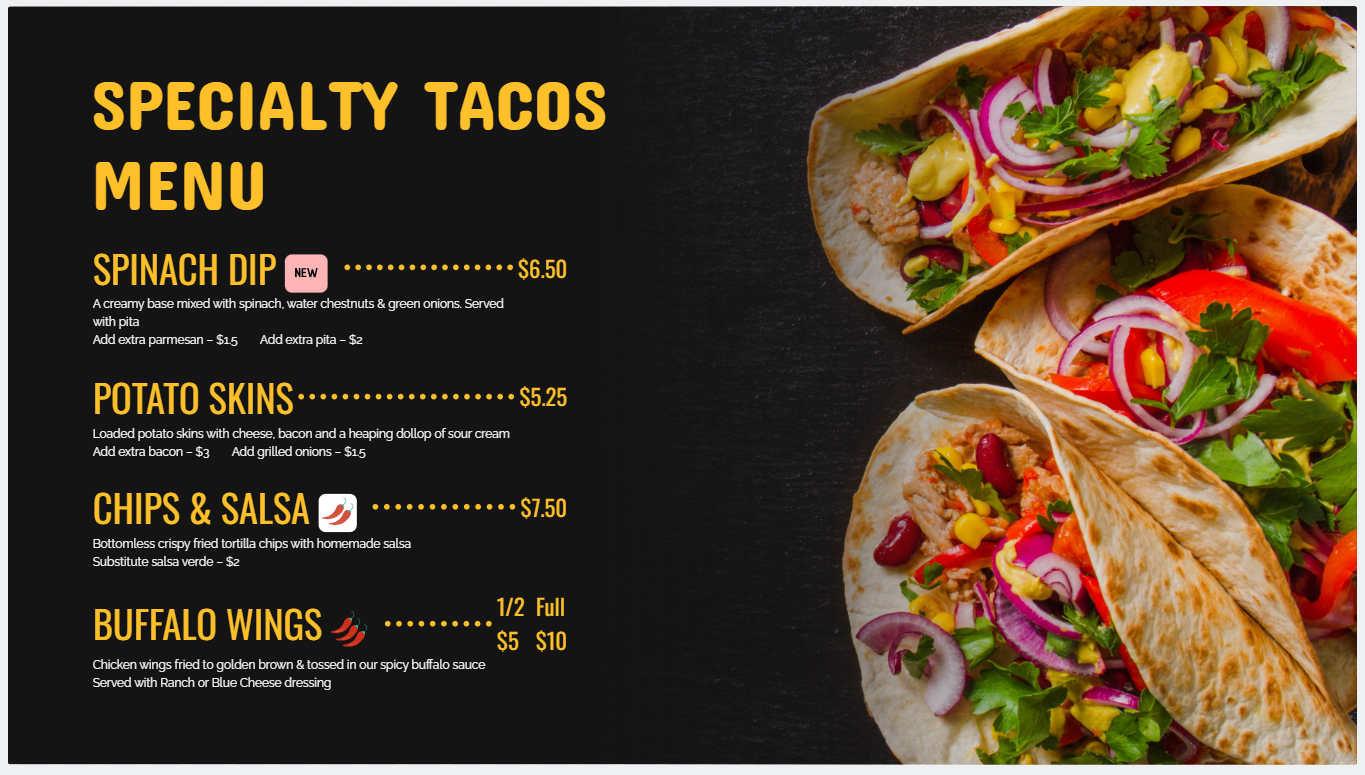
How it helps: Improves your customer experience by creating flexibility for specific customer preferences
Approximately 29.5% of restaurant customers say that digital menus influence what they buy at your point of sale system. But not all restaurants have space for multiple TV screens, especially in tight or awkward spaces. The good news is, it’s possible to display the exact same menu that’s on your TV screen on an online portal that customers can access from anywhere.
The best digital menu board software lets you create dedicated menu lists that can be accessed from a specific link or QR code (more on this later). These are essentially embeddable channels that you can turn into a one-stop shop for your customers. That way, customers can access your menus on their phones, get support for accessibility (like hearing impairments or visual aids), and even order menu items from the comfort of their own homes.
Just keep in mind you’ll want a stable internet connection so customers can properly access your lunch and dinner menus online. Remember: a whopping four in five customers will look at your restaurant’s menu before eating there or ordering online.
3. QR code capabilities
How it helps: Better customer interaction points with your menu items
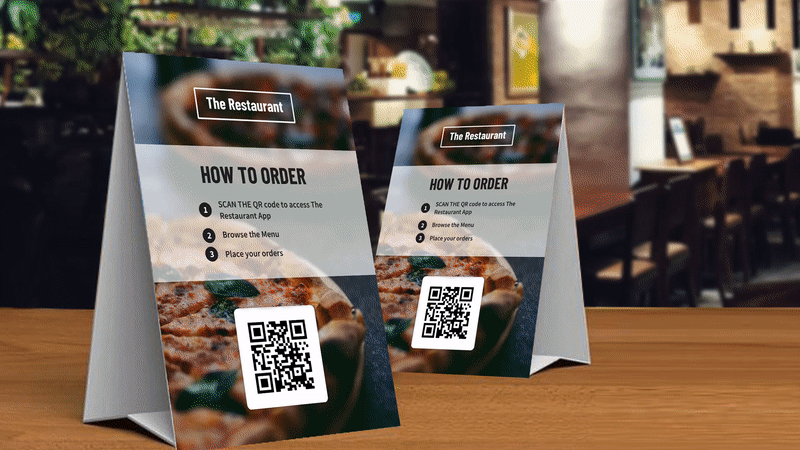
You’re likely more than familiar with the everlasting QR code, which lets customers scan a unique image and automatically direct to a specific web link. The right digital menu board tools let you add QR codes to dynamic content.
That way, you can:
- Direct customers to specific ordering platforms
- Encourage them to sign up for loyalty programs
- Collect feedback for Google reviews
Good digital menu boards let you update QR destinations from anywhere, so you can swap out campaigns or update signage whenever the need arises.
Learn more about how fast-casual restaurants can use QR codes.
4. Social wall integrations
How it helps: Enhancing customer experiences while building social proof
A static menu board tells customers what to order. A social wall explains why people love being there.
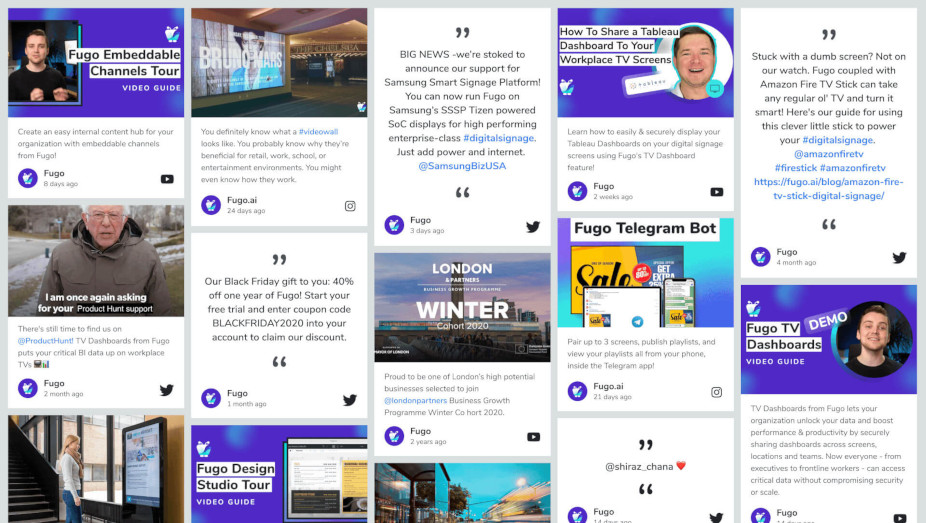
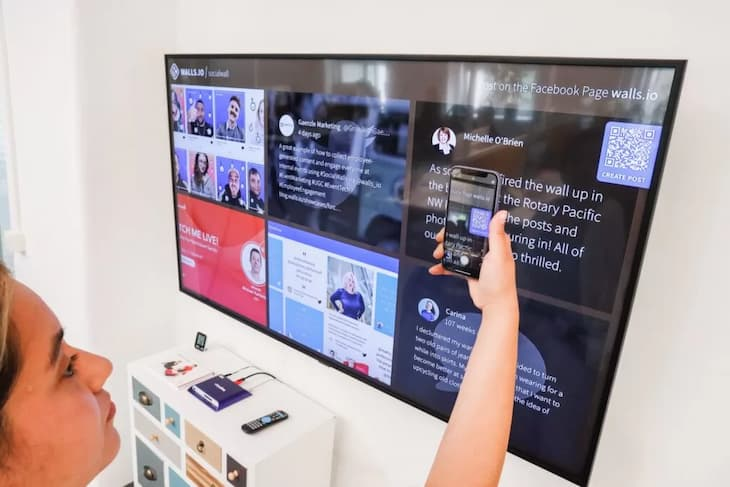
Social wall integrations (like Walls.io and Fugo’s Social Wall) let you pull real-time social content directly onto your screens. Instead of relying only on branded graphics, you can showcase authentic, user-generated moments happening around your food, your space, and your community.
When customers see real photos, videos, and posts from other guests enjoying your food, it reinforces quality and popularity without you having to say a word. It creates momentum. It creates FOMO. And it makes your restaurant feel alive.
That way, you can:
- Pull in posts tagged with a specific branded hashtag
- Feature customer photos and reviews
- Highlight influencer visits
- Showcase event moments
Keep in mind social walls are almost automated by default. That’s because, rather than manually designing and uploading new promotional slides every week, your content refreshes itself as new posts come in.
5. Digital bulletin boards
How it helps: Visual appeal plus community engagement
In a restaurant industry of ‘cook or be cooked,’ some of the major differentiators boil down to price and flavor. But with digital menu boards, you can turn your business into a local hub that drives more customer engagement right from your digital displays.
Studies show that customers will spend up to $150 more to support what they deem as ‘neighborhood shops.’ Another study from the University of Alabama at Birmingham found that “community involvement may entice consumers to shop in-store.”
So what constitutes community engagement, then? Think:
- Live music nights
- Community partnerships
- Fundraisers and special events
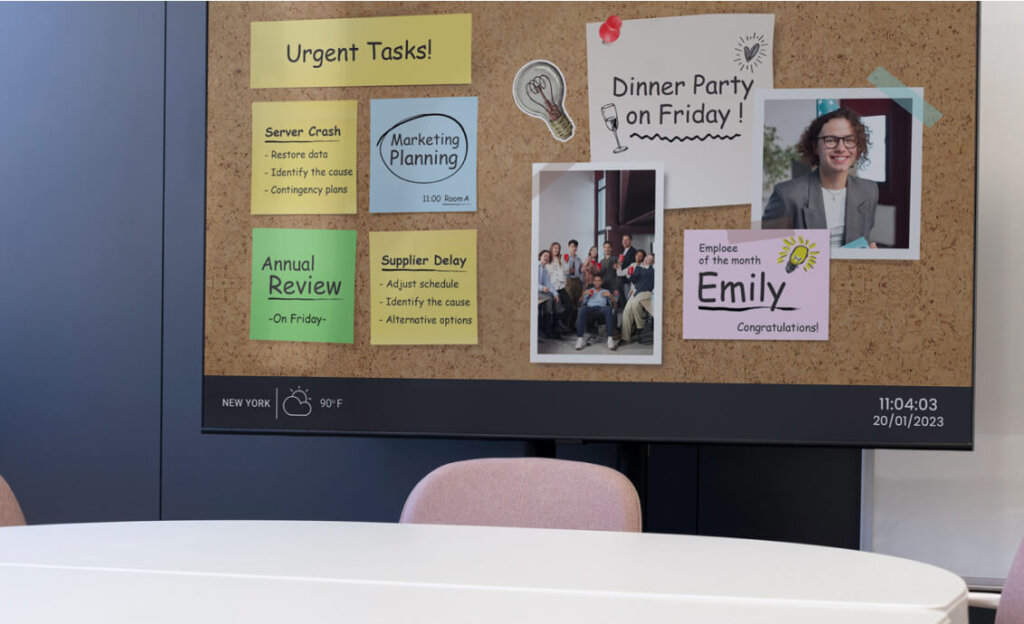
With good digital signage software, you can create company templates to quickly spin up announcements or swap out dates for ongoing events. Then, you can rotate event promos alongside your menus and create dynamic content that keeps customers engaged.
6. Universal hardware and software compatibility
How it helps: Lower costs and easier scaling for smaller restaurants
Like it or not, your digital menu boards require both hardware and software. This includes the screen itself, your media player, and a content management system (or CMS) to playback digital displays.
Every digital signage screen you install runs on its very own operating system (or OS). The digital media players you choose may also be subject to this limitation.
Digital menu board systems can either support multiple OS types, and ones that intentionally restrict support to their own operating systems (i.e., proprietary players).
So, which option is better?
Here are the tradeoffs you need to know.
Proprietary OS
Cross-platform CMS
With all this in mind, let’s break down your options.
You might choose a proprietary OS if you want guaranteed stability. A locked-down, predictable system is particularly useful if you’re a larger fast-casual chain. They also make sense if you want a single vendor to call for everything. If you want ‘one throat to choke,’ proprietary wins.
Alternatively, you might be interested in cross-platform or multi-OS providers if you want more hardware freedom. This is especially useful as a small and scrappy startup restaurant. Need to deploy Android tablets in some locations, and LG webOS in others? Or need to roll out signage across multiple regions with different hardware availability? Multi-OS may be your best option, since you’ll also avoid vendor lock-in.
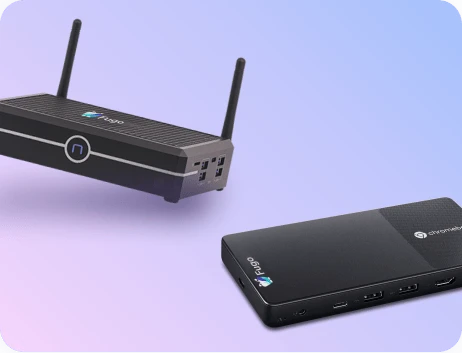
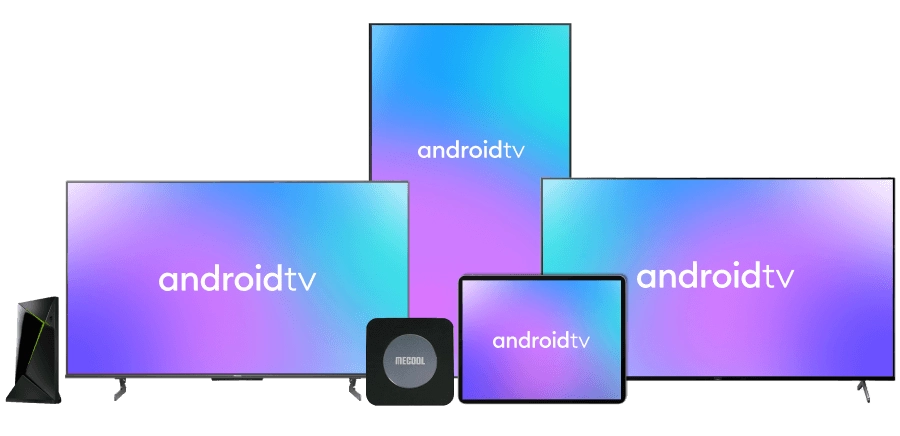
Cross-platform digital menu board tools like Fugo can support multiple OS types, including:
- Android
- LG webOS
- Tizen
- Windows
- ChromeOS
- Linux variants
That way, you’re free to mix and match your digital displays, player types, and hardware without worrying about complex tech stacks or pricey hardware lock-ins.
7. Centralized screen management
How it helps: Easy scalability for digital menus across locations
You want digital menu board software that scales alongside your restaurant(s), whether you’re adding more screens to your lobby or building a brand-new location.
That means you need a CMS platform that can support scalability for your fast-casual restaurant.
Look for digital menu boards offering:
- Bulk publishing and bulk device actions. Easily push your updated menus to multiple screens at once. No need to manually deal with individual screens when needing to broadcast menu items across multiple cities.
- Organization tools. This should include screen grouping and foldering so you can locate all your screens with the click of a button. Then, set up tags and metadata for organizing screens by location, department, and region. Fugo even allows you to create searchable and filterable device inventories so you know exactly what you have in each location.
And speaking of device organization…
8. Remote device monitoring and uptime visibility
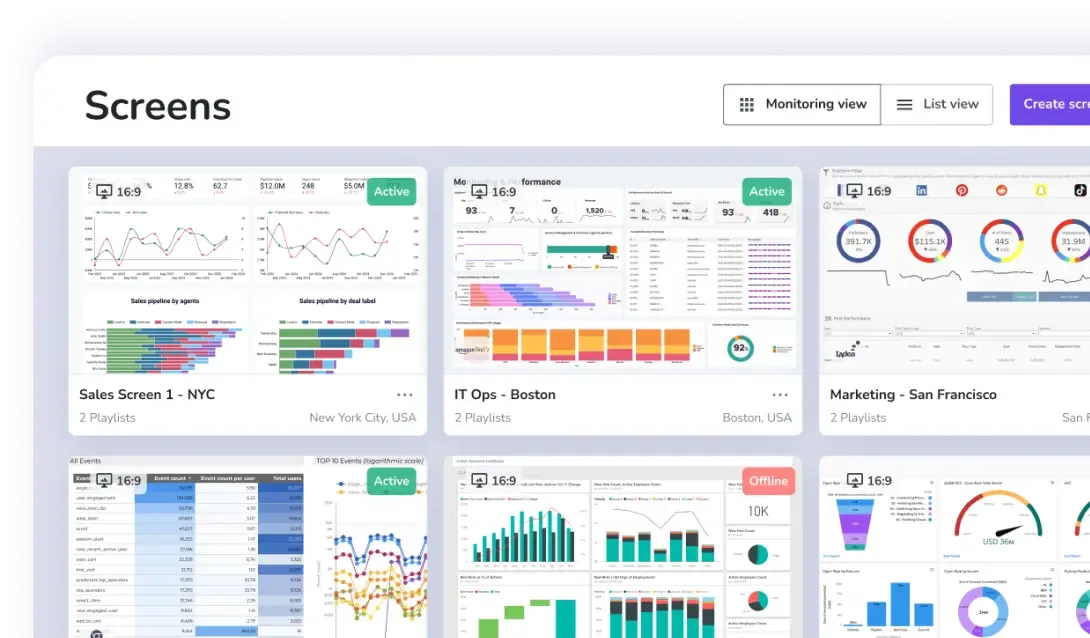
Why it matters: Higher customer satisfaction from fewer problems with your menus
Some digital menu boards offer consolidated dashboards so you can monitor all your displays from the same easy login. This allows you to check on offline status or playback errors across every screen in your lineup. That way, you can quickly troubleshoot TVs from anywhere in seconds — even if you manage menus in multiple restaurants.
Look for features like:
- Online/offline visibility
- Player logs
- Health metrics
- Remote restart for players or app recovery
If your digital menu board software doesn’t offer any remote monyou’ll want to move on to a competitor.
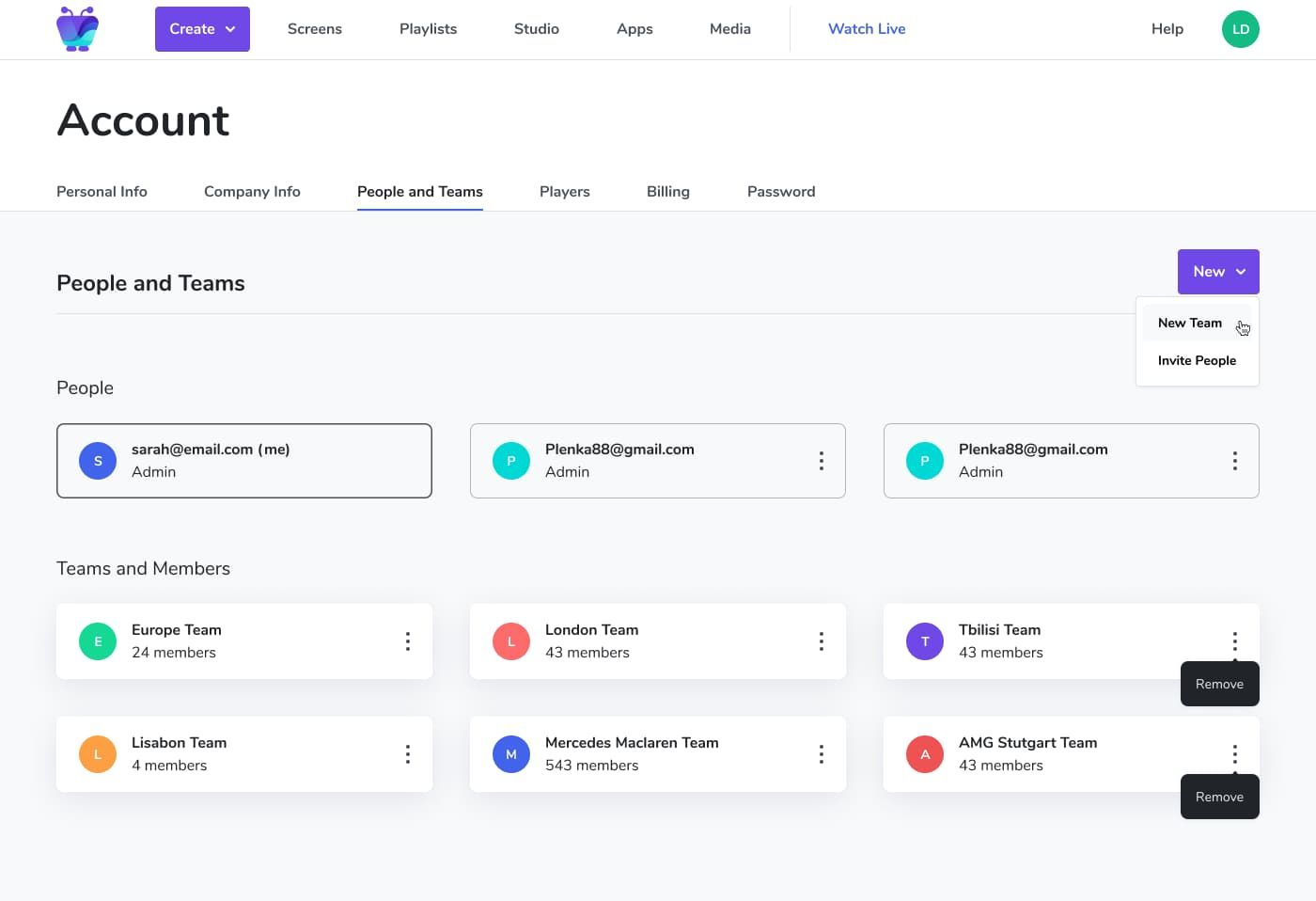
If you have a team collaborating on your digital menu boards, you’ll likely need to set up user permissions. These allow you to customize who can do what in your system. That way, you prevent sensitive data from getting leaked and inadvertently stepping on somebody else’s toes.
Organizations expect signage to work like any other enterprise tool:
- Role-based permissions. You should be able to pick from pre-set roles and select from customizable permissions.
- Approval workflows. Before pressing Publish on any digital display, create a workflow where another team member must approve the content first. A great way to prevent spelling errors and incorrect dates.
- Audit trails. Who changed what inside your digital signage ecosystem? Who makes the most updates? And are any users risking your safety or compliance?
- Multi-team collaboration. Let everyone on your team work together to bring signage to life. With a user-friendly interface, your whole team can work on delivering engaging menus without accidentally doubling up on tasks.
Keep in mind that you don’t need enterprise software to set user permissions and workflows for menu signage. Fugo’s digital signage system was built for growing small businesses (including fast-casual restaurants) and starts at $20 per screen per month.
9. Built-in design studio and templates
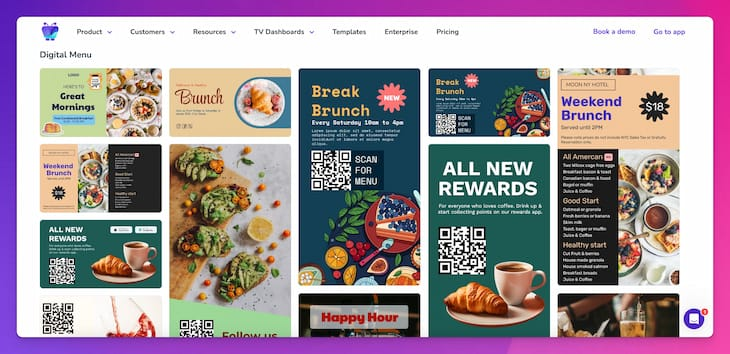
Why it matters: Better customer experience and customer engagement
You can do a lot with a little using content templates. Beyond simply speeding up your workflows and creating new menu options fast, you can also set up:
- Branded design templates with your custom colors, fonts, and layouts
- Reusable layouts for different screen types (like your lobby menu versus your online menu)
- Local customization (like menus in different languages) without breaking brand rules
You can also lock specific content items so they can’t be altered. For example, other users will be able to swap images or prices, but can’t move the dividing lines or QR placement of the menu.
The best digital signage platforms offer hundreds of restaurant-ready templates so you can get started fast. Use a drag-and-drop editor to create locked brand zones. Then, anyone else on your menu team can update your menu layout for readability, like updating pricing, without redesigning everything on your slide.
10. Automation with triggers and AI
New technology in 2026 has made it possible to build responsive menus that adapt automatically without your input. This could save you hundreds of hours per year of editing, swapping, or otherwise manually moving over menu boards to fit with certain holidays, hours, schedules, or promotions.
If you wanted to upgrade your menu content in 2015, for example, you would need to do so manually. But in the year 2026, you can do so automatically with event-driven logic (sometimes referred to as triggers).
Imagine broadcasting a limited-time promotion on your screen whenever the calendar flips to a holiday. Or, switching your digital menu board to the dinner entrees whenever the clock hits 4 PM.
Modern digital menu board platforms can help you set up:
Conditional content
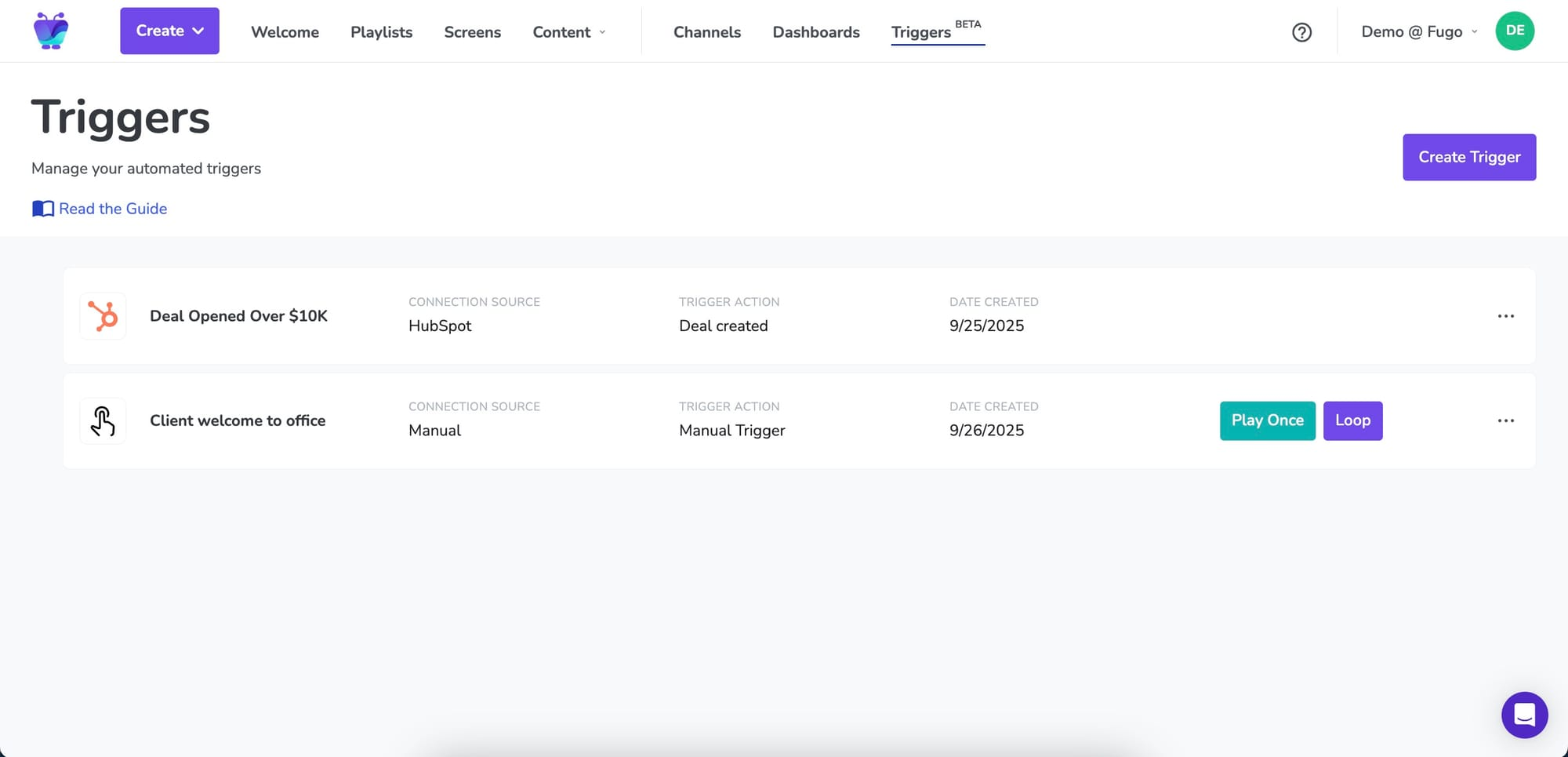
Triggers can broadcast menu slides temporarily or permanently, depending on the conditions you set. For example, you could have screens react to external triggers such as business events, IoT sensors, and or data feeds. Then, you can set up content to ‘push’ out, such as:
- Low stock alerts
- Queue changes
- Safety updates
- Time
- Weather (like hot cocoa advertised in the snow)
Rules-based publishing
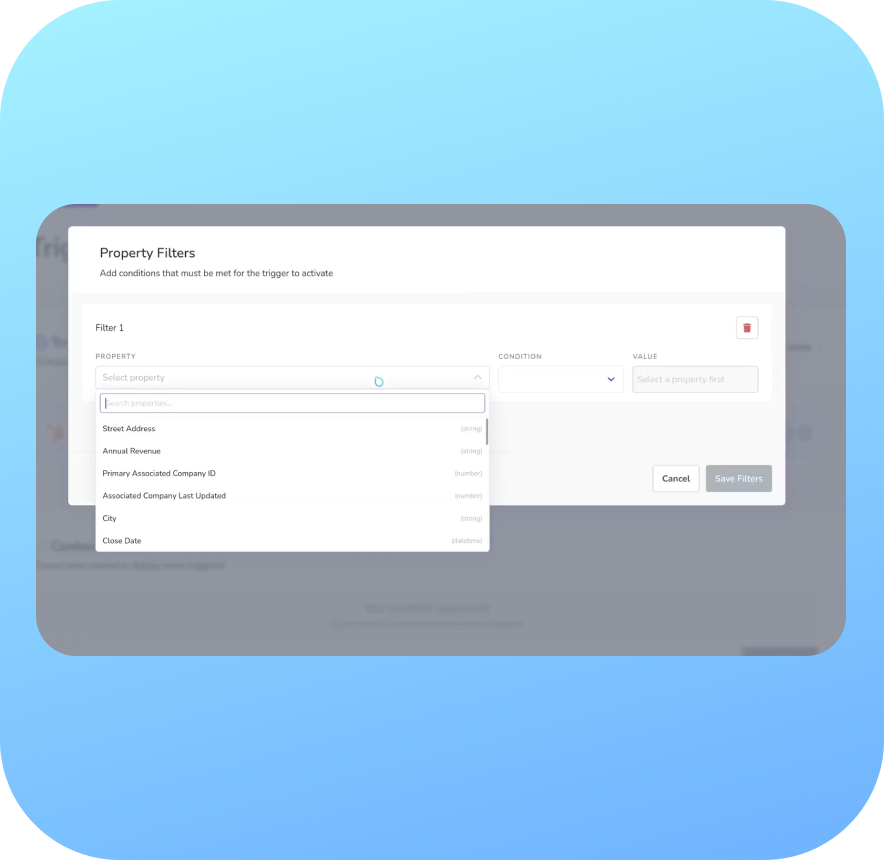
These are automations that reduce manual schedule changes. That way, menu content only appears on the dates and times you decide. This might be useful for busy restaurants wanting to change seasonal displays or alter content across multiple locations.
Artificial intelligence
Imagine instantly creating content by simply speaking to your CMS. Or generating entire menus, promotions, or nutrition facts screens by providing a few simple rules.
Digital menu board AI can also help you with:
- AI-assisted content generation
- Automatically highlighting best-sellers
- Limited-time offer automation
BONUS: Other features that will set you apart
So we’ve talked about your must-have features so far. What about the features you don’t need, but could still use as a differentiator?
There are three to consider:
Touch-Enabled Content
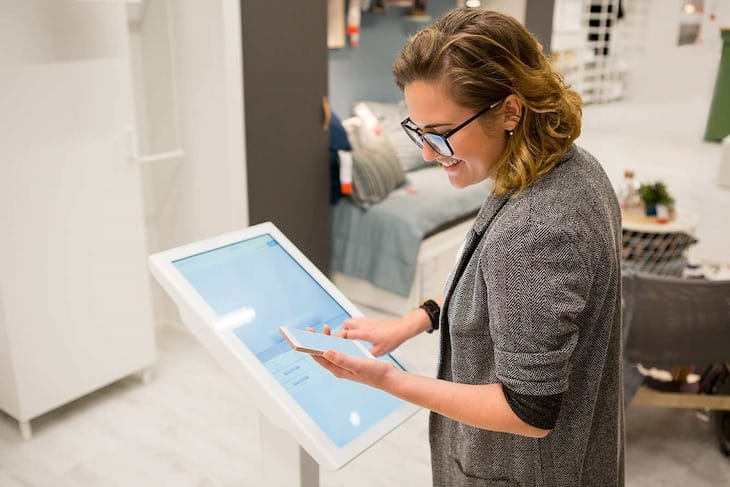
Touch-enabled interactive menus can let you create self-service kiosks for guests. That way, you can create custom ordering flows without bogging down short-staffed restaurants. This can also help you avoid customer dissatisfaction if your team members or POS systems are too busy to take manual orders.
You can also use these interactive menus to upsell certain items. For example, let’s say you schedule breakfast items to become unavailable at 10:30 AM, and lunch to start at 11 AM. A customer goes to order at 10:50 AM. So, your dynamic displays offer a helpful nudge mentioning that the menu is shifting — and if they act fast — they can grab their favorite breakfast combo for a 10% discount.
Digital signage integrations
We’ve already touched on integrations to some degree, but it bears repeating just how important connecting tech can be. TV menus aren’t isolated endpoints anymore, and the right integrations can help reduce manual labor and improve consistency.
A modern digital menu board should be able to connect to:
- Tools like Canto or Bynder so you can automatically add approved content
- Social media platforms, as mentioned earlier
- Infotainment like weather, time, or temperature, all of which can affect restaurant sales
- Calendars or event calendars, so you can keep community events top of mind
- Custom data sources and APIs. That way, you can set up a POS integration. This lets you connect one or more of your POS systems and advertise relevant items on menus easily.
But what about integrating with more internal business tools?
Let’s take a closer look at this below.
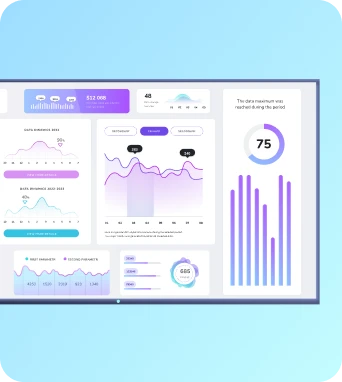
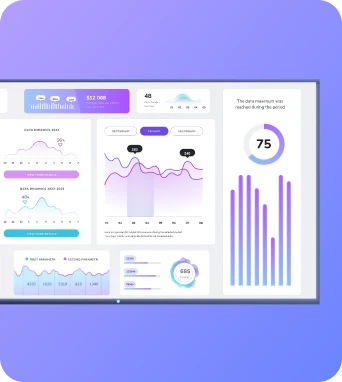
TV dashboards for in-house data
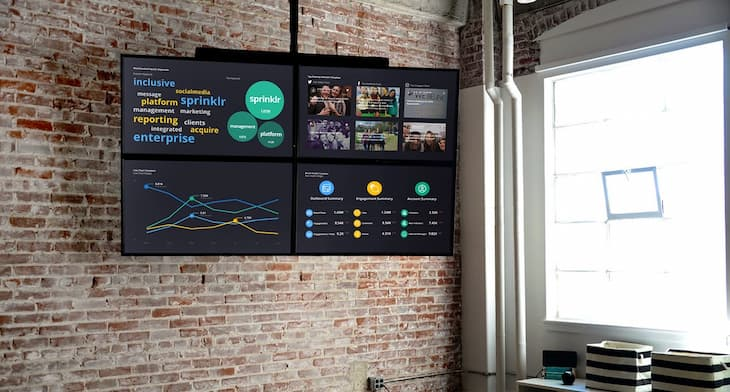
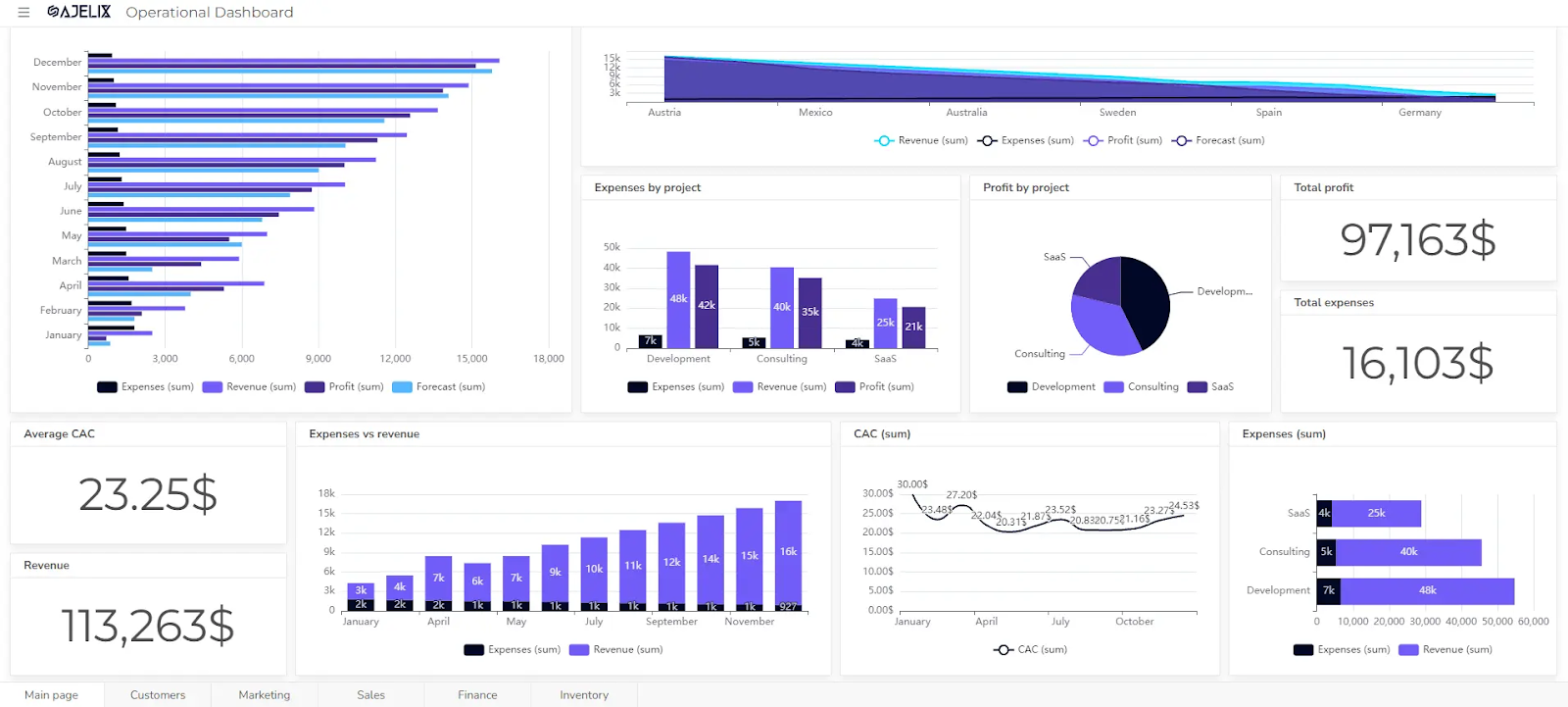
This isn’t necessarily for digital menu boards per se, but you can still use TV dashboards in a similar way to your customer-facing menus. These allow you to transform ordinary back-of-house displays into live data hubs for frontline workers. That way, instead of checking five different systems throughout the day, your staff can see numbers and track trends at a glance.
That includes kitchen performance metrics like ticket times, order volume, and prep bottlenecks. Now, everyone behind the scenes can see how the line is moving. In the manager’s office, you can use TV dashboards to display daily revenue targets, current progress, average order value, and hour-by-hour comparisons. Inventory alerts can live here too, like low-stock warnings, ingredient thresholds, or waste tracking data. Paired with automatic Triggers, you can easily catch problems before they occur.
Leaderboards add another layer. Whether it’s upsell rates or shift performance, you can inject a little playful competition into the mix. And when recognition becomes visible, your team engagement may spike.
Does your restaurant handle catering? Or do you run multiple franchise locations? The best digital menu boards let you connect with other tools in your tech stack using a helpful API.
Learn more about TV dashboard signage.
Finding digital menu signage that works as hard as your kitchen
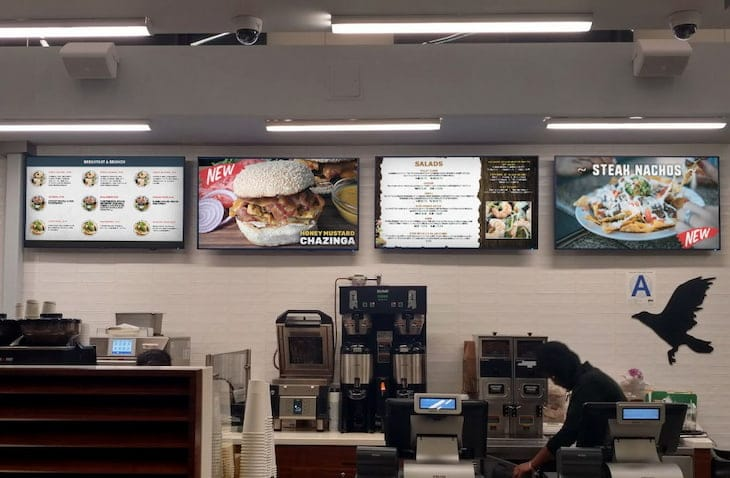
We’re entering the next generation of digital restaurant menu boards — and you deserve a platform that can keep up with the times.
First, look for key features like automation, data, workflows, and AI. Then, scour for platforms offering unlimited cloud storage, remote management, and user authentication tools. This will allow you to create dynamic displays with vibrant images and build customer engagement across all your locations.
Fugo’s fully-featured digital menu board software can help you accomplish all these tasks and more. You can create multiple dinner menus for different TV screens, easily create displays that promote events or community happenings, and display menu items in just a few clicks.
See why hundreds of restaurants around the world trust Fugo as their digital menu board provider.
Confirm that Fugo is a fit for your restaurant by signing up for a 14-day free trial.

