







The winds of change are blowing in the world of digital signage. Sure, screens look the same as they did a few years ago. But it’s the environment around them that looks so different.
The bulk of digital signage now lives inside operational systems, like BI tools, content pipelines, and identity platforms. So as your business grows, and your device fleet spreads across regions, what used to be a content problem will fast become a coordination problem.
That’s why modern signage networks increasingly rely on three pillars: automation, analytics, and asset management. Without them, most digital signage networks fall apart under their own complexity.
This article explains how each pillar functions separately, plus how they work together to make digital signage easier. It also provides a checklist for finding software that supports all three tools at once.
The three musketeers of digital signage management
Automation, analytics, and asset management technically function independently from one another. But use them together, and you’ll make gigantic impact on your signage workflows.
We’ll take a look at each one so you can see the breakdown for yourself.
Automation: Scaling your signage without multiplying work
Automation in digital signage technically refers to two things:
- Automated schedules
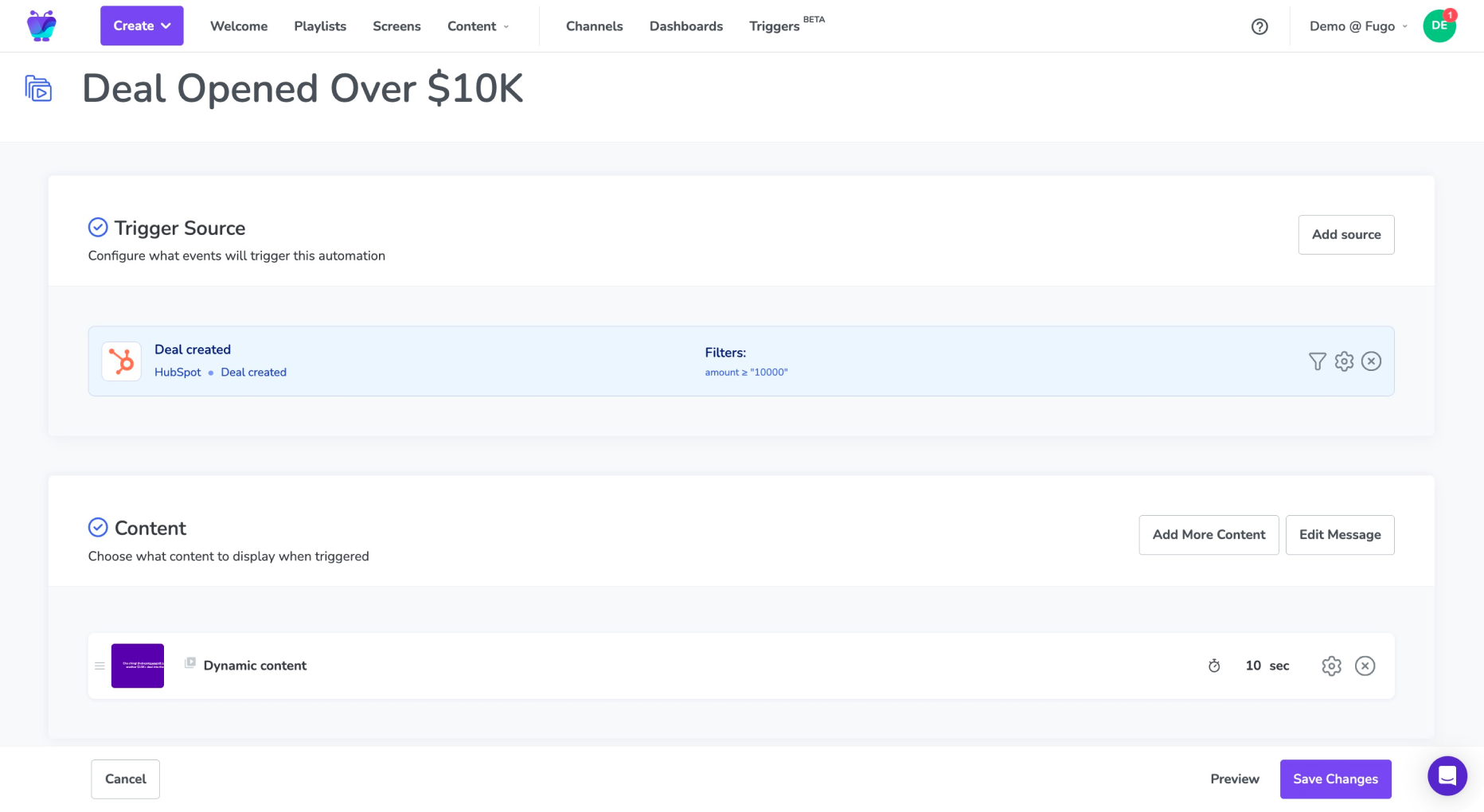
- Rules, triggers, and event-driven logic
It can (but doesn’t always) pair directly with artificial intelligence. You can set up automations with AI tools, for example, but AI tools don’t always result in automations.
So… why bother with setting up automations in the first place? It’s certainly more complex than dealing with manual scheduling alone.
But at the end of the day, it’s simply the more efficient method of managing content.
Think about how widespread the benefits can be.
First, there’s no need to rely on humans (and possible human error). You don’t need manpower to keep content current, which makes it easier to maintain your signage program even with a tighter workforce or over holidays. Speaking of holidays, you don’t need to worry about updating content while out of the office. No 3 AM scheduling snafus, and no late-night office trips trying to manually update each screen with a thumb drive.
You also don’t need to worry about static schedules that don’t adapt to real-world conditions. Rain happens, and time changes, and deals are closed and won. Letting information like this come and go on your screens without creating a permanent slide can have a monumental impact on your ability to communicate quickly.
Sure, you can try to keep managing everything with the sweat of your brow, but it likely won’t be very scalable as your business grows.
Automation features you need for digital signage
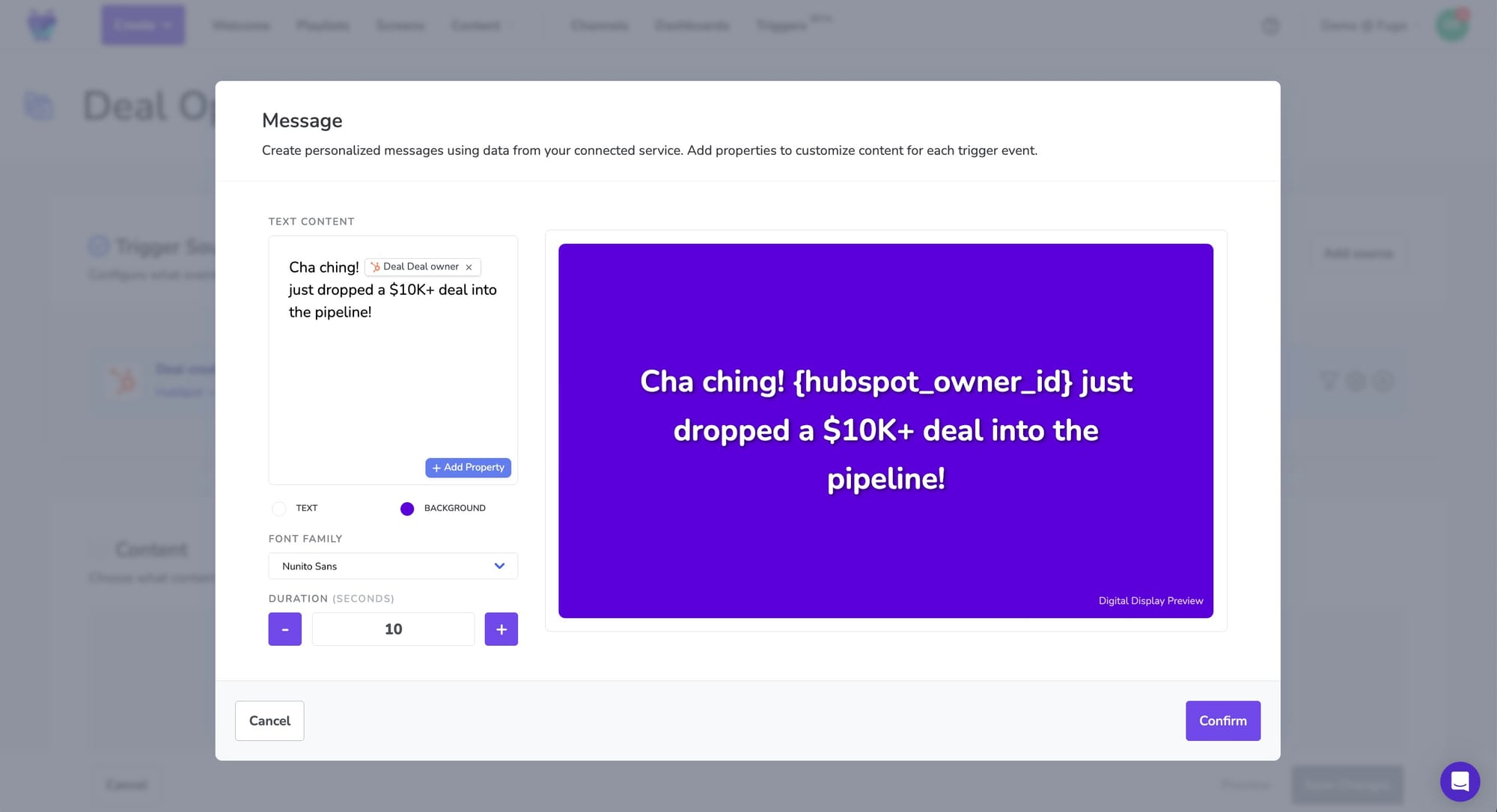
A “good” suite of automation features in a digital signage CMS should include:
- Data-triggered content. Imagine a world where your sales team makes a deal, and your internal signage screens flash up the good news from your BI apps. Or, you can update your transportation schedule based on whether. Need automation alerts or notifications? Triggered content pulls data from the rest of your tech stack and automatically places it on screen without manual intervention.
- Time-bound and conditional publishing. Publish content that changes depending on the dates or times you set. For example, you won’t need to switch your breakfast menu for your lunch specials after 11 AM. You can also set up conditions for signage-specific tools, like when someone uses a QR code, or you deploy a pop-up notification on an internal app.
- Automatic reversion and expiration. No need to worry about temporary content living forever. Reversion and expiration features automatically remove triggered automations when they’re no longer wanted — like an overnight freeze warning for commuters, for example.
Sidenote: What about artificial intelligence automations?
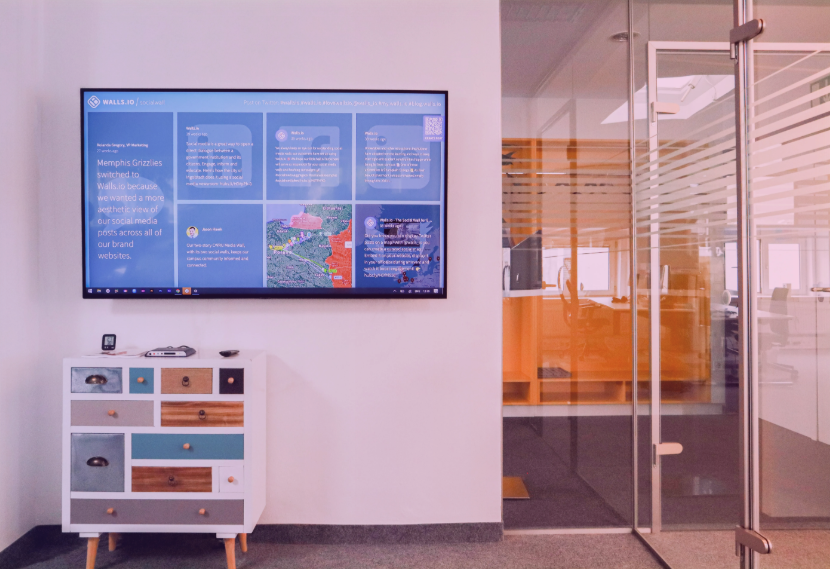
We’ve primarily focused on automated workflows so far, but it’s still very much possible to generate automated content with AI.
One option is prompt-to-slide AI, which lets you generate branded content from whatever prompt you provide. You don’t need a graphic designer to set up slides, or spend hours of your own time figuring out the nuts and bolts of content creation.
Another option is smart content generation. Rather than writing up a content prompt and letting the AI create your content, you can use pre-established templates and sources of business data to create auto-branded content within a matter of seconds. For example, you can set up a template for ‘weekly sales reports,’ then ask the AI to generate an updated smart panel.
Learn more about AI in digital signage.
Analytics: Keeping an eye on what’s working (and what’s not)
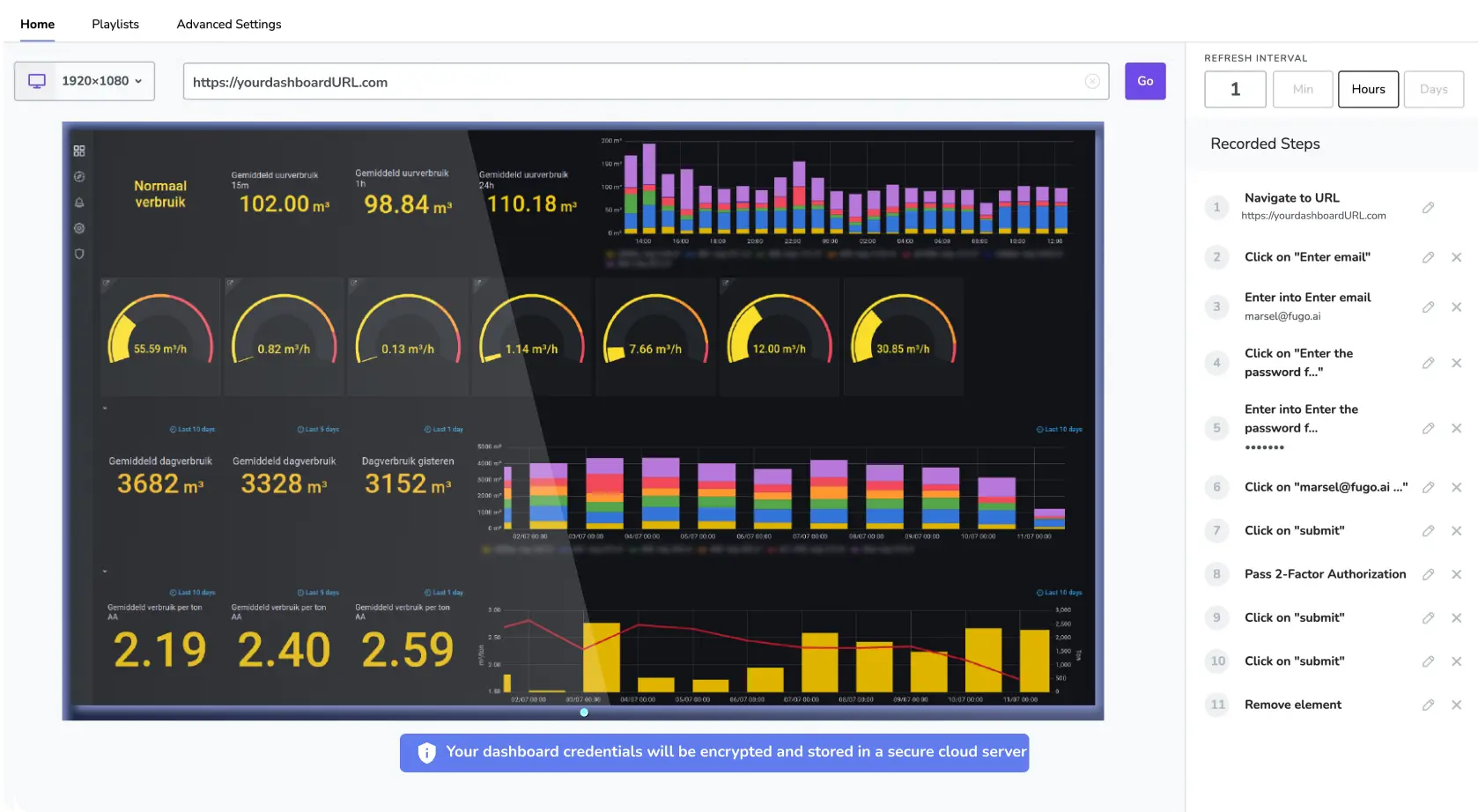
You can’t manage what you don’t measure, as the saying goes. Digital signage analytics can make this easier by rounding up data so you can benchmark content uptime, problematic devices, and more.
Note that we’re not necessarily talking about content engagement metrics here, like the number of views on a panel or foot traffic in a specific spot. Most enterprise brands care more about uptime, correctness, and timeliness — and less about social media buzz, or how many people scanned a QR code.
Engagement matters, yes, but system operability matters more. Hence, we’re focusing predominantly on the analytics that affect the playback and usability of your system.
The operational analytics you’ll actually need for digital signage in 2026 include:
- Screen health and online/offline status
- Playback confirmation (i.e., proof of play reports)
- System downtime versus screen downtime
Telling the difference between operational analytics vs vanity metrics
Why are we less excited about engagement metrics in 2026? Because they usually look ‘good’ without saying very much. Thus, why they’re known as vanity metrics.
And while there’s much to be said about the power of engagement metrics in some contexts, they’re they’re often the least useful signal when something goes wrong.
A QR scan rate can’t tell you that a key retail screen has been offline for three hours, for example. And view count won’t tell you if a dashboard stopped refreshing after a network change or outage.
Without visibility into the system itself, you’ll get stuck retroactively dealing with problems rather than preventing them.
Operational analytics help you solve problems before they become public.
Analytics features you need for digital signage
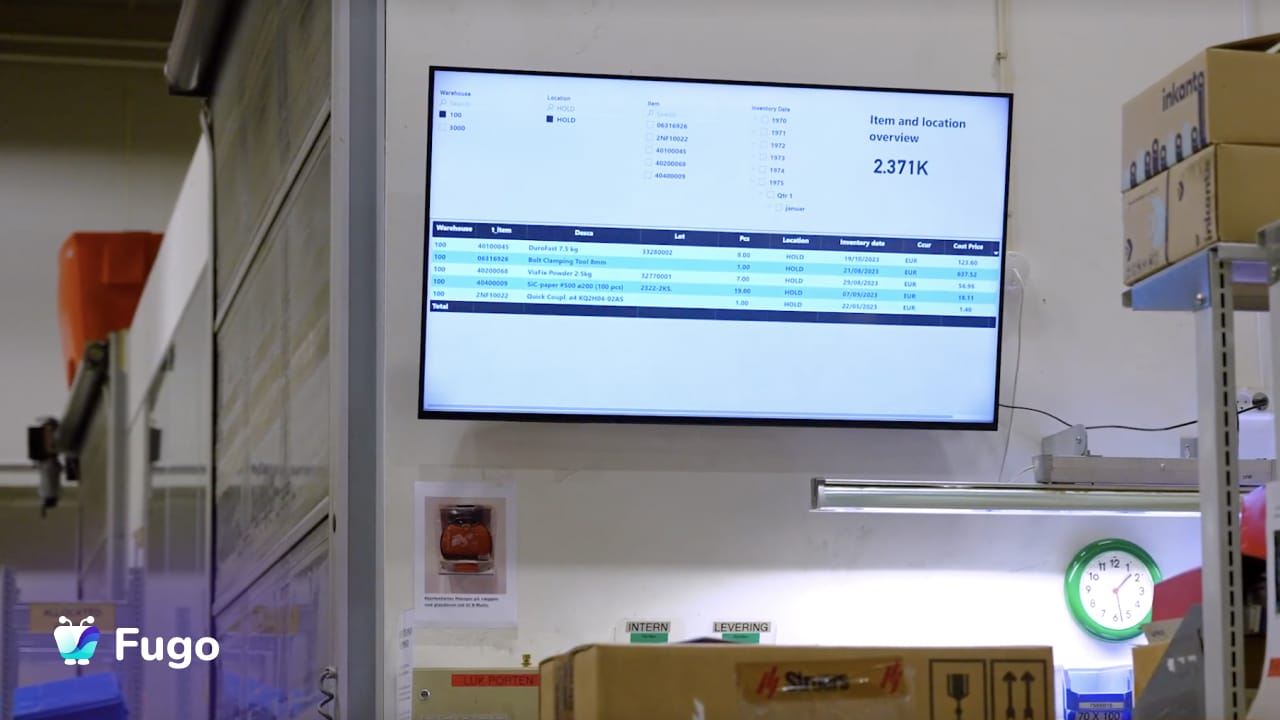
In 2026, signage platforms should make it easy to monitor system health and performance alongside your other systems. This keeps signage from becoming a silo. Plus, it allows IT, operations, and leadership teams to work from a single pane of glass.
Keep your eyes peeled for analytics features like:
- Integrations with existing BI apps. Think Power BI, Tableau, Grafana, and Looker, or more specialized options like Jira or SAP Analytics Cloud.
- Event notification emails. Receive an instant notification whenever a player flips on or offline. You should also be able to set the cadence of these messages, like weekly, daily, hourly, or instantly.
- Screen-level reporting. Proof of play reports, for example, provide metrics on the content of a screen and how often it appeared. Audit logs, on the other hand, let you see who made changes to what, and whether it needs to be returned to a previous form.
Asset management: The backbone of building up
Asset management platforms are a lot like fire extinguishers: they rarely get attention until after there’s a problem. And by the time you start looking, the problem seems to be everywhere. Content sprawl, duplicate files, outdated promotions, and so on.
As your signage program grows, so too will your assets. You might wake up one day to thousands of files across dozens of teams. When somebody quits, suddenly no one knows who made what, or why. Your teams might stop trusting your library altogether and start re-uploading content, “just in case.”
The cost of weak asset management goes beyond the hypothetical, though. Without a proper asset management system:
- Publishing takes longer, because no one knows which file is the most current version.
- Your compliance risk increases, since you have more expired or unapproved content in circulation.
- Cleaning up content becomes a manual and ongoing chore, which means it’s borderline impossible to get the job done until somebody on your team has the bandwidth and time.
It suddenly takes weeks, not hours, to upgrade your digital signage content.
Let this issue compound, and it could quite literally affect your bottom line.
Asset management features you need for digital signage
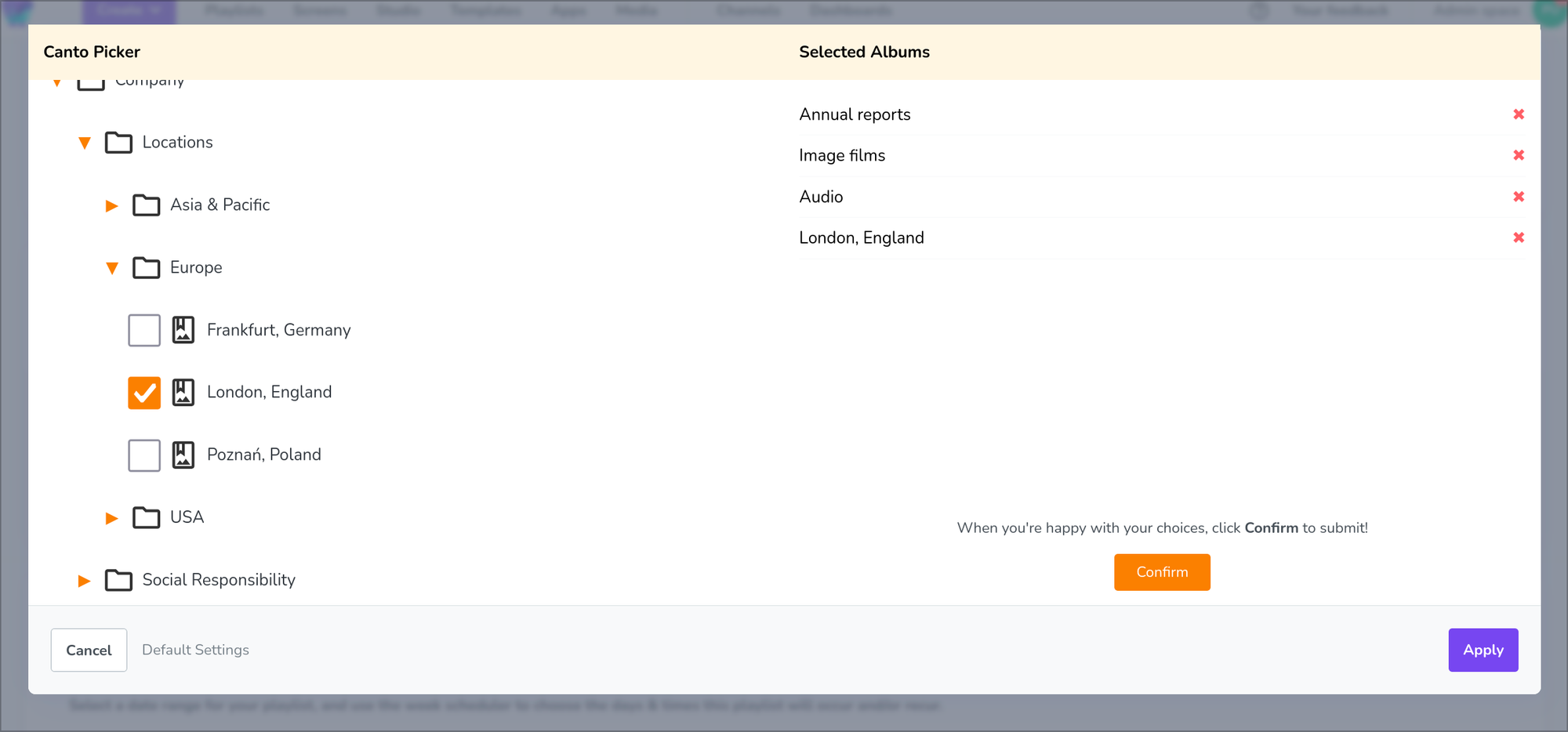
Some digital signage platforms offer built-in asset management tools. But others allow you to set up integrations and connect with digital asset management (DAM) platforms, depending on the size and growth of your business.
In either case, you should look for a digital signage asset management tool that provides:
- Centralized libraries with metadata, tags, and ownership. In fact, some studies report that DAM software can save up to 20% of your team members’ time.
- Version history and content lifecycle controls. If someone accidentally edits a finalized piece of content, simply roll it back to a previous version. Or, place a lock on sensitive content or templates so unauthorized users can’t change important bits.
- Reusable templates and shared components. Set your team up for success with content that’s already approved and ready to use. Whenever you’re starting up a sister store or expanding overseas, you can give your subsidiary access to your templates so they don’t need to start from scratch.
💡Sidenote: Some signage CMS platforms integrate natively with DAM systems so you can seamlessly pull content from one to the other. Fugo’s Canto integration lets you store key signage within Canto, then push data to screens whenever the need arises.
Why invest in third-party DAMs for digital signage?
Because strong asset management leads to fewer problems, plain and simple. Your team can move much faster, since assets are easy to find, safe to reuse, and clearly governed. Plus, every piece of content comes with context, history, and a set, assigned owner. You won’t lose critical information whenever a team member leaves, or worry about misguiding new employees when they’re just leading the ropes of who does what.
Connecting a dedicated DAM to a digital signage system positions your signage assets as long-lived resources, not just disposable uploads. Plus, you no longer need to worry about manual uploads or tabbing between platforms to upgrade your screens. It’s easy to schedule and update screen content with the library you’re already using for other communication channels, like social media.
The real question is, where do you start looking for a match?
Popular DAMs that connect with digital signage software include:
Using automation, analytics, and asset management in digital signage
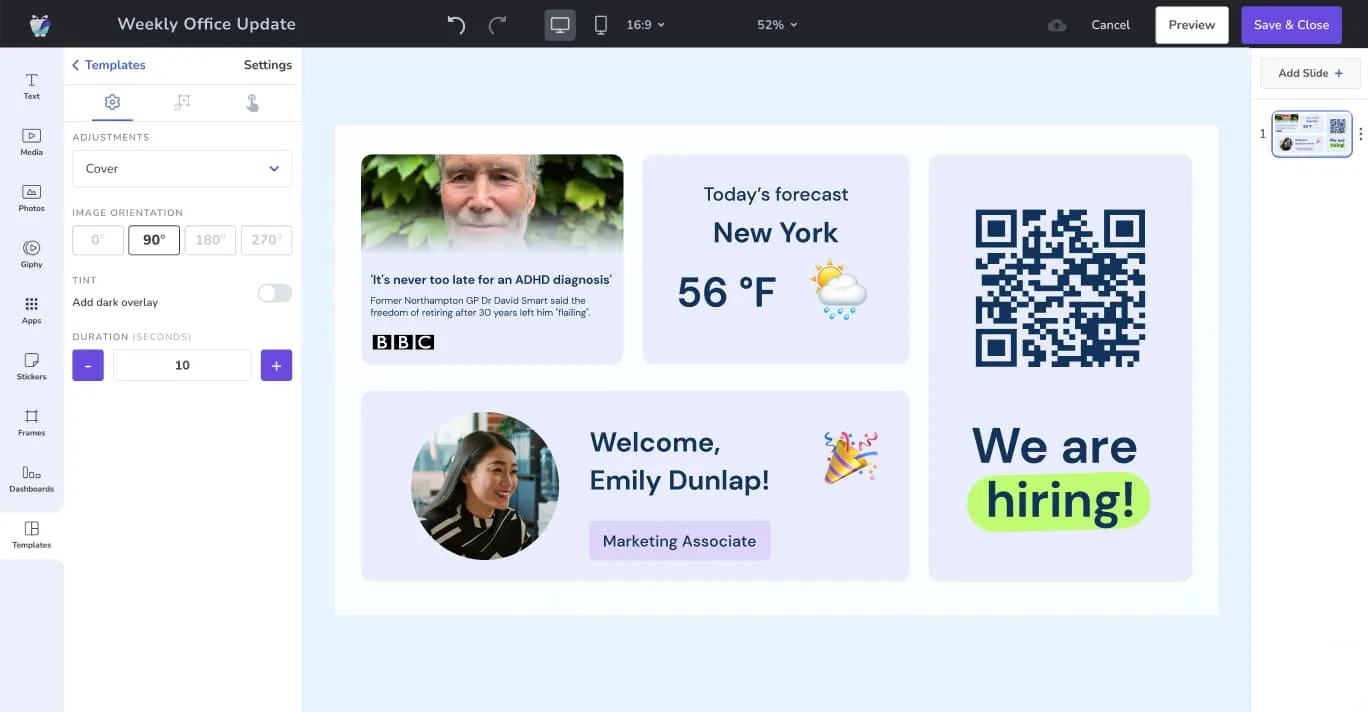
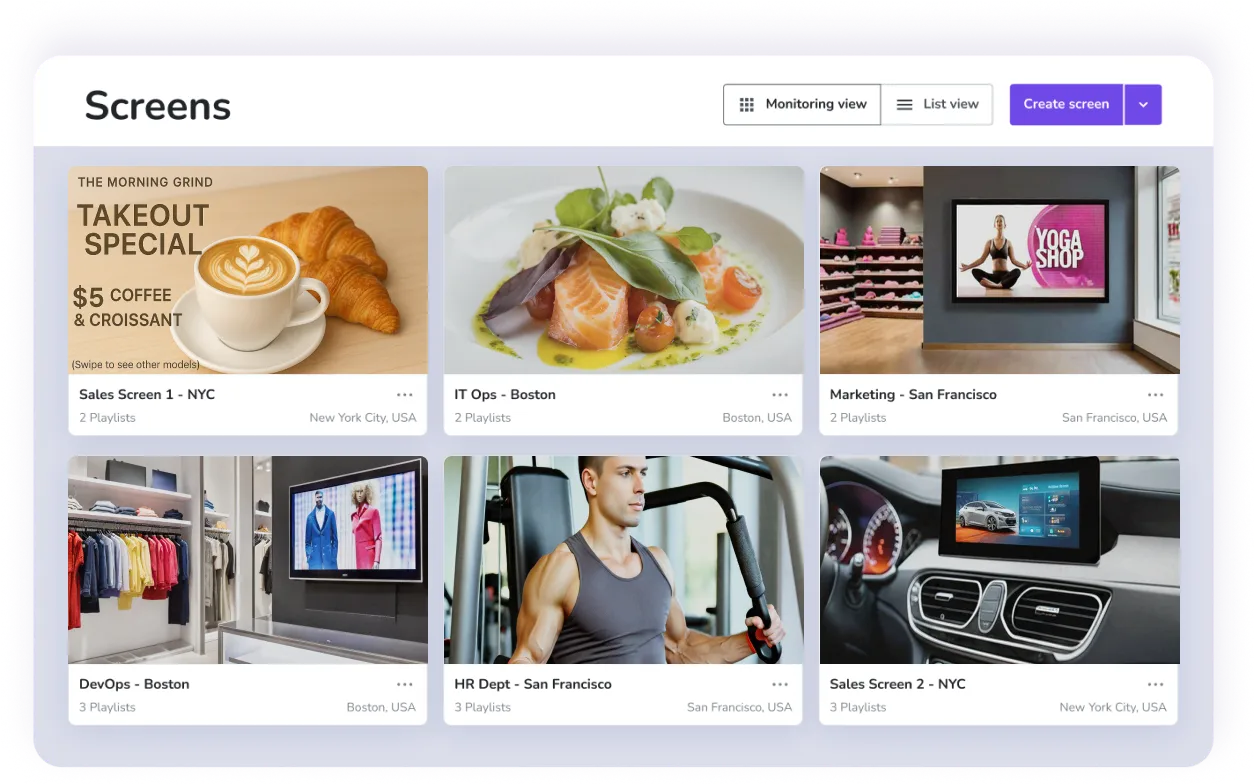
You can use automation, analytics, and asset management tools separately. But you’ll get the best results when they operate together as a system, with one system feeding the other, one enabling another, and so on.
It’s not hard to see why these three pillars work so well together:
- Automation depends on clean, well-managed assets
- Analytics can help inform reliable automations from device behavior
- Asset management improves when analytics reveal usage patterns
No need to take our word for it, though.
Here are three concrete examples of how the three pillars work in practice across different industries.
Corporate office
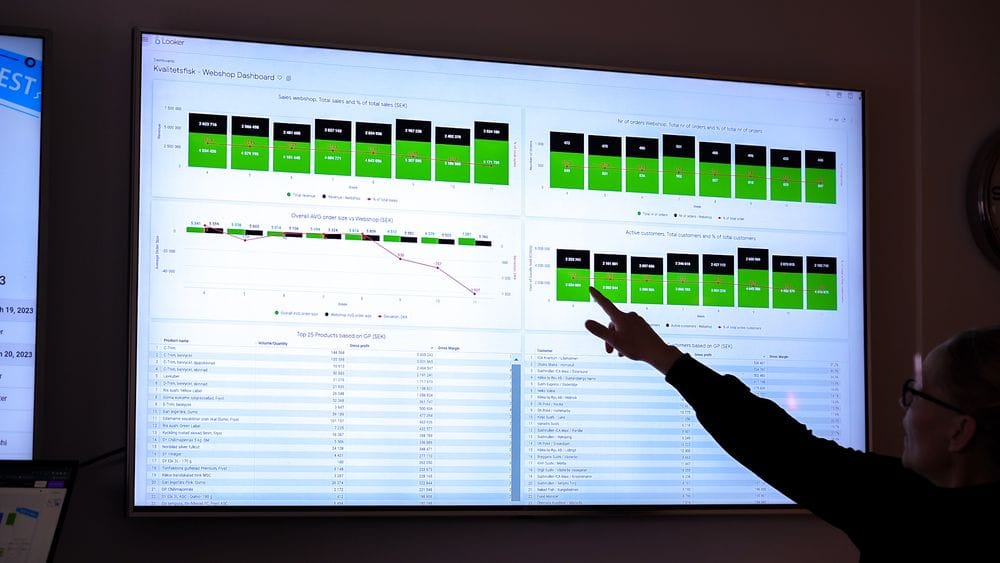
Mark, the IT lead at a Fortune 500 marketing company, wants to deploy sensitive internal data across 50 TV dashboards in 14 US locations. He can’t use third-party BI tools, so he needs something supporting on-prem dashboards. Plus, he wants to ‘flash’ updates in real-time whenever a sales rep moves a prospect to a deal phase.
To do this, Mark’s team sets up a series of self-hosted dashboards that pull directly from local reports, networks, and apps. No one needs to expose their login credentials, disable important browser protections, or risk creating security issues with sensitive data. Plus, he uses a plan that allows data to update in real-time. The information pushed on-screen is just as accurate and up-to-date as the data inside their existing apps.
Mark then creates a system that automatically pulls live data, then flashes new sale stages on company screens. But he also uses conditions to display only deals above $50,000. These content screens automatically expire after 60 minutes, which lets the signage return to its regularly scheduled programming.
Finally, Mark and his team receive weekly analytics reports detailing how each TV behaves, how many updates it receives, and how long it runs. He can also update all screen settings from the same, centralized dashboard. No need to visit separate locations or manually update the content across his 14 locations.
Learn more about corporate digital signage.
Manufacturing

As the operations manager at a regional manufacturing plant, Lisa’s primary goal is to create an internal communications system. She needs something to accommodate three shifts, 110 screens, and ~400 employees in various deskless roles. And to top it all off, she also needs to provide them with remote access.
First, she organizes all her assets into one place. The team gathers up safety visuals, SOP diagrams, and performance dashboards, creates dedicated templates, and assigned strict version controls. Now, no one can upload improper or unauthorized content. Anyone who wants to make changes must go through the chain of command.
Next, Lisa connects her content management system with all the other apps in her tech stack (namely, her Power BI account and a logistics platform). This allows her to automate content from other systems — like floor metrics and daily production volumes — so she doesn’t have to do manage everything herself. Speaking of which, her content management system automatically updates messaging whenever shifts change. This happens even on holidays, weekends, or when she’s out of the office on vacation.
But Lisa’s crowning achievement is creating a company TV channel for her company. This allows employees to log into and view content playlists from their device of choice, such as a laptop, tablet, or mobile phone. That way, even off-duty employees can stay abreast of important notes and details. It also leaves room for employee engagement: Lisa can set up automated
Finally, Lisa uses her CMS’s analytics to confirm that every screen stays online, and plays the correct content for each unique shift. When a device drops offline, someone else on Lisa’s team receives an email notification to work on repairs. This ensures everyone on staff gets the right information and stays compliant (i.e., not violating certain OSHA safety display laws).
Learn more about digital signage for manufacturing.
Hospitality
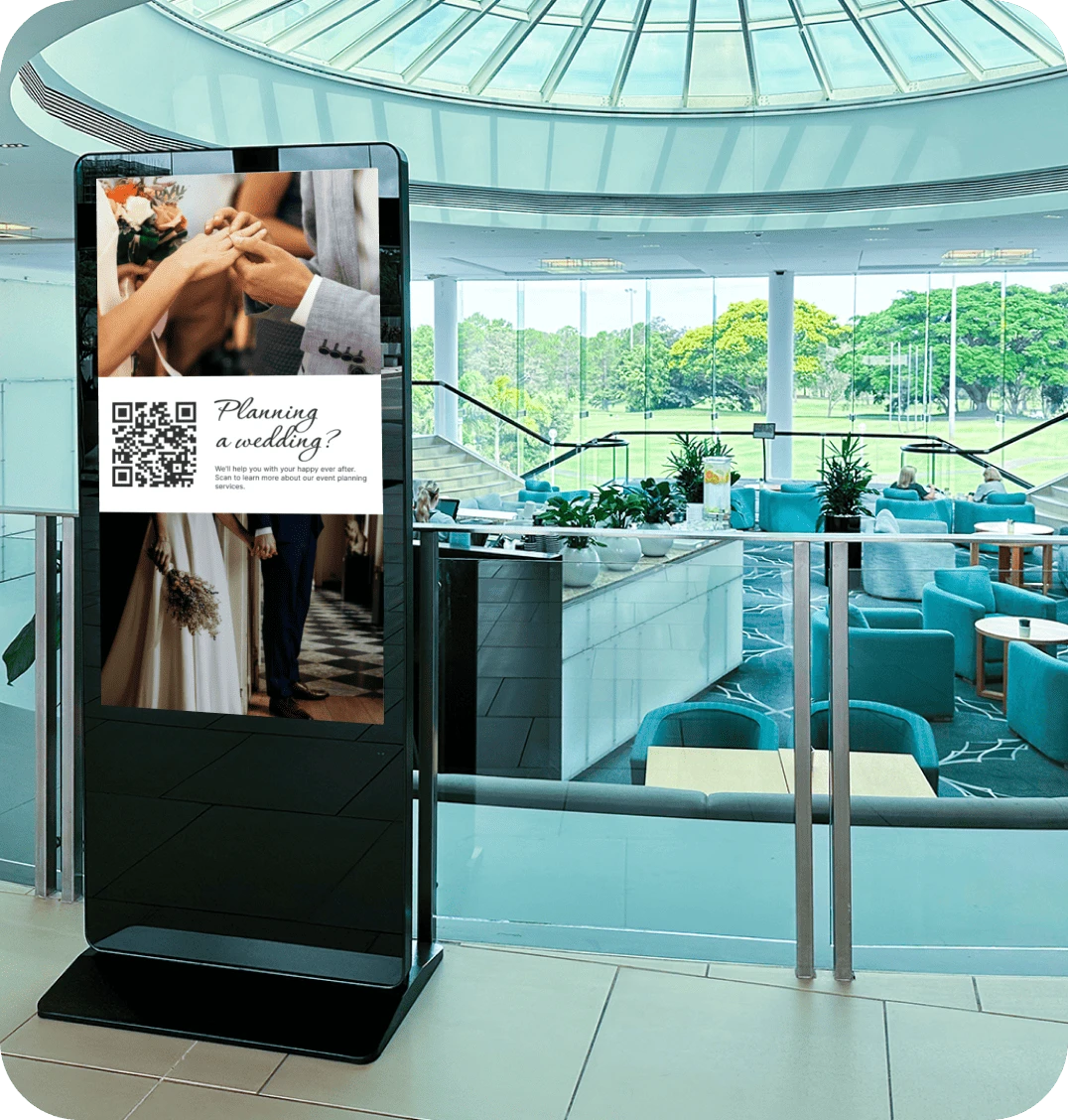
Alex oversees digital signage for a 30-location hospitality group based in the UK. Their signage requires day-to-day updates to best serve their high-end clients. That means menus should change by daypart, and many promotions must change by location. And for the resorts under their care, foul weather can instantly affect available amenities.
So Alex’s team organizes menu items, promotions, and layouts in their DAM as reusable assets with set expiration rules. That way, local managers don’t have to design new content from scratch. They can also use approved components with unique language for their customers.
Then, the team connects the DAM to a digital signage CRM that handles specific rules-based automations. Time-based triggers handle breakfast-to-lunch-to-dinner transitions across each location’s various time zones. Plus, dynamic triggers respond to weather-based content for individual regions and resorts (i.e., ‘umbrellas available at the front desk’).
Alex also uses analytics to confirm that every screen shows the correct content at the correct time. They also don’t need to wait for a technician to call in a problem. Playback reports provide details on downtime and screen outages, with automatic, daily email notifications so Alex can alert the proper authorities when things go wrong.
Learn more about digital signage for hospitality.
Finding automation, analytics, and asset management on a digital signage platform
So, where would you start looking for such a digital signage platform?
You can ask the following questions to help narrow down your options:
- Automations: Is it rules-based, or does it only provide a few set use cases? Do they have features for AI, or at least, say they’re testing options?
- Analytics: Prioritize analytics that tell you about content uptime, screen errors, or outages. Do you have to pay extra for basic analytics? Can it offer more robust reporting features as your signage network grows?
- Asset management: Does it natively offer tools for tagging, versioning, and template locking? And does it connect natively with a DAM? Or will you need to find a workaround?
See how modern digital signage platforms apply automation, analytics, and asset management at enterprise scale.
Frequently asked questions about automation, analytics, and asset management in digital signage
Q: How do you automate content for digital signage?
You need two different layers to automate digital signage:
- The data layer, such as the content itself and content reporting
- The visualization layer, or the CMS you use for integrations and playlists
Platforms like Fugo offer both at once to enable real-time data for any signage deployment.
Q: Which digital signage companies offer automation, analytics, and asset management?
Fugo is a digital signage content management system offering automations, analytics, and asset management on every plan. You can queue up content with automations based on days, times, or specific internal data. You’ll also have access to analytics on every plan, like audit logs and proof of play reports. Then, easily connect with third-party systems for simpler asset management. Fugo integrates directly with Canto, which allows you to connect your digital assets directly to your display technology.
Q: Why get automation, analytics, and asset management in 2026?
Manual content management in digital signage makes less and less sense as your business grows. Connecting with automation, analytics, and asset management tools lets you instantly populate effective content on the right screens, at the right time, without hunting through endless desktop files.

