






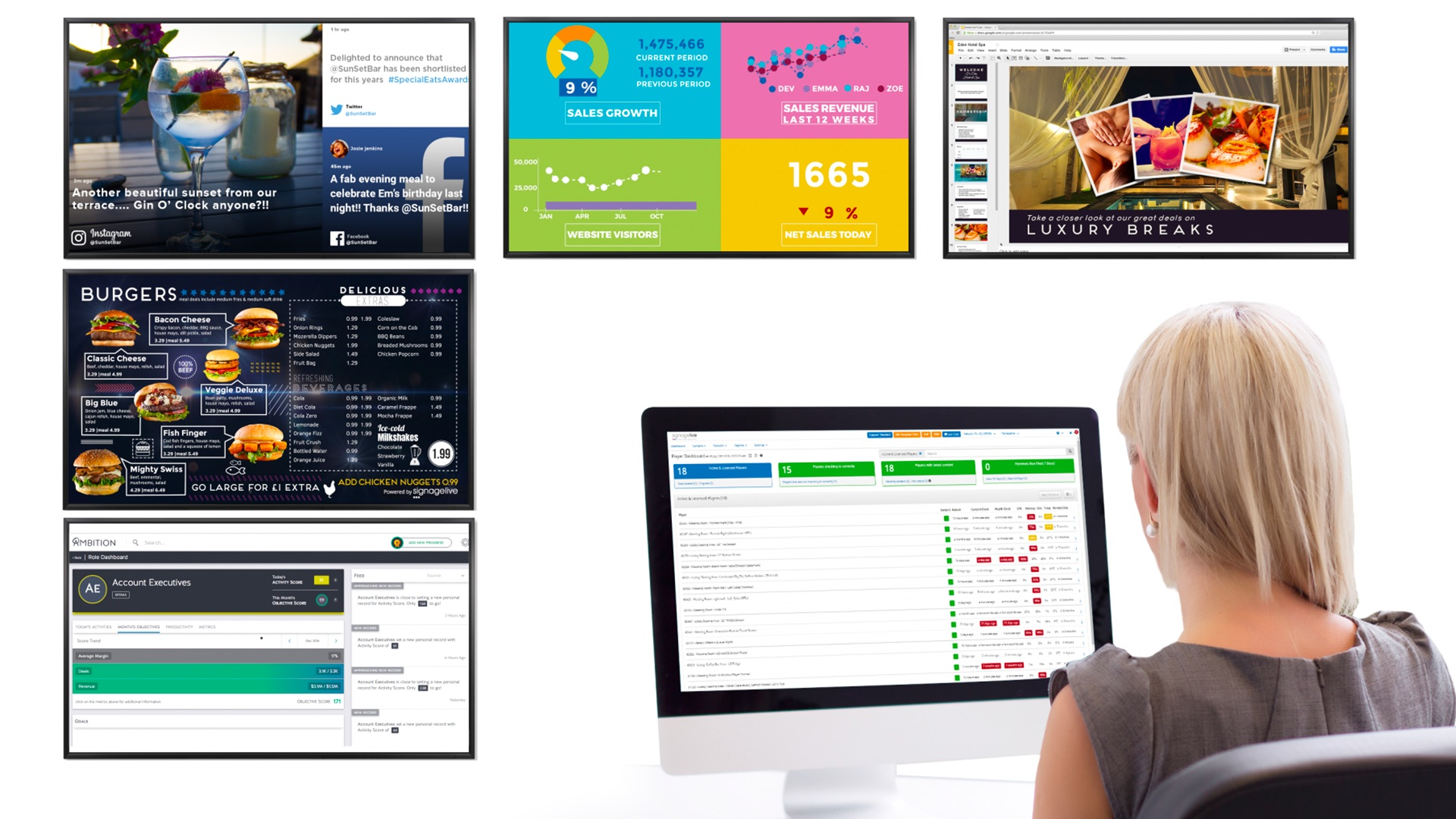
Looking for digital signage software? You’ve likely seen Signagelive pop up in your search results. This award-winning provider has been around since 1997 and serves enterprise brands with a cloud-based digital signage content management system.
But at nearly 30 years old, Signagelive’s age is starting to show. This is especially true of its high-cost pricing plans, hidden fees, and unnecessary add-on costs.
No need to take our word for it, though. This article explains everything you should know about Signagelive pricing so you can make your own informed decisions.
💡 Want a better Signagelive alternative? We provide a more competitive digital signage software provider at the bottom of the guide.
Breaking down Signagelive pricing and plans
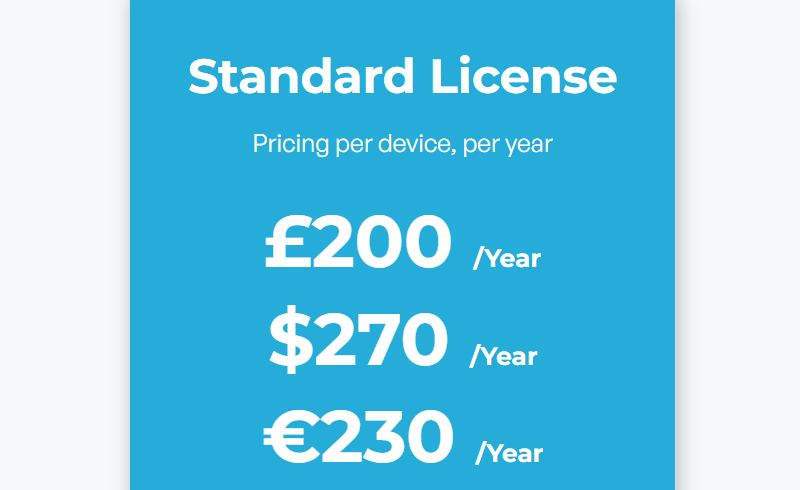
Signagelive offers a single plan starting at $270 per device per year (or $22.50 per device per month). Keep in mind that taking this route will lock you into a one-year contract. If you want the flexibility to pay month-to-month on your signage platform, you’ll need to contact the sales team.
There are also options for two, three, four, and five-year plans. While they may be cheaper, they may lock you into longer contracts. You also can’t get their pricing online without contacting the sales team.
Signagelive supports the following content on all plans
- Videos (video walls require additional fees)
- Static images
- Web pages
- IPTV
- Live TV
Signagelive also provides the following digital signage solutions on its single plan:
- Basic content scheduling
- Dual digital signage displays
- Monitor screens in multiple locations from one dashboard
- Playlists within playlists (also known as nested playlists)
- Remote device management with real-time content updates
Signagelive add-ons and packages
While Signagelive doesn’t offer specific plans and features, it does offer many bells and whistles depending on your business size and needs.
Let’s take a closer look.
Speciality modules and add-ons
Most of Signagelive’s best and most helpful features require what it refers to as ‘speciality add-ons and modules.’ These, unfortunately, don’t have public pricing. But Signagelive does say they are “chargeable on a per Signagelive Network basis.”
For context, modules are purchasable extensions that unlock additional capabilities that are already baked into Signagelive’s system. These typically affect what you can do and manage on the backend of your signage system. Add-ons, on the other hand, are like plug-and-play content tools and integrations that you can layer on top of your system. These allow you to
Either way, you’ll need to get in touch with Signagelive’s sales team to receive a customer quote.
According to our conversations with its sales team, the following Signagelive modules are available for purchase:
- Proof of play reports
- Granular user permissions
- Proactive monitoring
- Secure dashboards
- Automated playlist creators
- Active Directory integration
You can also purchase the following Sigangelive add-ons:
- Mass upload of tags
- Custom encoding
- Content scheduling (charged per day per month, although you can purchase an annual contract that’s charged monthly)
- Custom reporting
- Custom support contracts (designed for a single or series of events where you want dedicated support)
Keep in mind that many Signagelive alternatives offer similar features built into the base plan. That way, you never have to pay extra for bare-bones features needed to scale your enterprise company.
Priority customer support
You don’t automatically get the best customer service when you sign up for Signagelive.
The base plan comes with 24/5 support, access to a help center, and an AI knowledge base. But you’ll need to upgrade if you don’t have in-house IT resources, or if you know you’ll need more efficient customer support.
There are three tiers to choose from:
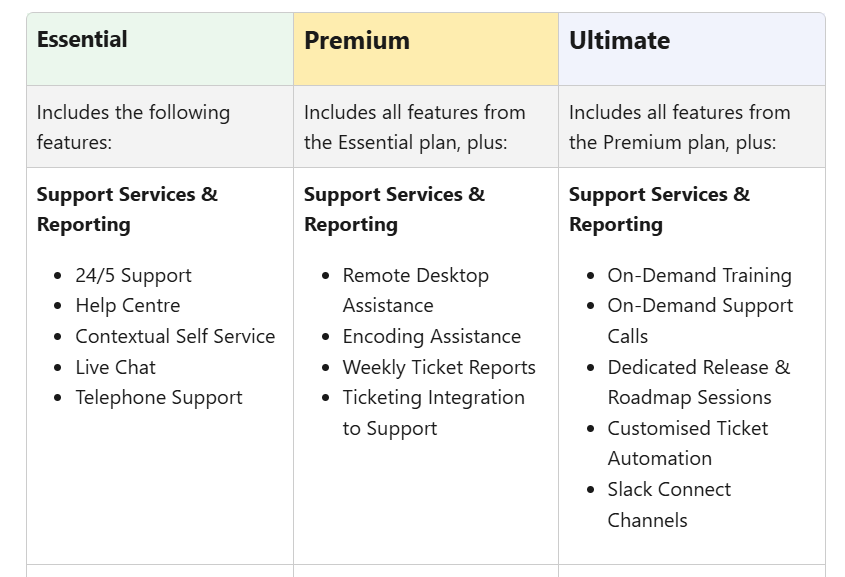
Again, Signagelive doesn’t publish any of these support prices online. You’ll need to contact sales to learn more about the costs.
Multi-screen player licenses
As mentioned, Signagelive charges $270 per year for a single access license. This license applies to a single digital media player. One player can power up to two screens with the same content. But if you want to power displays in video walls, or those offering interactive digital signage experiences, you’ll need to purchase licenses for ‘multi-output players.’
There’s no public pricing for these multi-output players. But as you might imagine, they’re likely more expensive than traditional single player licenses.
The only way to know for sure is to contact sales.
Consulting and online training
https://youtu.be/QYk01MXxGSc?si=8pBAW6FCPCSyL8Kn
For large or fast-growing brands, Signagelive offers B2B consulting and digital signage training. This can help you build objectives and KPIs for your digital signage program. You can request a bespoke, online training series where a member of the Signagelive team walks through specific workflows inside the platform.
But again, Signagelive training doesn’t come with clear pricing. Plus, you won’t know which of the company’s Senior Sales Engineers will facilitate the training. Some of these facilitators can be hit or miss, according to past user reviews.
The only solution for getting accurate numbers (and information) is to contact sales for a quote.
Creative services
Need help creating images, videos, or motion graphics? Or want to build templates for the rest of your team? Maybe you just need help setting up digital signage integrations that push content from existing platforms to your TV screens (like Slack messages or Yammer reviews).
Signagelive’s creative service package offers to help with all of this and more — for a price. In return, you’ll get custom content that any of your operations users can edit and push to screens, without slogging through its legacy Layout Designer tool. That way, you don’t need to worry about the setup, quality, or deliverability of the media yourself.
As you might imagine, Signagelive doesn’t give any specific pricing for its creative services package. But it does state it offers fixed pricing to “build the content you require.”
Signagelive’s true costs: hidden fees to know
It’s hard enough that Signagelive doesn’t publish truly transparent pricing. But to make matters worse, it also hides a few extra costs that aren’t immediately obvious when reading through the pricing page.
Here are some hidden and extra fees to expect from Signagelive:
- Players and hardware. You can’t get players or other signage hardware directly from Signagelive. Instead, you’ll need to find a vendor to deliver equipment that works natively with its digital signage software. If you don’t already have the hardware, or if you don’t have hardware that meets Signagelive’s minimum requirements, this could be an extra ~$100 per player per screen.
- Taxes and regional fees. Signagelive specifies that you are responsible for country and city taxes, plus VAT and sales fees, on every purchase. But it doesn’t provide you with any specifics, so there’s no way of knowing how much this will cost.
- Alternative licenses for specific use cases. As mentioned, you may need to pay extra per device per month for video walls and other types of unique setups. This may include touchscreen devices, outdoor signage, and others. For this reason, you cannot set up an entire network of video walls without contacting sales for a quote.
- Optional modules and services. This includes enhanced customer support, add-ons, modules, team training and consulting, and even creative services. Pricing, again, isn’t fully transparent. You’ll need to contact sales for more information.
- Third-party costs. Want to integrate with third-party apps? You may need paid plans for the tools you want to use. Plus, the Signagelive Marketplace may also cost extra to integrate multiple tools into the same place. These costs may range from a few dollars per year to several hundred dollars per user per month. But the only way to know for sure is to contact sales.
6 things to keep in mind before committing to Signagelive
Starting to wonder if Signagelive isn’t the right fit for your business?
Here are a few other limitations you should keep in mind.
1. Difficult to try before you buy
Signagelive supposedly offers a free trial to test the platform. But it’s impossible to sign up directly from the website.
Instead, you need to request a demo first. This isn’t ideal if you’re wanting to move quickly, or compare multiple platforms, before settling on a single option.
2. Confusing content management and creation tool
You can manage unlimited users and media players on any Signagelive account. But its solution for creating content is relatively confusing.
With the Layout Designer software, you can upload images and videos onto a colored background. Then, you must decide how to ‘zone’ your signage content. You can create separate sections of any screen for:
- Static zones
- RSS (XML) zones
- Schedulable zones
- Widget zones
This can make it difficult to create more complex signage with layers of text, images, data, and more.
Here’s a closer look at Signagelive’s dated software:
https://youtu.be/b2ozTfgvcjE?si=3NgSLjdkIseYYRcj
3. Triggered content requires API
Want to automatically push content to a screen whenever something else happens? With Signagelive’s Web Trigger API, you can instantly put signage onto displays whenever the time changes, or something updates in another platform, or even if a fire alarm goes off.
But you can’t do this in Signagelive without setting up an API. This requires prior technical knowledge, as well as lots of time.
Other Signagelive competitors, like Fugo, can help you set up, manage, and control signage triggers using a simple process. That way, you can get started within 15 minutes or less.
4. Unclear support for TV dashboards
Signagelive can integrate with third-party business intelligence tools, including Power BI, SharePoint, and Monday.com. But it’s unclear if Signagelive connects with other must-have TV dashboard tools like:
- HubSpot
- Zendesk
- Klipfolio
- Splunk
- Looker
Plus, you need to purchase the optional data integrations module to unlock TV dashboards at all. There’s no way to know how much this will cost — but Signagelive does state there will be an additional fee in addition to your BI platform cost.
5. Dated software is confusing and unintuitive
Past Signagelive users say the platform is clunky and hard to use. It may be difficult to troubleshoot without contacting support, which isn’t always accessible if you don’t have an upgraded support add-on.
See for yourself:
“The platform is hard to use and extremely slow. I tried to avoid logging in due to the poor user experience. The payment plan is rigid and not the simplist to follow. For a Sass offering the product and sales process gave the impression of a legacy system that was too complicated for even the sales people to understand. Due to these points, the price point was hard for us to justify.” — G2
6. Major platform outages may raise a few eyebrows
Past Signagelive users complain about long periods of downtime, which can be detrimental to the customers and signage programs alike.
In fact, third-party monitoring platforms tracked more than 1,892 disruption events affecting Signagelive users over a 12-month period. This is a frequency that's hard to ignore for businesses running mission-critical signage networks.
For example:
- March 6, 2025: A full platform outage hit Signagelive, affecting both player connectivity and overall site performance. Signagelive This was significant enough that Signagelive published a dedicated FAQ article about it.
- September 11, 2025: A second major outage occurred, this time centered on player connectivity across the platform.
- March 23, 2026: The most recently acknowledged outage, confirmed by third-party monitoring services.
The good news is that Signagelive is an outlier. Other digital signage companies, including Fugo, offer the reliability you need to meet your signage network running.
Fugo: the best Signagelive alternative
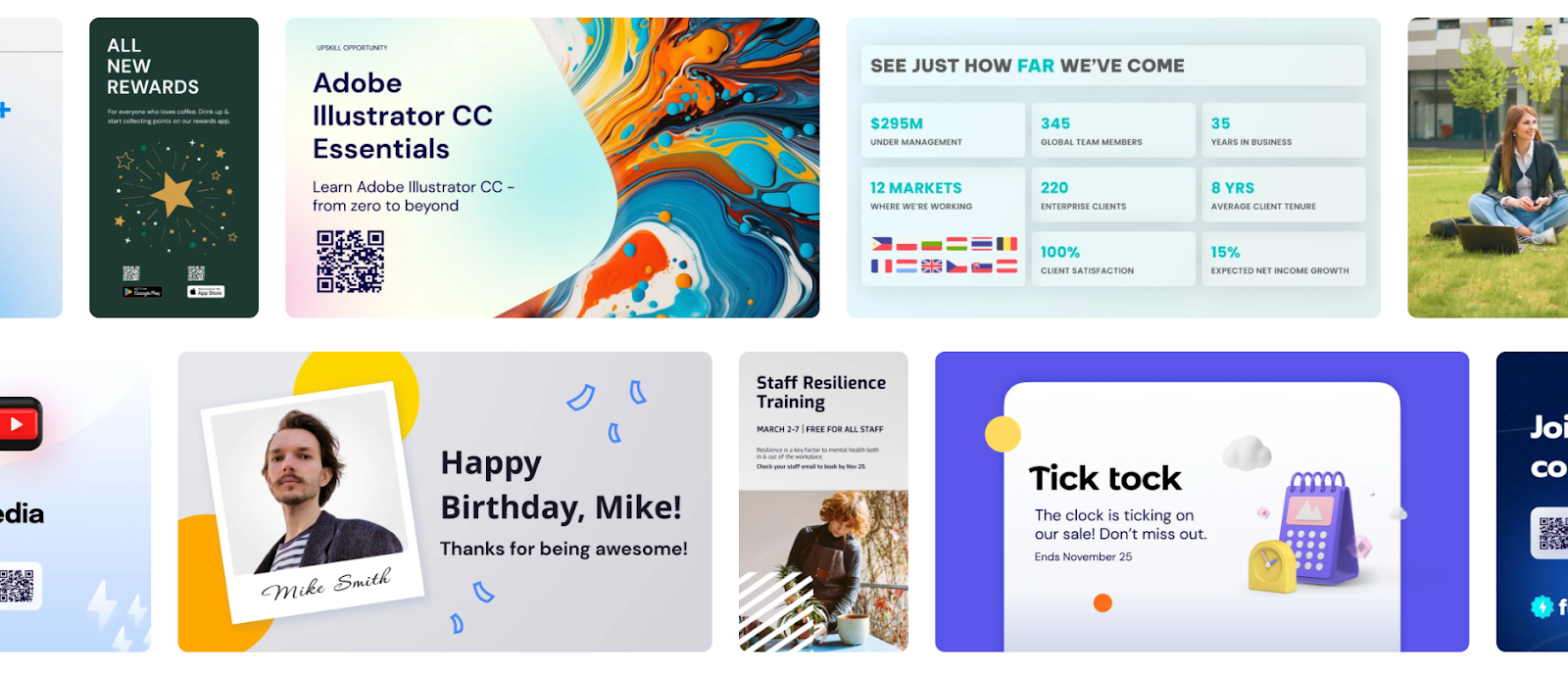
Alt: Fugo is the best Signagelive alternative.
Not happy with the cost or lack of transparency around Signagelive?
You may find yourself needing a different digital signage provider offering better pricing, features, and scalability.
The good news is that modern digital signage solutions like Fugo offer the same features Signagelive does — plus many more — at a far more affordable price. You can think of Fugo like Canva for TV screens: a cloud-based platform supporting content creation workflows, unlimited users,
No need to take our word for it, though.
Here’s why so many businesses migrate to Fugo:
Month-to-month pricing
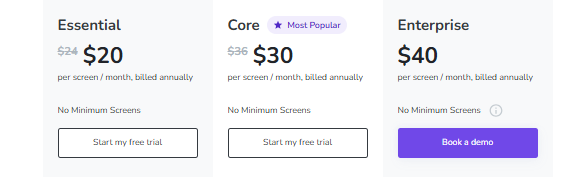
Unlike Signagelive, Fugo offers both month-to-month and annual pricing so you can pick the billing frequency that’s right for you. We also provide transparent pricing on our website. That way, you can easily pick the plan that’s right for you.
Modernized user interface
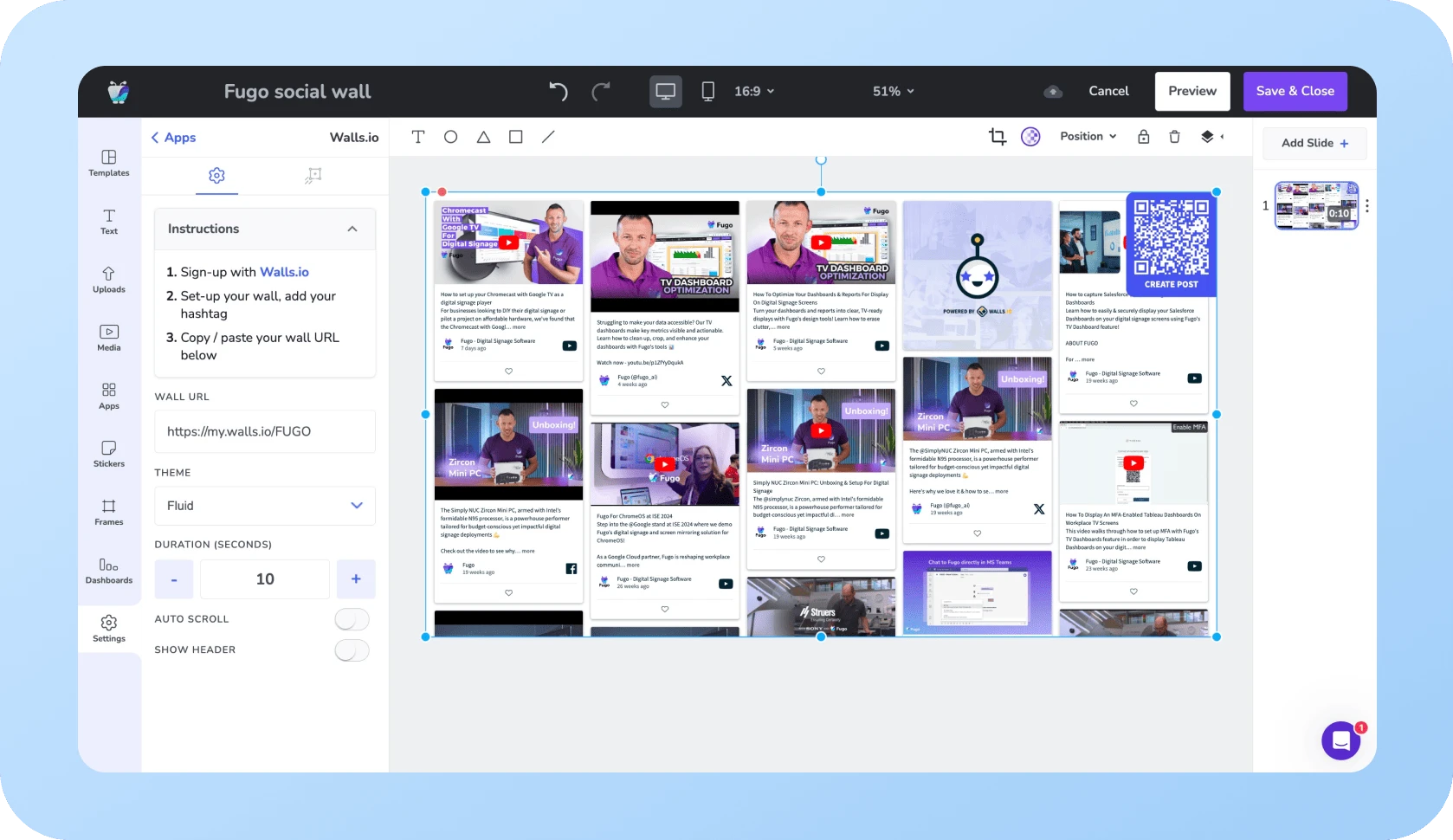
Hundreds of users say Fugo’s intuitive platform is easy to use even without prior training.
See for yourself:
“The best thing about Fugo is that it is intuitive and greatly facilitates digital signage. Its interface is user-friendly and makes management simple and easy to use.” — G2
“[I liked] the ease of adaptation and the simplicity of understanding of the multiple functions offered, but above all, [I liked] the Dashboard functionality.” — G2
“The BEST UX interface! The design and interface… really easy to navigate.” — G2
"Great Platform for managing multiple screens & locations. The team is fantastic! They have put a lot of thought into the UX for managing multiple screens. I love how easy it is to group content.” — G2
This stands in stark contrast to a tool like Signagelive, where users often get confused by its outdated, legacy navigation system.
100s of digital signage integrations
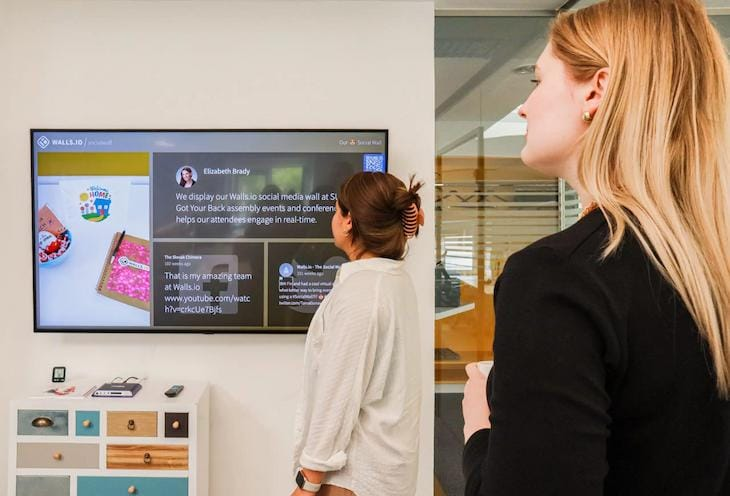
Fugo connects with hundreds of digital signage integrations that your team is already using.
This includes fan-favorite platforms like:
- YouTube
- News
- Weater
- PosterMyWall
- Walls.io
- Google Calendar
- Canto
- Business intelligence (BI) tools
All starting at $20 per screen per month.
And speaking of BI tools…
TV dashboards baked into every plan
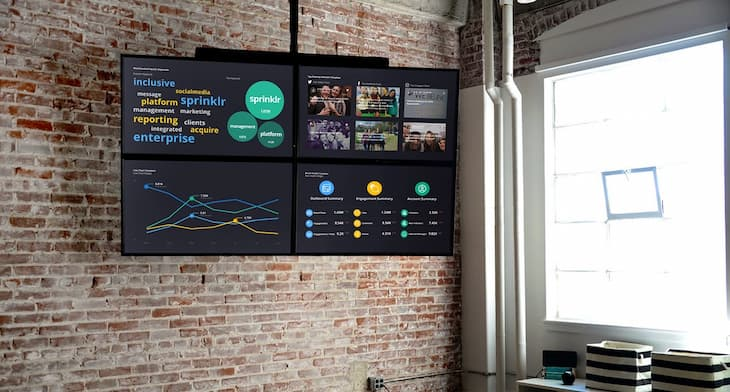
No need to purchase add-ons or modules. With Fugo, you can create cloud-based or on-prem TV dashboards starting on the Core plan.
First, connect to your BI platform of choice. Then, push near-real-time data directly to your TV screens. You can set up unlimited URLs to display all the data you want, with multi-zone layouts so you can mix and match what your team should see.
Centralized management across multiple sites
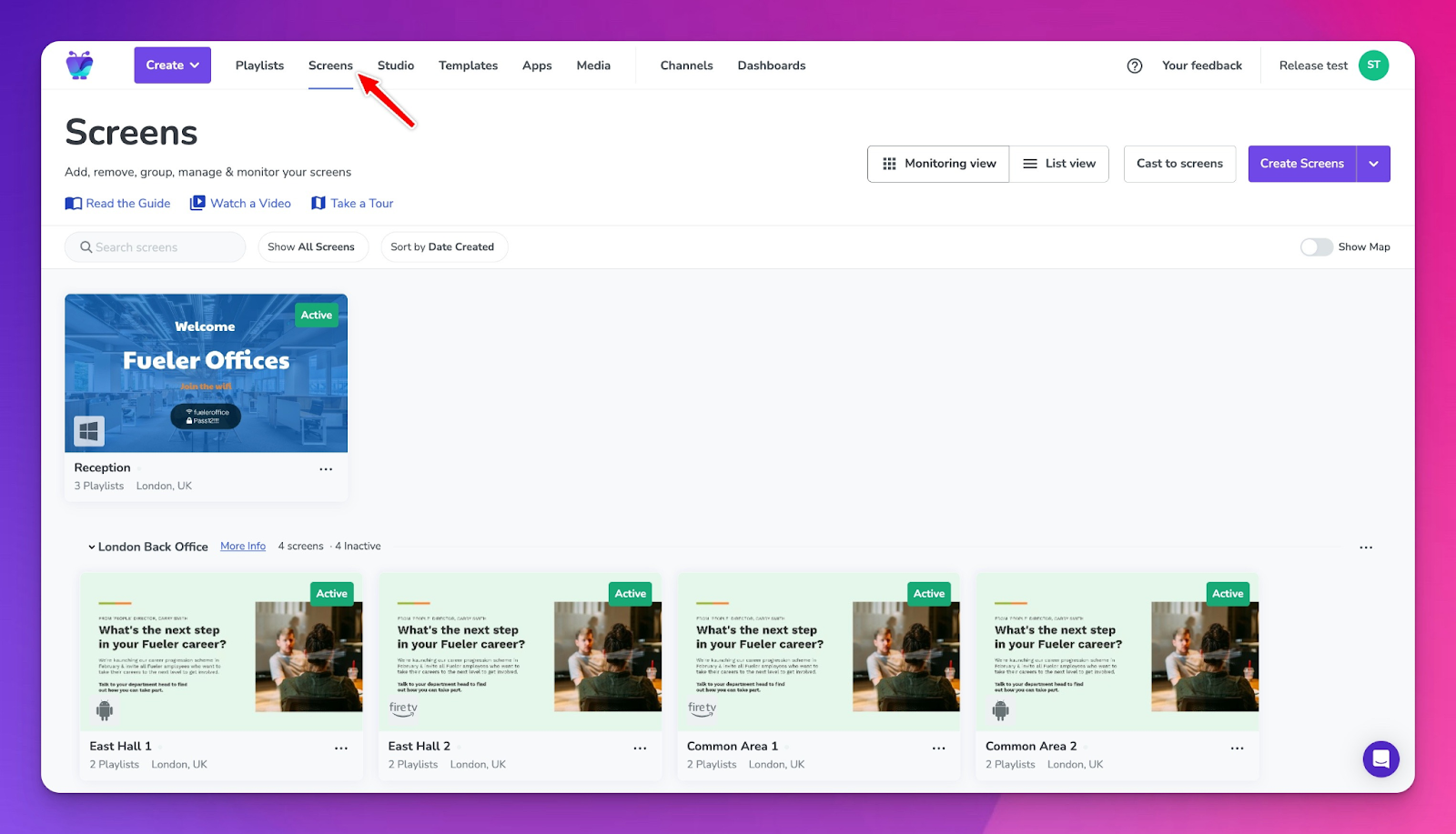
With Fugo, you can monitor an unlimited number of screens within a centralized, cloud-based platform. This allows you to push content to specific screens, even across multiple sites, states, or countries.
And since Fugo supports a wide range of players, screens, and operating systems, it’s easy to set up a non-proprietary network that accommodates the tech you want and already have.
Free trial at any time, no credit card required
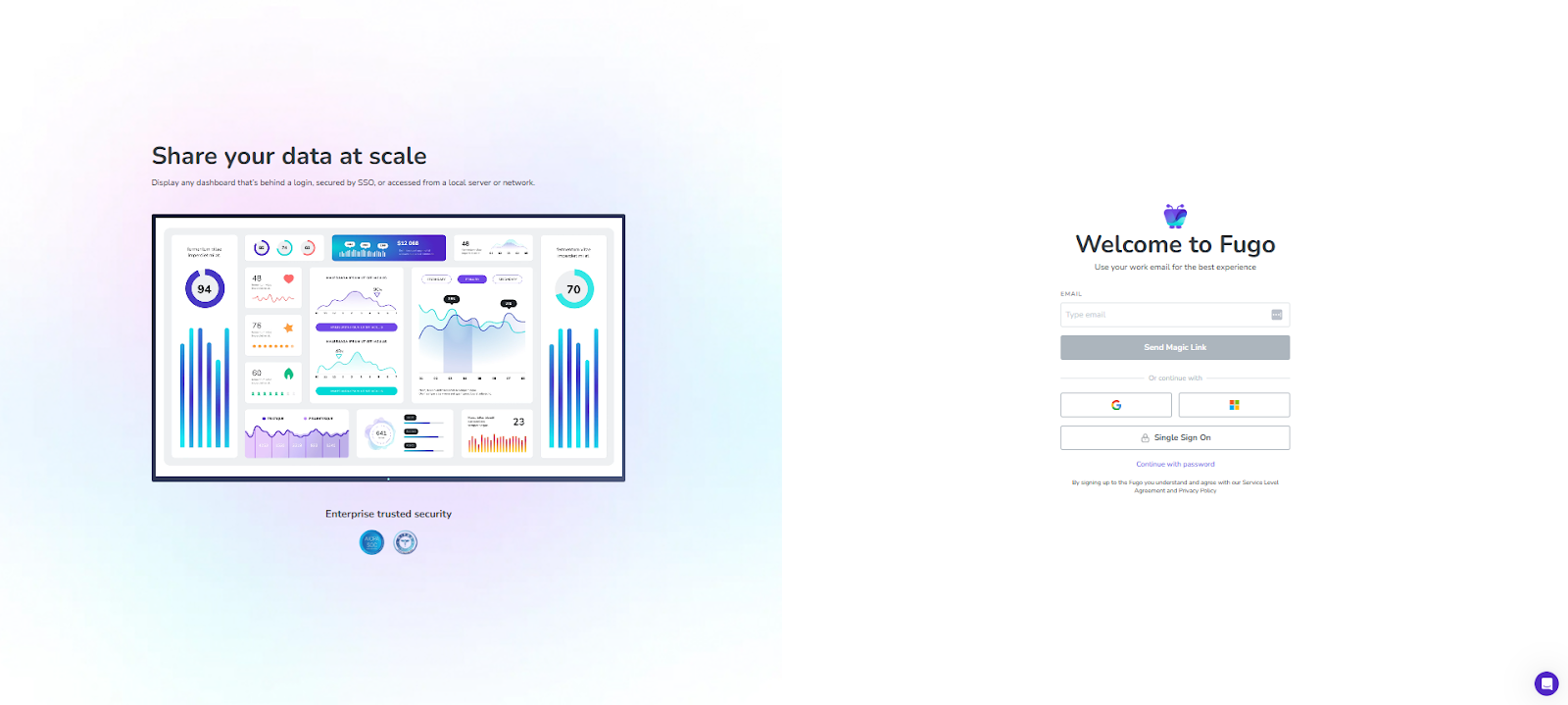
Unlike Signagelive, Fugo offers a 14-day free trial you can start at any time. Just sign up, connect your screens, and start displaying dynamic content in a snap. No need to request a demo beforehand, or force yourself through conversations with our sales team. You only need to tap Start free trial.
Then, get started with Fugo in 15 minutes or less.
Frequently asked questions about Signagelive pricing
Q: Does Signagelive offer any public pricing?
Yes, Signagelive does publish pricing on its website for its single base plan. It starts at $270 per device per year. But note that Signagelive doesn’t explain costs for any add-ons, integrations, or priority customer support you may need. The only way to get a clear answer is to contact sales.
Q: Which types of devices can you use with Signagelive?
Signagelive works with digital signage players such as:
- Amazon Signage
- BrightSign
- Google TV Streamer
- Tizen
- Windows
- webOS
It’s also compatible with TVs and System on Chip (SoC) screens running operating systems like:
- ChromeOS
- IAdea
- Philips Android SoC
- Sony Android SoC
- Samsung SSP
- LG WebOS
Q: Can Signagelive play content without an internet connection?
Yes, Signagelive provides offline playback for up to 90 days on a single device. This software enables your media player to continue playing images and videos for at least three months without needing an update. Beyond 90 days, your signage player will stop working.

