







It’s been said before that complexity has a price tag — and nowhere is that more relevant than with digital signage. And sure, enterprise signage programs certainly need some semblance of sophistication to work, but too many knobs to turn and buttons to press invite some not-so-desirable side effects.
If you’re worried your signage system is a bit too complex, or are seeing the effects on your business firsthand, you can use this guide to quickly diagnose the issue. We also explain how to identify overly technical CMS platforms and some easy solutions to operational drag.
The Promise vs. the Reality of Enterprise Signage

So you went through a lengthy RFP process, selected a CMS system or digital signage company, and never looked back. But over the past couple of months, the cracks have started to show. What happened between then and now?
For starters, you’re likely relying on enterprise signage systems. Which are typically ultra-complex systems by default. And if you’re not prepared for what that entails, it very well could run away from you (literally and figuratively speaking).
For example:
- Most signage systems were built for IT heroes, and not necessarily daily operators. This is especially relevant when you’re initially implementing your software, or when you’re training your staff members on how to correctly use your system. Case in point: 42% of companies who implemented a digital signage tool wanted more vendor support time, and another 40% felt frustrated by the limited consultation around implementation.
- There can be a gap between what signage platforms can do and what your team needs to do on a daily basis. And no, it’s not just a ‘them’ issue. One survey found that 100% of companies (yes, literally all of them) had cultural, technical and vendor problems with their signage strategy.
- Complexity compounds as screen counts and locations grow. The bigger your network, the more options and screens you have to manage, and the easier it gets for things to fall through the cracks. And while 86% of companies say they have an implementation process for digital signage, nearly half (41%) of decision-makers don’t technically know what it is. Even if they already have screen number/location processes, they don’t know how to articulate them. This will only get more and more obvious, if not expensive, as your network grows.
So, how much will overcomplicated signage system cost you in the long run? It’s hard to give specifics without knowing more about your unique situation. But knowing the prices of digital signage, most businesses spend around $2,139.67 per year on their networks. If your signage is underperforming, and you’re not making any return on investment from your content, you could be losing anywhere from $373.09 to $78,123.71 in one year.
So TL;DR: ease-of-use is more of a cost-control strategy than a “nice-to-have” feature for your digital signage program. The key here is knowing where the complexity shows up in your system, how to correct it if possible, or whether or not it’s time to switch to something simpler.
First, to address the complexity itself.
Symptoms of an Overly Complicated Signage System
As mentioned earlier, there’s a big difference between a ‘sophisticated’ signage system and an overly complex one that doesn’t scale with your program.
But how can you tell one from the other?
The best way to tell is by looking for the following symptoms in your digital signage workflows:
1. Bottlenecks in Everyday Updates
In a healthy signage operation, simple changes like menu updates, daily promos, or store announcements are usually fast and predictable. But in an overcomplicated system, those same updates might require IT tickets, approvals and spreadsheets, or help from someone who “knows the system.”
Suddenly, a simple pricing change turns into a multi-step process. Or a local promotion misses its launch window. And by the time the content appears on screen, its relevance window has already passed.
Local managers may be all-too aware that their screens don’t sync together well, but because of these lengthy approval processes, they’re left waiting instead of acting. This can also effect your frontline teams. Once they realize your signage is slow and unreliable, they might stop relying on it for time-sensitive communication.
2. Time Drain on IT and Ops Teams
When signage tools are difficult to use, your IT and operations teams often become the default support desk. Whether they want to or not.
Now, your IT team can’t focus on system improvements, or monitoring security, or scalability fixes. Instead, they might get stuck dealing with ultra-repetitive tasks: pushing files, troubleshooting playback issues, fixing schedules, or undoing accidental changes.
This is what we call ‘reactivity’ in digital signage. Small issues pile up, and you may need to deprioritize other plans and content initiautives.
The true cost here is less about the software, and more about the labor hours you’re burning it keep it running. Let’s say you pay your IT staff $25 per hour, and they spend an extra 1.5 hours per week putting out fires related to digital signage. That’s nearly $2,000 per year of unnecessary spend on IT problems, not to mention 78 hours of wasted time per year.
3. Lost Productivity at the Store or Site Level
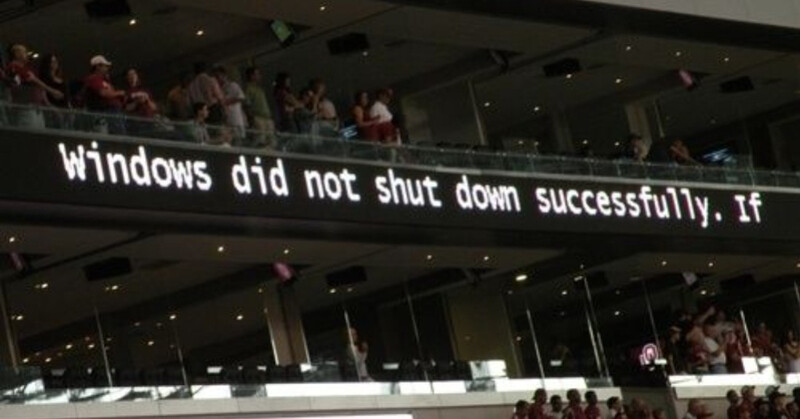
- Local teams avoiding screens because they’re “too risky to touch”
- Workarounds like printed signage, USBs, or whiteboards
- Screens becoming decorative instead of operationa
When local teams don’t fully understand your signage system, or if they feel like one wrong click could break something), they’re bound to avoid it altogether. Wouldn’t you?
Suddenly, your screens become a ‘hands-off’ territory, and local managers pass the buck. So when something needs to change quickly, they might tiptoe around to simpler workarounds: even if they don’t work or make sense for your use case.
These workarounds could have varying degrees of severity. For example, there might be printed signs taped to windows, or USB sticks passed between managers. None of this is malicious, of course. It’s just another way for overwhelmed team leads to get the job done.
But the outcome is clear: screens lose their operational role and become decorative. And a system that was meant to reduce manual effort ends up creating more of it.
4. Compliance and public image issues
It’s the risk multiplier no one thinks to budget for: complexity leading to complacency leading to incorrect, outdated, or even harmful signage displays.
Think about it:
- Your signage is too complicated to update, so employees procrastinate until the last minute
- Or, they might create ‘set it and forget it’ workflows that don’t really perform as seamlessly as previously thought
- This increases your likelihood of outdated or incorrect content in public viewSome of this content may contain compliance and brand risks
Sure, non-compliance issues won’t always have an immediate effect on costs, but it only takes one person to report them to authorities. And considering the average cost of data non-compliance surged to $14.82 million in 2024, even a very tiny slip-up can lead to a very large and expensive problem.
The business case for digital signage simplicity
- Lower labor costs across IT, ops, and marketing
- Faster response to real-world changes
- Screens that actually reflect what’s happening right now
How to simplify your digital signage system
Simple doesn’t always mean stupid, and easy doesn’t always mean unimpressive. In fact, there are many ways you can better simplify your digital signage system without overhauling your software or going scorched-earth with another vendor (although that’s possible too).
All you need are:
- Faster updates without sacrificing governance
- Reduced dependency on IT for routine changes
- Documented ownership tiers to decide who’s in charge of what
Let’s look at a few ways to make this happen, in order from most to least extreme.
Cut out everything you don’t need for successful digital signage
Let’s start by subtracting rather than adding, shall we?
This means taking the Occam’s Razor approach of cutting out everything and everything that isn’t directly contributing to simpler signage. If it exists in your system, but doesn’t actually do anything to move things along, it’s probably best if you just… remove it from your system.
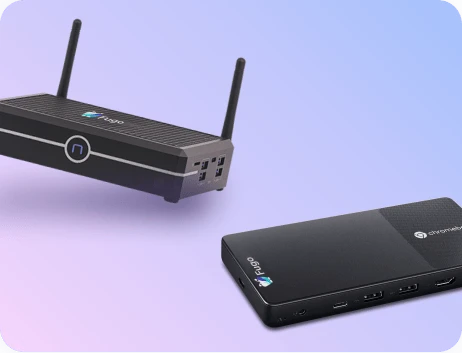
For example: do you actually need one media player per screen? Or could you simplify with a media player for two or more screens? Most legacy, hardware-first thinking in signage platforms ends up leading to more things to worry about, along with extra unnecessary dollar signs.
What about controls over your digital signage process, like ultra-specific content types per days of the week? Yes, this could be useful in some circumstances, but overengineering for edge cases could be a drag on your time and budget.
Assign roles and document them publicly
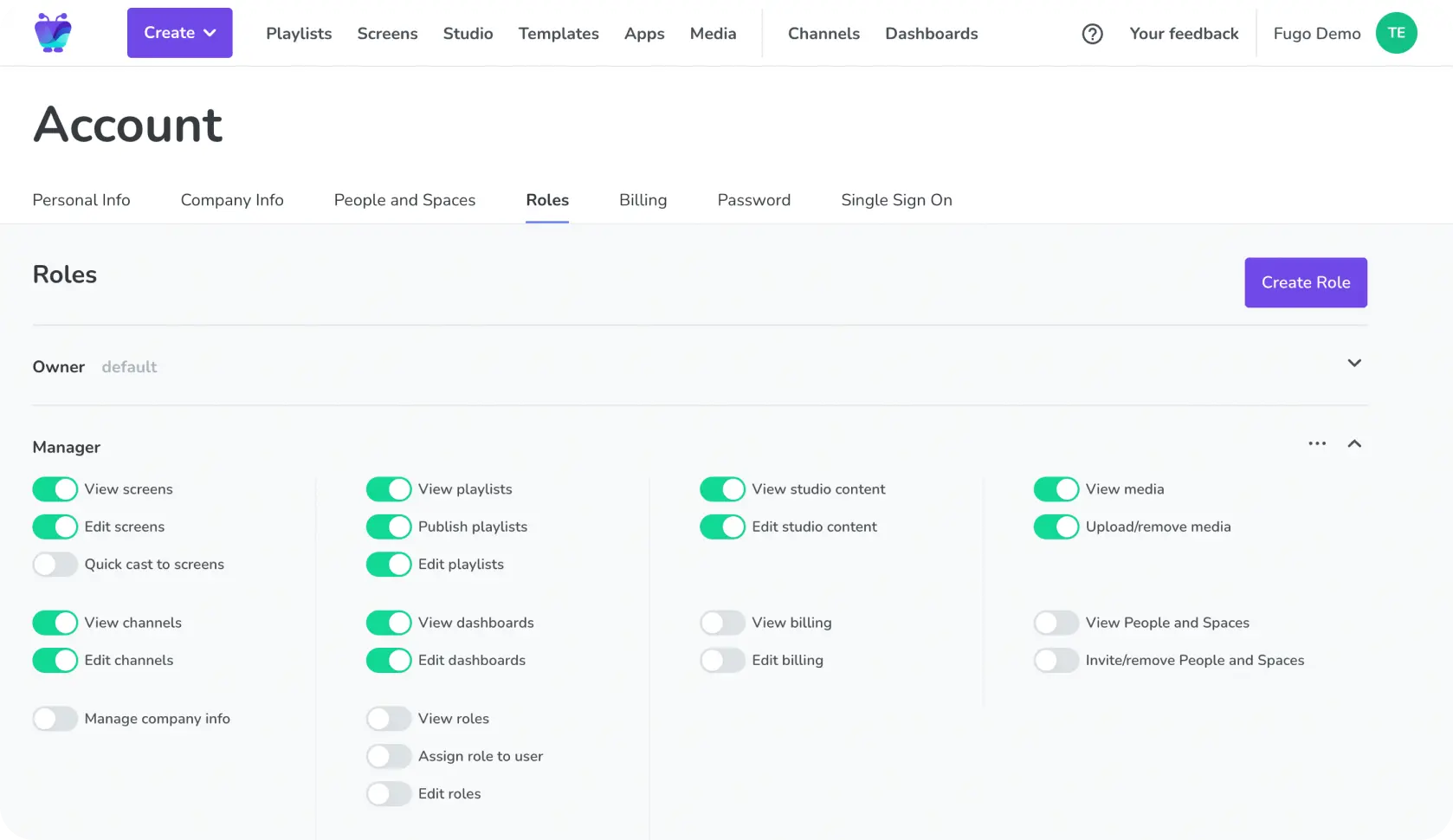
When no one knows who owns signage decisions, everyone either hesitates, or acts independently. Neither outcome scales well, in case you’re wondering.
The better option is to define clear roles across your signage lifecycle: who creates content, who approves it, who publishes it, and who maintains the system. Then, you should document those roles in someplace that’s visible. AKA, not buried in a private doc or a forgotten onboarding deck.
Some options:
- Post them in your Notion account, Google Drive, a Slack channel, or somewhere else
- Create roles and access rules inside your content management system
- Assign a hierarchy of who does what within your digital signage workflow
Plus, this public ownership makes transitions easier when people join, leave, or change roles. No more tribal knowledge holding the whole system together!
Automate everything and anything (that makes sense)
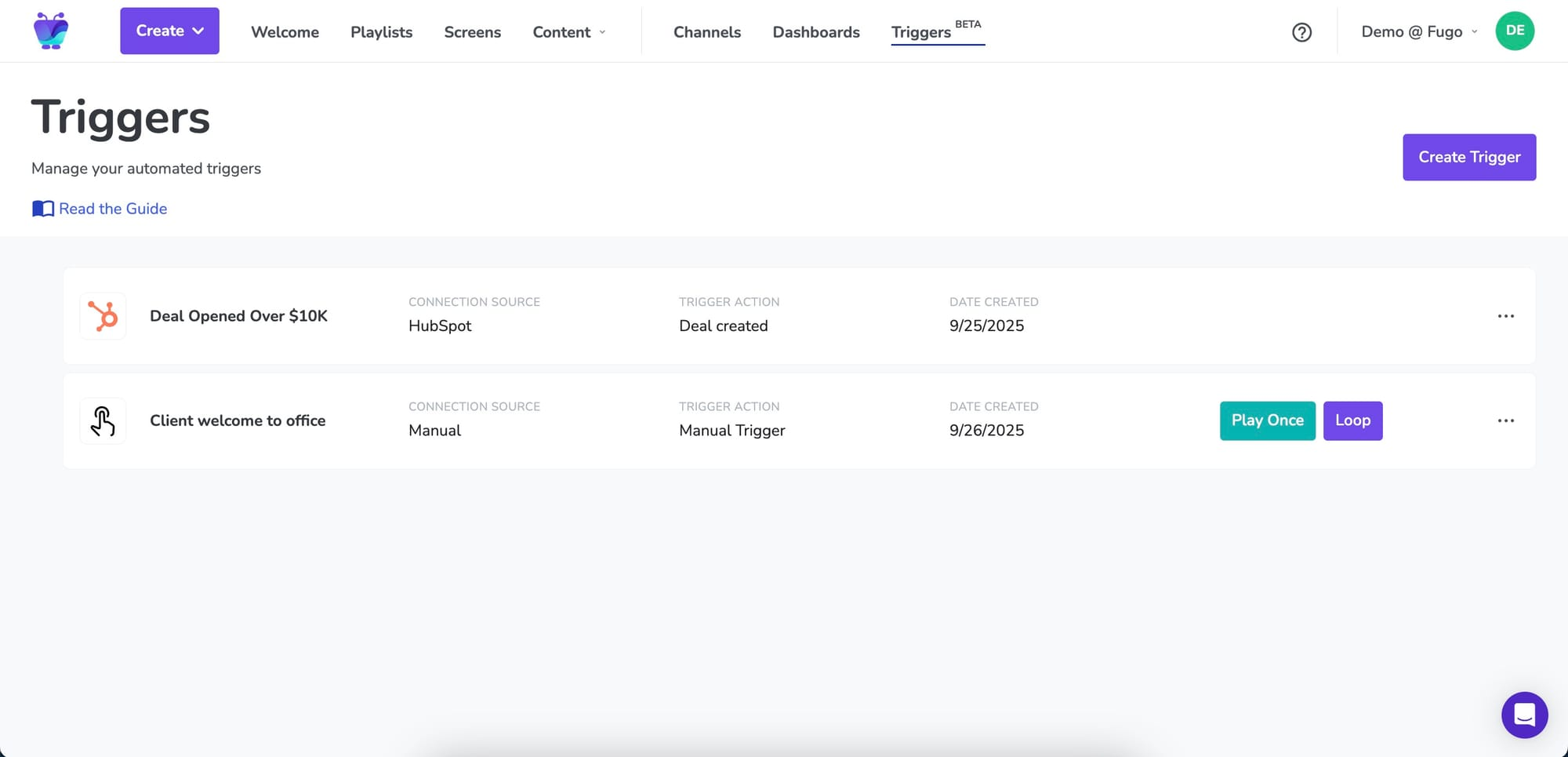
Automation in this context is less about replacing people, and more about eliminating repetitive decisions.
For example, if your team regularly updates menus by time of day, switches promos weekly, or pulls content down after a fixed date, those actions shouldn’t require manual intervention.
Rules-based automation handles this type of repetitive in the background. Content goes live when it should, and disappears when it shouldn’t be there anymore. One example of this is Fugo’s triggers, which automatically perform tasks whenever a condition is met first.
The first step is automating predictable, low-risk tasks first, like menu changes for time of day or signage for back-to-school messaging. That way, you can leave one-off creative decisions in human hands. Like updating a fun after-school poster with a recently snapped photo, for example.
A great partner to automation is artificial intelligence. That way, you can free up more time for less boring, tedious jobs. For example, you can use a prompt-to-slide AI flow to create entire digital signage pieces without needing to create them yourself. Or, you can generate entire pieces of smart content based on the branding guidelines you give to your AI.
Learn more about digital signage AI.
Improve your remote management capabilities
The further your screens are from HQ, the more important remote visibility becomes.
Without it, teams rely on screenshots, store manager confirmations, or outdated spreadsheets to guess what’s live. Whoops.
A strong remote management system lets you see device status, content playback, and errors across every location from a single view. That way, you’ll know which screens are online, which content is running, and where intervention is needed (if any at all).
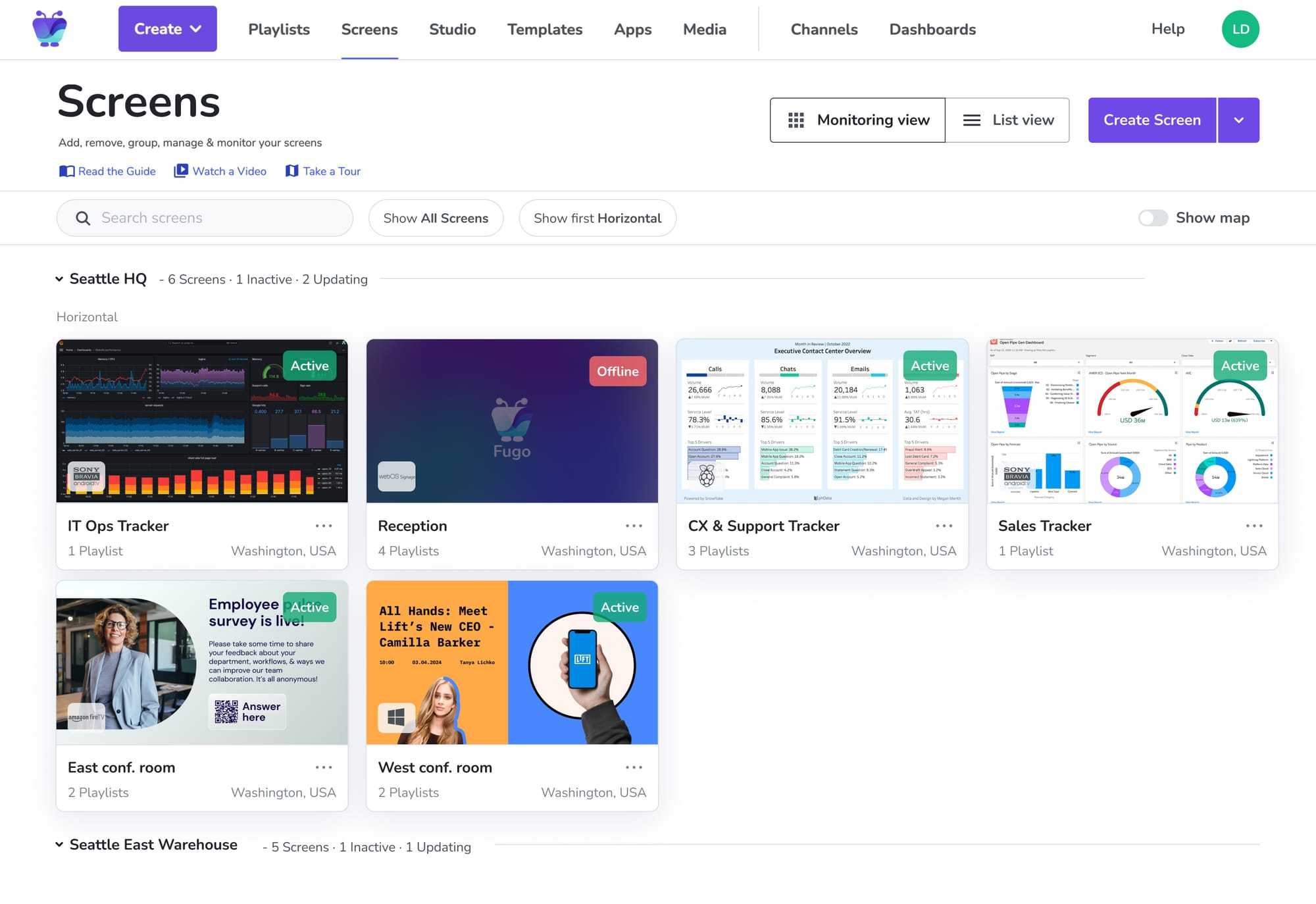
You need visibility to prevent signage from becoming a black box, and instead have a much more controllable system. This will also dramatically reduce unnecessary emergency calls and site visits, which makes things simpler and protects your bottom dollar.
Invest in a better content management system (CMS)
At some point, complexity stops being a workflow problem and becomes a tooling (aka, legacy equipment) problem.
You may need to switch over to a CMS that offers more bang for your buck, such as:
- Centralized dashboards with real-time visibility into what’s playing, where, and why
- Role-based workflows designed for non-technical users, not just IT admins
- Automation that replaces manual scheduling and updates, not layers on top of them
- Clear analytics focused on uptime and playback, not vanity engagement metrics
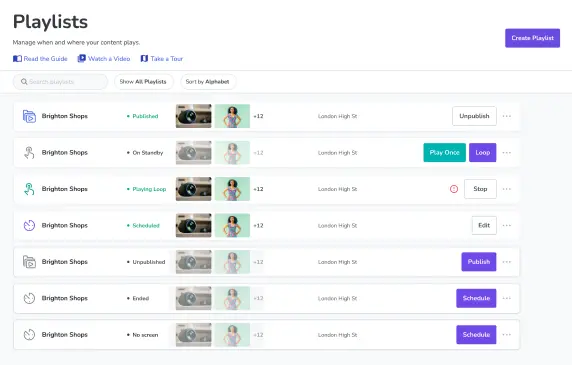
The best part? CMS platforms like Fugo offer all this and more starting at $20 per screen per month.
Learn more about turning to Fugo for your digital signage needs.
Complexity Is a Choice. Which One Will You Make?

You have the tips, tricks, and suggestions in front of you. All that’s left is to start implementing tactics.
Ready to get started in minutes? You can try Fugo free for 14 days. Then, see how much simpler digital signage workflows can be.

