






Every so often, someone publishes a “top digital signage features” article. And almost without fail, it reads like it could have been written in 2016.
Playlists. Scheduling. Media playback. Maybe templates if they’re feeling adventurous.
The problem isn’t that those things are wrong. It’s that they no longer describe what digital signage software is doing inside real organisations.
In 2026, digital signage isn’t a novelty channel. It’s not “marketing TV.” It’s infrastructure. It sits somewhere between internal comms, IT, operations, and data. And once you’ve lived with it for more than a few months, you start to see very clearly which features matter and which ones only look good on a comparison table.
This is a guide to the former.
How to think about digital signage software in 2026
Most digital signage feature lists fail because they only describe the publishing surface. Real deployments are shaped by two layers working together.
The first is the CMS layer: where teams plan, schedule, collaborate, automate, and govern content, and where signage connects to systems like DAMs, BI tools, CRMs, and HR platforms.
The second is the device ecosystem layer: where that software has to run reliably across different operating systems, hardware, and networks, with monitoring, fleet management, and clear performance boundaries.
In practice, these layers are inseparable. A capable CMS on fragile device infrastructure will still fail under pressure. Reliable hardware paired with weak workflows creates bottlenecks and workarounds just as quickly.
The features that matter in 2026 are the ones that hold up across both layers.
Digital signage CMS features (the content & workflow layer)
Core content management features - playlists, scheduling, publishing
Playlists still exist; they’re just not the hard part anymore. Let’s get this out of the way early.
Yes, your digital signage software needs to let you upload content, schedule it, and show it on screens. If it can’t do that reliably, nothing else matters.
But by now, that layer is solved.

At a minimum, a modern digital signage CMS should support:
- Cloud-based content management for uploading, organising, and publishing media
- Playlists and schedules that can be reused across screens and campaigns
- Campaign publishing with clear start, end, and expiry behaviour
- Granular timing controls, including frequency, priorities, and overrides
- Batching and bulk actions to update multiple screens at once
- Reusable templates and basic brand controls to avoid recreating layouts
- Multi-user collaboration, so marketing, HR, and ops teams can work in parallel
- A clear, usable interface that doesn’t require specialist training
The real problems don’t show up when you have three screens and one person updating them. They show up later, when:
- multiple teams want access
- content ownership becomes fuzzy
- regions want autonomy without chaos
- and no one can quite remember why a particular screen is showing what it’s showing
At that point, “a playlist” stops being a helpful abstraction.
What you actually need is a system that lets people answer basic questions quickly:
Who owns this screen?
What’s meant to be on it this week?
What happens if I override this?
And who gets shouted at if I break it?
That’s the difference between content management that exists and content management that holds up under pressure.
Planner-style scheduling is an emerging differentiator
One thing we’ve learned the hard way is that failed screen networks are mostly an organisational problem. Teams don’t struggle to hit “Publish.” They struggle to coordinate.
Marketing plans campaigns in weeks. HR plans around events. Ops thinks in shifts. IT thinks in uptime. Traditional signage tools force all of that into a playlist metaphor and hope for the best.
It’s why calendar-based planning is quietly becoming one of the most important shifts in signage software. It matches how people already think.
More advanced CMS platforms are starting to move beyond that model by offering planner-style scheduling tools. These aren’t table stakes yet, but they’re becoming a clear differentiator.
We're building towards:
- Calendar-based, drag-and-drop planning rather than playlist-only logic
- Visual campaign timelines that show what’s running, what’s upcoming, and what expires
- Clear visibility across time and screens, not just per playlist
- Workflows designed for non-technical users, reducing reliance on complex playlist rules
- Fewer manual overrides, because conflicts and overlaps are visible in advance
When teams can see content laid out across time and screens - what’s coming up, what overlaps, what expires - a lot of accidental complexity disappears. You'll have fewer last-minute fixes and “why is that still up there?” moments.
Multi-user collaboration and governance features
Whoops - someone published the wrong thing to the wrong screen. Maybe it’s harmless. Or embarrassing. Occasionally, it’s a genuine compliance issue.
Let it happen too often & that’s when organisations realise that digital signage needs the same guardrails as every other shared system they run.
Modern signage software should support role-based access, approval workflows, and audit trails. This is not because people are careless, but because screens are visible by default.
Without this layer, teams end up compensating with process: spreadsheets, Slack messages, unwritten rules about “who’s allowed to touch what.” That works until it doesn’t.
In practice, that boils down to a small set of capabilities.
What to actually look for in collaboration and governance features
1. Role-based access that’s more granular than “admin vs user”
You should be able to separate creating, approving, publishing, and managing screens - ideally scoped by region or screen group. If everyone can publish everywhere, you don’t really have roles, just shared risk.
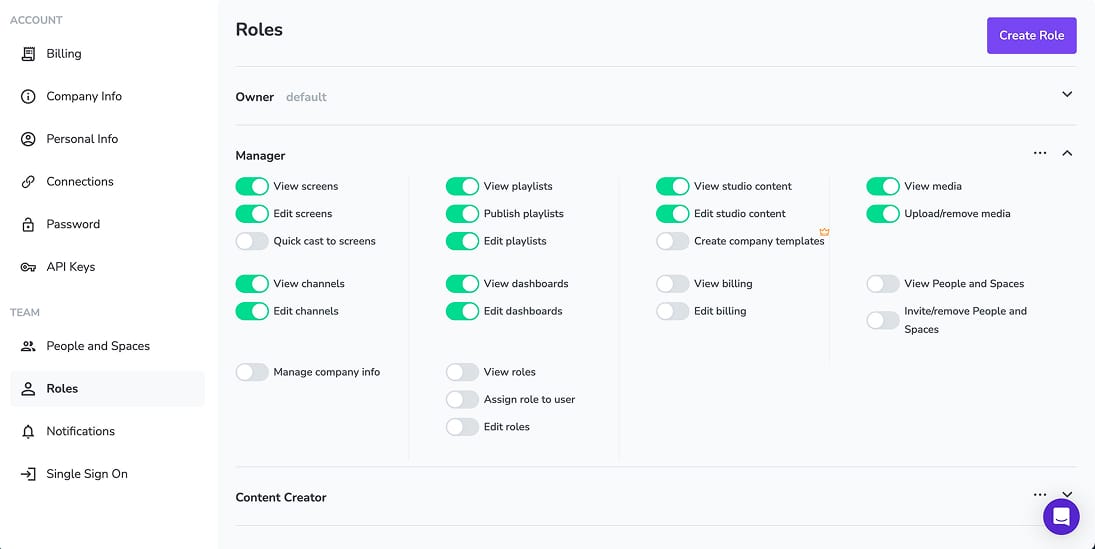
2. Screen- and group-level permissions
Permissions shouldn’t apply globally by default. Look for the ability to restrict users to specific screens, locations, or departments, and to hide irrelevant screens entirely. This becomes essential the moment you move beyond a single site.
3. Approval workflows that are optional and targeted
Approvals shouldn’t be all-or-nothing. The best systems let you require approval only where it matters - certain screens, content types, or contexts - with clear states like draft, pending, and live.
4. Audit trails that answer “what happened?” quickly
When something goes wrong, you need a clear record of who changed what, and when. If audit data exists but is buried in exports or logs no one checks, it’s not doing its job.
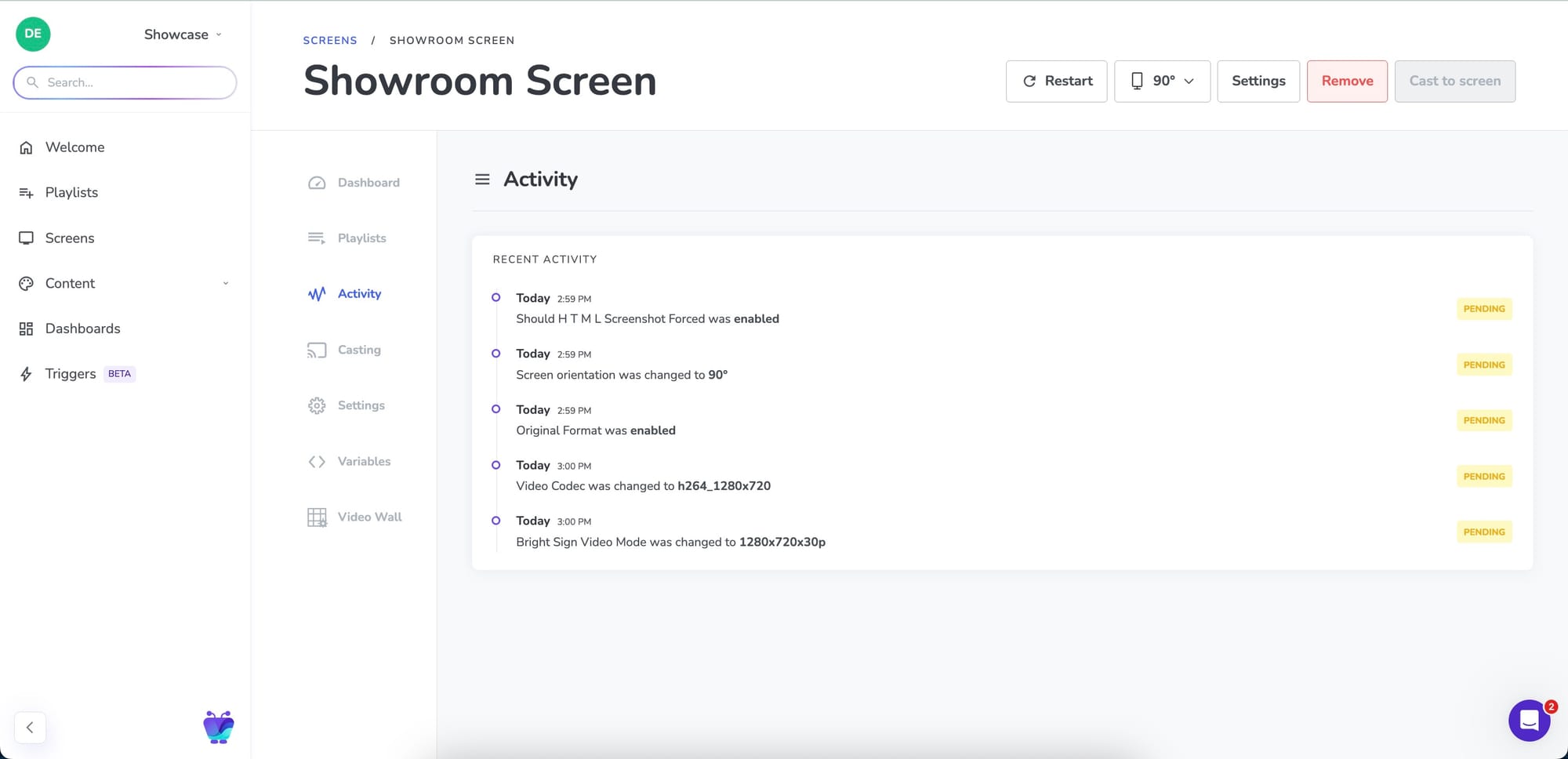
5. Safe overrides that clean up after themselves
Overrides are inevitable. What matters is that they’re visible, time-bound, and automatically revert to scheduled content. Permanent overrides are one of the most common sources of lingering errors.
6. Clear separation between global and local content
Global content should stay global. Local teams should also be able to adapt messaging to mix in their own content relevant to their site.
7. Identity integration that enforces all of the above
SSO will be convenient but it will als make permissions reliable: automatic role assignment, clean offboarding, and no shared credentials undermining the whole system.
If governance only works because people “know the rules,” it won’t survive growth.
The best platforms make the safe path the default path, even when teams are moving quickly.
Template and brand governance features
Template systems tend to get described as a productivity or creativity feature, but that’s not really why they matter. They matter because the moment content creation becomes decentralised, you risk losing brand consistency.
Early on, teams tend to enforce brand consistency through process: one group owns the screens, everything goes through review, and rules live in people’s heads. That works until content volume grows or local teams need autonomy. At that point, brand rules either slow everything down or start eroding quietly.
When evaluating digital signage software, look for template & governance features:
- Reusable content templates that can be applied consistently across screens and locations, rather than copied and edited endlessly
- Locked brand elements such as fonts, colours, logos, and layout structure, so core design decisions can’t be accidentally changed
- Defined editable regions within templates, allowing local teams to customise messaging, language, or imagery without breaking brand rules
- Template-level permissions, so only specific roles can edit or publish changes to shared base templates
- Version history for templates, making it easy to see what changed and roll back if something goes wrong
- Template ownership and governance controls, clarifying who is responsible for maintaining and approving shared layouts
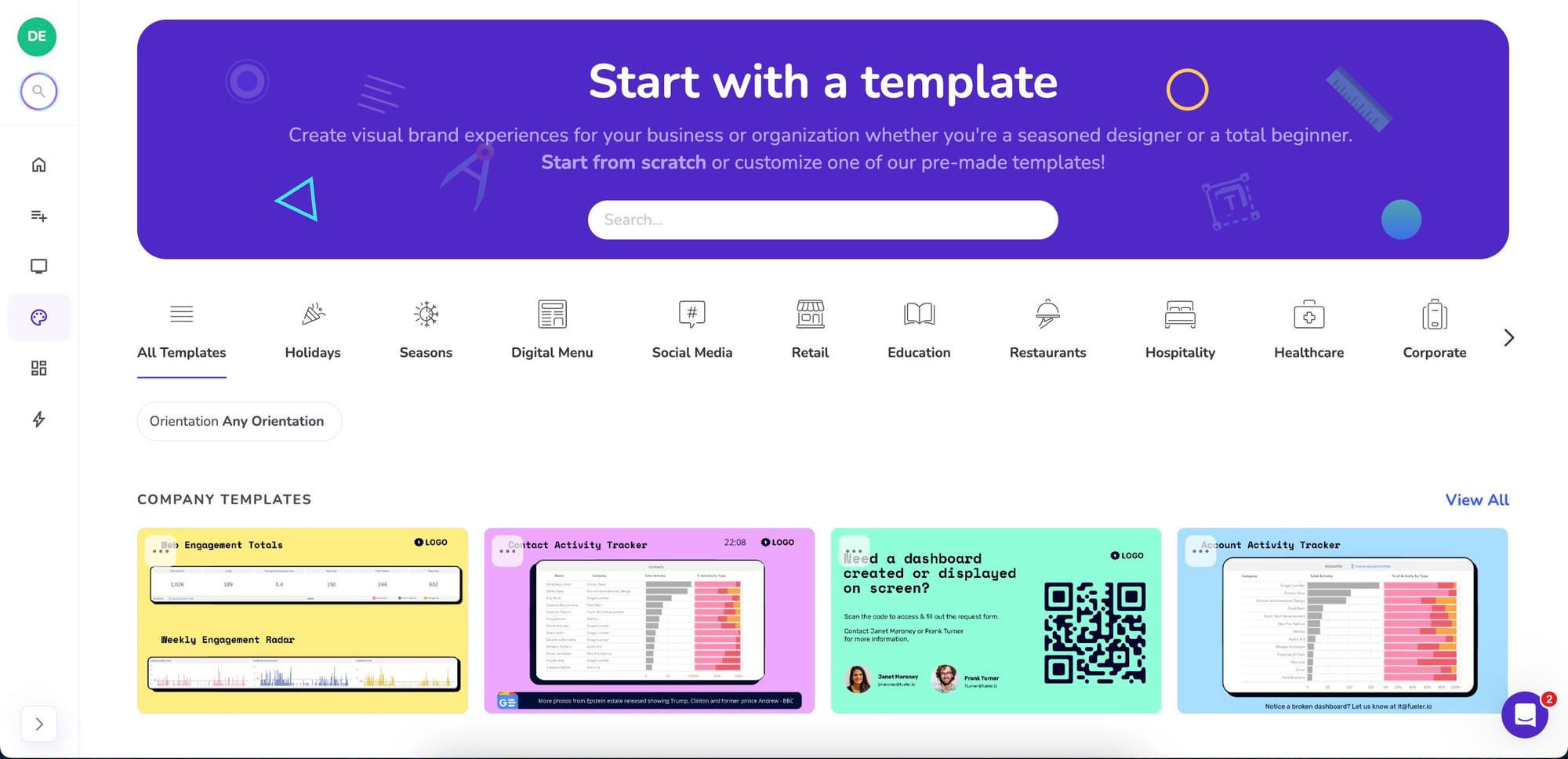
Without these features, teams compensate with style guides, folder structures, and Slack reminders about “how things should look.” That approach relies on memory rather than enforcement, and it rarely survives growth.
In mature deployments, templates are the mechanism that allows organisations to decentralise content creation without decentralising brand control - something that’s almost impossible to achieve through process alone.
Without this layer, organisations either centralise everything and slow down, or decentralise everything and lose consistency. Templates are how you avoid that trade-off.
Content integration features (apps)
Modern digital signage doesn’t exist in isolation. It sits inside a broader tech stack, and its usefulness increasingly depends on how well it connects to the systems teams already rely on.
Many of the most important screens don’t show manually created content at all. They show outputs from other tools.
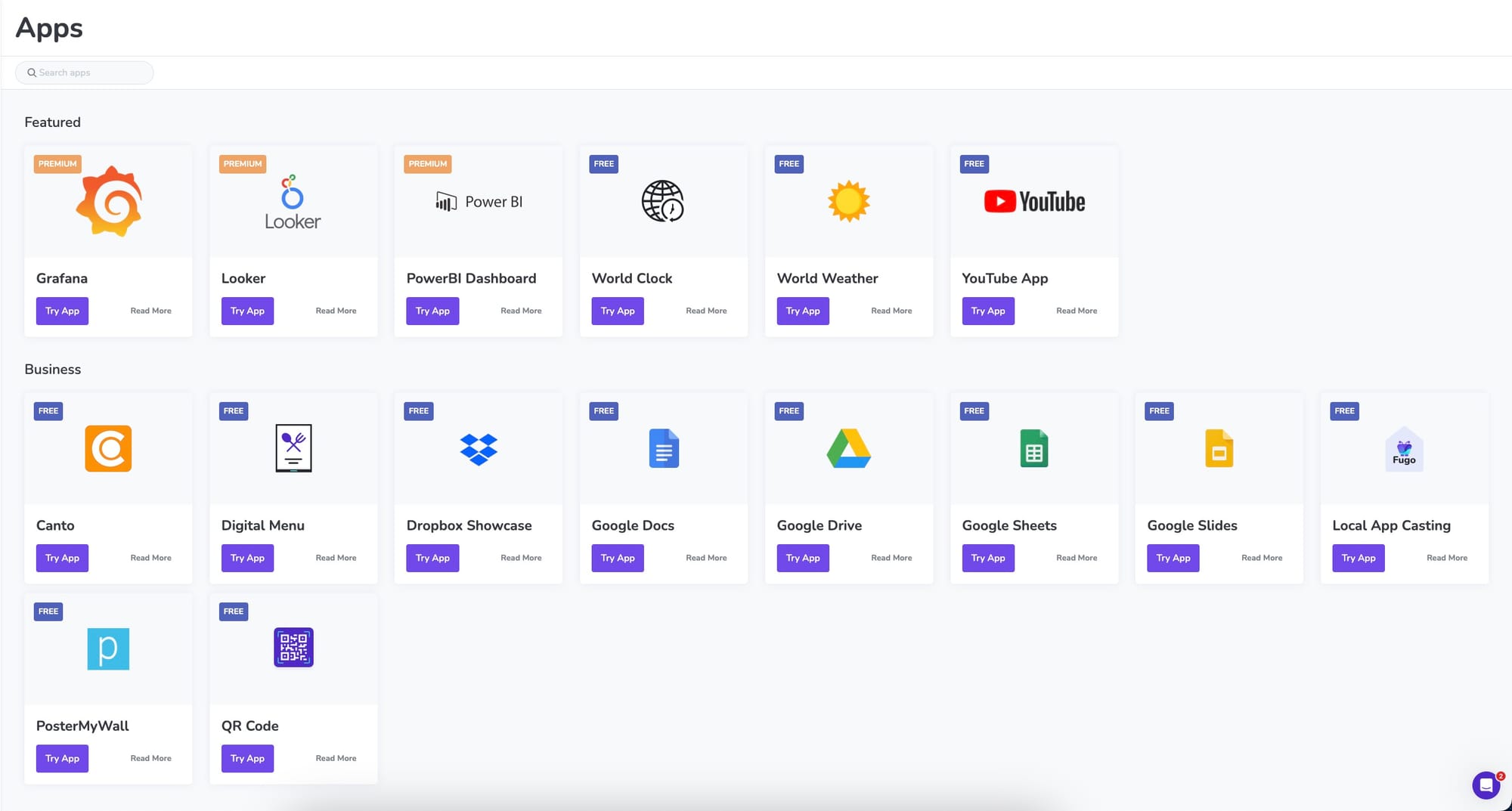
When evaluating integrations, look for support across the systems that actually drive screen content day to day:
- Digital asset management (DAM) platforms such as Canto or Bynder, so approved brand assets flow directly onto screens without manual downloads or version drift
- CRM and sales tools, allowing screens to reflect live pipeline activity, deal milestones, or performance indicators without someone curating slides
- HR and internal communication systems, for employee announcements, onboarding messages, policy updates, and company-wide notices
- Business intelligence and reporting platforms to surface operational metrics securely and reliably
- Social media platforms, enabling curated, moderated social content to appear on screens without turning signage into an unmanaged feed
- News and information feeds, such as RSS or publisher-backed sources, for contextual updates in offices, lobbies, or public-facing environments
- Infotainment and data services, including weather, transport updates, time, or location-aware information that keeps screens useful between primary messages
- Calendar and scheduling tools, to surface upcoming events, meetings, or room availability without duplicating data
- Support and ticketing systems, where queue status, SLA thresholds, or alerts can be displayed to teams or customers in real time
- Custom data sources and APIs, allowing organisations to connect proprietary systems or internal tools directly to their signage network
The goal isn’t to turn digital signage into a dumping ground for every feed available but to reduce manual effort and keep screens aligned with systems that are already the source of truth elsewhere in the organisation.
Strong CMS platforms make these integrations feel deliberate and governed. Weak ones treat them as widgets. Over time, that difference will become obvious.
Dashboard and data integration features
Putting dashboards on TVs sounds straightforward. In practice, it forces a set of tough questions that expose weak assumptions very quickly:
How are credentials handled?
Where does authentication happen?
What happens if a device is stolen?
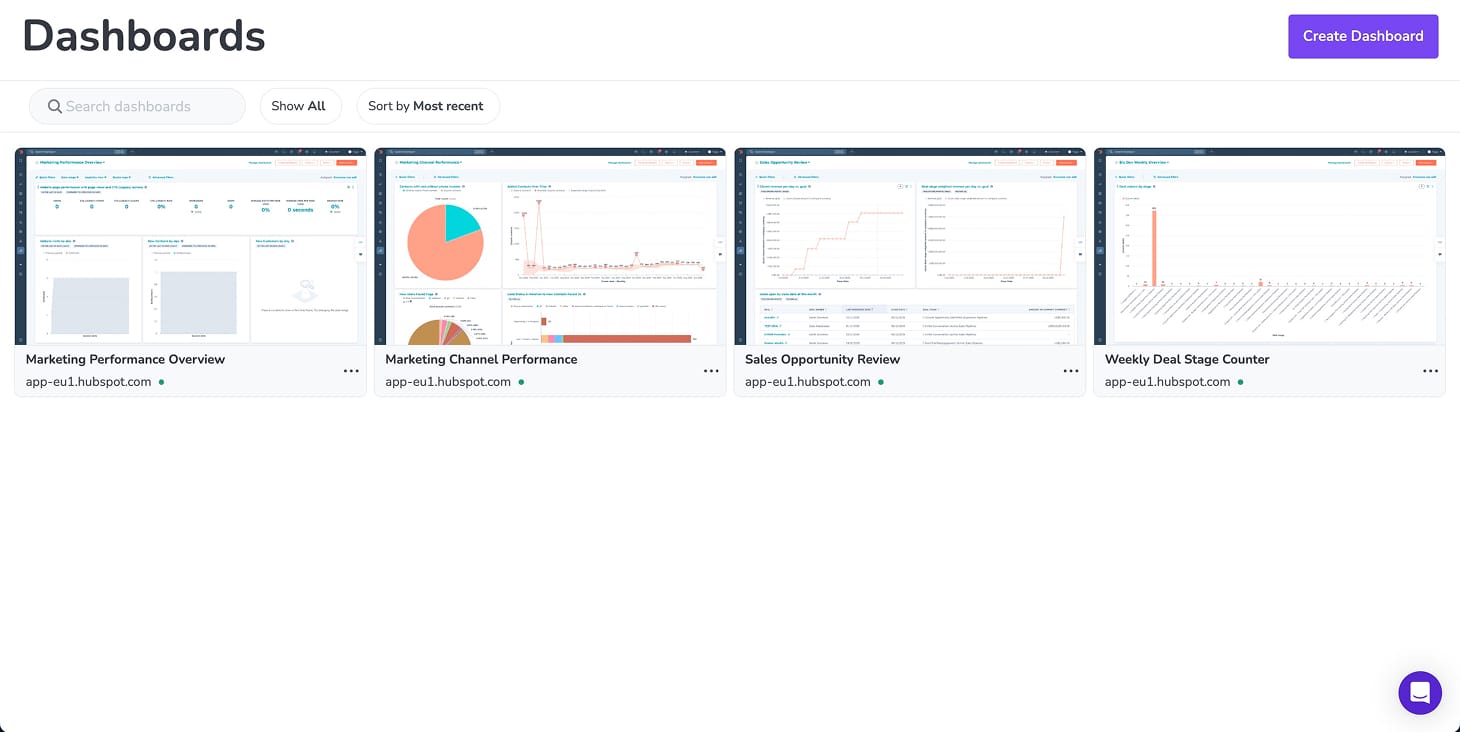
The hard part isn’t rendering the dashboard. It’s everything around it: authentication, security, refresh behaviour, and failure modes.
This is where many digital signage platforms quietly fall short. They’ll claim a “secure integration” with the likes of Power BI, Tableau, or Grafana... right up until setup, when you’re asked to turn off 2FA, create a shared service account, or fall back to an email-and-password login.
That might get a dashboard on screen, but it’s not secure in any meaningful sense. It sidesteps the organisation’s identity layer, breaks as soon as MFA is enforced, and leaves teams managing credentials in ways IT would never approve elsewhere. In some cases, those credentials end up replayed or stored on screen devices that weren't designed to be trusted endpoints.
In modern environments, secure integration means working with SSO, MFA, and token-based access - not asking teams to weaken their security posture just to make signage work.
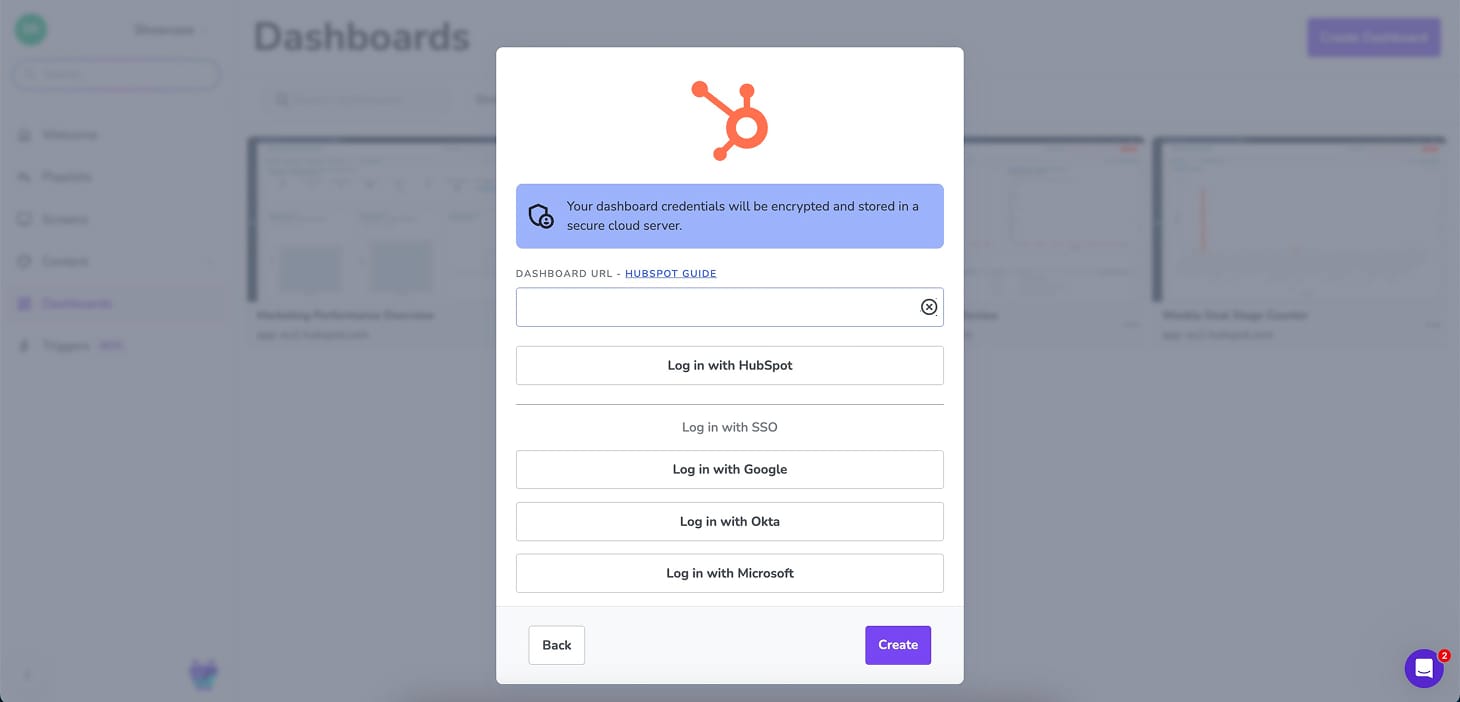
If you’ll be using digital signage to display operational or business-critical data, look for platforms that support:
- Native integrations with BI and operational tools like Power BI, Tableau, Looker, Grafana, Salesforce, and HubSpot
- Secure authentication models built around SSO, MFA, and token refresh
- No reliance on shared credentials or public URLs
- Predictable, managed refresh behaviour rather than manual reloads
- Clear separation between user identity, data access, and screen playback
A useful rule of thumb when evaluating dashboard integrations is simple: would your IT team be comfortable with this authentication model? If the answer is no, the integration may technically exist, but it isn’t production-ready.
By 2026, buyers are far less interested in whether a CMS can show dashboards at all. The real question is how safely, reliably, and sustainably it does so once IT and security teams are involved.
Automation and event-driven content features
Most signage still changes because someone remembered to change it.
That works fine for planned content: campaigns, announcements, evergreen messages. It starts to fall apart when screens are expected to reflect what’s actually happening in the business.
Sales pipelines move. Tickets get updated. Queues spike. Thresholds are crossed. In those moments, relying on someone to notice, log in, and adjust a playlist to reflect those changes is fragile by design. Playlists aren’t built for event-driven updates, and even dashboards displayed live on screen rarely surface urgency on screen. Missed updates aren’t usually about bad intentions; they’re a consequence of using the wrong workflow for real-time events.
The best digital signage software uses automation as a reliability layer that removes humans from the loop when timing and consistency matter more than creative control.
These are the automation features that matter:
- Rules-based content publishing tied to conditions rather than schedules
- Event-driven triggers connected to real systems like CRMs or support tools
- Conditional logic and filtering so only meaningful events surface on screen
- Temporary content states that interrupt playback, then automatically expire
- Clear visibility into why content is showing, to avoid “mystery screens”
A good automation system should feel calm and intentional. Screens update when something meaningful happens, then quietly step out of the way again.
This shift - from looping channels to responsive, shared surfaces - is what led us to build Triggers in Fugo. Today, Triggers let screens respond automatically to events in tools like HubSpot, surfacing key moments briefly before returning to normal playback. Salesforce and other trigger sources are coming next, but the broader point applies across the category.
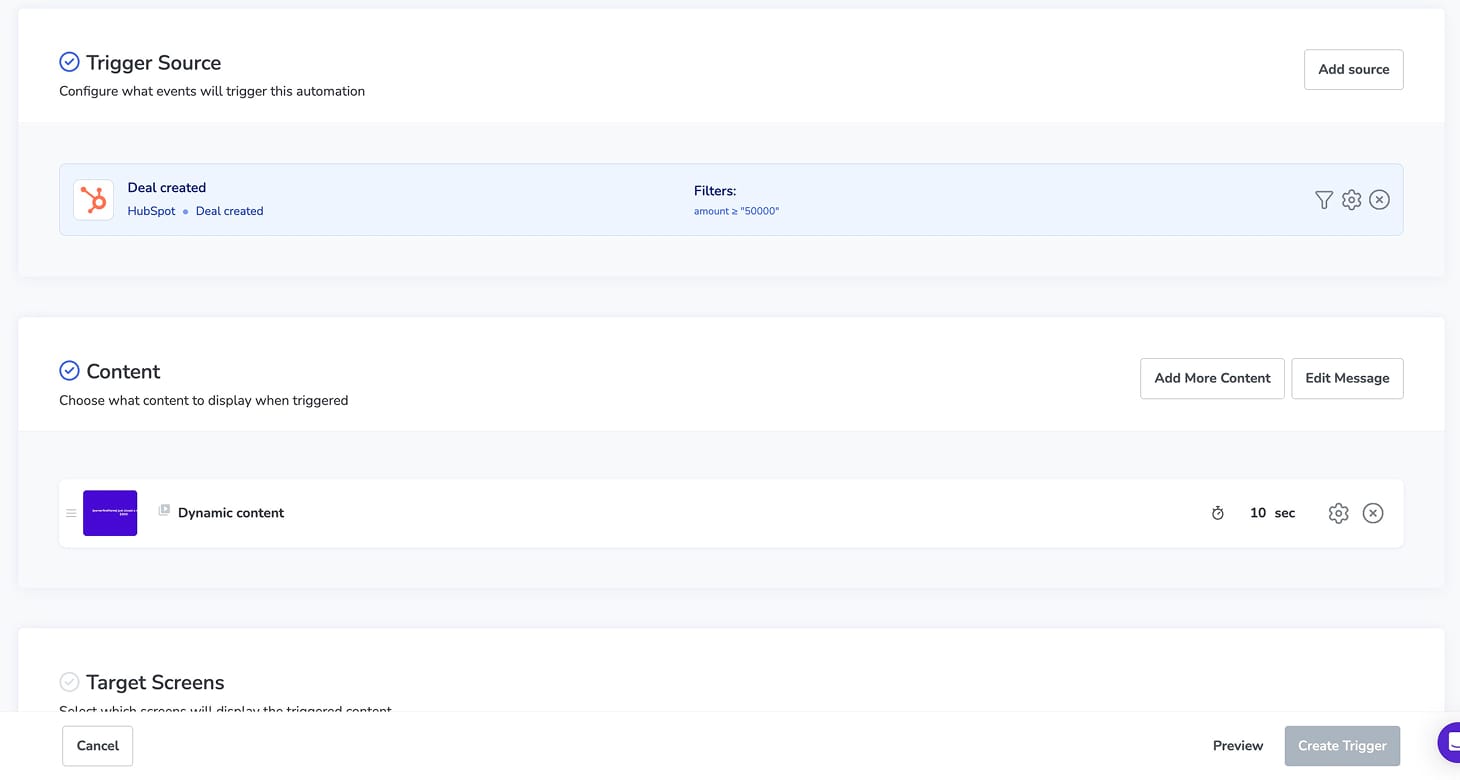
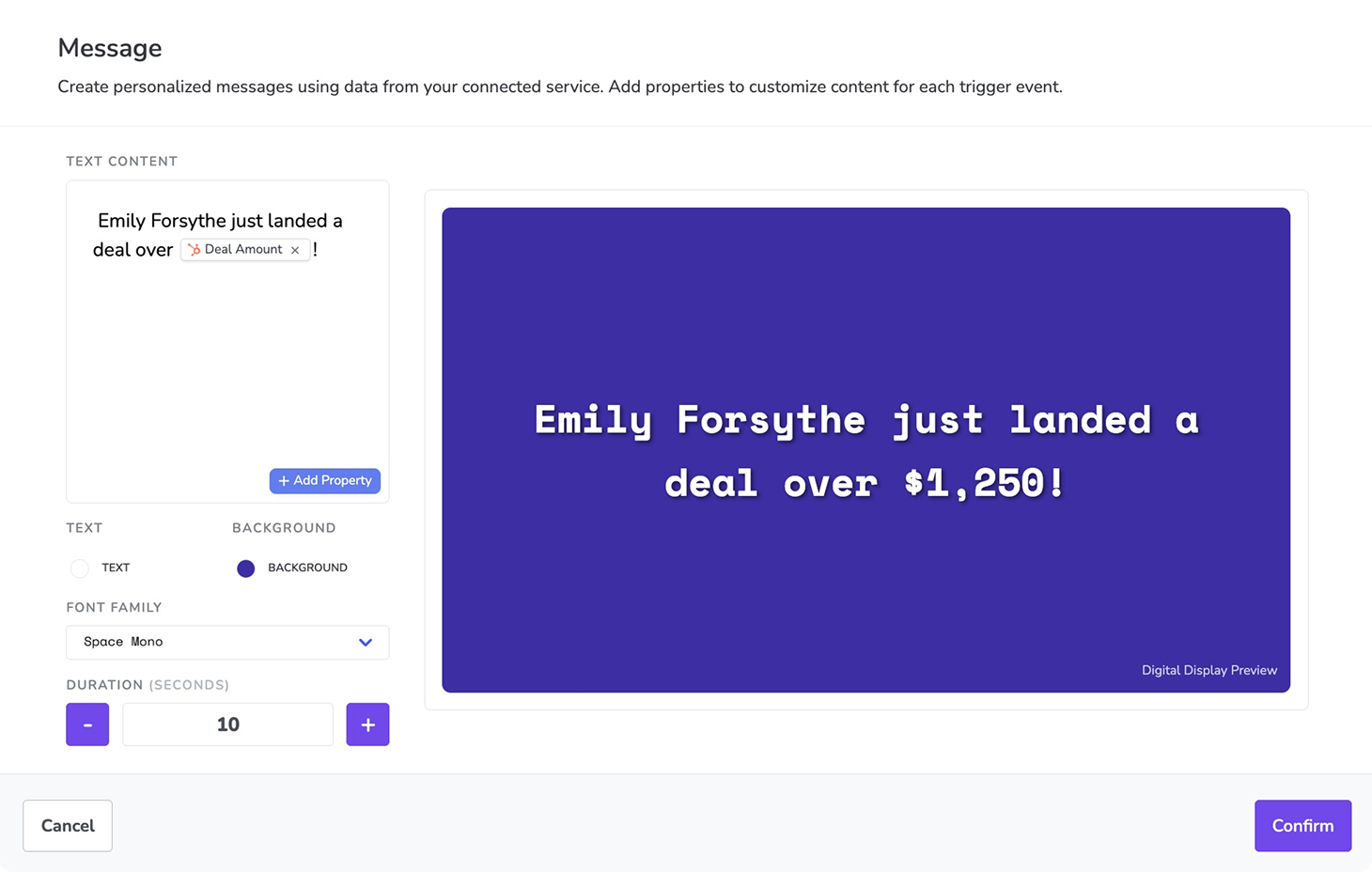
As more systems become connected, automation stops being a power feature and starts becoming table stakes. The strongest platforms won’t be the ones with the most triggers, but the ones where automation quietly keeps screens accurate without adding operational risk.
Digital signage player features (the device & runtime layer)
Screen fleet management features
The first ten screens are easy. The next fifty tell the truth. Almost every digital signage platform feels manageable at small scale, then the network grows.
At scale, signage stops being about content and starts being about visibility. Not control in a micromanagement sense, but in a “can I understand what’s happening without clicking into every screen” sense. You need to know what’s running, where, and why, without clicking into individual devices.
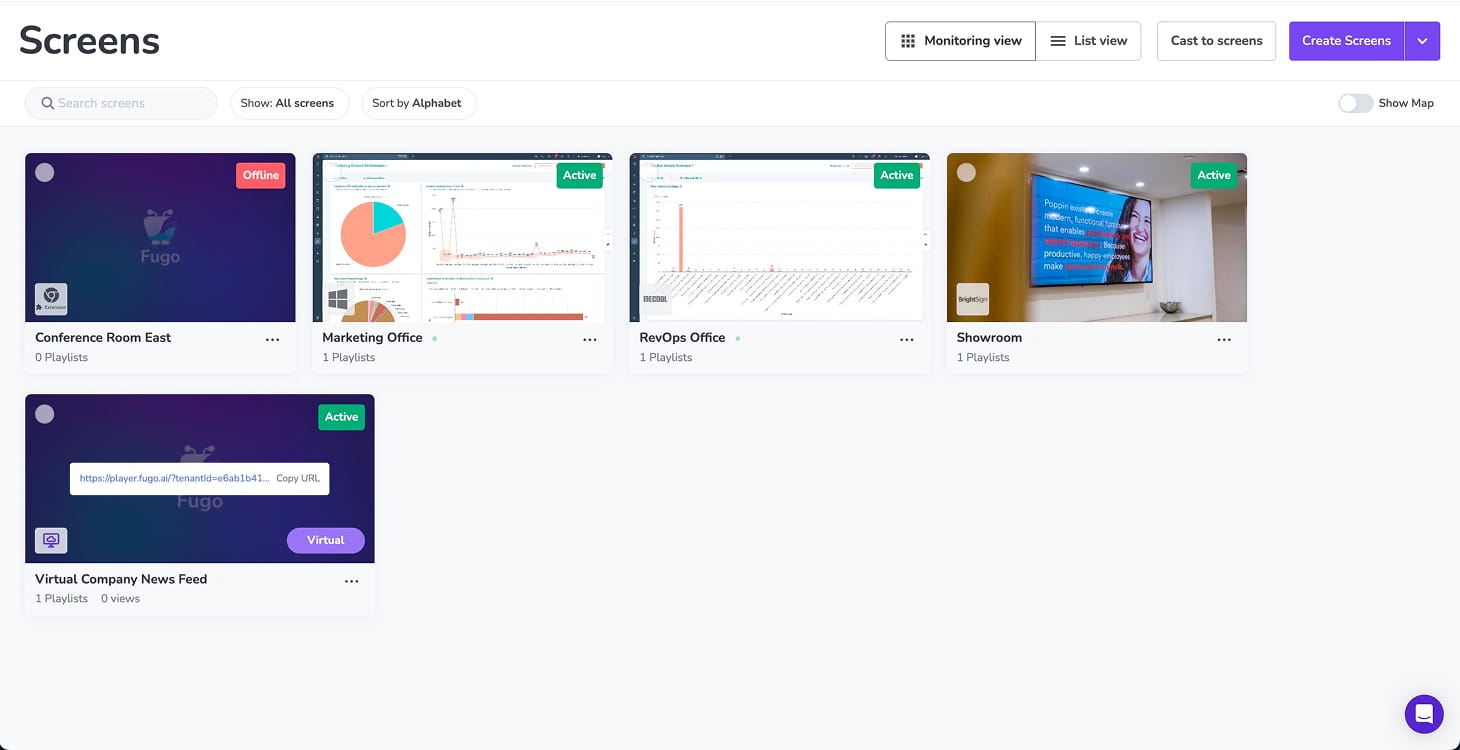
Good fleet management features let teams group screens in ways that match the organisation, apply changes in bulk, and quickly spot issues before someone complains.
This is where most low-cost or free tools will fall apart. Not because they’re badly built, but because they aren't designed to carry operational weight.
Here are the fleet management features to prioritise:
- Screen grouping that reflects how your organisation works (by location, department, region)
- Tagging and metadata for flexible organisation
- Searchable and filterable screen inventories
- Bulk publishing and bulk actions across screens
- Scoped access to subsets of the fleet
If managing 50 screens feels like managing 50 individual projects, the tooling isn’t doing enough work for you.

Device and operating system support features (proprietary vs multi-OS)
Hardware choices tend to feel tactical at the start of a signage rollout. Pick a player. Plug it in. Move on.
A year later, those choices start shaping everything: how easily you can expand into new locations, how consistent performance is across screens, and how much operational drag your team absorbs.
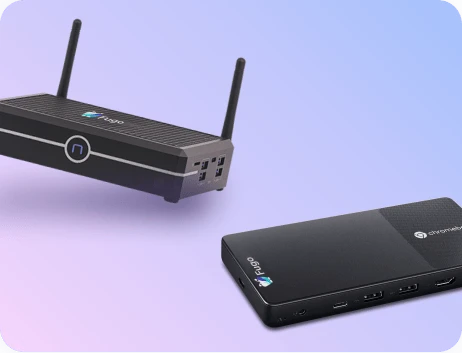
Most digital signage platforms make an architectural decision early on, even if they don’t always explain it clearly. Some control the full stack through proprietary hardware and operating systems. Others offer a multi-OS CMS that runs across Android, LG webOS, Samsung Tizen, Windows, ChromeOS, and similar environments.
Neither approach is inherently right or wrong. What matters is whether the platform is transparent about the trade-offs.
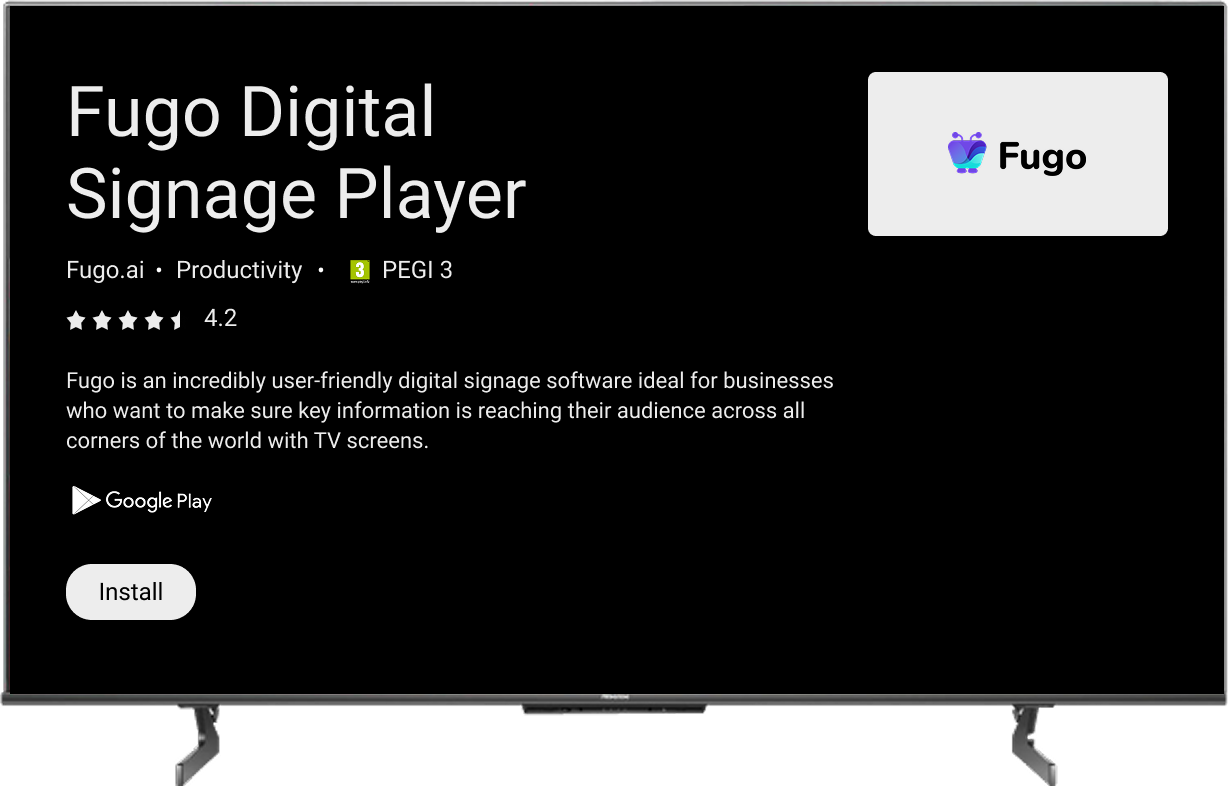
When evaluating device and OS support, look for:
- Explicit operating system compatibility, including which features vary by OS or device class
- Clear guidance on performance expectations, rather than blanket “supports X” claims
- Defined update and lifecycle policies for both software and supported devices
- First-party vs best-effort OS support, so you know where responsibility actually sits
- Documented limitations for smart TVs, consumer hardware, or underpowered devices
Device monitoring and remote diagnostics
Monitoring is one of those features everyone assumes exists until they discover it doesn’t, or that it’s too shallow to be useful.
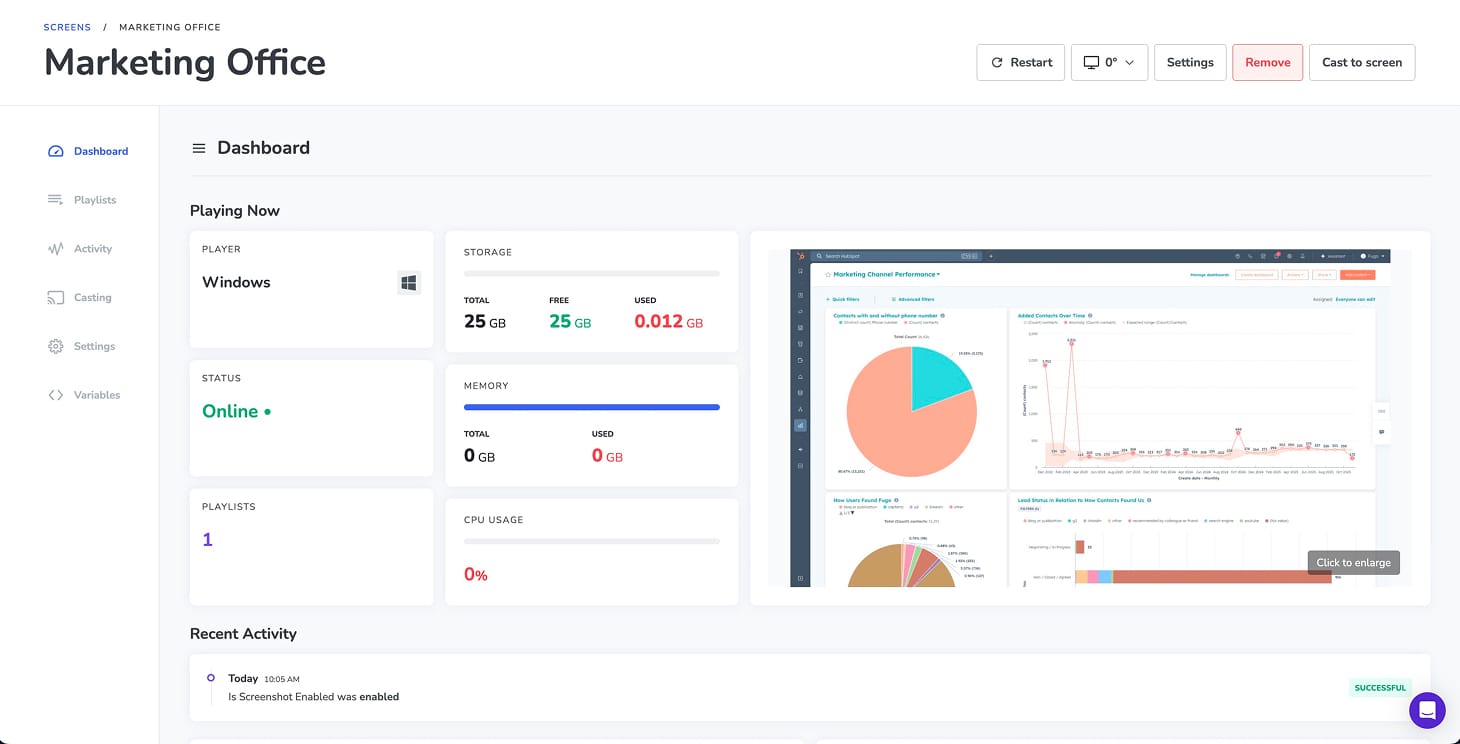
By 2026, basic monitoring is an expectation, not a differentiator. At a minimum, look for:
- Online and offline status at a glance
- Playback health indicators
- Player or app logs for debugging
- Remote restart or recovery actions
- Visibility across the entire fleet, not per device
Some CMS platforms build this in. Others rely on integration with MDM tools like SignageOS, Esper, 42Gears, or Chrome Enterprise. Either approach can work. What matters is that monitoring is accessible to the people responsible for uptime, not buried behind tooling silos.
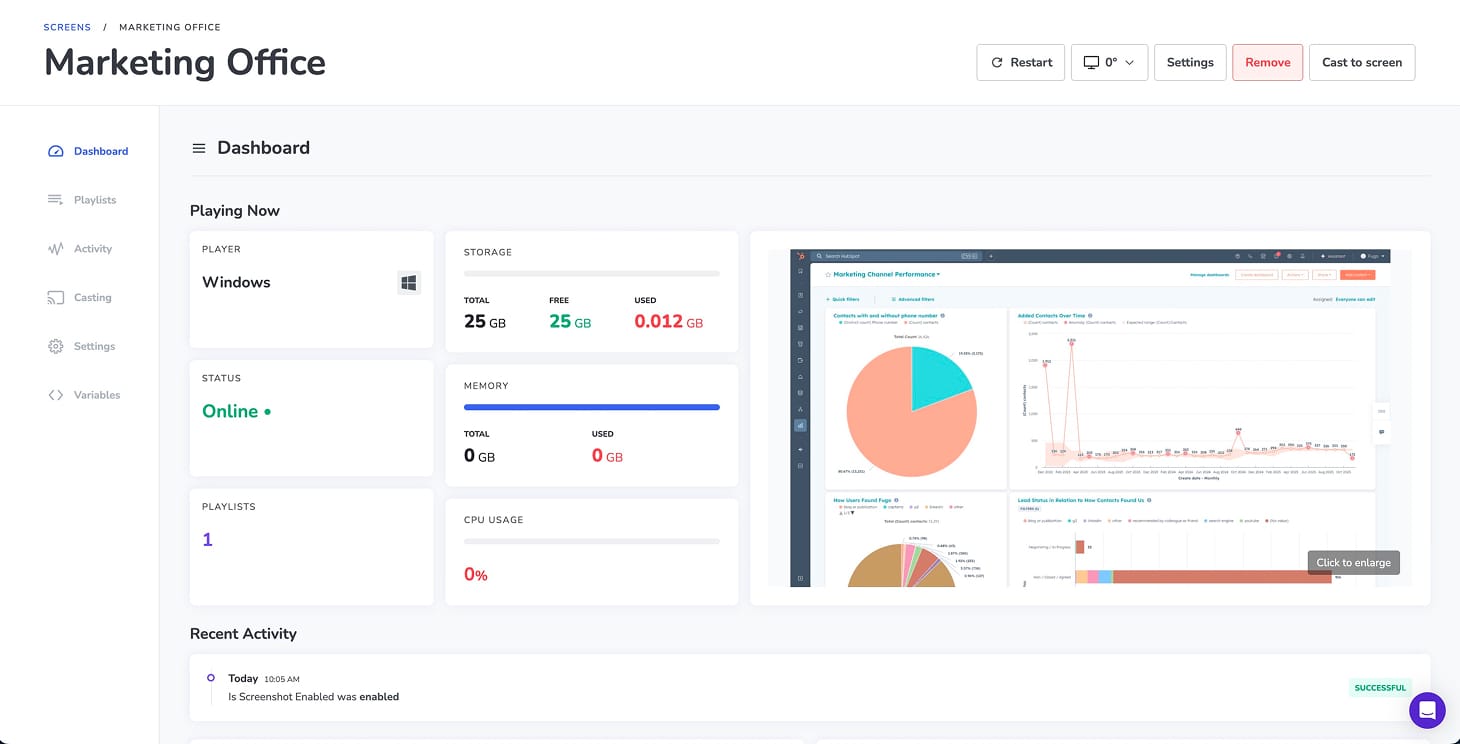
If the first time you learn a screen is broken is when someone emails you, the monitoring layer isn’t doing its job; it’s pushing the operational burden onto people instead of the system.
Screen casting and presentation features
Office screens are shared surfaces. Treating them like personal monitors causes friction fast. Teams want to borrow screens for meetings, town halls, whiteboarding, and urgent updates without breaking whatever normally runs there or calling IT.
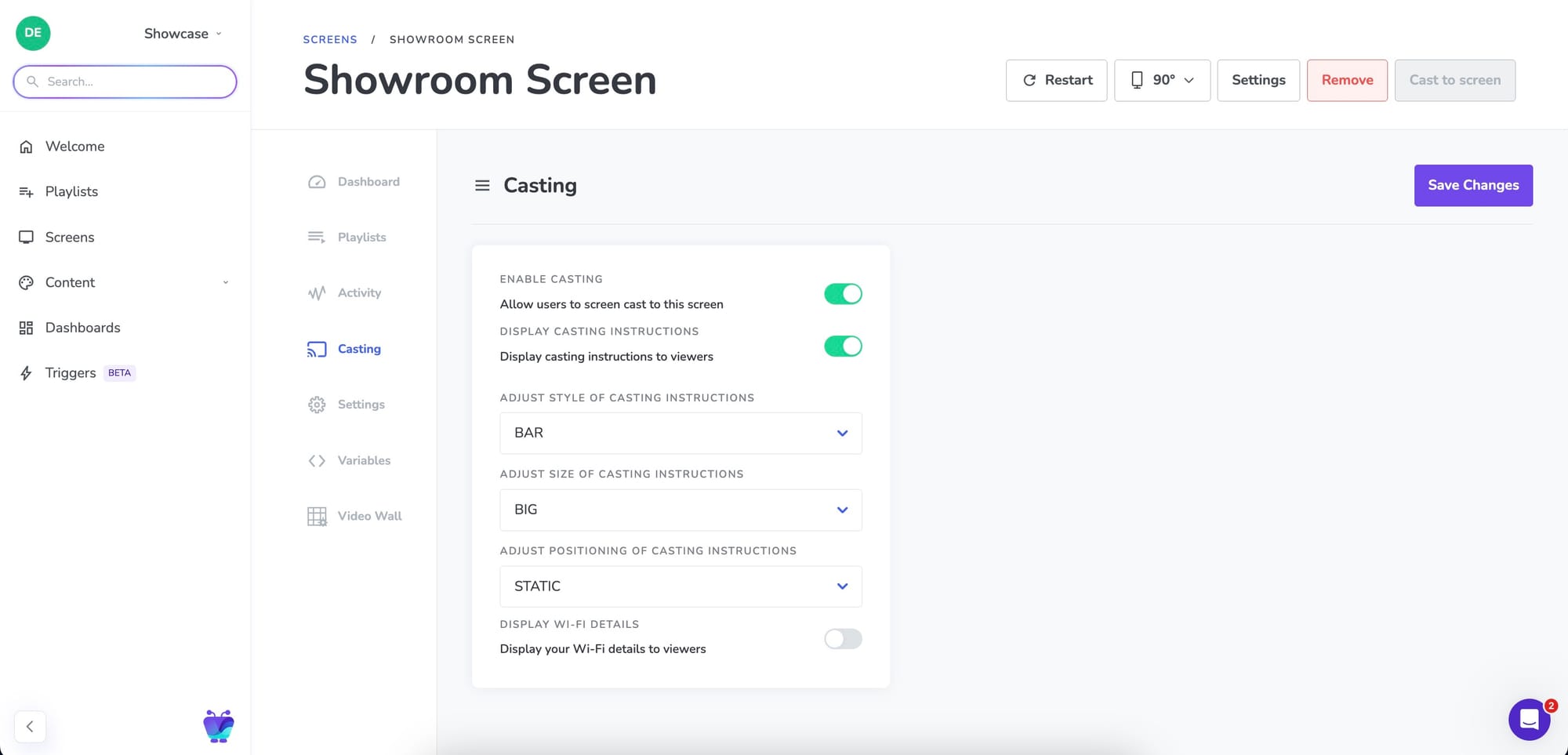
The best digital signage software will take that into account & offer casting support for:
- Secure, permissioned casting, not open mirroring
- Clear start and stop behaviour
- Automatic return to scheduled content
- No dependency on physical cables or device pairing
- Stability on shared networks
Consumer mirroring tools optimise for convenience. Workplace casting needs to optimise for predictability and control.
Security, identity, and compliance features
Screens are visible by default, so your failures will be (sometimes incredibly) public:
 Guy Campos
And you thought sending “Thanks Tuna” to Tina was bad
By 2026, buyers expect digital signage software to meet the same baseline security standards as other enterprise tools.
That means:
- SSO via SAML, OAuth, and major identity providers
- Role-based access tied to identity groups
- Encrypted communication between devices and servers
- Audit logs for user actions and content changes
- Alignment with recognised security frameworks, such as SOC 2
A useful warning sign is when a platform’s security story only appears during procurement. If security is something you have to ask about - buried in PDFs, questionnaires, or sales calls - rather than something you encounter naturally while using the product, it usually means it isn’t deeply embedded in how the system works.
In mature platforms, security shows up everywhere: in how users log in, how permissions are enforced, how integrations authenticate, how devices communicate, and how actions are logged. You don’t need to “enable” secure behaviour or make exceptions to get work done. It’s simply how the product operates.
By contrast, weaker systems often rely on assurances rather than enforcement. They’ll promise encryption, access control, or compliance on paper, but still require shared accounts, disabled MFA, manual workarounds, or trust in process rather than controls. That gap usually becomes visible only after rollout, when real users start pushing the system in ways the security model wasn’t designed to handle.
 Sarah Donahoo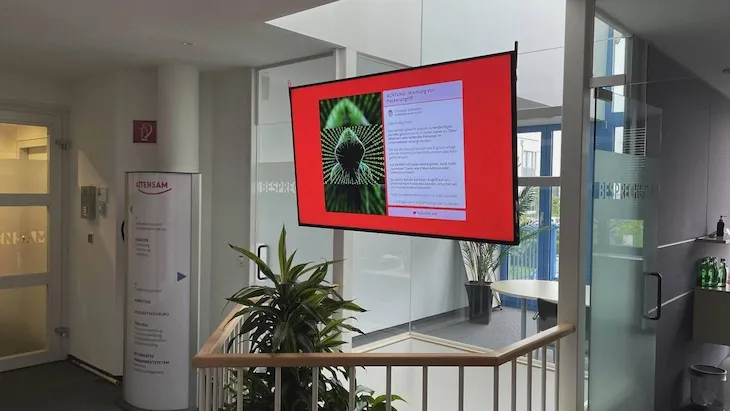
Check out this joint deep dive with the Esper team into where security blind spots tend to hide within signage networks.
Scalability across teams, screens, and regions (where both layers meet)
If signage systems fail it's usually because when the network grows, every small decision made early on starts to compound.
At ten screens, almost anything works.
At fifty, friction appears.
At a hundred, the software either holds or it quietly starts demanding workarounds.
You feel scalability in day-to-day use: how permissions expand, how content stays organised, how fleets are managed, and most importantly - how much manual coordination is still required as things grow.
In practice, it boils down to a small set of capabilities.
What to actually look for in scalable digital signage software
1. Permission models that expand cleanly
As teams grow, simple admin-and-user roles stop working. Scalable platforms support role-based access control and group-scoped permissions so ownership can expand across regions, departments, or partners without shared logins or informal rules.
2. Content structures that don’t collapse under volume
Look for structured content hierarchies, reusable templates, and tagging or metadata that keep content manageable as volume increases, without relying on naming conventions or tribal knowledge.
3. Clear separation between global and local content
As deployments spread across locations, some content needs to remain consistent while other content must adapt locally. Scalable systems support global layouts, locked elements, and defined local overrides, rather than forcing teams to fork and manually maintain variations.
4. Fleet management features that reduce effort per screen
Adding screens should become easier, not harder. Platforms that scale well support screen grouping, bulk publishing, bulk configuration, and fleet-level visibility, so each new screen doesn’t feel like a bespoke setup.
5. Automation that replaces manual coordination
As networks grow, consistency can’t depend on people remembering to make changes. Scalable platforms use rules-based publishing and event-driven triggers to prevent drift and reduce day-to-day intervention.
6. Ownership and accountability built into the system
When multiple teams share responsibility, ambiguity becomes a risk. Features like audit trails, content ownership, and clear publishing boundaries help decisions move forward without constant negotiation.
The simplest test is this: as you add screens, teams, or regions, does the system feel calmer or more fragile?
So what actually matters when choosing digital signage software in 2026?
At this point, the pattern should be clear. The features that matter aren’t isolated capabilities, they’re the ones that hold up once signage becomes operational infrastructure rather than an experiment.
A useful way to evaluate platforms is to look across both layers and ask a small number of practical questions:
- Does the CMS make it easy for teams to plan, collaborate, automate, and govern content without relying on fragile processes?
- Does the player ecosystem run predictably across devices, operating systems, and networks, with enough visibility to catch problems before they become incidents?
- And, most importantly, do those two layers reinforce each other rather than introducing new failure points as the system grows?
Almost any platform can look capable at small scale. The real differences only emerge as networks expand, more teams get involved, and screens start reflecting live business activity.
The strongest platforms are the ones that make growth feel routine. They won't necessarily have more features, but they'll reduce uncertainty about what’s running, why it’s running, and who owns it without demanding constant attention.
That’s the standard digital signage software is being held to in 2026.

